

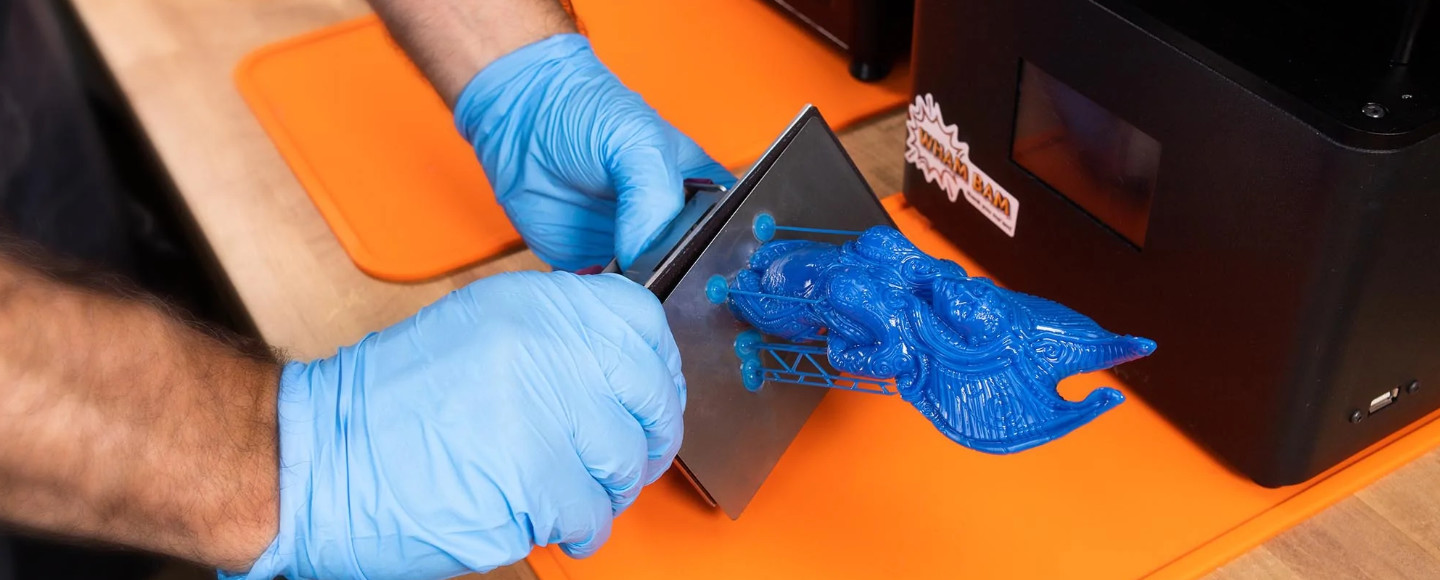
Overall Score: 8.5 / 10
Best For: Beginners, miniature painters, tabletop gamers, hobbyists
Not Ideal For: Users needing remote monitoring, production speed, or large build plates
Editor’s Verdict: Reliable, beginner-friendly 4K resin printer. The anti-hype choice that consistently delivers.
The Elegoo Mars 5 remains one of the best beginner-friendly resin printers you can buy in 2026. It delivers auto leveling, reliable smart sensors, and consistently sharp 4K print quality at a price that makes a lot of sense for hobbyists and miniature makers. While it lacks the AI camera and speed upgrades of the Mars 5 Ultra, its simpler, more dependable workflow is precisely why it keeps appearing on recommended lists. If you want a printer that just works, the Mars 5 is still your answer.
Introduction: Why the Elegoo Mars 5 Still Matters in 2026
Let me be upfront with you: in a market now flooded with 9K, 12K, and even AI-assisted resin printers, the Elegoo Mars 5 takes a purposefully different path. It doesn’t chase spec-sheet headlines. Instead, it bets on dependable mechanics, mature software support, and a workflow that is genuinely forgiving for anyone who doesn’t want resin printing to become a part-time engineering job.
And honestly? That bet is still paying off.
Here’s the thing: not every user needs pixels they can’t actually see. If you’re printing tabletop miniatures, cosplay accessories, dental models, or jewelry masters, the resolution ceiling of the Mars 5 is rarely the limiting factor in your results. Technique, resin quality, slicer settings, and ambient temperature all play a bigger role. The Mars 5 nails the fundamentals, and that is harder to engineer than raw pixel density.
This Elegoo Mars 5 4K review will cut through the noise and tell you exactly what this printer does well, where it falls short, how it stacks up against the Mars 5 Ultra, and most importantly, whether it belongs in your workspace in 2026. No hype. Just honest, practical assessment from someone who has spent real time with resin printers.
- Elegoo Mars 5 Specs: What You’re Actually Getting
- Elegoo Mars 5 Print Quality Review: The 4K Reality Check
- Setup and Ease of Use: The Beginner’s Best Friend
- Performance and Print Speed
- Software and Workflow in 2026
- Elegoo Mars 5 vs. Mars 5 Ultra
- Elegoo Mars 5 vs. Saturn 4
- Pros and Cons
- Who Should Buy the Elegoo Mars 5?
- Final Verdict
- Frequently Asked Questions
Elegoo Mars 5 Specs: What You’re Actually Getting
Before diving into print quality and real-world experience, let’s lay out the Elegoo Mars 5 specs clearly. Understanding these numbers will help you evaluate whether this printer fits your workflow.
| Spec | Value |
|---|---|
| LCD Screen | 6.6-inch Mono LCD |
| Resolution | 4K (3840 x 2400) |
| XY Resolution | 35 microns |
| Build Volume | 143 x 89 x 150 mm |
| Light Source | COB (Chip-on-Board) |
| Connectivity | USB |
| Leveling System | Automatic |
| Sensors | Mechanical residue detection |
| Layer Exposure Speed | ~1-2 seconds per layer |
| Max Print Speed | ~70 mm/h |
| Machine Dimensions | 227 x 227 x 425 mm |
| Weight | ~5.5 kg |
Now here’s something most reviews gloss over: screen size matters significantly more than the K rating. The 4K label describes how many pixels are packed into a 6.6-inch panel. At that size, 4K delivers an XY resolution of 35 microns, which is genuinely excellent for the vast majority of hobby printing applications. The leap from 4K to 9K only becomes visually meaningful when you zoom in beyond normal viewing distances, or when you’re producing ultra-fine jewelry or medical-grade parts. For tabletop miniatures and hobby models at arm’s length? 4K is more than enough.
Elegoo Mars 5 Print Quality Review: The 4K Reality Check
This is the section that matters most, so let’s give it the attention it deserves.
The Resolution vs. Reality Argument
The 3D printing community has developed something of a resolution arms race in recent years. New printers arrive every few months promising higher K counts, and it’s easy to feel like you’re falling behind if you’re not chasing the latest spec. But here’s the practical reality that most spec-sheet comparisons miss:
On a 6.6-inch LCD panel, 4K resolution still delivers extremely sharp, detailed prints. The difference between 35-micron XY resolution (Mars 5) and the 18-20 micron resolution found on newer 9K and 12K printers is often negligible once a model is cleaned, cured, primed, and painted. At normal viewing distances, even experienced painters frequently cannot distinguish prints from the two categories in blind tests.
Mechanical consistency matters more than chasing pixels you can’t actually see. A printer that reliably produces clean, well-supported 35-micron prints will beat a poorly tuned 18-micron printer every single day of the week.
Miniatures and Detail Testing
For miniature painters and tabletop gamers, the Elegoo Mars 5 4K 3D printer review really comes alive in practical detail tests. Here is what real-world printing reveals:
- Facial details (eyes, nose definition, lip edges): Clean and crisp at standard 0.05mm layer heights. Individual eye sockets on 28mm scale miniatures reproduce accurately.
- Armor engravings and panel lines: Sharp, well-defined edge definition. Layering artifacts are minimal and effectively invisible on painted models.
- Weapon edges and fine points: Spear tips, sword blades, and delicate weapon details hold up well. Support placement is the bigger variable here, not printer resolution.
- Smooth curved surfaces (cloaks, organic shapes): Very smooth. Layer lines at 0.05mm are essentially imperceptible on curved surfaces once primed.
- Support scarring: Moderate, comparable to industry standard at this price point. Proper support settings in Lychee or Chitubox minimize this significantly.
Layer lines are effectively invisible at standard 0.05mm settings on most miniature and hobby model applications. The Mars 5’s 4K output consistently exceeds what the eye can distinguish at normal display distances.
The Elegoo Mars 5 print quality is not just acceptable in 2026 — it is genuinely excellent for its intended audience. Beginners will be impressed. Experienced hobbyists will find it reliable and consistent. That combination is more valuable than most spec upgrades.
Setup and Ease of Use: The Beginner’s Best Friend
One of the most underrated aspects of the Elegoo Mars 5 resin printer review is how thoughtfully it handles the new-user experience. Resin printing has historically had a steep, unforgiving learning curve. Elegoo has done real work to flatten that curve with the Mars 5.
Unboxing Experience
Out of the box, the Mars 5 arrives well-packaged with everything you need to get started:
- Nitrile gloves (you’ll want more, buy a box)
- Replacement FEP film
- Resin filters and paper funnels
- USB drive with test models and slicer software links
- Scraper and tools
- Detailed printed manual
The build quality feels solid. Nothing rattles, the rails are smooth, and the overall construction gives you confidence that this machine was built to run reliably over months of use, not just look good in an unboxing video.
Auto Leveling: A Genuine Game Changer for Beginners
If you’ve spent any time in resin printing communities, you know that leveling is historically where beginners fail. Getting the build plate perfectly parallel to the FEP film is critical, and manual leveling requires patience, a feeler gauge, and a fair bit of trial and error.
The Mars 5’s automatic leveling system eliminates most of this frustration. The printer guides you through the process with on-screen prompts, and the motorized system handles the precision alignment. For most users, first-print success rates are dramatically higher than with manually-leveled machines. This alone justifies the Mars 5 as the go-to recommendation for anyone new to resin printing.
Less trial and error means less wasted resin, fewer failed prints, and crucially, less discouragement early in the learning process. The auto-leveling system is a well-engineered feature, not a marketing checkbox.
Mechanical Sensor System: Smart Without the AI Camera
Here’s a point worth dwelling on, because it’s frequently misunderstood in Mars 5 vs. Mars 5 Ultra comparisons.
The Mars 5 may not have eyes, but it definitely has nerves.
The mechanical residue detection system is a sophisticated safety net that works actively during every print:
- Residue Detection: The sensor identifies when cured resin fragments have broken loose and are floating in the vat, preventing them from being crushed between the build plate and FEP on the next layer cycle. This is a leading cause of print failures and LCD damage.
- Resin Level Monitoring: Alerts you when resin levels drop below the threshold needed for successful layer adhesion. No more returning to find a half-printed tower with nothing underneath.
- Collision Prevention: Detects unexpected resistance during plate movement, preventing the kind of mechanical crashes that can damage the LCD or the FEP film.
- LCD Protection: By catching problems early, the sensor system actively extends the life of the most expensive consumable component in the printer.
The real gap between the Mars 5 and the Mars 5 Ultra in terms of sensing capability is the AI camera system. The Ultra adds visual monitoring that can identify print failures and send remote notifications. The Mars 5 lacks this, but the mechanical sensor system is not a downgrade. It’s a different philosophy: proactive mechanical intervention rather than reactive visual detection. For most hobbyists printing in the same room as their printer, the mechanical sensor system is absolutely sufficient.
Performance and Print Speed: Consistency Over Aggression
The Elegoo Mars 5 tops out at around 70mm/h under optimal conditions. Compared to newer tilt-release printers that claim 100mm/h and beyond, this might look underwhelming on paper. But let’s add context.
The Mars 5 uses a standard FEP peel workflow, which is more conservative in lift speed and movement than tilt-release alternatives. What this means in practice:
- More consistent layer adhesion, particularly with challenging geometries
- Lower stress on supports, resulting in fewer detachment failures
- Better suitability for beginners still dialing in their resin profiles
- Reduced mechanical wear over the printer’s lifespan
Experienced printers sometimes push Mars 5 speeds higher through anti-aliasing and lift speed tuning in the slicer. But for most users, the default settings deliver reliable, print-after-print consistency that faster machines often can’t match without careful calibration.
A 70mm/h printer that succeeds on the first attempt beats a 150mm/h printer that requires three tries to get a clean result. Factor in setup time, resin cost, and the mental overhead of managing failures when evaluating true printing speed.
Software and Workflow in 2026: A Mature Ecosystem Advantage
Here’s an advantage of the Mars 5 that younger printers simply cannot replicate: years of ecosystem development.
Chitubox and Lychee Slicer Support
Both Chitubox and Lychee Slicer, the two dominant MSLA slicers in 2026, have deeply optimized support for the Elegoo Mars 5:
- One-click printer profiles built specifically for the Mars 5
- Pre-validated resin exposure presets for dozens of popular resins
- Optimized support generation settings tested against thousands of community prints
- Active community knowledge bases with troubleshooting guides tailored to this exact machine
When you buy the Mars 5, you’re not just buying a printer. You’re buying into an established workflow ecosystem where most of the common problems have already been solved and documented. For a beginner, this is enormously valuable. You can search any issue you encounter and almost certainly find a community-tested solution.
Older printers benefit from mature slicer ecosystems in ways that are hard to quantify but easy to feel when you’re troubleshooting at midnight with a resin-covered glove.
The Offline Advantage: A Hidden Strength in 2026
No WiFi on the Mars 5. In 2023, that was a minor criticism. In 2026, it’s increasingly looking like a feature.
Unlike cloud-dependent ecosystems, the Mars 5 remains fully functional without apps, subscriptions, or server dependency. You print from USB. Your data stays local. The printer works the same on day one as it does three years later, regardless of whether the manufacturer maintains their app infrastructure.
For users who value privacy and long-term reliability, this offline-first approach is genuinely appealing. You’ll never face a situation where a firmware update breaks app connectivity or a discontinued service renders features inaccessible. The Mars 5 is a tool, not a subscription.
Elegoo Mars 5 vs. Mars 5 Ultra: The Honest Comparison
The Mars 5 vs. Mars 5 Ultra comparison is the question most readers arrive here to answer. Let’s lay it out clearly.
| Feature | Mars 5 | Mars 5 Ultra |
|---|---|---|
| Resolution | 4K | 9K |
| XY Accuracy | 35 microns | ~18 microns |
| AI Camera | No | Yes |
| Mechanical Sensor | Yes | Yes |
| Connectivity | USB only | WiFi + USB |
| Release Technology | Standard FEP | Tilt Release |
| Print Speed | ~70 mm/h | Faster (100+ mm/h) |
| Setup Complexity | Lower | Higher |
| Price | More Affordable | Premium |
| Best For | Beginners, hobbyists | Advanced users, small production |
The Mars 5 Ultra wins on raw specification numbers. Higher resolution, faster speed, AI-assisted monitoring, and WiFi connectivity are genuine upgrades. But here’s the honest assessment: for the majority of hobbyist use cases, these upgrades deliver marginal real-world improvements at meaningfully higher cost and complexity.
The Ultra’s tilt-release mechanism requires more careful resin selection and support calibration. Its AI camera, while impressive, adds a layer of software dependency. And its higher resolution, as discussed, makes a visible difference primarily in specialized professional applications rather than typical hobby printing.
If you’re a beginner or a hobbyist who wants reliable, high-quality prints without a steep learning curve, the Mars 5 is the smarter starting point. If you’re an experienced user running high-volume production or need the absolute finest detail for professional applications, the Ultra earns its premium.
Elegoo Mars 5 vs. Saturn 4: The Hidden Rival
Many buyers comparing smaller-footprint printers in 2026 find themselves wondering whether to go with the Mars 5 or step up to the Saturn series for a larger build volume. This is worth addressing directly.
| Category | Mars 5 | Saturn 4 |
|---|---|---|
| Build Volume | 143 x 89 x 150 mm | 218 x 123 x 260 mm |
| Resolution | 4K | 12K |
| XY Accuracy | 35 microns | ~19 microns |
| Machine Footprint | Compact | Large |
| Resin Consumption | Lower | Higher |
| Price | Budget-friendly | Significant premium |
| Best For | Miniatures, small models | Large models, batch printing |
The Saturn 4 wins decisively on build volume and resolution. If you regularly need to print large terrain pieces, full-size cosplay helmets, or want to batch-print dozens of miniatures in one session, the investment makes sense. But for most users primarily interested in character miniatures, jewelry, or small detailed models, the Mars 5’s build volume is entirely sufficient, and its compact footprint keeps your workspace manageable.
The Mars 5 also has a significantly lower total cost of ownership: cheaper resin consumption per print, lower FEP replacement costs, and a more affordable entry price. For budget-conscious hobbyists, that adds up meaningfully over months of use.
Used or Refurbished Mars 5 Ultra vs. New Mars 5
With the Mars 5 Ultra having been on the market long enough to appear in secondhand listings, a natural question arises: is a used Ultra a better deal than a new Mars 5? It’s a smart question, and the answer isn’t simple.
If a refurbished or used Mars 5 Ultra is available at a price close to a new Mars 5, and comes from a reputable source with a clear print history, it can offer compelling long-term value. You get higher resolution and speed for a similar investment.
However, a brand-new Mars 5 offers something that no used printer can match: warranty coverage, factory-fresh FEP film, a new LCD with full rated exposure life, and the peace of mind that comes with knowing the machine’s complete history.
Unless the price difference on a used Ultra is substantial (more than 35-40% cheaper than new), a new Mars 5 from an authorized retailer is the lower-risk choice. The warranty and the known-good component state are worth real money.
Elegoo Mars 5 Pros and Cons
- Genuinely excellent beginner experience with auto leveling and intuitive workflow
- Reliable mechanical sensor system that protects the LCD and prevents common print failures
- Sharp, consistent 4K print quality ideal for miniatures, figurines, and hobby models
- Mature, well-supported slicer ecosystem with extensive community resources
- Simple, offline-first workflow with no app or subscription dependency
- Compact footprint suitable for home workshops and small studio spaces
- Strong long-term reliability record across thousands of user hours
- Lower total cost of ownership compared to larger or more complex machines
- No AI camera for remote monitoring or automated failure detection
- Slower print speed compared to Ultra and newer tilt-release machines
- No WiFi connectivity for remote file transfer or monitoring
- 4K resolution, while excellent, is technically outpaced by newer 9K and 12K panels
- Smaller build volume limits batch printing efficiency
- No ecosystem apps or smart device integration
Who Should Buy the Elegoo Mars 5?
- You are new to resin printing and want the most forgiving, reliable entry point available
- You are a miniature painter, tabletop gamer, or hobbyist who wants consistently excellent small-scale print quality
- You value a proven, mature workflow over chasing the latest specifications
- You print in the same room as your machine and don’t need remote monitoring
- You want to keep resin printing approachable, not make it a technical side project
- You have a limited budget and want maximum reliability per dollar spent
- You need remote monitoring or print notifications via smartphone
- You’re running a small production operation where speed directly impacts output volume
- You regularly print large format models or need a bigger build plate
- You’re an experienced printer ready to invest in maximizing resolution for professional applications
Final Verdict: Is the Elegoo Mars 5 Still Worth Buying in 2026?
Here’s where we land after putting the Elegoo Mars 5 through its paces in 2026: yes, it is absolutely worth buying, and more specifically, it’s worth buying for the right reasons.
The Elegoo Mars 5 succeeds because it focuses on what still matters most in resin printing: reliability, simplicity, and print consistency. It doesn’t try to win a spec-sheet competition it wasn’t designed to enter. Instead, it delivers a beginner-friendly resin printer experience that is genuinely hard to beat at its price point.
The Mars 5 is the anti-hype resin printer for buyers who value results over marketing specs. In a market full of printers promising features that most users will never fully utilize, the Mars 5 delivers on the fundamentals: it prints well, it fails rarely, and it gets you from unboxed to successful print in less time than almost anything else in its class.
If the question is whether the Mars 5 is still good in 2026, the answer is yes. If the question is whether it is the right printer for you specifically, that comes down to whether your use case matches its strengths. For the majority of hobbyists and beginners reading this review, it does.
The Mars 5 isn’t old technology. It’s old reliable. And in 2026, that’s still a very good thing to be.
Frequently Asked Questions: Elegoo Mars 5 Review
Is the Elegoo Mars 5 still good in 2026?
Yes, absolutely. The Elegoo Mars 5 remains one of the best beginner resin printers available in 2026. Its auto-leveling system, reliable mechanical sensors, and sharp 4K print quality make it an excellent choice for hobbyists, miniature painters, and first-time resin printer owners. While newer models offer higher resolution and faster speeds, the Mars 5 continues to deliver consistent, high-quality prints for the vast majority of hobby applications. Its mature slicer ecosystem and offline workflow also provide reliability advantages that newer machines are still building toward.
Is 4K resolution enough for resin 3D printing in 2026?
For the vast majority of hobbyist applications, yes. On a 6.6-inch mono LCD panel, 4K delivers a 35-micron XY resolution that produces impressively detailed prints. The practical difference between 4K and 9K or 12K resolution becomes visible primarily in ultra-fine professional applications such as jewelry casting, dental modeling, or high-magnification display pieces. For tabletop miniatures, figurines, cosplay props, and hobby models viewed at normal distances, 4K resolution from the Mars 5 is more than sufficient. Layer lines at 0.05mm settings are effectively invisible once models are primed and painted.
What is the main difference between the Mars 5 and the Mars 5 Ultra?
The Mars 5 Ultra offers four primary upgrades over the standard Mars 5: higher 9K resolution (approximately 18-micron XY accuracy versus 35 microns), an AI camera for automated print monitoring and remote notifications, WiFi connectivity for wireless file transfer and monitoring, and a tilt-release mechanism that enables faster print speeds. Both printers share the same mechanical residue detection sensor system. The Mars 5 is simpler, more affordable, and better suited for beginners and hobbyists. The Ultra is the choice for experienced users who need higher resolution, faster production, or remote monitoring capabilities.
How does the Elegoo Mars 5 handle miniature printing specifically?
The Elegoo Mars 5 performs exceptionally well for miniature printing. Facial details, armor engravings, weapon edges, and fine surface textures all reproduce accurately at standard 0.05mm layer heights. The auto-leveling system helps beginners achieve reliable first-layer adhesion, which is critical for successfully printing thin, detailed models. Layer lines on finished miniatures are effectively invisible once primed, and the mature slicer support in Lychee and Chitubox makes support placement and orientation optimization straightforward even for newer users.
Does the Elegoo Mars 5 require WiFi or a smartphone app?
No, and this is actually one of its advantages. The Mars 5 operates entirely via USB and does not require WiFi connectivity, a companion app, or any online account. Files are transferred via USB drive, and all settings are managed directly on the printer’s touchscreen. This offline-first workflow means the printer remains fully functional regardless of app updates, server availability, or connectivity issues. For users who value simplicity, privacy, and long-term reliability, this is a genuine feature rather than a limitation.
What slicers are compatible with the Elegoo Mars 5?
The Elegoo Mars 5 is supported by all major MSLA slicers, including Chitubox (both free and Pro versions) and Lychee Slicer. Both have pre-built Mars 5 printer profiles with optimized default settings. The Mars 5 community has also developed extensive resin-specific exposure calibration resources within both slicer ecosystems, making it straightforward to dial in profiles for popular resins including Elegoo’s own ABS-Like and Water Washable lines, as well as third-party options.
Is the Mars 5’s build volume large enough for most projects?
For the majority of the Mars 5’s target users, yes. The 143 x 89 x 150 mm build volume is well-suited for tabletop miniatures, small figurines, jewelry, dental models, and comparable hobby applications. If you regularly need to print large terrain pieces, full busts at life scale, or batch runs of many pieces simultaneously, you may find yourself constrained and should consider the Saturn series. But for single miniatures and small model assemblies, the Mars 5’s build volume is comfortable and practical.
Download Our Free Resin Printing Cheat Sheet
Get our optimized exposure settings, cleaning tips, and troubleshooting guide sent straight to your inbox. Perfect for beginners!

