

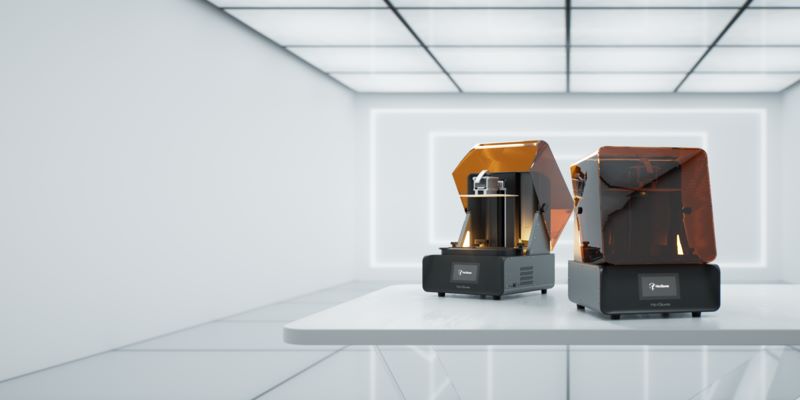
If you’ve been shopping for a serious 3D printer — one that can actually handle real work — you already know that the sub-$500 machines have their limits, and the six-figure industrial printers are out of reach for most of us. The sweet spot? The $2,000–$5,000 range. This is where things get genuinely exciting in 2026.
This price tier is no longer just for enthusiast hobbyists chasing perfect prints on weekends. It’s where small engineering teams run overnight print jobs without babysitting. Where product designers iterate on prototypes that actually look and feel like finished goods. Where print farms scale production without shelling out for full industrial systems. And where serious makers stop tolerating machine limitations and start demanding professional-grade output.
The market has shifted dramatically. A few years ago, spending $4,000 on a desktop 3D printer felt like a gamble. Today, it feels like smart business. Here’s why: machines in this bracket have crossed a threshold. They now offer active heated chambers for engineering-grade materials, AI-assisted print monitoring that catches failures before they waste hours of filament, and automation features that genuinely reduce operator involvement. You’re not buying speed or specs — you’re buying reliability and capability.
The 2026 Reality: What’s Changed in This Market
High speed is now the baseline, not the headline. Every competitive machine in this range hits around 500 mm/s. The real differentiator is no longer top speed — it’s volumetric flow rate, measured in mm³/s. That number tells you how much material the printer can actually push through the nozzle per second. It’s a more honest representation of real-world throughput than marketing speed claims.
AI-assisted reliability has gone from novelty to necessity. Lidar-based calibration, load-cell bed leveling, and AI spaghetti detection (yes, that’s a real term — it detects when a print goes catastrophically wrong and turns into a pile of tangled plastic) are now features that engineers expect, not bonus perks.
Data security and local workflow control matter. Engineering teams don’t want their proprietary CAD-derived print files routing through someone’s cloud server. LAN-only printing modes and enterprise security features have moved from niche requirements to genuine buying criteria.
Active heated chambers are no longer optional for engineering work. If you need to print Nylon, Polycarbonate, PPA, or carbon fiber-reinforced materials reliably, a passive enclosure isn’t enough. You need a machine that can maintain 60°C or higher inside the build area.
We evaluated the printers in this guide based on five core criteria: reliability over time, automation and smart sensors, material compatibility, professional workflow support, and total cost of ownership. Price-to-spec comparisons alone won’t tell you which machine will still be running smoothly six months into daily use. We wanted to get at the real answer.
Before we get into the individual machines, a quick note on how this guide is structured: we lead with the top overall picks, then cover specialized buying scenarios (beginners, small businesses, specific use cases), and finish with a buying guide that explains the technical criteria that actually matter and a TCO breakdown that prevents expensive surprises.
Quick Comparison: Best 3D Printers Under $5000
| Printer | Best For | Technology | Heated Chamber | Multi-Material |
|---|---|---|---|---|
| Bambu Lab X1E | Enterprise / Engineering Teams | FDM CoreXY | 60°C Active | AMS (4 filaments) |
| Prusa XL (5-head) | Multi-material Production | FDM Toolchanger | Passive Enclosure | 5 Toolheads |
| Raise3D Pro3 Hyper FFF | Production / Print Farms | FDM IDEX | Active Enclosure | IDEX Dual |
| Bambu Lab H2D | Prosumer / Design Studios | FDM CoreXY | Active | AMS Compatible |
| Formlabs Form 4 | Precision / Dental / Jewelry | Resin (LFD) | N/A | Single Resin |
| Modix Big-60 | Large Format Parts | FDM CoreXY | Open/Upgradeable | Open Ecosystem |
📥 2026 3D Printer Buyer’s Cheat Sheet
Confused by specs like volumetric flow and chamber temps? Download our free PDF guide to understanding these technical metrics before you buy.
Table of Contents
- Bambu Lab X1E — Best High-Speed Enterprise
- Prusa XL (5-head) — Best Multi-Material
- Raise3D Pro3 — Best Production Workhorse
- Bambu Lab H2D — Best Next-Gen Prosumer
- Formlabs Form 4 — Best Resin Printer
- Modix Big-60 — Best Large Format
- Best for Beginners
- Best for Small Business
- What to Look For (Buying Guide)
- The Hidden Costs (TCO)
- FDM vs. Resin
- FAQ
Best 3D Printers Under $5000: Top Picks for 2026
1. Bambu Lab X1E — Best High-Speed Enterprise Desktop 3D Printer
If you walked into a mid-sized engineering firm today and asked what 3D printer they use for internal prototyping, there’s a decent chance the answer is a Bambu Lab machine. The Bambu Lab X1E is the version of that story built specifically for professional environments — and it earns that positioning.
At its core, the X1E is built around a CoreXY motion system that enables print speeds up to approximately 500 mm/s with a top acceleration of 20,000 mm/s². But raw speed numbers only tell part of the story. What makes the X1E compelling for engineering teams is what happens around those speeds: multi-axis vibration compensation, pressure advance algorithms, and a Lidar-based calibration system that actively scans the first layer and adjusts on the fly. In practice, this means you can run high-speed prints without sacrificing dimensional accuracy.
The headline feature for professional buyers is the 60°C active heated chamber. This is a sealed, actively heated enclosure that maintains consistent internal temperature throughout the print, not just at the start. That distinction matters enormously when you’re printing materials like carbon fiber-reinforced Nylon (PA-CF), Polycarbonate (PC), or PPS — all of which are prone to warping and layer delamination if the thermal environment isn’t tightly controlled.
Then there’s the enterprise security stack. The X1E offers LAN-only mode, which keeps your print files completely off the internet. It supports WPA2-Enterprise authentication for corporate Wi-Fi networks, includes a physical Wi-Fi kill switch for air-gapped environments, and integrates with enterprise device management workflows. If you’ve ever tried to get a consumer IoT device through your company’s IT security review, you’ll understand why these features are genuinely valuable.
The AI failure detection system uses both the onboard Lidar and a camera to monitor prints in real time, automatically pausing or stopping when it detects issues like spaghetti failures, layer shifts, or filament runouts. The AMS (Automatic Material System) supports up to four materials simultaneously with automatic filament loading and switching.
Specs at a Glance:
| Build Volume | 256 x 256 x 256 mm |
| Max Print Speed | ~500 mm/s |
| Chamber Temperature | 60°C (Active Heated) |
| Filament Compatibility | PLA, PETG, TPU, PA, PA-CF, PC, PPS-CF, PET-CF |
| Connectivity | LAN-only mode, WPA2-Enterprise Wi-Fi, physical Wi-Fi kill switch |
2. Prusa XL (5-Toolhead Configuration) — Best Multi-Material Professional 3D Printer
If multi-material printing is a core part of your workflow — not an occasional experiment, but a production requirement — the Prusa XL in its 5-toolhead configuration deserves your serious attention. It takes a fundamentally different architectural approach to multi-material printing than most of the competition, and for certain use cases, that difference is significant.
Most multi-material systems (including Bambu’s AMS) work by feeding multiple filaments through a single hotend, using a purge block to flush out the previous material before switching. This works well, but it generates waste — sometimes a lot of it — and there are inherent limitations on which material combinations can be mixed.
The Prusa XL uses a true toolchanger architecture. Each of its five toolheads is a fully independent printhead with its own hotend, which parks when not in use and is physically swapped onto the gantry when needed. There’s no purge waste. There’s no material contamination. Each material runs through its own dedicated nozzle, maintained at its own ideal temperature. This means you can run a carbon fiber Nylon structural part with PVA water-soluble supports, or print flexible TPU alongside rigid PETG, without any of the compromises that a shared-hotend multi-material system imposes.
A note on the purge waste issue: on a typical print with 100+ material transitions, the purge block can represent a surprisingly significant amount of wasted filament. On premium engineering filaments priced at $80–$150 per kilogram, that waste adds up fast. The Prusa XL‘s toolchanger architecture has zero purge waste, which in high-frequency multi-material production can represent real cost savings over time.
Specs at a Glance:
| Build Volume | 360 x 360 x 360 mm |
| Toolheads | Up to 5 independent toolheads |
| Max Print Speed | ~200 mm/s (quality-focused architecture) |
| Connectivity | Ethernet, Wi-Fi, USB |
| Material Compatibility | PLA, PETG, ASA, PC, PA, TPU, PVA (soluble supports), and more |
3. Raise3D Pro3 with Hyper FFF — Best Production Workhorse 3D Printer
The Raise3D Pro3 is the machine you buy when you’re less interested in pushing the bleeding edge of speed and more interested in a printer that will reliably produce high-quality parts at production scale, day after day, without drama. It’s the industrial workhorse of this list.
The Pro3’s foundational architecture is an IDEX (Independent Dual EXtruder) system — two independently operated printheads that can work in mirroring mode (printing two identical parts simultaneously, doubling throughput), duplication mode, or standard dual-material mode for support structures. This is a meaningfully different capability from single-extruder machines and is particularly valuable for production workflows where throughput per print job matters.
The significant 2026 update is the Hyper FFF (Fused Filament Fabrication) upgrade, which substantially increases print speeds and volumetric flow rate on the Pro3. Hyper FFF involves hardware upgrades to the extruder system and hotend, enabling significantly higher material throughput. For a production environment where machine time is money, the difference between standard FFF speeds and Hyper FFF throughput on long print jobs translates directly into meaningful cost savings and capacity gains.
One underappreciated advantage of the IDEX system for production workflows is mirroring mode: the Pro3 can simultaneously print two identical parts as mirror images, effectively doubling output per print job. For businesses producing symmetrical parts — think left/right brackets, paired fixtures, or matching components — this represents real throughput multiplication without any additional time investment.
Specs at a Glance:
| Build Volume | 300 x 300 x 300 mm |
| Extruder System | IDEX (Independent Dual EXtruder) |
| Speed | Significantly increased with Hyper FFF upgrade |
| Ecosystem | RaiseCloud remote monitoring, fleet management software |
| Material Compatibility | Extensive, including engineering grades with appropriate hotend |
4. Bambu Lab H2D — Best Next-Generation Prosumer 3D Printer
The Bambu Lab H2D represents the next evolution of Bambu’s prosumer architecture. If the X1E is the choice for organizations with enterprise IT requirements, the H2D is aimed squarely at professional makers, design studios, and rapid prototyping environments that want cutting-edge performance without the full enterprise overhead.
At its core, the H2D advances Bambu’s already-impressive motion system with improved rigidity, refined vibration compensation, and an updated extrusion system that pushes higher volumetric flow rates than the previous generation. The real-world effect is prints that run fast and look good — with less post-processing required to achieve surface finishes that are presentable in client-facing or prototype-for-pitch contexts.
The smart monitoring and automation systems carry forward from Bambu’s established platform: Lidar-assisted first layer calibration, automatic Z-offset adjustment, AI failure detection, and multi-material capability through the AMS. One thing worth noting for design studios specifically: Bambu Studio has made significant strides in handling complex multi-body models and assemblies. For product designers working with CAD files from tools like Fusion 360, SolidWorks, or Rhino, the workflow from design to print is smoother on the Bambu ecosystem than it used to be, and the H2D takes full advantage of those slicer improvements.
Specs at a Glance:
| Motion System | Advanced CoreXY with improved rigidity |
| Multi-Material | AMS compatible (up to 4 materials) |
| Smart Features | Lidar calibration, AI failure detection, automatic Z-offset |
| Material Compatibility | PLA, PETG, TPU, PA, PA-CF, PC, and more |
5. Formlabs Form 4 — Best Resin 3D Printer Under $5000
Every printer on this list up to this point uses FDM — melting and depositing thermoplastic filament layer by layer. The Formlabs Form 4 does something completely different, and for certain applications, its output is in a different league entirely.
The Form 4 uses Low Force Display (LFD) printing technology, a resin-based stereolithography process where a UV light source cures photopolymer resin layer by layer. The ‘Low Force’ designation refers to how the machine peels each cured layer from the FEP film — a process that Formlabs has engineered to reduce mechanical stress on the part during printing, resulting in better surface finish, higher dimensional accuracy, and support for a wider range of resin materials.
Why include a resin printer in a guide focused on prosumer and professional FDM machines? Because resin printing dominates in categories where surface finish, detail resolution, and dimensional precision are the primary requirements — and the Form 4 is the gold standard for professional resin printing under $5,000.
Dental laboratories use the Form 4 to produce surgical guides, night guards, and model bases that require dimensional accuracy measured in microns. Jewelry designers use it to create master patterns for casting that capture fine detail impossible to achieve with FFF printing. Product engineers use it to produce prototype housings and cosmetic show parts with surface finishes that require minimal post-processing.
One important workflow note: resin printing involves post-processing with IPA (isopropyl alcohol) for washing and UV exposure for curing. The Form Wash and Form Cure accessories add cost ($600–$800 combined) but are effectively required for a professional workflow. Also, photopolymer resins require proper ventilation and PPE handling — this isn’t a concern if you’re already set up for it, but it’s worth knowing before you buy.
Specs at a Glance:
| Technology | Low Force Display (LFD) resin printing |
| Build Volume | 200 x 125 x 210 mm |
| Layer Resolution | 25–300 microns |
| Material Ecosystem | 30+ validated resins including engineering, dental, and castable grades |
| Connectivity | Wi-Fi, Ethernet, USB |
6. Modix Big-60 — Best Large Format 3D Printer Under $5000
The Modix Big-60 exists to answer one question: what if you need to print something that simply won’t fit on any of the other machines on this list?
With a build volume of 600 x 600 x 660 mm — over half a meter in every major dimension — the Big-60 operates in a category that would typically require machines costing considerably more. It uses a CoreXY motion system with industrial-grade linear rails, a direct-drive extruder capable of handling a wide range of materials including engineering grades, and an open-material ecosystem that puts no restrictions on which filaments you can run.
For large functional prototypes — automotive components, architectural models, industrial tooling mock-ups, furniture components — the Big-60 opens up print possibilities that compact machines simply can’t touch. The ability to print large structural parts as single pieces, rather than splitting and bonding multiple sections, is significant for both structural integrity and dimensional consistency.
Specs at a Glance:
| Build Volume | 600 x 600 x 660 mm |
| Motion System | CoreXY with industrial linear rails |
| Extruder | Direct-drive, open material ecosystem |
| Setup | Kit assembly required (~20–30 hours for experienced builders) |
Alternative Large-Format Option: Creality K2 Plus
If the Modix Big-60’s assembly requirements give you pause, the Creality K2 Plus deserves a look as a ready-to-use alternative. It offers a large build volume in a modern, high-speed architecture without the kit assembly overhead. Creality has made significant strides in print quality and reliability with recent generations of machines, and the K2 Plus benefits from their modern CoreXY approach with multi-material support. The trade-off is that the K2 Plus doesn’t match the Big-60’s sheer build volume, and the open-frame architecture means less thermal management for engineering materials. But for teams that need large-format capability with quick deployment, it’s a practical, capable alternative.
Best 3D Printer Under $5000 for Beginners (Rapid Onboarding)
Let’s talk about the real buyer here, because “beginner” in this price range doesn’t mean someone new to technology in general — it means someone new to operating professional 3D printing equipment. That could be a startup that just brought production prototyping in-house, a small business that hired a product designer who’s excellent at CAD but hasn’t run industrial printers, or an engineering team that added additive manufacturing to their workflow for the first time.
In a professional context, the cost of a steep learning curve isn’t just frustration — it’s operational downtime, wasted material, and delayed deliverables. When you’re spending $3,000–$5,000 on a machine, the last thing you want is weeks of calibration and failed prints before it becomes reliably productive.
The features that matter most for rapid operator onboarding are:
- Automatic calibration systems that handle bed leveling, Z-offset, and first-layer tuning without manual intervention. The difference between a machine that requires manual bed tramming versus one that handles it autonomously is enormous in terms of time-to-first-good-print.
- Smart sensors and monitoring that catch problems before they become disasters. Load-cell bed leveling, Lidar first-layer scanning, and AI spaghetti detection mean that even less experienced operators have a safety net.
- Reliable, well-documented slicer ecosystems with sensible default profiles for common materials. A great slicer with good presets dramatically reduces the number of variables a new operator has to manage simultaneously.
The machines that best meet these criteria on this list are:
Bambu Lab X1E
Bambu’s approach to automation is arguably the best in class. From Lidar calibration to AMS automatic material loading to AI failure detection, the X1E is engineered to run with minimal intervention. New operators can produce good prints quickly because the machine handles most of the variables that trip up beginners.
Bambu Lab H2D
Same principle, slightly different positioning. The H2D’s automation stack is excellent, and Bambu Studio is one of the more accessible professional slicers available.
Prusa XL
Prusa’s reputation for documentation, community support, and reliable default print profiles makes the XL surprisingly approachable despite its more complex multi-material architecture. PrusaSlicer is well-documented and has excellent preset profiles.
If operator accessibility is your primary concern, prioritize the Bambu machines. If you’re also investing in long-term technical development of your team and value deep community support, the Prusa XL is worth the slightly steeper initial learning investment.
Best 3D Printer for Small Business
Small businesses use 3D printers differently than individual makers, and the purchasing criteria reflect that. In a business context, you’re evaluating machines on productivity, repeatability, total cost of ownership, and fit with your specific production workflow — not just capability headlines.
Common small business use cases in 2026 include:
- Rapid prototyping — bringing product development in-house to reduce iteration cycles from weeks to days. A design change that previously required outsourcing to a service bureau can now be validated overnight.
- Manufacturing jigs and fixtures — custom tooling, alignment fixtures, and assembly aids that improve manufacturing quality and consistency.
- Low-volume production — short-run functional parts for products, end-use hardware, or customer-specific configurations that don’t justify injection molding tooling.
- Product development and client presentation — physical models and prototypes that make design concepts tangible for clients, investors, or internal stakeholders.
Bambu Lab X1E
The strongest choice for businesses that need fast prototyping turnaround with minimal operator overhead. The high-speed architecture, automated workflow, and enterprise security make it a machine that integrates well into professional business environments.
Raise3D Pro3 with Hyper FFF
The best choice for businesses with production-oriented workflows — higher volumes, consistent repeatability, and the operational value of IDEX dual-extruder capability. The enterprise ecosystem, including remote monitoring and fleet management, is designed for businesses running machines as production assets.
Prusa XL
The strongest choice for businesses where multi-material complexity is a core requirement — producing functional parts with integrated flexible elements, soluble supports for complex geometries, or color-differentiated components.
What to Look for in a 3D Printer Under $5000
1. Volumetric Flow Rate — The Number That Actually Matters
You’ve probably seen 3D printers marketed with headline print speeds: ‘500 mm/s!’ ‘600 mm/s!’ These numbers aren’t meaningless, but they’re not the whole story. A printer can technically move the print head at 500 mm/s while only extruding a thin trickle of plastic — which doesn’t translate into fast actual printing.
The metric that more honestly represents real-world throughput is volumetric flow rate, measured in cubic millimeters per second (mm³/s). This tells you how much material the machine can push through the nozzle at a given time, which is the actual constraint on how fast a print progresses. When evaluating machines, look at the hotend and extruder combination to assess realistic volumetric flow. High-flow hotends paired with well-calibrated direct-drive extruders produce meaningfully higher real-world throughput than standard hotends even at the same nominal print speed.
2. Active Heated Chamber vs. Passive Enclosure
A passive enclosure is a box around a printer that traps heat generated by the heated bed and hot end. It helps — it’s much better than printing in open air — but it’s fundamentally reactive, and the temperature inside a passive enclosure isn’t controlled or consistent.
An active heated chamber uses dedicated heating elements and thermal management to maintain a target temperature inside the build volume throughout the entire print. Materials like Nylon (PA-CF, PA12), Polycarbonate (PC), PPA, and PPS are highly sensitive to thermal gradients during printing. Uncontrolled cooling causes warping, layer delamination, residual stress, and dimensional inaccuracy. A stable 60°C+ chamber eliminates most of these issues. If engineering-grade materials are on your required list, prioritize machines with active heated chambers. The Bambu X1E’s 60°C sealed and actively heated chamber is the benchmark in this price range.
3. Automation and Smart Sensors
The gap between machines with full automation stacks and those without it is enormous in practical daily use. Key features to evaluate:
- Lidar-assisted calibration scans the first layer in real time and makes micro-adjustments to compensate for bed surface variations, resulting in consistent first-layer adhesion across the full build plate.
- Load-cell bed leveling uses force sensing to detect the exact point at which the nozzle contacts the bed surface, providing precise Z-offset values.
- AI spaghetti detection uses camera-based machine learning to detect catastrophic print failures and pauses or stops the print automatically — saving material, time, and reducing fire risk.
- Automatic Z-offset adjustment compensates for thermal expansion as the printer heats up, ensuring consistent calibration throughout a print.
4. Material Compatibility
The engineering-material landscape in 2026 has expanded significantly. Beyond PLA, PETG, and standard ABS, serious engineering workflows increasingly rely on:
- Carbon Fiber Nylon (PA-CF) — Excellent strength-to-weight ratio, good rigidity, and relatively low warping for a high-performance material. Requires a hardened steel nozzle and a heated chamber.
- Polycarbonate (PC) — Outstanding impact resistance and heat tolerance. Demands high printing temperatures (260–300°C) and a heated chamber at 60°C+.
- PPA (Polyphthalamide) — High-temperature performance material with good chemical resistance. Limited to machines with high-temp hotends and active heated chambers.
- PPS (Polyphenylene Sulfide) — Industrial-grade engineering polymer with exceptional chemical and thermal resistance. Currently printable on only the most capable desktop platforms.
5. Connectivity and Security
LAN-only modes keep all print file transfers on local networks. No data leaves the building. Local vs. cloud printing is a genuine operational decision, not just a preference. A machine that requires cloud connectivity for full functionality creates a dependency on an external service — and introduces an IP data exposure risk that corporate environments cannot accept. The Bambu X1E’s enterprise security stack — LAN-only mode, WPA2-Enterprise support, physical Wi-Fi kill switch — is the most comprehensive in this price range and sets the standard for what professional-grade connectivity management looks like.
The Hidden Costs of $5000 3D Printers
Material costs vary significantly depending on the machine’s ecosystem approach. Open-material systems (Modix, Raise3D) allow you to run any compatible filament, including house-brand or third-party spools at commodity prices. Closed or semi-closed ecosystems may have higher effective material costs, particularly if you’re locked into proprietary materials for warranty reasons. For engineering materials, the cost difference between bulk procurement and branded filament can be $40–$100+ per kilogram. At production volumes, this adds up quickly.
Maintenance costs are often underestimated. High-speed printing with abrasive materials (carbon fiber, glass fiber) consumes nozzles rapidly — sometimes within 200–400 hours of print time. Hardened steel or ruby-tipped nozzles cost $15–$60 each. Resin printers require FEP film replacement every 2–5 liters of resin, at $20–$40 per replacement. For the Form 4’s workflow, the Form Wash and Form Cure accessories ($600–$800 combined) are also a real investment.
Service contracts offered by Raise3D and other enterprise-focused manufacturers provide a known annual cost in exchange for guaranteed support response times and parts coverage. For production environments where downtime is expensive, the certainty of a service contract is worth the cost.
Downtime risk is the hardest cost to quantify but potentially the most significant. A machine that fails mid-job on a client deadline has a real business cost. This is where manufacturer support quality, community size, and parts availability become directly financial concerns. Bambu Lab and Prusa both have strong support reputations. Raise3D has formal enterprise service infrastructure. Budget machines may have lower upfront costs but significantly higher risk of costly downtime.
FDM vs. Resin 3D Printers Under $5000
Most buyers in this price range will gravitate toward FDM machines, and for most applications, that’s the right call. But the decision deserves a clear-eyed look at what each technology genuinely does well.
| Feature | FDM (Fused Deposition Modeling) | Resin (SLA/LFD) |
|---|---|---|
| Part Strength | High. Functional, strong parts suitable for engineering use. | Low to Medium. Often brittle; best for visual models, not functional stress parts. |
| Material Cost | Lower ($20-$40/kg standard). | Higher ($60-$150/Liter). |
| Build Volume | Large (Hundreds of cubic centimeters). | Limited by resin vat economics. |
| Detail / Finish | Visible layer lines; requires post-processing for smoothness. | Extreme detail; invisible layer lines; smooth surface finish by default. |
The short version: if your work is about making parts that work mechanically, FDM is your technology. If your work is about making parts that look perfect or require ultra-precise detail, resin (specifically the Form 4) is the answer. Many professional shops run both.
Are 3D Printers Under $5000 Worth It?
The honest answer: for the right buyer, yes — unambiguously. For the wrong buyer, even a $500 printer is the wrong investment.
Here’s what you actually gain versus cheaper machines:
- Engineering material support is the biggest practical differentiator. Sub-$1,000 printers can print PLA and PETG reliably. The moment you need carbon fiber Nylon or Polycarbonate for structural parts, you need active heated chambers and high-temp hotends — all of which require this price tier.
- Automation that makes production viable — Consumer printers require babysitting. Professional machines at this price tier run overnight, self-calibrate, detect failures, and alert operators. This shift from attended to largely unattended operation is transformative for business productivity.
- Reliability that makes planning possible — Budget printers have good days and bad days. Professional machines at this tier have success rates and failure modes that can be predicted and planned around. For a business, predictability is worth a significant premium.
- Faster production — The volumetric flow rates and print speeds of machines in this range are dramatically higher than consumer printers. A part that takes 12 hours on a $400 printer may take 4 hours on a machine in this price range, with better quality.
- Lower per-part cost over time — Higher upfront investment, combined with lower failure rates, faster print speeds, and lower material waste, often produces a lower effective per-part cost over thousands of hours of operation.
For small businesses, engineering teams, product designers, and serious makers, the $2,000–$5,000 tier represents the point where 3D printing transitions from a capability you tolerate to a capability you rely on.
FAQ
What is the best 3D printer under $5,000?
The best overall choice for most buyers in 2026 is the Bambu Lab X1E. It combines high-speed CoreXY printing with a 60°C active heated chamber, AI-assisted monitoring, enterprise security features, and AMS multi-material capability. If multi-material printing is your priority, the Prusa XL in 5-toolhead configuration is the top choice for that specific use case. If resin quality is what you need, the Formlabs Form 4 is in a class of its own for surface finish and precision.
Can a $5,000 3D Printer be used for manufacturing?
Yes — with important caveats. Machines like the Raise3D Pro3 with Hyper FFF, the Bambu X1E, and the Prusa XL are used in genuine low-volume manufacturing and production prototyping workflows by small businesses and engineering teams. They’re capable of producing functional end-use parts in engineering-grade materials at real production quality levels. What they can’t do is compete with injection molding or industrial additive manufacturing on throughput at scale — but for runs of tens or hundreds of parts, they’re viable production tools.
What materials can professional Desktop 3D Printers print?
Machines in this price range can print a wide range of engineering materials: PLA, PETG, TPU, ABS, ASA, PA (Nylon), PA-CF (Carbon Fiber Nylon), PC (Polycarbonate), PPA, and PPS. The specific material compatibility depends on the machine — the Bambu X1E’s 60°C heated chamber and high-temp hotend option give it the broadest engineering material range. For resin applications, the Formlabs Form 4 has access to a validated ecosystem of 30+ photopolymer resins.
Are expensive 3D Printers easier to use?
Counterintuitively, yes — for professional machines at this price tier. The automation stack on machines like the Bambu X1E and H2D means that many of the variables that cause failures on consumer printers are handled automatically. Smart sensors catch failures before they waste hours of material. Well-developed slicers with quality default profiles reduce the expertise required. That said, ‘easier to use’ doesn’t mean ‘unlimited capability without knowledge.’ The professional machines in this range lower the floor while also raising the ceiling.
How much does it cost to run a professional 3D Printer?
Standard filaments (PLA, PETG) run $20–$40 per kilogram. Engineering filaments (PA-CF, PC, PPS) typically cost $60–$150 per kilogram. High-speed printing with abrasive materials may require nozzle replacement every 200–400 hours — budget $15–$60 per nozzle for hardened steel or ruby-tipped options. For resin printers, photopolymer resins run $60–$150 per liter, plus FEP film replacements every 2–5 liters. Electricity consumption for most desktop printers runs $0.50–$2.00 per print-hour. Operator time is dramatically lower on well-automated machines — a factor that significantly affects true total cost of ownership.
Should I buy a 3D Printer or use a service bureau?
The calculus generally favors in-house ownership when: you’re running more than 5–10 prototype iterations per month, speed of turnaround is important to your workflow, you need to keep designs confidential, or you need specific material properties that service bureaus can’t easily accommodate. Service bureaus remain superior for very occasional large-format or specialty material work, and for production runs above the output capacity of desktop machines. The hybrid approach — in-house desktop printer for day-to-day prototyping and service bureau for special cases — is what most professional studios end up with.
Conclusion: The Right Machine for Your Work
The 3D printer market under $5,000 in 2026 is genuinely strong. These aren’t compromises or aspirational purchases — they’re capable professional tools. Here’s how to map the field to your situation:
Bambu Lab X1E
The most well-rounded professional desktop 3D printer in this price range. If you can only buy one machine and need it to handle everything from rapid prototyping to engineering-grade materials in a business environment, this is it.
Raise3D Pro3 with Hyper FFF
For production-oriented workflows, the IDEX system, enterprise ecosystem, and Hyper FFF throughput make it the best business tool on this list for consistent output at volume.
Prusa XL (5-Toolhead)
The toolchanger architecture is simply the best approach to multi-material printing for production workflows. Zero purge waste, true material independence.
Formlabs Form 4
The gold standard for professional resin printing under $5,000. If your work requires surface finish and detail resolution that FDM can’t deliver, this is where you go.
Modix Big-60
For parts that simply won’t fit anywhere else, the Big-60’s build volume is unmatched at this price point. (Also consider Creality K2 Plus for a ready-to-use alternative).
Whatever your application, the message from 2026’s market is clear: the machines available in this price range are good enough to be serious business tools. The question isn’t whether they can do the work — it’s which one fits your specific workflow, material requirements, and operational context best. Use this guide to narrow the field, then invest in whichever machine aligns most closely with what you’re actually trying to build.
The right printer won’t just handle your current projects — it’ll open up work you couldn’t have done before.

