


It’s been a couple of weeks since we’ve had the AlgoLaser Delta 22W laser engraving machine at our Test Lab. At this time, we feel we are ready to give you an objective review of the machine. Let’s get started with this AlgoLaser Delta laser engraver review.
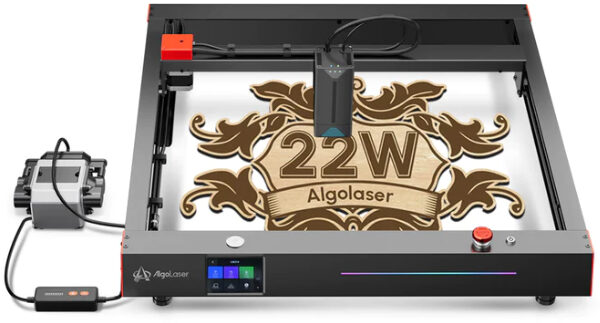
AVAILABLE AT ALGOLASER
AlgoLaser Delta 22W Review
When it comes to consumer laser engravers targeted towards hobbyists, Ortur has made a good name for itself. The company’s flagship products, like the Ortur Laser Master 3, are very popular among hobbyists.
If you have any experience with Ortur, or any other consumer laser brand on the market, you might want to check out the AlgoLaser Delta 22W laser cutter.
First, some background about AlgoLaser. Earlier this year (2023), one of the founders of Ortur left the company to start his own laser brand. The founder, Justin Tan, stated that he left Ortur due to differences with other founders regarding the direction that the company should take.
After leaving Ortur, Justin created AlgoLaser. So, yes, the brand is new on the market but the team behind it is part of the team that built the famous Ortur laser engravers. And from AlgoLaser, comes their flagship product, a powerful 22W laser machine known as the AlgoLaser Delta.
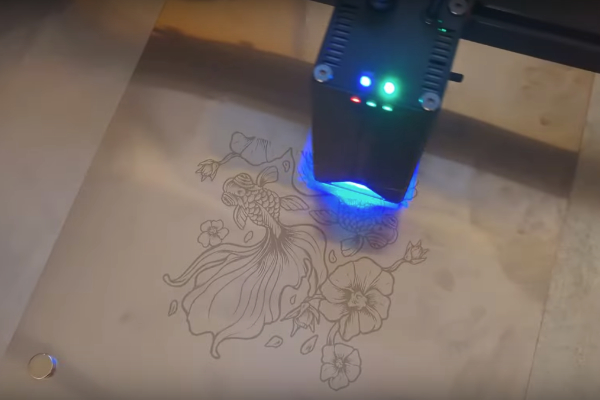
AlgoLaser Delta 22W
Now, 22W may not be a special laser. However, this laser can do a lot of things that a 33W laser can, thanks to COS technology used that makes the laser spot much sharper. This means you get the same cutting power and engraving precision without the higher cost or energy consumption.We’ll talk about this later on.
What’s in the Box?
When you open the box of the Algolaser Delta, you’ll notice that most of it is already put together. Take out the frame and Gantry from the box.
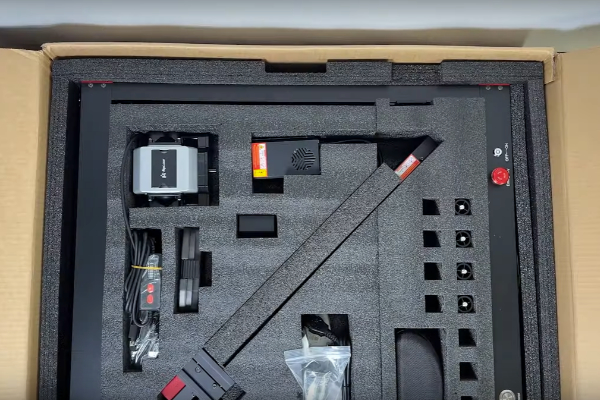
Opening the Box
The laser module is pre-wired, and you just need to attach it using four screws – two on each side of the Gantry, plus a tensioning screw. Once you do that, you’re pretty much good to go. This is a nice touch, because it really makes a difference in your first experience.
All the cables are at the end, so they’re not in the way.
The front panel of the Algolaser Delta is super user-friendly – really nice! You might find it so good that you’d prefer using it directly instead of always being connected to a computer.
The rails are made of 2020 aluminum extrusion, which is sturdy. The rollers are made of nylon, not polycarbonate, so they’ll last a lot longer.
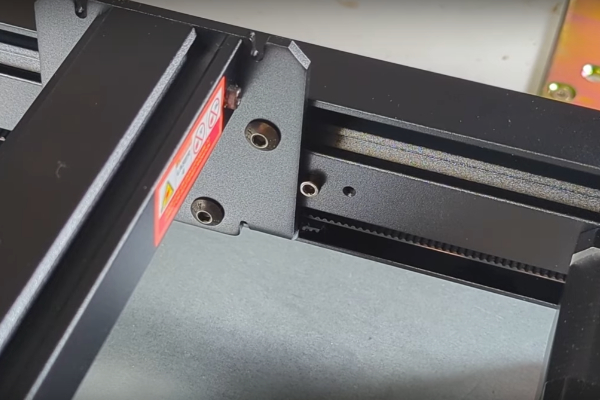
Sturdy Aluminum Rails
The laser head itself has built-in air that comes right down through the nozzle. Also, the focusing mechanism is the best I’ve ever seen – very precise!
When it comes to handling cables, the Algolaser Delta is top-notch. It’s the best cable handling I’ve seen on a laser machine. And, of course, you get a pump with it too.
The Algolaser Delta does something pretty cool that not all lasers do. You can control the speed of the pump and the airflow electronically. And here’s the nifty part – the laser automatically adjusts the airflow. So, if you’re cutting, you get more airflow than when you’re engraving. That’s a really nice touch.
3.5″ Touchscreen
The AlgoLaser Delta has a 3.5″ touchscreen. On the display, you have complete control over all the settings, including software updates because it’s Wi-Fi connected. You can search for updates, and it’ll install them automatically. You can also control the sounds, language, and pretty much anything else directly from the front panel.
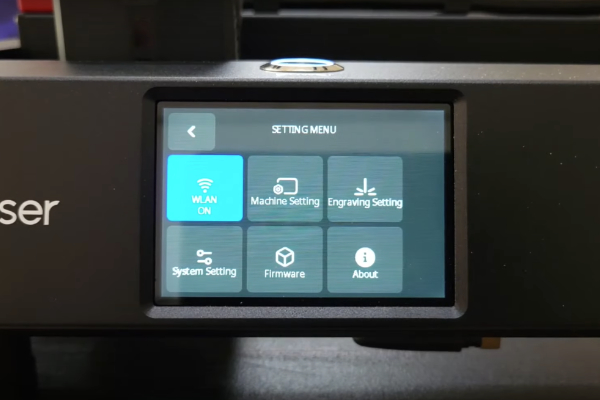
When you’re all set to engrave, you go to the top level on the panel and hit the engrave button. You can choose whether you want to use an external USB or the internal SD card. In the video, they chose the internal option, and you can see the drawing fully displayed on the screen.
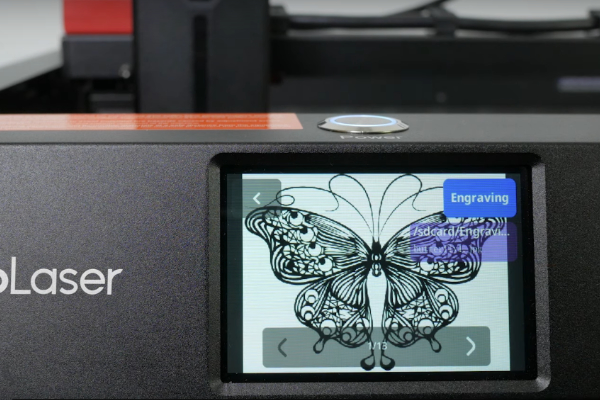
Preview of the Image to Be Engraved
When you’re ready to go, you hit the engrave button. All the information you need, like the size, is right there on the display. Drop your material onto the laser, focus it, push that start processing button, and voila! Everything just works seamlessly. It’s pretty amazing how well it works.
With the 3.5″ touch screen, you can easily control the speed of your engraving project. However, keep in mind that the optimal speed may vary depending on the material you’re engraving. For example, we found that sometimes speed may decrease when engraving thicker materials.
Let’s talk about the focus – it’s the best ever! The Algolaser Delta has this cool spring-loaded foot. You bring down the spring-loaded arm, it drops the laser head. Push the arm back up and lock it. Then, there’s a button on the side. Press it, and the spring releases, bringing the focus foot back up. Simple, right? No need for autofocus with this laser.
22W Laser Module
When it comes to laser engraving and cutting, power is everything. The AlgoLaser Delta laser engraver packs an impressive 22W laser module. The laser can through a wide range of materials with ease. Whether you’re working with metal, wood, or acrylic, the Delta can handle it all.
With a cutting speed of up to 500mm/s, you won’t be waiting around all day for your projects to finish. And thanks to the 30L laser air assist, you can be sure that your cuts will be clean and precise every time.
In terms of power, the Delta is definitely a top contender in its class.
Adjusting the laser module is easy There’s a removable shield held on by four magnets. Just pop it off; so whatever adjustments you need to do and then spring it back on. This is a feature that low-power lasers have had for a while, but higher-power lasers, like 20W and above, usually didn’t.
Smart Air Assist Pump
The AlgoLaser Delta 22W laser engraver comes with a unique feature called the Smart Air Assist Pump. This plug-and-play pump automatically adjusts the airflow based on the speed and power through LightBurn, LaserGRBL, or AlgoLaser App to meet different cutting and carving needs. The laser air assist quickly and efficiently reduces the surface temperature of objects during the engraving and cutting process, resulting in cleaner and clearer edges.
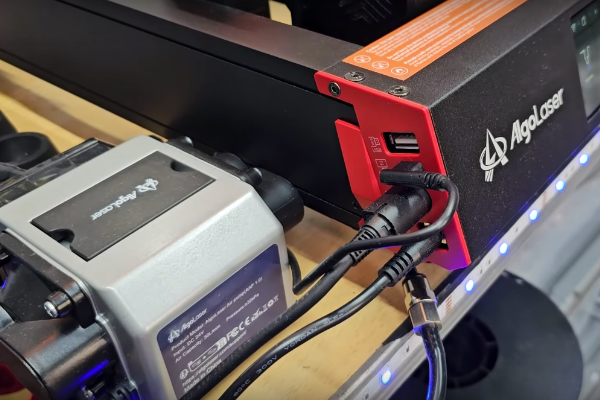
Air Assist Next to the Delta 22W
COS Optical Technology
Let’s delve into the fantastic feature of Algolaser – COS technology. It’s a game-changer that sets this laser apart in a league of its own.
COS technology does two critical things to the laser, making it truly exceptional. Firstly, it compresses the laser into an almost perfect one-to-one square, a departure from the rectangular shape of most lasers. This is a game-changer because it ensures that both vertical and horizontal cuts have the same thickness. No more dealing with a wider cut going up and a narrower one going across. With COS technology, it’s a consistent and simplified one-to-one ratio, making calculations for adjustments a breeze, especially for users employing software like LightBurn.

The COS technology also dynamically adjusts the beam size, offering unparalleled flexibility. When it comes to engraving, finer detail is key. So, when the power is lower, COS technology compresses the beam to as small as 0.05 by 0.06 millimeters. On the flip side, when cutting is the task at hand, it broadens the beam, delivering more power for effective cutting.
This adaptability even allows for cutting materials as challenging as 0.1 millimeter stainless steel. In essence, COS technology becomes the standout reason why choosing this laser could be a game-changer for your specific needs.
Powerful Motherboard
Alright, let’s break down the controller in the Delta. Unlike many lasers that typically come with dual-core 32-bit processors, the Delta steps it up with a 4-core processor. In simple terms, that means you get extra capability, and everything happens faster. The display you saw is not just quick to respond; it opens up capabilities that many lasers don’t have. One cool feature is automatic firmware updates over Wi-Fi, all thanks to that extra processing power.
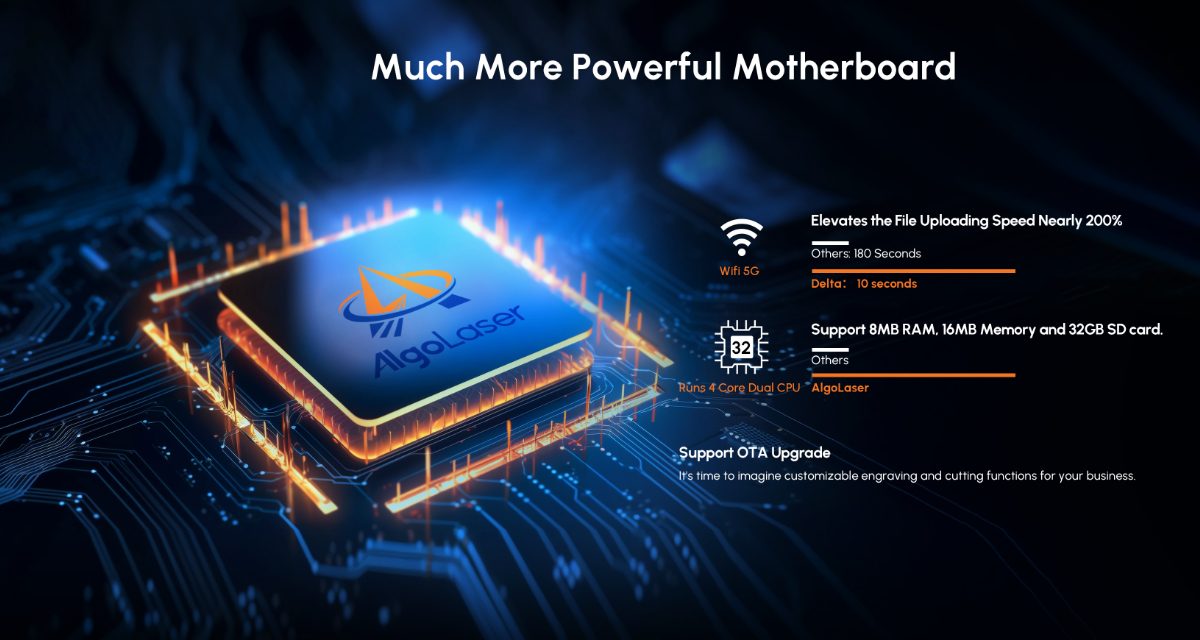
But here’s why it matters to you. Tasks like uploading files are going to be way faster – up to 200 percent faster! So, if a big file usually takes three minutes to upload, now it’ll just take about 10 seconds. That’s a massive advantage, especially for businesses where time equals money. It sets the Delta apart, making it a standout choice compared to other lasers out there. Fast and efficient – that’s the Delta difference!
Triple Monitoring System
The AlgoLaser Delta 22W comes with a Triple Monitoring System that includes airflow monitoring, flame monitoring, and lens dirt monitoring. The airflow monitoring system helps you adjust the airflow size according to the engraving and cutting requirements of the work. The flame monitoring system detects any flame and displays a red light on the fuselage. Lastly, the lens dirt monitoring system triggers an alarm when the lens dirt reaches a certain level to prevent lens breakage and frequent replacement.
This feature ensures that you have complete control over the engraving and cutting process, and the machine is always working optimally. With this system, you can rest assured that your machine is safe, and you can work without any worries.
They’ve also included the typical safety measures like vibration and tilt sensing. I mentioned the emergency stop switch and the key switch. The emergency stop switch is particularly cool because it lights up. If it’s not green, your laser won’t work.
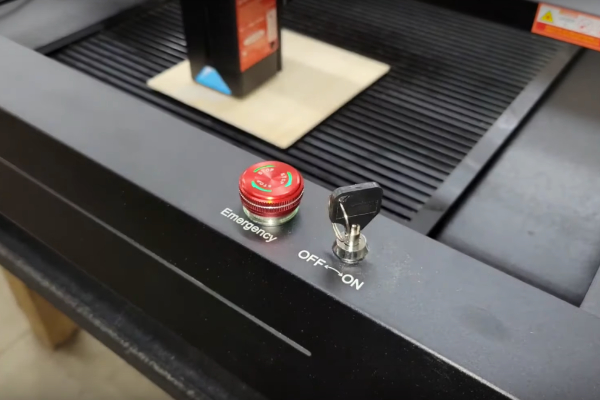
Emergency Stop Button
It’s a really nice touch for instant visual confirmation of the safety status. Safety first, right? In total, there are seven advanced safety features, a one-step laser fixture, a spring-loaded mechanical focus, a magnetic laser shield (glass), and an easy-to-clean and replace the lens. These features ensure that you have a safe and efficient experience while using the AlgoLaser Delta 22W laser engraver.
Let’s check out the results! I’ve been keeping my testing consistent, running the same set of tests on every laser. I do a cut test, then an engrave test, and finally, a grayscale test.
Looking at the results for the Algolaser, the cut test turned out remarkably well. It’s cruising at 600 millimeters per minute, making clean cuts. Even in the engraving test, from 5000 to 15,000, and even down to 10 percent, it’s providing good coverage.
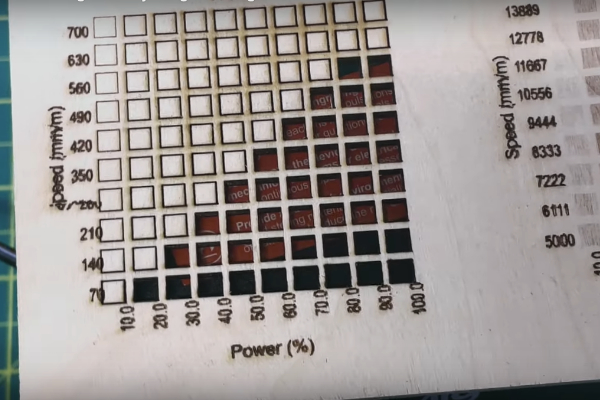
The Cut Test
The grayscale test shows that speeds around 12,000 to 14,000 are the sweet spot.
500mm/s Speed
When it comes to laser engraving, speed is a crucial factor to consider. The AlgoLaser Laser Engraver Delta boasts an impressive 500mm/s speed. This means you can complete your engraving projects in no time. This speed allows you to create intricate designs and patterns on various materials, including metal, wood, and acrylic.
We decided to test the maximum speed, engraving a coaster at about 75 percent power and a whopping 30,000 millimeters per minute – as fast as it goes. The output looked fantastic. This is one impressive engraver.

For cutting capability, I took on a challenge. I chose a 29-millimeter piece of acrylic, set the laser to 100 power, 200 millimeters per minute, and 15 passes. Surprisingly, it cut through in about 12 passes. Typically, you’d need a 30 or 40-watt laser for this material, but the Algolaser handled it like a champ.
To push it one last time, I picked a 17-millimeter thick piece of hardware store Spruce. This material can be a bit challenging, but I set the power to 100, speed to 1000 millimeters per minute, with 10 passes. It effortlessly mulched through and delivered a clean cut. Sure, I could have done it in one pass, but I prefer going a bit faster with more passes to avoid excessive charring.
After spending about four or five days in my shop, working on actual projects that I would do for a customer, the Algolaser performed flawlessly. “Spectacular” is really the only word I can come up with. This laser is a game-changer!
What I Love
The Algolaser Delta is a game-changer, and here’s why I love it: it comes fully assembled. Unbox it, and in just five minutes, you’re up and running. This trend of ready-to-go lasers needs to catch on more – less project, more appliance. The technology here isn’t just a facelift; there’s substantial innovation.
Let’s talk about that focus – it’s the best I’ve seen, and they even have a patent on it. This unique focus mechanism might not show up on other lasers unless they license it. Then there’s the COS technology, shaping the beam and adjusting its size based on your power – that’s just amazing.
And hey, there’s a remote app! Install it on your phone, and you can control the laser with the same features as the front panel or LightBurn. It’s not my thing, but it’s there, it works well, and it might suit your needs.
Tech-wise, there’s an Offline mode where you can replicate a single image across multiple sheets. Super cool! The performance is top-notch. This 22-watt laser cuts like a 33-watt laser. I did a cut test comparison with the Acmer P2, a 33-watt laser, and guess what? The Delta cuts more and faster. It’s just an all-around better laser, despite having 30 percent less power. The Algolaser Delta is genuinely something special!
Pros & Cons
- World’s First Smart Laser Engraver: The AlgoLaser Delta 22W boasts a 3.5″ Touch Screen, making it user-friendly, even for beginners. Its instant engraving capability without the need for complex connections or apps enhances convenience. The pre-assembled structure ensures an easy start to your engraving journey.
- 22W Powerful Cutting Capability: The laser module employs the 2nd Generation COS Optical Technology, compressing laser spots to a square (0.05*0.06mm). This results in efficient engraving and one-pass cutting of materials like 15mm Paulownia Plank, 12mm Basswood Plywood, and 10mm Black Acrylic Sheet. Ideal for those requiring high cutting precision.
- Plug & Play Smart Air Assist Pump: The Delta 22W adjusts airflow automatically based on speed and power through various applications. The smart air assist pump reduces surface temperature during engraving and cutting, delivering cleaner and clearer edges. Additionally, it features airflow monitoring, lens monitoring, and flame monitoring.
- 500mm/s Much Faster Speed: With an impressive speed of 500mm per second, the AlgoLaser Delta 22W significantly boosts production efficiency. This allows for the completion of more projects and a higher volume of orders within a limited timeframe, maximizing productivity and profitability.
- Triple Monitoring System: The engraver includes airflow monitoring for adjusting airflow, a flame monitoring system for detecting flames, and a lens dirt monitoring system to prevent lens breakage. These safety features ensure a secure and controlled engraving and cutting process.
There are really no cons for this unit. The only potential enhancement I could think of is maybe incorporating linear rails for improved capability, reliability, and speed. The Delta has nylon rollers, which work well. However, linear rails could be a touch more production-grade for high-volume use.
Conclusion
You’ve seen all the great features of the AlgoLaser Laser Engraver Delta 22W. It’s easy to set up and use, and the touch screen makes it simple to navigate. The honeycomb laser bed is well made, sturdy, level, and true, and it comes with an aluminum plate to protect the table surface. It also has ruled measurements for precise cutting.
Overall, the AlgoLaser Laser Engraver Delta is a great purchase for anyone interested in laser engraving. It’s affordable and has all the features you need to get started on your projects.
BUY ON ALGOLASER

