

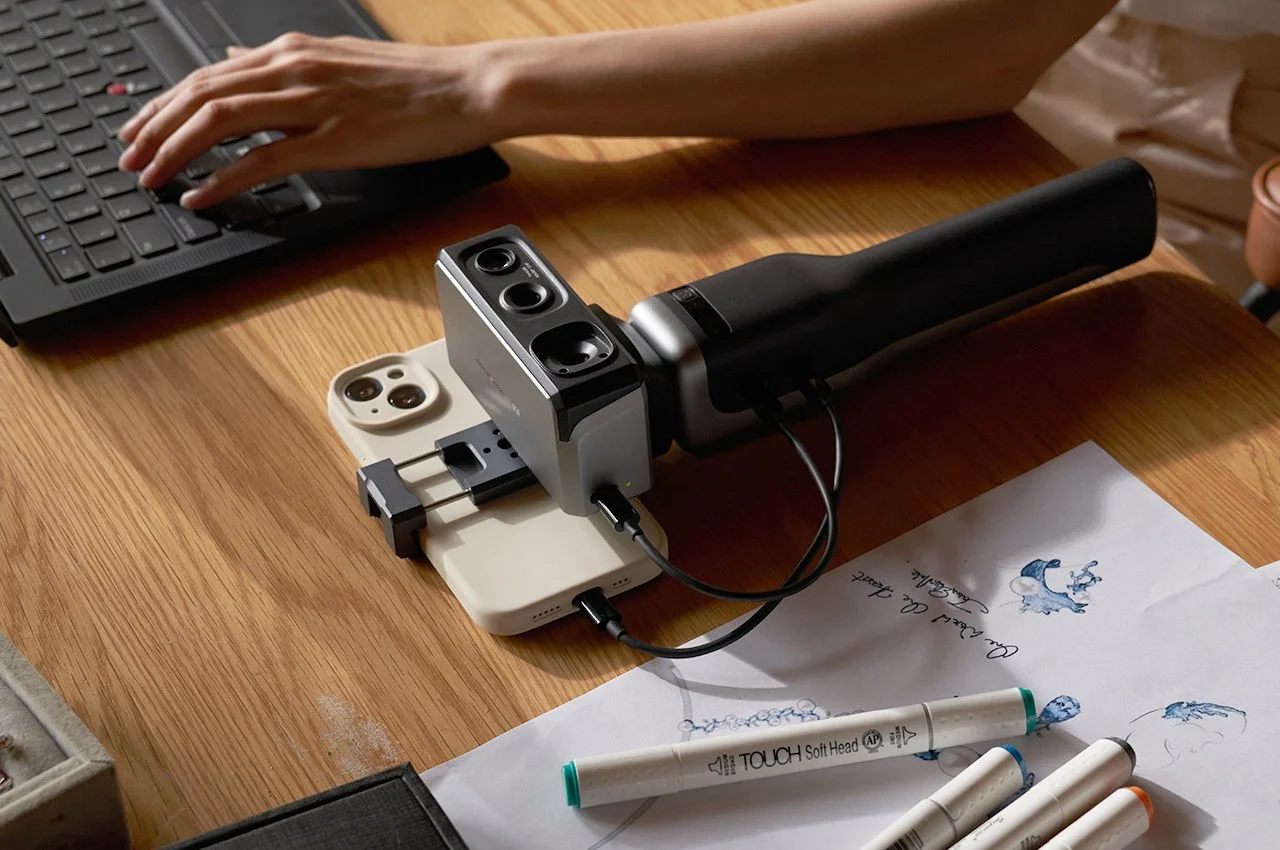
Let’s be honest — shopping for a Handheld 3D Scanner in 2026 feels like trying to buy a car without a test drive. The spec sheets all look impressive, the marketing is aggressive, and unless you’ve actually used these devices, it’s almost impossible to separate genuine performance from polished PR.
Here’s the challenge most buyers face: you’re staring at a list of numbers — 0.02mm accuracy, 24fps frame rate, 2,000,000 points per second — and you have absolutely no idea what they mean for YOUR specific project. Do you need to scan small, intricate jewelry pieces? A full-size car? Action figures for 3D printing? Reverse engineer a machine part? Each of those use cases calls for a completely different scanner, and the wrong choice means frustration, wasted money, and scans that just… don’t work.
The good news? The 3D scanning landscape in 2026 has evolved dramatically. We’re now seeing the rise of true standalone scanners that ditch the laptop entirely, hybrid Laser + Structured Light systems that laugh at previously problematic surfaces, and AI-powered post-processing that cleans up scan data automatically. What used to require a professional studio setup now fits comfortably in a backpack.
We’ve done the deep research — testing workflows, analyzing real-world output quality, stress-testing software, and poking at the limitations manufacturers don’t like to advertise. This guide gives you straight, honest recommendations based on what each scanner actually does well, what it struggles with, and who it’s genuinely built for. By the end, you’ll know exactly which scanner fits your budget, your workflow, and your goals.
Quick Picks — 2026 Editor’s Choice
Not ready to read 5,000 words before making a decision? Fair enough. Here are the top picks at a glance. Keep reading for the full breakdown — each of these earned their spot for specific reasons.
| Category | Product | Why It Wins |
|---|---|---|
| Best Overall | Revopoint MIRACO Plus | Standalone powerhouse — no PC required, all-in-one workflow + photogrammetry support |
| Best for 3D Printing | Revopoint POP 3 Plus | Best balance of fine detail, clean meshes, and end-to-end workflow |
| Best Handheld Laser Scanner | Revopoint MetroX | Hybrid laser + structured light; masters black & shiny surfaces |
| Best for Beginners | Creality CR-Scan Otter | True ‘point-and-shoot’; minimal setup, excellent markerless tracking |
| Best for Large Objects | Revopoint MIRACO Plus | Standalone large-object specialist — handles vehicles, furniture, and room-scale scans |
| Best Budget (Under $500) | Creality CR-Scan Ferret Pro | Cheapest entry into serious handheld scanning |
Table of Contents
- What Makes a Great Handheld 3D Scanner in 2026?
- 1. Revopoint MIRACO Plus — Best Overall
- 2. Revopoint POP 3 Plus — Best for 3D Printing
- 3. Creality CR-Scan Otter — Best for Beginners
- 4. Creality CR-Scan Ferret Pro — Best Budget
- 5. Revopoint MetroX — Best Laser Scanner
- 6. 3DMakerpro Seal — Budget Precision King
- Buying Guide & FAQs
What Makes a Great Handheld 3D Scanner in 2026?
Before we dive into individual products, let’s get one thing straight: the spec sheet doesn’t tell the whole story. Here are the factors that actually matter when choosing a Best Portable 3D Scanner.
Accuracy vs. Resolution — Stop Confusing These
This is the number one source of confusion among buyers, so let’s clear it up right now.
Accuracy refers to how close the scanner’s measurements are to real-world dimensions. If an object is 100mm wide and the scanner reports 100.02mm, that’s 0.02mm accuracy — important for engineering, reverse engineering, and inspection work.
Resolution refers to the level of surface detail the scanner can capture. High resolution means the scanner picks up fine textures, small engravings, and subtle geometry changes.
You can have a scanner with excellent accuracy but low resolution (it measures correctly but misses fine details), or high resolution with mediocre accuracy (great detail, unreliable dimensions).
For 3D printing, resolution matters more. For engineering and CAD work, accuracy matters more. The best scanners deliver both — but usually at a higher price point.
Tracking Technology — The Factor That Changes Everything
Here’s a truth that scanner manufacturers underplay: a scanner with mediocre sensors but excellent tracking will outperform a high-accuracy scanner with poor tracking every single time. Why? Because tracking is what keeps the scanner oriented in 3D space as you move around the object. When tracking fails, you get drift, misalignment, and scans that look like abstract art.
- Marker-based tracking: Uses physical adhesive dots. Extremely reliable but tedious.
- Markerless tracking: Uses geometry — corners, edges, texture. Faster but struggles with smooth surfaces.
- AI-enhanced tracking: The 2026 breakthrough. Scanners like the Revopoint MIRACO Plus use machine learning to predict movement and recover tracking even when the scene is temporarily featureless.
Portability — Handheld vs. Portable vs. Standalone
People use these terms interchangeably, but they mean very different things:
- Handheld: You hold and move the scanner. It may still need a cable connecting it to a laptop.
- Portable: Easy to pack and carry to job sites, but usually still requires a laptop.
- Standalone: The holy grail for 2026. No laptop, no cable, no desk required. The Revopoint MIRACO Plus is the gold standard here.
If you work in the field, in a shop, or simply hate being tethered to a desk, standalone capability is worth every extra dollar.
AI Post-Processing — The 2026 Difference-Maker
Raw scan data is messy. Holes, noise, overlapping geometry, floating artifacts — these are par for the course. What separates modern scanners is how well their software cleans up that mess automatically.
Revopoint’s Revo Scan 5 software uses AI to auto-detect and fill holes, repair mesh edges, and remove noise while preserving fine detail. For beginners, this matters enormously — a scanner with mediocre hardware but excellent AI cleanup often produces better final results than a spec-superior scanner with primitive software.
1. Revopoint MIRACO Plus — Best Overall Handheld 3D Scanner
Let’s start with the scanner that’s genuinely changed what ‘Best Overall’ means in 2026. The Revopoint MIRACO Plus isn’t just the best Handheld 3D Scanner on this list — it’s arguably the most capable all-in-one scanning solution available at a non-industrial price point.
The defining feature is standalone operation. There’s a built-in touchscreen, an onboard processor powerful enough to handle real-time point cloud rendering, and enough storage to complete a full day of scanning without touching a computer. For professionals who work on job sites, in workshops, or anywhere a laptop is impractical, this is transformative.
The MIRACO Plus supports dual capture modes — close-range for small detailed objects and extended-range for larger items — plus photogrammetry support that pushes usable scan volume up to roughly 4 x 4 x 4 metres. That means full vehicles, large furniture pieces, and even room-scale environments are within reach from a single device. The AI-enhanced markerless tracking performs exceptionally well in real-world conditions, maintaining orientation even on relatively featureless objects across large areas.
Accuracy sits at up to 0.02mm — legitimate metrology-grade performance for a handheld device. Revo Scan 5 handles post-processing with impressive automation, and the export options cover everything from STL for printing to STEP for CAD.
Who Should Skip: Hobbyists on a tight budget, or beginners who want the simplest possible entry point.
| ✅ PROS | ❌ CONS |
|---|---|
|
|
Large Objects with the MIRACO Plus
With the discontinuation of the Revopoint RANGE 2, the MIRACO Plus steps in as the definitive recommendation for anyone whose primary use case involves large-scale scanning — and it makes a compelling case for being a better choice than a dedicated large-object scanner ever was.
Here’s why: a standalone scanner that also excels at close-range detail work is genuinely more useful than a single-purpose device. The MIRACO Plus can scan a full car in the morning using its extended-range mode and photogrammetry support, then switch to close-range mode in the afternoon for fine-detail work on a small component — all without changing hardware.
The workflow for large objects: place photogrammetry reference targets on or around the object, use extended-range scanning mode, and let Revo Scan 5’s global registration algorithms stitch passes together using those references for metrology-grade volumetric accuracy. For vehicles and room interiors, this produces results that rival equipment costing significantly more.
2. Revopoint POP 3 Plus — Best Handheld 3D Scanner for 3D Printing
If your primary goal is getting beautiful, printable 3D models from physical objects, the Revopoint POP 3 Plus might be the most satisfying scanner you’ll ever use. It’s been purpose-engineered for the maker community, and it shows in every aspect of the workflow.
The POP 3 Plus delivers resolution that’s almost suspiciously good for its price tier — fine texture detail, crisp edge definition, and mesh output that requires minimal cleanup before slicing. Compared to previous-generation budget scanners that produced lumpy, artifact-ridden meshes, this is a night-and-day improvement.
The scan-to-print pipeline is genuinely streamlined. Revo Scan 5 handles auto-merge, mesh processing, and export with minimal intervention. You can realistically go from physical object to print-ready STL in under 30 minutes on objects of moderate complexity.
Tracking is reliable in typical conditions. The main limitations come when scanning large objects (its sweet spot is small to medium-sized items) or objects with very little surface texture. Keep some marker stickers handy for those edge cases.
Who Should Skip: Engineers who need metrology-grade accuracy, or anyone primarily scanning large objects like vehicles or furniture.
| ✅ PROS | ❌ CONS |
|---|---|
|
|
3. Creality CR-Scan Otter — Best Handheld 3D Scanner for Beginners
The Creality CR-Scan Otter deserves special mention because it genuinely does something that most ‘beginner-friendly’ devices only claim to do: it actually works without frustrating you. A lot.
The Otter’s party trick is its dramatically improved handling of surfaces that typically destroy budget scanner performance — black objects, shiny objects, and objects with minimal texture. Previous Creality scanners (like the original Ferret) would completely lose tracking or produce garbage data on these surfaces. The Otter handles them with a competence that’s genuinely surprising at its price point.
Setup is refreshingly minimal. Connect, launch JMStudio, point the scanner at your object, and start moving. The software guides you through the process with visual feedback that makes it obvious when you’re scanning too fast, too close, or at a problematic angle. For someone who’s never touched a 3D scanner before, this guided experience is invaluable.
Markerless tracking is robust enough that most users will rarely need to reach for the marker stickers. The scan volume is appropriate for objects ranging from small figurines up to mid-sized furniture pieces.
Who Should Skip: Users who need sub-0.05mm accuracy, or professionals who require STEP export and engineering-grade workflows.
| ✅ PROS | ❌ CONS |
|---|---|
|
|
4. Creality CR-Scan Ferret Pro — Best Budget Handheld 3D Scanner (Under $500)
The Creality CR-Scan Ferret Pro earns its place on this list by doing something remarkable: delivering legitimate 3D scanning capability for less than the cost of a decent graphics card. If your budget is hard-capped at $500, this is where you start.
The Ferret Pro is particularly interesting because of its mobile-first approach. It can connect directly to a smartphone via USB-C, which means you can scan without any laptop at all. For on-the-go scanning of objects for quick reference, gaming assets, or basic prototyping, this mobile workflow is genuinely useful.
Be honest with yourself about the trade-offs, though. Tracking is weaker than the Otter — smooth and textureless surfaces will test your patience. Accuracy is adequate for most hobbyist purposes but won’t satisfy engineers. The software experience, while functional, lacks the polish of the Revopoint ecosystem.
But here’s the thing: for someone who’s never scanned before and isn’t sure if they’ll use the technology regularly, the Ferret Pro is an excellent way to find out. You’re not betting $1,500+ on a technology you might not use. And if you fall in love with scanning, you’ll know exactly what to upgrade to next.
Who Should Skip: Anyone who needs reliable tracking on difficult surfaces, regular professional use, or engineering-grade accuracy. Spend more and get the Otter.
| ✅ PROS | ❌ CONS |
|---|---|
|
|
5. Revopoint MetroX — Best Handheld Laser Scanner
Now we get into professional territory. The Revopoint MetroX is the answer to a question that professional engineers and industrial designers have been asking for years: can I get a Best Handheld Laser Scanner that handles real-world industrial surfaces without spray coating everything?
The MetroX uses a hybrid system that combines blue laser scanning with structured light technology. The blue laser component is optimized specifically for surfaces that destroy standard structured light scanners: jet-black objects, highly reflective metals, polished carbon fiber, mirror-finished plastics. These surfaces either absorb or scatter the infrared patterns used by most budget scanners, producing garbage data or no data at all. Blue laser cuts through these problems.
The structured light mode handles speed and color data when you’re scanning less challenging surfaces. Switch modes in software, or let the MetroX decide automatically. In practice, this hybrid approach means you almost never need scanning spray — even on surfaces that would require it with any other scanner on this list.
Accuracy reaches metrology-grade levels — we’re talking sub-0.02mm with proper calibration and workflow. For reverse engineering precision mechanical components, quality inspection, or creating accurate CAD models from physical parts, the MetroX delivers results that can justify its premium price on a single professional project.
Who Should Skip: Hobbyists, beginners, or anyone who doesn’t have a specific professional use case that requires its unique capabilities.
| ✅ PROS | ❌ CONS |
|---|---|
|
|
6. 3DMakerpro Seal / Seal 0.01 — Budget Precision King
The 3DMakerpro Seal earns its nickname through sheer spec audacity: accuracy in the 0.01mm class at a price point that should make premium scanner manufacturers uncomfortable. If you primarily scan small, highly detailed objects and precision is your top priority, this is worth a serious look.
The Seal’s limitations are real and important, though. The scan volume is small — it excels at objects you can hold in your hand, like jewelry, coins, dental models, small mechanical parts, and intricate figurines. Try to scan anything much larger and you’ll immediately hit its ceiling.
The software experience has improved with recent updates but still trails Revo Scan 5 in polish and automation. Post-processing often requires more manual work than scanners in the Revopoint ecosystem. For the right use case, though — small objects, high precision, limited budget — it’s a genuinely impressive performer.
Check Price on Amazon View Deal on 3DMakerPro
Who Should Skip: Anyone who needs to scan objects larger than roughly 30cm. The Seal is a specialist, not a generalist.
| ✅ PROS | ❌ CONS |
|---|---|
|
|
Best Handheld 3D Scanner for Beginners — Complete Guide
If you’ve never held a 3D scanner before, the most important thing to optimize for isn’t accuracy, scan volume, or frame rate. It’s this: will you actually get a usable scan on your first attempt without throwing the device across the room?
The CR-Scan Otter wins the beginner category by a meaningful margin. Its guided software experience, forgiving tracking, and ability to handle difficult surfaces (black, shiny, low texture) means your first scan is likely to be a success rather than a frustrating failure. Nothing kills enthusiasm for a new technology faster than a rocky first experience.
The Revopoint POP 3 Plus is an excellent secondary recommendation for beginners who want slightly more capability and are willing to invest a bit more time in learning the tool. Its scan quality ceiling is higher, and the Revo Scan 5 ecosystem provides a clear growth path as your skills develop.
- Easy setup and initialization
- Robust markerless tracking
- Clear software feedback during scanning
- Automated post-processing
- A strong community/support ecosystem
Best Handheld 3D Scanner for 3D Printing — Workflow Guide
Scanning for 3D printing has different requirements than scanning for engineering or archival work. Here’s what actually matters for a solid scan-to-print workflow:
Mesh quality is king. A printable STL file needs a manifold (watertight) mesh with no holes, no non-manifold edges, and minimal noise. The Revopoint POP 3 Plus produces some of the cleanest meshes in its price class — you’ll spend less time in Meshmixer fixing problems and more time printing.
The Revopoint MIRACO Plus is the premium option for print-focused workflows, particularly if you’re scanning large props or full character models that push the limits of smaller scanners.
The Complete Scan-to-Print Workflow
- Scan: Use the POP 3 Plus or MIRACO Plus in structured light mode for best mesh quality.
- Clean in Revo Scan 5: Run auto-merge, noise reduction, and hole filling.
- Export as STL or OBJ: Keep polygon count appropriate for your printer’s resolution.
- Mesh Check: Import into Meshmixer or Blender for final inspection and repair if needed.
- Slice: Import into Cura, PrusaSlicer, or Bambu Studio for print preparation.
- Print: Layer height 0.1-0.2mm typically preserves scan detail well.
Best Handheld 3D Scanner Under $1,000 — Realistic Expectations
Let’s be clear about what $1,000 and under gets you in 2026: genuinely capable scanning for most hobbyist and light professional needs, with real-world limitations that matter.
The CR-Scan Otter sits comfortably under $1,000 and delivers performance that would have cost $3,000+ just five years ago. It’s the strongest recommendation in this budget range for most users — versatile, user-friendly, and increasingly capable as Creality pushes software updates.
The 3DMakerpro Seal is worth considering if small object precision is your priority. Its accuracy-per-dollar ratio is exceptional; just go in knowing that it won’t replace a versatile all-rounder like the Otter.
What you won’t have to accept: Poor mesh quality, unreliable tracking on normal surfaces, or scan results that aren’t usable for 3D printing and basic CAD work. The sub-$1,000 category in 2026 delivers real value.
Best Handheld 3D Scanner for Large Objects — Why It’s Challenging
Large object scanning is the use case where most scanners quietly fail. Here’s why it’s hard, and how the MIRACO Plus now handles this territory better than any single-purpose alternative.
When you scan a large object — a car, a piece of furniture, a full human body — you’re moving the scanner a significant distance while trying to maintain consistent spatial tracking. Every small tracking error compounds over that distance. On a 10cm object, a 0.5mm tracking drift is invisible. On a 2-metre car, it means your hood and your trunk are in different universes.
The MIRACO Plus solves this through its photogrammetry-assisted workflow. Place reference targets on or around the object, and the scanner uses them to establish a global coordinate system that prevents drift from accumulating across long scanning sessions. This is the same principle used by professional metrology-grade systems, delivered in a handheld package. Its 4 x 4 x 4 m scan volume is large enough to cover a full vehicle or a furnished room in a single structured session.
Handheld vs. Portable 3D Scanners — What’s the Actual Difference?
The terminology in this market is genuinely confusing, so let’s define our terms clearly.
- A Handheld 3D Scanner is simply a scanner you hold in your hand and move around the object. It may or may not be portable in a meaningful sense — some handhelds are tethered to bulky processing units that don’t travel well.
- A Portable 3D Scanner is designed to be transported to different locations easily. This usually implies a laptop-compatible workflow with compact hardware. Most modern handhelds qualify as portable, but not all.
- A Standalone 3D Scanner is the 2026 distinction that actually matters: it runs without any external computer at all. The Revopoint MIRACO Plus is the clearest example — it has an onboard processor, a touchscreen interface, and internal storage. You could use it in the middle of a field with no other equipment.
Handheld Structured Light vs. Laser Scanners — The Technical Breakdown
Both technologies can produce excellent results, but they have fundamentally different strengths. Understanding the difference helps you choose the right Best Handheld Laser Scanner or structured light option for your specific needs.
Structured Light Scanners
Structured light scanners project patterns of light (usually infrared) onto the object and use cameras to analyze how those patterns deform across the surface geometry. They’re fast, relatively affordable, and produce excellent color data. The Revopoint POP 3 Plus and CR-Scan Otter are structured light scanners.
The limitation: infrared-absorbing surfaces (black objects), highly reflective surfaces (mirrors, polished metal), and transparent materials (glass, clear plastic) cause serious problems.
Laser Scanners
Laser scanners — particularly those using blue laser technology like the Revopoint MetroX — project a precisely defined laser line and measure its position with high-precision cameras. The shorter wavelength of blue laser is less prone to absorption and scattering on dark and shiny surfaces.
Limitations You Should Know Before Buying
We believe in honest reviews, which means telling you what doesn’t work as well as what does. Here are the real-world limitations of current handheld 3D scanning technology, regardless of which scanner you choose:
- Shiny, transparent, or jet-black objects remain the nemesis of most scanners. Even the MetroX with its blue laser technology benefits from scanning spray on extreme cases like chrome mirrors or water-clear acrylic.
- Large object scanning requires skill and experience. The MIRACO Plus makes it achievable at a professional level, not automatic.
- There’s always a software learning curve. Even the most beginner-friendly scanners require time investment to produce consistently good results.
- Post-processing is real. Very few scans come out print-ready with zero intervention.
- Outdoor scanning adds complexity. Ambient sunlight interferes with structured light systems.
- File sizes get large quickly. High-resolution scans of complex objects can generate files in the hundreds of megabytes.
Buying Guide — Which Scanner Is Right for You?
Cut through the options. Here’s the direct recommendation based on your situation:
| Your Situation | Recommended Scanner | Why |
|---|---|---|
| You’re a complete beginner | Creality CR-Scan Otter | Easiest setup, best tracking for the price, handles difficult surfaces |
| You primarily 3D print | Revopoint POP 3 Plus | Best mesh quality and scan-to-print workflow under $1,000 |
| You scan large objects regularly | Revopoint MIRACO Plus | 4 x 4 x 4 m scan volume with photogrammetry — covers vehicles, rooms, furniture |
| You want the best, period | Revopoint MIRACO Plus | Standalone, highest accuracy, most complete professional tool |
| You work with metal/shiny parts | Revopoint MetroX | Blue laser hybrid handles challenging industrial surfaces |
| You’re on a tight budget | Creality CR-Scan Ferret Pro | Best entry-level option under $500 |
| You need small object precision | 3DMakerpro Seal | Best accuracy-per-dollar for small, detailed objects |
Frequently Asked Questions
What is the Best Handheld 3D Scanner in 2026?
For most users who want the best all-around performance without compromise, the Revopoint MIRACO Plus is the standout choice in 2026. It’s the only scanner in this category that’s genuinely standalone, delivers professional-grade accuracy, and supports both close-range and large-object workflows. For budget-conscious buyers, the CR-Scan Otter represents exceptional value for the performance delivered.
Are Handheld 3D Scanners Accurate?
Yes — significantly more so than they were even two or three years ago. Entry-level scanners like the CR-Scan Otter deliver accuracy in the 0.05-0.1mm range, which is more than sufficient for 3D printing and most hobby use. Professional options like the Revopoint MetroX and MIRACO Plus deliver sub-0.02mm accuracy suitable for engineering and quality inspection work.
Can Handheld 3D Scanners Work Without a Computer?
Most cannot — but the Revopoint MIRACO Plus is the notable exception in 2026. It features an onboard processor, touchscreen interface, and internal storage that allow it to operate completely independently. The CR-Scan Ferret Pro can connect to a smartphone for a laptop-free mobile workflow, though this limits processing capability compared to a full desktop.
What Is the Best Handheld Laser Scanner?
The Revopoint MetroX is the clear recommendation for users who need the advantages of laser scanning — particularly superior performance on black, shiny, and metallic surfaces. Its hybrid blue laser + structured light system is a genuine technological advance that reduces the need for scanning spray even on challenging materials.
Is a Handheld 3D Scanner Worth It?
That depends entirely on what you’re trying to do. If you’re a maker who wants to scan physical objects for 3D printing, remixing, or digital preservation — yes, absolutely. The entry-level options are affordable enough that the investment pays off quickly. If you’re an engineer who needs to reverse engineer components or perform quality inspection without travelling to an industrial scanning facility — yes, the professional options deliver real ROI.
How Long Does It Take to Learn 3D Scanning?
With a beginner-friendly scanner like the CR-Scan Otter and some patience, most users can produce acceptable results within their first session. Producing consistently excellent results — particularly on challenging objects or large-scale scans — typically takes a few weeks of regular practice.
Final Verdict — The Right Scanner for Every Need
The 3D scanning market in 2026 is the best it’s ever been for buyers. You can get genuine, usable scanning capability at nearly every budget level, and the gap between entry-level and professional-grade performance has narrowed significantly thanks to AI processing advances and improved sensor technology.
Here’s the simple version: if you want the absolute best, get the Revopoint MIRACO Plus — it also doubles as the go-to for large objects like vehicles and room-scale scans. If you want the best beginner experience, get the Creality CR-Scan Otter. If you do 3D printing, the Revopoint POP 3 Plus is your best friend. And if you need professional laser precision on industrial surfaces, the Revopoint MetroX justifies every penny of its premium.
Ready to Start Scanning?
The technology has finally caught up to the promise — and for most use cases, there’s never been a better time to bring the physical world into the digital one.

