

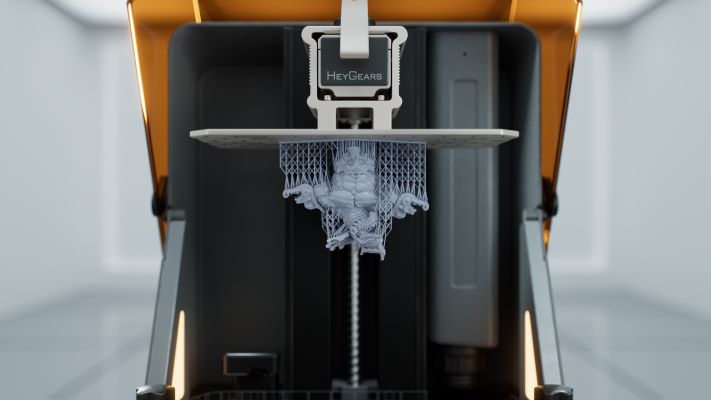
If you’ve ever tried printing Nylon on a machine that wasn’t built for it, you already know the frustration. You set everything up, hit print, and come back to find a warped mess, stringy blobs, or a print that delaminated halfway through. Nylon is one of the most rewarding filaments you can work with — flexible yet strong, chemical-resistant, and genuinely functional — but it’s also one of the most unforgiving when your printer isn’t up to the task.
Here’s the honest truth: most 3D printers on the market claim to print Nylon. Very few actually do it consistently well. The difference between a printer that technically reaches the right temperature and one that reliably produces strong, warp-free Nylon parts is enormous. We’re talking about the difference between a one-in-three success rate and prints you can actually depend on.
This guide is for anyone who’s tired of guessing. Whether you’re a beginner trying to figure out where to start, an engineer printing functional prototypes, or someone who’s already burned through a few spools and wants to finally get it right — this is the breakdown you need. We’ve focused exclusively on machines with proven Nylon capability, and organized them by use case so you can quickly find what fits your situation.
Let’s get into it.
Quick Navigation
- ⚡ Quick Summary: Top Picks
- Why Nylon Is So Hard to Print
- 1. Bambu Lab X1 Carbon — Best Overall
- 2. QIDI Q1 Pro — Best for Nylon CF
- 3. Creality K1C — Best Budget
- 4. Bambu Lab P1S — Best for Beginners
- 5. Flashforge Adventurer 5M Pro — Best for Schools
- 6. Raise3D Pro3 — Best Professional
- 📊 Comparison Table
- Complete Buying Guide
- Must-Have Accessories
- Nylon Printing Pro Tips
- Best for Nylon Carbon Fiber
- Common Mistakes to Avoid
- Final Verdict
- Frequently Asked Questions
Ready to upgrade your Nylon printing game? These are the machines that actually deliver reliable results.
Quick Summary: Best 3D Printers for Nylon (2026 Picks)
| Printer | Category | Key Strength | Price |
|---|---|---|---|
| Bambu Lab X1 Carbon | Best Overall | Automated Nylon + CF printing with Micro-Lidar | ~$1,199 |
| QIDI Tech Q1 Pro | Best for Nylon Carbon Fiber | Active heated chamber at 60°C | ~$450-500 |
| Creality K1C | Best Budget | CF-ready out of the box under $500 | ~$400-450 |
| Bambu Lab P1S | Best for Beginners | Plug-and-play enclosed Nylon printing | ~$699 |
| Flashforge Adventurer 5M Pro | Best for Schools & Labs | Safe, fully enclosed ecosystem | ~$500-600 |
| Raise3D Pro3 | Best Professional | Industrial Nylon production with dual extrusion | ~$4,000+ |
Why Nylon Is So Hard to Print (And What You Actually Need)
Before diving into the printers, let’s quickly understand why Nylon gives people so much trouble. This context will help you make a smarter buying decision.
⚠️ Challenge #1: Nylon Warps — Aggressively
Nylon (Polyamide, or PA) has a high coefficient of thermal expansion. When it cools unevenly, it contracts and pulls away from the bed or curls at the edges. This is the number one killer of Nylon prints, and it’s why a proper enclosure isn’t just a nice-to-have — it’s mandatory.
⚠️ Challenge #2: Nylon Absorbs Moisture Like a Sponge
This is technically called being hygroscopic, and Nylon is one of the worst offenders in the FDM world. A spool of Nylon left out on your desk for a few hours in a humid environment can absorb enough moisture to ruin your prints — producing bubbling, weak layers, excessive stringing, and a surface finish that looks like something went very wrong. A filament dryer isn’t optional when you’re printing Nylon. It’s as essential as the printer itself.
⚠️ Challenge #3: Nylon Requires High Temperatures
Most Nylon variants print between 240°C and 280°C at the nozzle, with bed temperatures ranging from 80°C to 120°C. If you’re printing Carbon Fiber-reinforced Nylon (PA-CF) or glass-filled variants, you may need up to 300–350°C. Standard printers with brass nozzles and PTFE-lined hotends simply can’t handle this safely or reliably.
⚠️ Challenge #4: Abrasive Filaments Destroy Brass Nozzles
Nylon CF and Glass-Filled Nylon contain particles that will chew through a standard brass nozzle in a matter of hours. You need a hardened steel nozzle — and most good Nylon-capable printers come with one or make it easy to swap.
✅ Key Takeaway
Keep these four factors in mind as we go through each machine. A great 3D printer for Nylon is one that checks every single one of these boxes.
Best 3D Printers for Nylon in 2026 — Detailed Reviews
1. Bambu Lab X1 Carbon — Best Overall 3D Printer for Nylon
If you want to cut straight to the answer for the best 3D printer for Nylon without a lengthy learning curve, the Bambu Lab X1 Carbon is it. This machine has consistently sat at the top of enthusiast and professional recommendation lists since its launch, and in 2026 it continues to earn that position.
The X1 Carbon is a fully enclosed, CoreXY-based FDM printer that ships fully assembled and calibrated. The build volume is 256 × 256 × 256 mm — slightly larger than many competitors in its class — and it’s all wrapped in a rigid, stamped metal frame with aluminum panels and a tinted glass door that holds in heat beautifully.
🏆 What Makes It Exceptional for Nylon
The X1 Carbon’s Micro-Lidar sensor is one of the most underappreciated features in the consumer 3D printing space. This isn’t just a marketing detail — it actively scans the first layer as it’s being deposited, checks flow rates in real time, and enables automatic pressure advance calibration. For Nylon specifically, this matters enormously because Nylon is sensitive to slight under- or over-extrusion. Getting that flow dialed in automatically removes a major source of print failure.
The all-metal hotend reaches 300°C, which handles standard Nylon (PA6, PA12) and Nylon Carbon Fiber (PA-CF) comfortably. The hardened steel nozzle and carburized drive gear come standard on the X1 Carbon (not the standard X1), meaning you’re CF-ready right out of the box. The heated bed reaches 120°C, which is exactly what you need for strong Nylon first-layer adhesion. The fully enclosed chamber maintains a stable internal temperature, dramatically reducing the thermal gradients that cause warping.
Automatic vibration compensation and pressure advance mean the X1 Carbon doesn’t just print Nylon — it prints it fast and accurately. Speeds up to 500 mm/s are achievable without sacrificing quality on standard geometry, thanks to the accelerometer-based resonance cancellation built into the printhead.
One additional feature that’s easy to overlook: the AI-powered spaghetti detection. The built-in camera monitors your prints and automatically pauses if it detects a failure. For a material like Nylon that can surprise you even on a well-dialed machine, this kind of real-time monitoring is genuinely useful.
Real-World Nylon Performance
Consistent layer adhesion, minimal warping without manual tuning, and excellent surface finish on PA-CF. Reviewers who have run hundreds of hours of engineering filament on this machine consistently report that it delivers reliable results with very little per-print intervention. Once you have a profile dialed in (Bambu Studio includes pre-configured PA and PA-CF profiles), you can hit print and trust the result.
- You want “set it and forget it” Nylon printing
- You’re printing Nylon CF (PA-CF), PA12, or PA6
- You need functional prototypes with minimal tuning
- You value automated calibration and monitoring
- Your budget is around $1,200
⚠️ Where It Falls Short
The passive (non-active) chamber heating means temperatures are chamber-ambient rather than actively regulated. For most Nylon prints this is fine, but for very large PA6 parts or particularly warp-prone geometries, you may see occasional lifting at corners that an actively heated chamber would prevent. (If that’s your specific need, jump to the QIDI Q1 Pro below.)
Price: ~$1,199 (standalone) / ~$1,449 (Combo with AMS)
| Specification | Bambu Lab X1 Carbon |
|---|---|
| Build Volume | 256 × 256 × 256 mm |
| Max Nozzle Temp | 300°C |
| Max Bed Temp | 120°C |
| Chamber Type | Passive Enclosed |
| Nozzle (Stock) | Hardened Steel |
| Print Speed | Up to 500 mm/s |
| Special Features | Micro-Lidar, AI Monitoring |
📌 Bottom Line
The Bambu Lab X1 Carbon is the closest thing to a professional-grade Nylon printer in a consumer package. If you can stretch your budget to it, you won’t regret it.
📖 Read Our Full Bambu Lab X1 Carbon Review
The best overall Nylon printer — automated, reliable, and ready out of the box.
2. QIDI Tech Q1 Pro — Best 3D Printer for Nylon Carbon Fiber
Here’s where things get interesting. The QIDI Tech Q1 Pro might be the most underrated Nylon printer on the market right now, and if Nylon Carbon Fiber (PA-CF) or high-performance composites are your primary target, it might actually be the better choice over the Bambu X1 Carbon for your specific use case.
The reason comes down to one feature that sets the Q1 Pro apart from almost everything else at its price point: an actively heated chamber.
🔥 The Game-Changer: Active Heated Chamber
While the Bambu X1 Carbon has a fully enclosed build space that retains ambient heat, the QIDI Q1 Pro has a dedicated wall-powered chamber heater that actively drives and maintains the internal temperature up to 60°C. This is a fundamentally different approach — and for Nylon, it makes a measurable difference.
Why does this matter? When you’re printing large Nylon or PA-CF parts, the edges and overhangs can cool faster than the interior, creating internal stress gradients that eventually cause warping or delamination. An actively heated chamber keeps the ambient temperature consistent throughout the print, minimizing those gradients and allowing the material to cool slowly and uniformly. It’s the same principle behind industrial FDM machines that cost ten times as much.
Key Specs That Make the Q1 Pro a Nylon Powerhouse
The hotend reaches an impressive 350°C — significantly higher than the X1 Carbon’s 300°C ceiling. This thermal headroom matters when you’re working with advanced Nylon composites like PA12-CF, PAHT-CF (PPA-CF), PET-CF, or ABS-GF25. Materials that are at the absolute limit of other machines print comfortably here. The tri-metal hotend design provides both high flow rate for speed and the wear resistance needed for abrasive CF and glass-filled filaments.
The CoreXY structure delivers speeds up to 600 mm/s with 20,000 mm/s² acceleration — genuinely fast, though real-world quality printing with Nylon typically runs at more conservative speeds. The build volume is 245 × 245 × 240 mm. The heated bed reaches 120°C on a ceramic heating element for fast warmup and consistent temperature distribution.
Auto-leveling on the Q1 Pro is handled by a dual-sensor system combined with automatic Z-offset measurement. It runs a full calibration before each print — no manual intervention required. Wi-Fi 6 connectivity and a 1080p built-in camera allow for remote monitoring. The firmware is stock Klipper, which means full compatibility with Orca Slicer and a wealth of community-developed profiles and macros.
📊 Proven Durability
In over 300 hours of real-world testing documented by independent reviewers — including polycarbonate, Carbon Fiber Nylon, ASA, and PETG — the Q1 Pro produced extremely consistent results with no component replacements. That’s notable durability for a machine at this price point.
- You’re printing Nylon CF (PA-CF, PA12-CF) regularly
- You need to print large, warp-prone Nylon parts
- You work with advanced composites (PPA-CF, PET-CF)
- You want active chamber heating without the industrial price tag
- You’re transitioning from hobby to professional workflows
⚠️ Where It Falls Short
It’s a single-extrusion machine (though QIDI may release a multi-material upgrade). If you need multi-material or multi-color printing, the Bambu ecosystem has a significant edge. The build quality has some mixed reviews on fit-and-finish of plastic components, though structural rigidity is solid thanks to the full metal frame.
Price: ~$450–$500
| Specification | QIDI Q1 Pro |
|---|---|
| Build Volume | 245 × 245 × 240 mm |
| Max Nozzle Temp | 350°C |
| Max Bed Temp | 120°C |
| Chamber Type | Actively Heated (60°C) |
| Nozzle (Stock) | Tri-metal Hardened |
| Print Speed | Up to 600 mm/s |
| Special Features | Active Chamber Heating, Klipper Firmware |
📌 Bottom Line
At this price with these capabilities, the QIDI Q1 Pro is genuinely one of the best value propositions in engineering-grade desktop printing. If you’re printing Nylon CF regularly or working with advanced composites, this is the machine to beat at this budget level.
📖 Read Our Full QIDI Q1 Pro Review
The best value for Nylon Carbon Fiber with active heated chamber.
3. Creality K1C — Best Budget 3D Printer for Nylon
Not everyone has $1,200 to drop on a Bambu Lab setup — and that’s totally fine. The Creality K1C is the best budget 3D printer for Nylon that doesn’t require significant modifications to actually perform.
The “C” in K1C stands for Carbon Fiber, and Creality has equipped this machine specifically to handle abrasive materials out of the box. The hardened steel nozzle is included standard, the CoreXY architecture is fully enclosed, and the hotend reaches 300°C — enough for standard Nylon, PA-CF, and most CF-composites.
💰 What You Get for Under $500
For under $500, you’re getting a legitimately capable Nylon-ready platform. The enclosed design handles ambient temperature control reasonably well for small-to-medium Nylon parts, and the bed reaches 100°C which is adequate for PA12 and Nylon CF adhesion on a PEI plate.
What to Realistically Expect
The K1C’s enclosure is passive — there’s no active chamber heater. For smaller prints and PA12 (the more forgiving Nylon variant), this works well. For large PA6 parts or particularly challenging geometries, you may encounter more warping than you’d see on the Q1 Pro or X1 Carbon. This is the primary limitation to understand going in.
Print speeds are fast for the price point — the K1C can push impressive speeds, though for Nylon specifically, you’ll want to run at moderate speeds to give layers adequate bond time.
The slicer situation is standard Creality — you’ll get good results with Creality Print or OrcaSlicer, and community profiles for Nylon are available. Calibration is largely automated.
- You’re an entry-level Nylon user on a budget
- You primarily print PA12 or smaller Nylon parts
- You want CF capability without premium investment
- You’re a hobbyist wanting to learn Nylon printing
- Your budget is under $500
⚠️ Key Insight
The K1C is the best sub-$500 entry point into real Nylon printing without heavy modifications. Don’t expect industrial reliability, but do expect far better results than an open-frame or unenclosed printer.
Price: ~$400–$450
| Specification | Creality K1C |
|---|---|
| Build Volume | 220 × 220 × 250 mm |
| Max Nozzle Temp | 300°C |
| Max Bed Temp | 100°C |
| Chamber Type | Passive Enclosed |
| Nozzle (Stock) | Hardened Steel |
| Print Speed | Up to 600 mm/s |
| Special Features | CF-Ready Out of Box |
📖 Read Our Full Creality K1C Review
The best budget entry point for Nylon and CF printing.
4. Bambu Lab P1S — Best 3D Printer for Nylon for Beginners
If you’re new to Nylon printing and want the experience to be as smooth as possible without wading through weeks of calibration and troubleshooting, the Bambu Lab P1S is the machine I’d hand you.
The P1S is Bambu Lab’s mid-range fully enclosed machine, sitting between the entry-level A1 series and the flagship X1 Carbon. For Nylon specifically, it offers almost everything the X1 Carbon does at a lower price point — with one key tradeoff.
🎯 What the P1S Gets Right for Beginners
The automated calibration on the P1S is exceptional. Bed leveling, vibration compensation, and flow calibration all run automatically. Bambu Studio includes pre-configured profiles for PA (Nylon) and PA-CF, so you’re not starting from scratch with settings. For a beginner, this is huge — instead of spending hours dialing in temperature, retraction, and cooling settings, you’re printing Nylon with reliable results on your first or second attempt.
The full enclosure retains heat effectively, reducing warping significantly compared to any open-frame machine. The hotend reaches 300°C (same ceiling as the X1 Carbon), the bed reaches 120°C, and the hardened steel nozzle makes it CF-ready. The P1S also works seamlessly with the Bambu AMS multi-material system if you want to expand later.
For anyone juggling both ABS and Nylon workflows, the P1S handles both materials naturally — the enclosed design and high-temperature capability cover both without compromise.
⚠️ Where It Differs from the X1 Carbon
The P1S doesn’t have the Micro-Lidar sensor, which means no automatic flow calibration mid-print or first-layer scanning. For experienced users chasing maximum quality, this matters. For beginners, the pre-built profiles and automated systems more than compensate, and the P1S will produce excellent Nylon results consistently.
- You’re a first-time Nylon user
- You want a reliable plug-and-play experience
- You print both ABS and Nylon
- You want Bambu’s ecosystem at a lower price
- Your budget is around $700
Price: ~$699
| Specification | Bambu Lab P1S |
|---|---|
| Build Volume | 256 × 256 × 256 mm |
| Max Nozzle Temp | 300°C |
| Max Bed Temp | 120°C |
| Chamber Type | Passive Enclosed |
| Nozzle (Stock) | Hardened Steel |
| Print Speed | Up to 500 mm/s |
| Special Features | AMS Compatible, Auto-Calibration |
📖 Read Our Full Bambu Lab P1S Review
The easiest path to reliable Nylon printing for beginners.
5. Flashforge Adventurer 5M Pro — Best for Schools and Controlled Environments
The Flashforge Adventurer 5M Pro isn’t the most talked-about machine on this list, but it earns its spot for a specific and important reason: it’s the best choice for environments where safety, reliability, and controlled operation matter more than raw performance.
Schools, maker labs, office environments, and educational institutions need printers that work predictably, are safe to operate around people who aren’t 3D printing experts, and require minimal fuss. The Adventurer 5M Pro delivers exactly that.
🏫 Why It Works for Nylon in Controlled Environments
The fully enclosed design manages airflow effectively, which is important both for Nylon print quality and for containing any fumes in a shared space. The active filtering system addresses VOC concerns — relevant when printing engineering materials like Nylon in an occupied room.
The setup and operation experience is deliberately simplified. Students and lab users can load filament, select a pre-configured Nylon profile, and print without needing deep technical knowledge. The machine handles most of the complexity internally.
Print speeds and temperature capabilities are solid for standard Nylon — the hotend handles the required temperature range, and the bed adhesion system is reliable for PA12 and standard Nylon variants.
- You’re setting up a printer for a school or maker lab
- Safety and ease of use are top priorities
- You need VOC filtering for shared spaces
- You want minimal training requirements for users
- You print standard Nylon (PA12) primarily
Price: ~$500–$600
| Specification | Flashforge Adventurer 5M Pro |
|---|---|
| Build Volume | 220 × 220 × 220 mm |
| Max Nozzle Temp | 280°C |
| Max Bed Temp | 110°C |
| Chamber Type | Fully Enclosed + HEPA Filter |
| Nozzle (Stock) | Hardened Steel |
| Print Speed | Up to 600 mm/s |
| Special Features | VOC Filtering, Safety Enclosure |
📖 Read Our Full Flashforge Adventurer 5M Pro Review
The safest choice for schools, labs, and shared spaces.
6. Raise3D Pro3 — Best Professional 3D Printer for Nylon
When the conversation moves from hobby and prosumer into genuine industrial production, the Raise3D Pro3 is the machine that belongs in the discussion.
This is a purpose-built professional FDM machine with industrial reliability, a large build volume, and the dual extrusion capability that production environments actually need. If you’re running a small manufacturing operation, a product development firm, or a serious R&D lab — and Nylon is a significant part of your workflow — the Pro3 is worth every penny.
🏭 What Makes It a Professional Nylon Platform
The Raise3D Pro3’s build volume is substantially larger than the machines listed above — 300 × 300 × 300 mm — which opens the door for full-scale functional parts, jigs, fixtures, and tooling that simply can’t be printed in one shot on smaller machines. For industrial Nylon applications (PA12-CF, PPA, Glass-Filled Nylon), size matters.
Dual independent extruders enable printing support structures in soluble or breakaway materials alongside Nylon, which dramatically expands the geometric complexity of parts you can produce. This is a capability that separates serious production setups from hobby machines.
The Pro3’s enclosed industrial design and precise temperature control provide the stable printing environment that large Nylon parts demand. Raise3D’s ideaMaker slicer has well-developed Nylon profiles and professional workflow features including remote monitoring, print queuing, and fleet management via the RaiseCloud platform.
Material compatibility is broad — PA12-CF, PPA (Polyphthalamide), Glass-Filled Nylon, and other high-performance composites are all within the Pro3’s operating parameters.
- You run a production environment or manufacturing operation
- You need large Nylon parts (up to 300mm)
- Dual extrusion for soluble supports is required
- You need fleet management and remote monitoring
- Your budget supports professional equipment ($4,000+)
Price: ~$4,000+
| Specification | Raise3D Pro3 |
|---|---|
| Build Volume | 300 × 300 × 300 mm |
| Max Nozzle Temp | 300°C |
| Max Bed Temp | 120°C |
| Chamber Type | Industrial Enclosed |
| Nozzle (Stock) | Hardened Steel |
| Extruders | Dual Independent |
| Special Features | RaiseCloud, Fleet Management |
📖 Read Our Full Raise3D Pro3 Review
Industrial-grade Nylon production for professional environments.
Quick Comparison Table
| Printer | Max Nozzle Temp | Chamber Type | Best Use Case | Approx. Price |
|---|---|---|---|---|
| Bambu X1 Carbon | 300°C | Passive Enclosed | High-end Nylon + CF | ~$1,199 |
| QIDI Q1 Pro | 350°C | Actively Heated (60°C) | Large warp-free Nylon parts | ~$450–500 |
| Creality K1C | 300°C | Passive Enclosed | Budget Nylon & CF | ~$400–450 |
| Bambu P1S | 300°C | Passive Enclosed | Beginner plug-and-play | ~$699 |
| Flashforge 5M Pro | 280°C | Passive Enclosed | Schools & labs | ~$500–600 |
| Raise3D Pro3 | 300°C | Industrial Enclosed | Professional production | ~$4,000+ |
Found the right printer for your needs? Compare current prices and availability.
3D Printer for Nylon Filament — Complete Buying Guide
Choosing a machine from the list above is the right move. But before you click buy, here’s a deeper look at the technical factors that actually matter for Nylon printing — so you understand why these machines were selected, and how to make the best choice for your specific situation.
1. Enclosure Is Not Optional — It’s Mandatory
This point cannot be overstated. Printing Nylon on an open-frame printer is a frustrating experience that almost always ends in warped, delaminated, or failed parts. Nylon needs a stable, warm ambient environment during the entire print. Drafts, room temperature fluctuations, air conditioning — any of these can cause differential cooling that makes parts warp and pull off the bed.
A fully enclosed printer traps the heat generated by the heated bed and hotend, creating a warm chamber that surrounds the print. This significantly reduces the temperature differential between the ambient air and the printed layers, which is the primary driver of warping.
✅ Pro Tip
For most Nylon prints — especially PA12, which is the more forgiving variant — a passive enclosure (one that simply traps heat rather than actively heating) is sufficient. For PA6, large prints, or high-performance composites like PPA-CF, an actively heated chamber (like the QIDI Q1 Pro’s 60°C system) provides meaningfully better results.
2. High Temperature Capability Is Required
| Component | Temperature Requirements |
|---|---|
| Nozzle | Standard Nylon: 240–280°C CF/Glass-Filled: 260–300°C Advanced Composites: 320–350°C |
| Bed | 80–120°C (stable throughout long prints) |
| Chamber | Active heating preferred for PA6 and large parts |
Make sure your machine can reach the temperatures your target material actually requires.
3. A Hardened Nozzle Is Non-Negotiable for Nylon CF and Glass-Filled Nylon
Standard brass nozzles will wear out rapidly — sometimes within a single spool — when printing Carbon Fiber-reinforced Nylon or Glass-Filled Nylon. These filaments contain chopped fiber particles that are significantly harder than brass and act as an abrasive, enlarging your nozzle orifice and degrading print quality quickly.
⚠️ Important
All the machines on this list either come with hardened steel nozzles standard, or make swapping to one straightforward. If you’re buying a machine that comes with a brass nozzle and you plan to print CF materials, budget for a hardened steel replacement immediately.
4. Filament Drying Is the Critical Factor Most Guides Skip
Here’s something that doesn’t get nearly enough emphasis: a filament dryer is as essential to Nylon printing as the printer itself. This isn’t an exaggeration.
Nylon is one of the most hygroscopic filaments available. In a typical room environment, a freshly opened spool can absorb enough moisture to cause print quality issues within just a few hours. Signs of printing with wet Nylon include:
- Excessive stringing
- Bubbling or popping sounds during extrusion
- Weak layer bonding
- Rough surface finish
- Reduced mechanical strength in finished parts
💡 The Solution
A dedicated filament dryer — a sealed, heated box that removes moisture from the spool before and sometimes during printing. Recommended drying parameters for Nylon are typically 70–80°C for 8–12 hours before a print session.
Do not skip this. A $40–60 filament dryer will do more for your Nylon print quality than almost any other accessory.
Must-Have Accessories for Nylon Printing
Beyond the printer itself, a few accessories make a significant difference in your results.
Filament Dryer
Essential
- Non-Negotiable for Nylon
- Removes moisture that ruins prints
- Popular: Sunlu S2, eSUN eBOX, PrintDry Pro
- Dry at 70–80°C for 8–12 hours
Build Plates
Highly Recommended
- Garolite (G10) or Textured PEI
- Excellent Nylon adhesion
- Consider Vision Miner Adhesive
- Essential for challenging geometries
Hardened Steel Nozzles
Required for CF
- Essential for CF and Glass-Filled Nylon
- Brass wears out in hours with abrasive filament
- Keep spares on hand
- Consider ruby/sapphire for extended life
Enclosure Upgrades
Budget Option
- Aftermarket enclosure wraps for budget printers
- Reduces ambient heat loss
- Inexpensive and easy to install
- Great for Creality K1C users
Nylon Printing Pro Tips (2026 Expert Advice)
PA6 vs. PA12 — Which Nylon Should Beginners Start With?
This is a common question and deserves a direct answer. There are several common Nylon variants, but the two you’ll encounter most often are PA6 (Nylon 6) and PA12 (Nylon 12).
| Factor | PA12 (Recommended for Beginners) | PA6 (Advanced) |
|---|---|---|
| Moisture Absorption | Lower — stays usable longer | Higher — absorbs moisture rapidly |
| Warping Tendency | Lower — more forgiving | Higher — requires tight control |
| Strength | Moderate — sufficient for most applications | Higher — superior mechanical properties |
| Print Difficulty | ✅ Easier — great starting point | ⚠️ Harder — requires experience |
PA12 is the right starting point for most users. It has lower moisture absorption compared to PA6, which means it’s less sensitive to drying conditions and stays in usable condition longer after opening. It also has lower warping tendency, which means more successful prints on passive-enclosure machines. PA12 is widely used for functional prototypes, consumer parts, and mechanical components where moderate strength is sufficient.
PA6 is stronger but harder to handle. PA6 has superior mechanical properties — higher tensile strength, better heat resistance, and better fatigue behavior under load. However, it absorbs moisture much more aggressively than PA12, warps more readily, and requires tighter process control. If you’re starting out, build your skills on PA12 first, then progress to PA6 when you have your workflow dialed in.
💡 Carbon Fiber Bonus
For Carbon Fiber variants, PA-CF (typically based on PA12 or PA6) actually tends to be easier to print than unfilled Nylon because the CF reinforcement reduces shrinkage and warping — a counterintuitive benefit. If you’re on a machine like the Bambu X1 Carbon or QIDI Q1 Pro, PA-CF is a great starting material for engineering-grade prints.
Minimize Cooling Fan Speed for Nylon
This is a setting that catches beginners by surprise. Unlike PLA, where aggressive part cooling produces better overhangs and fine detail, Nylon benefits from minimal cooling. Strong airflow over a Nylon print promotes delamination between layers as the surface cools and contracts too quickly.
⚠️ Cooling Recommendation
For most Nylon prints, run your part cooling fan at 0–20% maximum. Only increase it for bridging specific sections, and return to low or zero for the rest of the print.
Pre-Heating the Chamber Before Printing
If you’re on an enclosed machine, allow it to pre-heat for 10–15 minutes before starting your Nylon print. Start a small dummy print if necessary, but give the chamber time to reach a stable elevated temperature. Starting a cold print in a cold chamber and then having it warm up mid-print creates thermal shock in the early layers, which can contribute to warping or poor layer adhesion at the base.
Annealing Nylon Prints for Improved Strength
This is an advanced technique that can meaningfully improve the mechanical performance of functional Nylon parts. Annealing involves heating your finished print in an oven at a controlled temperature for one to several hours, then allowing it to cool slowly.
| Material | Annealing Temperature | Duration |
|---|---|---|
| PA12 | 80–100°C | 1–4 hours |
| PA6 | 120–130°C | 1–4 hours |
This process relieves internal stresses from printing and can improve tensile strength, stiffness, and thermal resistance.
⚠️ Important Caveats
Annealing will cause some dimensional change (typically slight contraction and distortion), so it’s best suited for functional parts where strength is prioritized over tight tolerances. If you’re printing parts with precise hole patterns or mating features, measure before and after annealing and design in compensation if necessary.
Annealing is particularly useful for load-bearing components, parts exposed to elevated service temperatures, and snap-fit or living hinge designs where fatigue resistance is critical.
📥 Free Download: Nylon Printing Cheat Sheet
Get our comprehensive quick-reference guide with all temperature settings, drying times, bed prep tips, and troubleshooting solutions in one printable PDF.
Best 3D Printer for Nylon Carbon Fiber (PA-CF) — Focused Breakdown
Nylon Carbon Fiber has become one of the most popular engineering filaments in the FDM community, and for good reason. Compared to unfilled Nylon, PA-CF offers:
- Increased stiffness
- Better dimensional stability
- Significantly reduced warping tendency
- A distinctive matte surface finish that looks finished and professional
The tradeoff is that PA-CF requires a hardened steel nozzle (without exception), elevated nozzle temperatures (typically 260–280°C for standard PA-CF, up to 300–320°C for advanced grades like PAHT-CF or PPA-CF), and proper drying before each print session.
Top Picks Specifically for Nylon CF
“The hardened steel nozzle and carburized drive gear come standard, and the pre-configured PA-CF profile in Bambu Studio is excellent. Micro-Lidar flow calibration helps nail the extrusion settings that are critical for CF composites.”
★★★★★
Bambu Lab X1 Carbon — For standard PA-CF (Bambu’s own PA6-CF or similar third-party filaments), this is a near-effortless experience. The hardened steel nozzle and carburized drive gear come standard, and the pre-configured PA-CF profile in Bambu Studio is excellent.
QIDI Q1 Pro — The 350°C tri-metal hotend pushes into territory the X1 Carbon can’t reach, making the Q1 Pro the better choice for advanced CF grades like PAHT-CF, PET-CF, and PA12-CF. The active heated chamber is a genuine advantage for large CF parts where the absence of active heating on the Bambu might allow corner lifting.
Raise3D Pro3 — For production-grade PA-CF work at scale, the Pro3’s large build volume, dual extrusion, and industrial reliability are hard to beat.
Best 3D Printer for Glass-Filled Nylon
Glass-Filled Nylon (often labeled PA-GF or PA-CF with glass fiber reinforcement) is less commonly discussed than Carbon Fiber Nylon, but it’s increasingly used in industrial applications where cost, electrical neutrality, or specific mechanical properties make it preferable to carbon fiber.
Glass fiber is actually more abrasive than carbon fiber in terms of nozzle wear. This makes the nozzle requirement even more critical — you absolutely need a hardened steel nozzle, and for high glass content grades (like PA6-GF30 or similar industrial filaments), some users run ruby or sapphire-tipped nozzles for extended service life.
Temperature requirements for Glass-Filled Nylon are broadly similar to Nylon CF — typically 260–300°C at the nozzle with bed temperatures of 80–120°C. The QIDI Q1 Pro’s 350°C capability and active heated chamber give it an edge for high-performance glass-filled grades, while the Bambu X1 Carbon handles standard glass-filled variants comfortably.
Best for Glass-Filled Nylon: QIDI Q1 Pro (for high-performance industrial grades), Bambu Lab X1 Carbon (for standard GF-Nylon), Raise3D Pro3 (for production applications).
Best 3D Printer for ABS and Nylon
ABS and Nylon actually share a lot of requirements, which is convenient if your workflow involves both materials. Both need a fully enclosed printer, both benefit from elevated chamber temperatures, and both require bed temperatures in the 80–110°C range. The main difference is that Nylon’s hygroscopic nature adds the drying requirement that ABS doesn’t have.
Bambu Lab P1S is a natural choice here. It handles both ABS and Nylon reliably with its enclosed design, 300°C hotend, and high-temperature bed, and the automated calibration system transitions between materials smoothly with profile changes in Bambu Studio.
QIDI Q1 Pro is arguably even better for ABS + Nylon workflows because the active heated chamber specifically benefits both materials. ABS warping is one of the most common FDM frustrations, and the Q1 Pro’s active heating reduces it dramatically. Running a machine that does both materials confidently is worth the investment.
Open-Source Alternative: The Voron Angle (For Advanced Users)
Worth a mention for the technically inclined: Voron printers (specifically the Voron 2.4 and Trident) represent the gold standard for customizable, high-performance Nylon printing in the enthusiast community. These are self-build CoreXY machines with enclosed designs and the ability to be configured with heated chambers that exceed what most consumer printers can achieve — some builders run 70–80°C chamber temperatures with proper insulation.
🔧 For Advanced Users Only
If you’re comfortable building a printer from a kit, enjoy tinkering, and want the most configurable high-temperature Nylon platform available, the Voron ecosystem is worth exploring. If you want a machine that works reliably out of the box, any of the recommended picks above is a better use of your time.
Common Nylon Printing Mistakes (And How to Avoid Them)
❌ Printing with wet filament
The most common cause of poor Nylon print quality by a significant margin. Dry your filament before every print session. When in doubt, dry it again.
❌ Using an open-frame printer
There’s no enclosure upgrade that fully compensates for an open-frame machine with Nylon. If you’re serious about Nylon, you need an enclosed printer.
❌ Using a brass nozzle for CF or Glass-Filled Nylon
You’ll be replacing that nozzle after a few hundred grams at most. Switch to hardened steel before you start, not after you notice quality degradation.
❌ Skipping bed adhesion prep
Nylon on a cold or improperly prepared bed will fail. Use the right build surface (textured PEI or Garolite), reach full bed temperature before printing, and consider a thin adhesive layer for challenging geometries.
❌ Running too much cooling
Cut your part cooling fan to near-zero for Nylon. It feels counterintuitive if you’re coming from PLA, but cooling Nylon too quickly kills layer adhesion.
❌ Starting prints in a cold chamber
Always allow your enclosed printer to warm up for at least 10–15 minutes before starting a Nylon print. Pre-heat the chamber, not just the bed and nozzle.
Final Verdict
After going through all of this, here’s where each machine lands:
🏆 Best Overall: Bambu Lab X1 Carbon
~$1,199
- Consistent, automated performance
- Genuinely capable with full range of Nylon variants
- Micro-Lidar calibration
- Pre-configured profiles for PA and PA-CF
- Most reliable out-of-box experience
🔥 Best for Nylon CF: QIDI Q1 Pro
~$450-500
- Active heated chamber (60°C)
- 350°C hotend for advanced composites
- Best for large warp-prone parts
- Exceptional value proposition
- Great for PA-CF, PA12-CF, PPA-CF
💰 Best Budget: Creality K1C
~$400-450
- Best sub-$500 entry point
- CF-ready out of the box
- No modifications required
- Great for PA12 and smaller parts
- Ideal for learning Nylon printing
🎯 Best for Beginners: Bambu P1S
~$699
- Automated calibration
- Excellent enclosed design
- Polished ecosystem
- Easiest path to reliable Nylon
- Great for ABS + Nylon workflows
🏭 Best Professional: Raise3D Pro3
~$4,000+
- Industrial reliability
- Large build volume (300mm³)
- Dual extrusion capability
- Fleet management via RaiseCloud
- Production-grade Nylon manufacturing
Frequently Asked Questions
What is the best 3D printer for Nylon?
The Bambu Lab X1 Carbon is the best overall 3D printer for Nylon in 2026 for most users. It combines automated calibration, an enclosed build environment, a 300°C all-metal hotend, hardened steel nozzle, and Bambu Studio’s pre-configured Nylon profiles into a package that delivers reliable Nylon prints with minimal manual tuning. For users specifically focused on Nylon Carbon Fiber and advanced composites, the QIDI Tech Q1 Pro’s active heated chamber and 350°C hotend make it the better specialized choice.
What is the best Nylon filament for beginners?
PA12 (Nylon 12) is the recommended starting point for beginners. It absorbs significantly less moisture than PA6, warps less readily, and is generally more forgiving of slightly imperfect print settings. Once you’re comfortable with PA12, PA-CF (Carbon Fiber Nylon, typically based on PA12 or PA6) is a great next step, as the fiber reinforcement actually reduces warping compared to unfilled Nylon.
Can budget 3D printers print Nylon?
Yes, with the right setup. The Creality K1C demonstrates that sub-$500 printers can produce genuine Nylon results when they come with an enclosure, a high-temperature hotend (300°C+), and a hardened steel nozzle. The key requirements beyond the machine itself are a filament dryer and a proper build surface (textured PEI or Garolite). Expectations should be calibrated appropriately — budget machines handle PA12 and standard Nylon well, but large PA6 parts or high-performance composites are better suited to machines with active chamber heating.
Do you need a filament dryer for Nylon?
Yes. A filament dryer is essential for Nylon printing and should be considered a required accessory, not an optional upgrade. Nylon’s hygroscopic nature means it absorbs atmospheric moisture that directly degrades print quality — producing bubbling, weak layers, excessive stringing, and reduced mechanical strength. Dry your Nylon at 70–80°C for 8–12 hours before printing, and use a dry box or sealed container to store it between sessions.
Does Nylon require a hardened nozzle?
For standard Nylon (unfilled PA6 or PA12), a standard brass nozzle is technically sufficient. However, for Nylon Carbon Fiber (PA-CF), Glass-Filled Nylon, or any composite variant, a hardened steel nozzle is absolutely required. These filaments contain abrasive particles that will wear a brass nozzle rapidly, causing nozzle enlargement, flow inconsistency, and print quality degradation. Most machines on this list come with hardened nozzles standard — it’s one of the reasons they were selected.
What is the difference between PA6 and PA12 for 3D printing?
PA6 (Nylon 6) offers higher tensile strength, better fatigue resistance, and superior heat resistance compared to PA12. However, it absorbs moisture more aggressively, warps more readily, and requires more precise process control. PA12 (Nylon 12) is less strong but significantly easier to print — lower warping tendency, lower moisture absorption, and more forgiving of temperature variations. For most functional prototyping and mechanical part applications, PA12 is the practical choice. For parts requiring maximum mechanical performance or heat resistance, PA6 (printed with appropriate process controls) delivers better results.
📌 Final Note
Prices and availability are subject to change. Always verify current pricing at the manufacturer or retailer’s website before purchasing.
Ready to start printing Nylon like a pro? Choose the right machine for your needs and budget.

