

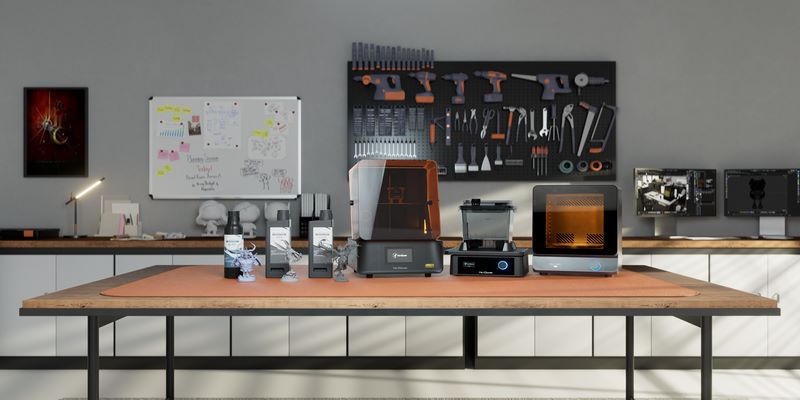
If you have spent more than five minutes shopping for a High Resolution 3D Printer, you have probably noticed something frustrating: every manufacturer claims their machine is the sharpest, the most detailed, the best on the market. Some shout about 8K screens. Others go further, promising 12K or even 16K resolution. But here is what nobody in a marketing brochure will tell you — those “K” numbers are almost meaningless without understanding the actual pixel size in microns.
A High Resolution 3D Printer is not just a printer with a big screen. It is a machine capable of rendering extremely fine details — sharp edges, smooth curves, and intricate textures — that would be impossible or impractical on a standard printer. Whether you are printing tabletop miniatures with 0.5mm sword blades, dental models that need to fit a patient’s mouth precisely, or jewelry prototypes where every millimeter counts, resolution is the difference between a print that looks professional and one that looks rough.
This guide cuts through the marketing noise and gives you a practical, honest look at the best High Resolution 3D Printers available today — what the specs actually mean, who each machine is best for, and how to make a buying decision you will not regret. Let us get into it.
Table of Contents
- How We Evaluated These Machines
- Best Overall High Resolution Resin 3D Printer: Elegoo Saturn 4 Ultra
- Best Professional Desktop High Resolution Printer
- Highest Resolution 3D Printer by Specification
- Best High Resolution FDM 3D Printer
- Best High Resolution 3D Printer for Beginners
- What Is a High Resolution 3D Printer?
- Resolution Cheat Sheet: Micron Guide for 2026
- Highest Resolution 3D Printer — Resin vs. FDM
- The Gold Standard: Miniatures and Jewelry
- 2026 Technology Advancements
- High Resolution 3D Printer Price Guide
- How to Improve 3D Print Resolution
- Who Needs a High Resolution 3D Printer?
- Frequently Asked Questions
Ready to find your perfect match? Jump straight to our top picks below.
Best High Resolution 3D Printers in 2026: Evaluation Criteria
Before jumping into individual picks, here is how we evaluated these machines. We looked at real-world XY resolution in microns (not marketing K-numbers), minimum achievable layer height, print reliability, hardware innovation that actually affects output quality, and overall value. A $1,500 machine is only worth its price if it meaningfully outperforms a $400 option for your use case.
The short version: resin printers dominate ultra-fine detail. FDM printers have their strengths in functional parts. And within each category, the gap between budget and premium has narrowed considerably in 2026. Here are our top recommendations.
Best Overall High Resolution Resin 3D Printer: Elegoo Saturn 4 Ultra
Elegoo Saturn 4 Ultra — If someone asked us to recommend just one printer to someone serious about High Resolution 3D Printing in 2026, this would be it. The Saturn 4 Ultra sits at a rare intersection of cutting-edge specifications and practical usability that few machines in its price range manage to hit.
The Elegoo Saturn 4 Ultra uses a 12K/16K LCD panel depending on the configuration, with a pixel density that translates to genuinely impressive XY resolution — we are talking roughly 19 microns, which places it firmly in the ultra-high resolution tier. For context, most human hair strands are around 70 microns wide. At 19 microns, this printer is rendering features smaller than a quarter of a hair strand.
The built-in AI print monitoring camera is something we are genuinely glad to see in this price class. It watches your prints in real time, detecting failed layers, detached supports, or resin adhesion problems before you come back hours later to find a soup of cured goop. For long overnight prints — which ultra-detailed projects often require — this is a sanity-saving feature.
The build volume is also competitive for a printer at this resolution level. You are not sacrificing workspace to get fine pixels, which means you can batch print multiple detailed models in a single run. Overall, the Saturn 4 Ultra is the machine we would confidently recommend to miniature painters, jewelry designers, dental technicians, and serious hobbyists alike.
- You need professional-grade detail (19 microns) on a budget.
- You print fragile miniatures that snap easily on standard peel-resin printers.
- You want the safety of AI monitoring for long overnight prints.
- You need a larger build volume for batch printing.
Get the Elegoo Saturn 4 Ultra:
Best Professional Desktop High Resolution Printer: Anycubic Photon Mono M7 Pro / Formlabs Form 4
Not everyone needs a hobbyist machine. If you are running a small studio, a dental lab, or a professional service bureau, you need something that performs consistently under pressure, integrates with professional-grade resins, and does not surprise you with failed prints when a client deadline is looming.
- Heated Resin Vat: Ensures consistency in cold environments.
- Engineering/Dental Support: Ecosystem supports advanced materials.
- Strong XY Resolution: Crisp details for production work.
- Low Force Display (LFD): Combines speed with SLA consistency.
- Closed Ecosystem: Printer, resin, and software work in perfect harmony.
- Industry Standard: Gold standard for dental and regulated industries.
Anycubic Photon Mono M7 Pro addresses the professional tier with a heated resin vat — a feature that sounds minor until you realize how much cold ambient temperatures can affect resin viscosity, curing consistency, and fine detail reproduction. In a workshop environment or during winter months, this single feature can be the difference between crisp prints and subtly soft ones. The M7 Pro pairs this with strong XY resolution and a resin ecosystem that supports engineering, dental, and casting-grade materials.
Get the Anycubic Photon Mono M7 Pro:
Formlabs Form 4 approaches the problem from a different angle. Formlabs built their reputation on closed-ecosystem reliability — the printer, resin, and software are designed to work together with minimal user intervention. Form 4 uses an updated Low Force Display (LFD) print engine that combines the speed advantages of MSLA with the resolution consistency of traditional SLA. For dental applications especially, where dimensional accuracy is non-negotiable and resin certification matters legally, Formlabs remains the gold standard.
If your work involves clients, production runs, or regulated industries, the slightly higher cost of either machine pays for itself quickly in reduced failures, more consistent outputs, and professional support options.
Highest Resolution 3D Printer by Specification: Phrozen Sonic Mini 8K S
Phrozen Sonic Mini 8K S might not have the largest build volume, and it is not the newest machine on this list — but it remains one of the most spec-impressive printers you can buy for miniature and jewelry applications where raw pixel density is the priority.
The “8K” panel on the Sonic Mini 8K S translates to a pixel size of approximately 19 microns across a compact build area. This machine became legendary in the miniature printing community precisely because of this density. The trade-off is clear: smaller build plate means fewer prints per batch, but the detail quality on individual pieces is exceptional.
A well-tuned 8K printer will often outperform a poorly calibrated 16K machine.
- Miniature artists
- Wargame figure painters
- Jewelers who prioritize resolution over build volume
- Users willing to invest time in dialing in settings
Best High Resolution FDM 3D Printer: Bambu Lab X1 Carbon / P2S
Here is an honest take on FDM and high resolution printing: FDM cannot match resin. Period. The physics of melting filament and depositing it through a nozzle imposes limits that no amount of engineering has broken — not yet. But that does not mean FDM is a poor choice for detailed printing. It means you need to use it for what it does well.
Bambu Lab X1 Carbon is the machine that changed what people expect from FDM in 2026. Its input shaping algorithm and vibration compensation system work together to eliminate the ghosting and ringing artifacts that plague high-speed FDM prints. The practical result is that you can print faster than traditional FDM machines and still get cleaner surfaces.
Pair the Bambu Lab X1 Carbon with a 0.2mm nozzle and slow the print speed for detailed sections, and you are looking at FDM output quality that would have been considered extraordinary just a few years ago. Overhangs are cleaner, edges are tighter, and small features like text embossing or fine mechanical teeth are readable rather than blobby.
Get the Bambu Lab X1 Carbon:
Bambu Lab P2S offers similar technology at a lower price point, sacrificing the carbon fiber composite housing and some premium features but retaining the core motion system and input shaping that makes Bambu printers stand out. For most users who want excellent FDM detail without the X1 Carbon’s price tag, the P2S is the smart choice.
Use FDM high resolution printers for: functional mechanical parts, large structural prototypes, items that need to be drilled or tapped, or prints where post-processing will smooth the surface anyway.
Best High Resolution 3D Printer for Beginners: Elegoo Mars 4 Ultra / Anycubic Photon Mono 4
Getting into High Resolution 3D Printing does not require spending $600 or more. The entry-level resin market has improved dramatically, and the printers at this tier now offer genuine resolution capability alongside simplified software and setup workflows.
Elegoo Mars 4 Ultra is one of the best beginner-friendly high resolution printers we have seen. The 9K monochrome LCD delivers 18.7-micron XY resolution — which sits in the ultra-high resolution tier despite the affordable price. The build volume is modest but sufficient for miniatures and jewelry pieces. Elegoo’s CHITUBOX-based slicing software is well-documented, with an active community producing settings profiles for common resin types.
Get the Elegoo Mars 4 Ultra:
The Anycubic Photon Mono 4 brings high-end 10K precision to an entry-level price point, offering a class-leading 17-micron XY resolution. While it remains very beginner-friendly with a 4-point leveling system, it no longer compromises on pixel density, making it a powerful step up from the Mono 4 for those starting their resin printing journey.
Get the Anycubic Photon Mono 4:
Both machines use FEP-based build platforms and benefit from the same community knowledge base. As a beginner, the most important investment is not the most expensive printer — it is time spent learning slicer settings, support placement, and resin handling safety.
What Is a High Resolution 3D Printer?
Resolution in 3D printing is not a single number — it is the combination of three factors that together determine how fine the details in your finished print will be. Understanding each one helps you evaluate marketing claims and make a smarter buying decision.
Layer Height: The Vertical Dimension
Layer height controls how thick each cured or deposited slice of material is. It is the resolution of your print in the Z (vertical) axis. This is the dimension most people think of first because it is the one most visible to the naked eye — those telltale stair-step lines on the side of a print.
Standard printing sits at 0.2mm. Detailed printing drops to 0.1mm. Ultra-detail resin printing can reach 0.02mm to 0.05mm. At 0.02mm, individual layers are essentially invisible to the eye, which is why finely tuned resin prints can appear injection-molded. The trade-off is print time — thinner layers mean more of them, which means longer prints.
XY Resolution: Where Real Detail Lives
XY resolution is the measurement that separates great High Resolution 3D Printers from mediocre ones — and it is the number that marketing departments most love to obscure. XY resolution tells you how small the printer can render a feature in the horizontal plane. This is what determines whether a miniature’s belt buckle has clean edges or fuzzy blobs, whether jewelry filigree comes out crisp or rounded, whether a dental model captures every contour of a tooth.
For resin printers, XY resolution is determined by the size of individual pixels on the LCD or DLP projector. A printer described as “12K” has more pixels across its build plate than an “8K” machine, but what actually matters is the pixel size in microns — because a 12K panel on a large build plate might have a larger pixel size than an 8K panel on a small build plate. Always ask: what is the XY resolution in microns?
In practical terms: 50 microns is standard, 25-35 microns is high resolution, and 14-19 microns is ultra-high resolution. The printers we recommend in this guide all sit at 19 microns or better for their category.
Nozzle Size: FDM’s Resolution Lever
For FDM printers, nozzle diameter plays the role that pixel size plays in resin printing. The standard 0.4mm nozzle is a good all-rounder but limits small feature reproduction. Drop to a 0.2mm nozzle and you can print features nearly half as small — text, gears, fine mechanical threads, and detailed surface textures become significantly more legible.
The practical catch: smaller nozzles are slower (less material extruded per second) and more prone to clogging. They also require drier filament and more precise temperature control. But for FDM users who want the best possible detail, a 0.2mm nozzle upgrade is one of the highest-impact changes you can make.
Resolution Cheat Sheet: Micron Guide for 2026
The 3D printing industry has a branding problem. “8K,” “12K,” and now “16K” are numbers designed to sound impressive, but they describe panel pixel count rather than actual print resolution — and a printer’s build plate size means those numbers do not translate consistently. Here is the table that actually matters:
| Resolution Tier | XY Resolution (Microns) | Panel Equivalent | Typical Use Cases |
|---|---|---|---|
| Standard | 50 μm | 4K / older panels | Large prototypes, functional parts |
| High Resolution | 25–35 μm | 6K–8K panels | Detailed miniatures, product models |
| Ultra-High Resolution | 14–19 μm | 12K–16K panels | Jewelry, dental, fine figurines |
The takeaway: when you see a printer advertised with a specific K number, find the micron specification before making any judgment. A 12K printer with a large build plate might have 24-micron pixels. A compact 8K printer might hit 19 microns. Microns tell the real story.
Also worth noting: anti-aliasing and grayscale rendering can make prints look smoother than raw pixel count suggests. Modern slicers apply pixel blending that softens jagged edges at the boundary of cured material, effectively improving perceived resolution beyond the hardware’s theoretical limit. This is one reason a 19-micron printer with good slicer settings can produce prints that appear sharper than a 15-micron printer with poor ones.
Highest Resolution 3D Printer — Resin vs. FDM: The Honest Comparison
If you are researching high resolution 3D printing, you will eventually face this question: should I buy a resin printer or an FDM printer? The answer depends on what you are making, but here is the direct comparison:
| Feature | Resin Printers | FDM Printers |
|---|---|---|
| XY Resolution | 14–35 microns (ultra-fine) | ~200 microns (standard) |
| Surface Quality | Extremely smooth, near injection-molded | Visible layer lines, can be post-processed |
| Detail Reproduction | Excellent — fine features, sharp edges | Moderate — limited by nozzle diameter |
| Material Strength | Brittle unless using engineering resins | Strong, especially PETG/ABS/CF materials |
| Post-Processing | Requires washing and UV curing | Minimal — prints usable immediately |
| Material Safety | Resin is toxic — ventilation required | Generally safer, especially PLA |
| Build Volume | Small to medium | Small to very large |
| Best For | Miniatures, jewelry, dental, figurines | Functional parts, prototypes, large prints |
The conclusion is not that one technology is better than the other — it is that they excel at different things. If you need the absolute finest detail possible, resin is your technology. If you need tough, large, functional parts, FDM wins. Many serious makers have both, using resin for display pieces and fine details and FDM for structural components.
The Gold Standard: High Resolution 3D Printing for Miniatures and Jewelry
There are two niches where High Resolution 3D Printing matters more than almost anywhere else: tabletop miniatures and jewelry design. Both demand detail at a scale where the difference between 19 microns and 35 microns is visible to the naked eye. Let us look at what each needs.
Miniature Printing: Where Every Micron Counts
The tabletop miniature community has been pushing the limits of consumer resin printing for years. A 28mm fantasy warrior needs readable facial features, crisp straps and buckles on armor, and clean weapon edges — all packed into a figure that fits in the palm of your hand. At 35 microns, you get acceptable results. At 19 microns, you get results that rival commercial cast metal figures.
Three technical factors separate good miniature printers from great ones. The first is anti-aliasing — the ability to apply grayscale pixel blending at feature edges to eliminate stairstepping. Nearly all modern 12K+ printers support this in their slicer software, but the quality of implementation varies significantly. Machines like the Elegoo Saturn 4 Ultra and Phrozen Sonic Mini 8K S have mature anti-aliasing implementations that genuinely smooth curves.
The second factor is pixel density. As discussed above, this is the micron number — and for miniatures, the ideal is 19 microns or better. Below 25 microns is the threshold where facial features start to look sculpted rather than printed.
The third is layer thickness. Miniature artists typically print at 0.02–0.03mm layers, which eliminates virtually all visible horizontal banding. Combined with anti-aliasing and sub-20-micron XY resolution, modern software smoothing allows a print to emerge looking nearly injection-molded. What was aspirational two years ago is now achievable on a mid-range resin printer.
Jewelry Design and Castable Resin Printing
Jewelry applications push high resolution resin printing in a different direction: instead of display quality, the priority is dimensional accuracy for casting. A ring band printed in castable resin will be burned out in an investment casting process, leaving a cavity for molten metal. If the print is off by 50 microns, the finished ring may not fit.
For jewelry applications, the combination of ultra-high XY resolution (19 microns or better), thin layers (0.025–0.05mm), and castable resin compatibility is the key spec checklist. Both the Elegoo Saturn 4 Ultra and the Formlabs Form 4 meet these requirements, with Formlabs offering a broader certified castable resin ecosystem and Elegoo offering better value for small studios.
Best High Resolution Resin 3D Printers: Deep Dive
The High Resolution 3D Printer resin category is where the most exciting development has happened in recent years. Understanding the landscape requires knowing what the different panel generations actually mean for print quality.
8K Resin Printers: Still Competitive
8K panels deliver XY resolution in the 19–28 micron range depending on build plate size. Machines like the Phrozen Sonic Mini 8K S sit at the smaller end of the build plate spectrum, pushing pixels small enough to hit sub-20-micron territory. For purely detail-focused applications — miniatures, small jewelry pieces — these machines still compete with anything on the market.
12K Resin Printers: The Current Sweet Spot
12K panels in 2026 represent the mainstream professional tier. Printers like the Elegoo Saturn 4 Ultra use 12K or 16K configurations to achieve pixel sizes around 19 microns across a significantly larger build plate than 8K competitors. This is the sweet spot for most professional users: ultra-high resolution combined with meaningful build volume means you can print full character models, multiple dental arches, or batches of jewelry pieces in a single run.
14K and 16K Panels: The New Frontier
14K and 16K LCD panels represent the new resolution frontier as of 2026. Pixel sizes below 14 microns are now achievable on production consumer hardware — a level that would have required SLA technology costing tens of thousands of dollars just a few years ago. The practical benefit compounds when combined with improved resin chemistry: newer formulations designed for fine detail printing cure sharply at these pixel sizes without the blooming or overcuring artifacts that plagued early high-resolution resin printing.
Best High Resolution FDM 3D Printers: What Is Actually Possible
FDM high resolution printing is a nuanced topic that deserves honest treatment. The physics of extrusion impose a resolution ceiling that current technology has not broken — but within those limits, modern FDM machines produce results that are genuinely impressive.
The Role of Input Shaping in Detail Quality
Input shaping is an algorithm that predicts and compensates for the vibration patterns of a printer’s motion system. When an FDM printhead changes direction — which happens thousands of times during a typical print — it generates vibrations that propagate through the frame and nozzle. These vibrations create artifacts called “ringing” or “ghosting” — ripple patterns visible on flat surfaces near sharp corners.
Bambu Lab’s implementation of input shaping, combined with their rigid carbon fiber frame on the X1 Carbon, eliminates most of these artifacts even at higher print speeds. The practical result is that details like lettering, fine geometric patterns, and small mechanical features are crisper because they are not blurred by vibration artifacts.
Vibration Compensation: The Other Half
While input shaping addresses the resonance side of the problem, vibration compensation works more broadly to maintain motion accuracy across different print geometries. Together, these systems allow the Bambu Lab X1 Carbon and P2S to print at speeds that would destroy detail quality on a conventional FDM machine — while maintaining accuracy that rivals slower traditional printing.
The 0.2mm Nozzle Upgrade
For FDM users serious about maximizing detail, switching to a 0.2mm nozzle is the most direct upgrade available. At 0.2mm, the minimum feature size drops to roughly 0.4mm — meaning small text embossing, fine gear teeth, and detailed surface textures become reproducible. The trade-offs are real: slower print speeds, higher clog sensitivity, and the need for very dry filament. But for users with a vibration-compensated printer like the X1 Carbon, the combination produces FDM output that approaches what was achievable only in SLA a few years ago.
Best Filament for High Resolution 3D Printing
If you are pursuing high resolution FDM printing, filament selection matters more than many users realize. The same printer profile with different filament can produce noticeably different surface quality, edge definition, and small-feature reproduction. Here is a practical breakdown:
PLA: The Detail Champion
PLA (Polylactic Acid) is the default recommendation for high resolution FDM printing, and for good reason. It has a relatively low printing temperature, minimal warping, and the lowest melt viscosity of common filaments — meaning it flows and cuts cleanly, producing sharper feature edges than more elastic materials. For display models, miniature masters for resin casting molds, and any print where surface quality is the priority, PLA delivers the best detail.
Premium PLA brands (Bambu’s own filament, Polymaker PolyLite, Prusament) are formulated with tighter diameter tolerances and drier processing, which translates directly to more consistent extrusion and better detail reproduction. Cheap filament is one of the most common causes of degraded print quality that users incorrectly attribute to printer limitations.
PETG: Strength with Reasonable Detail
PETG (Polyethylene Terephthalate Glycol) bridges PLA’s detail quality and ABS’s strength. It is tougher and more impact-resistant than PLA, slightly more flexible, and resistant to moisture that would degrade PLA over time. The trade-off for high resolution printing: PETG has more stringing tendency than PLA, and its slightly higher viscosity means very fine features can be less crisp.
For functional parts that need reasonable detail — brackets, housings, mechanical components with moderate feature complexity — PETG is often the best filament choice. Proper drying and retraction tuning eliminate most of its stringing issues.
ABS and ASA: Engineering Detail
ABS and its UV-stable cousin ASA are the materials of choice for engineering applications requiring heat resistance, machinability, and chemical resistance. Their higher printing temperatures and warping tendency make them less friendly for detail printing than PLA or PETG, but they remain essential for functional prototypes that will see real-world use.
For high resolution detail in ABS/ASA, an enclosure is nearly mandatory — temperature fluctuations cause differential shrinkage that murders small feature accuracy. With a properly enclosed and temperature-stabilized printer like the X1 Carbon, ABS detail quality improves dramatically.
TPU: Flexible Precision
TPU (Thermoplastic Polyurethane) is a flexible filament used for gaskets, grips, wearables, and impact-absorbing components. Detail printing with TPU is challenging because its elasticity causes it to deform slightly in the extruder path, but modern direct-drive systems handle it much better than Bowden setups. For flexible components with reasonable surface detail requirements, TPU on a direct-drive high resolution FDM printer is entirely viable.
2026 Technology Advancements in High Resolution Printing
The 3D printing industry moves fast, and 2026 has brought several hardware and software innovations that meaningfully improve high resolution printing outcomes. Here is what is actually worth paying attention to:
AI Print Monitoring: From Nice-to-Have to Essential
AI-powered print monitoring has graduated from experimental feature to practical tool in 2026. The implementation on the Elegoo Saturn 4 Ultra illustrates what this technology now delivers: a dedicated camera watches the build plate during printing, with a neural network analyzing each layer for anomalies.
What can AI monitoring detect in practice? Failed layer adhesion is the most common catch — when early layers separate from the build plate rather than the FEP film, the AI identifies the characteristic resin pooling pattern and can pause or stop the print. Detached supports are another failure mode: when a support structure peels away mid-print, subsequent unsupported layers fail silently without monitoring, wasting hours of print time and potentially hundreds of milliliters of resin. AI monitoring catches these events within minutes.
For batch production users, this feature has a direct cost impact. Failed prints waste resin, time, and often require manual platform cleaning before reprinting. Even one caught failure per week can justify the premium for a machine with AI monitoring over one without.
Heated Resin Vats: Consistency Across Conditions
Heated resin vats, now standard on professional-tier machines like the Anycubic Photon Mono M7 Pro, solve a problem that caused headaches for resin printers in less-than-ideal environments: viscosity variation with temperature.
Resin viscosity is temperature-dependent. Cold resin flows sluggishly, fills fine features incompletely, and cures with slightly different dimensional characteristics than warm resin. In a workshop that drops to 15°C in winter, an unheated printer can produce measurably different results than the same printer at 25°C in summer. Heated vats maintain resin at a consistent working temperature regardless of ambient conditions, eliminating this variable.
For dental labs, casting studios, and professional environments where dimensional consistency across seasons and environments is required, heated vat technology is no longer optional — it is infrastructure.
Vibration Compensation in FDM: Speed Without Sacrifice
Bambu Lab’s vibration compensation system on the X1 Carbon represents a genuine FDM engineering milestone. By measuring and modeling the resonant frequencies of the printer’s frame and motion system, the firmware can pre-distort motion commands to cancel vibration effects before they occur.
The practical outcome: detail quality at 300mm/s that previously required 50mm/s. For users printing functional prototypes or large detailed architectural models where print time is a real operational constraint, this unlocks a meaningful productivity improvement without trading surface quality.
Next-Generation Resin Chemistry
Hardware advances only matter if the materials keep pace, and 2026 resin chemistry has. New flexible-tough hybrid resins offer the detail reproduction of rigid casting resins with enough flexibility to survive handling — particularly relevant for thin-walled miniature components that would previously snap during removal from the build plate. Dental-grade resins certified for Class II biocompatibility are now available for desktop printers from Formlabs and Detax, expanding the viability of in-office dental printing. And UV-stable outdoor resins with full 16K panel compatibility have arrived for product designers and prop makers who need both resolution and weatherability.
High Resolution 3D Printer Price: What You Get at Each Tier
Understanding the High Resolution 3D Printer price landscape helps set realistic expectations and avoid both overspending and false economies. Here is what the market looks like in 2026:
- Resolution: 34–50 μm
- Examples: Anycubic Photon Mono 4, Elegoo Mars 3
- Best For: Learning resin workflow, hobby miniatures
- Resolution: 19–24 μm (Ultra-High)
- Examples: Elegoo Saturn 4 Ultra, Phrozen Sonic Mini 8K S
- Best For: Professional miniatures, jewelry, dental prototyping
- Resolution: <19 μm
- Examples: Formlabs Form 4, Anycubic M7 Pro
- Best For: Production dental, certified casting, studio use
- Resolution: ~200 μm (effective)
- Examples: Bambu Lab X1 Carbon, P2S
- Best For: Functional prototypes, structural parts, large formats
The most important observation from this table: the mid-range 12K/14K tier offers ultra-high resolution (19–24 microns) at prices previously associated with basic 4K printers. The democratization of high resolution printing has been dramatic in 2026. Unless you are in a regulated professional application requiring certified materials and validated workflows, the $400–$700 range now covers the needs of most serious users.
One consideration that does not appear in the price table but should factor into budgeting: consumables. Resin at any tier costs $30–$80 per liter, FEP films require periodic replacement, and build plate re-leveling is an ongoing time investment. Budget 20–30% of printer cost annually for supplies and maintenance, more if you are running production volumes.
How to Improve 3D Print Resolution: Practical Tips
Whether you already own a printer or are dialing in a new one, these are the highest-impact adjustments for improving print resolution:
For Resin Printers
- Lower layer height: drop from 0.05mm to 0.03mm or even 0.02mm for maximum Z-axis smoothness. Expect 40–60% longer print times.
- Enable anti-aliasing in your slicer: most modern slicers (ChiTuBox, Lychee Slicer) have anti-aliasing settings that smooth feature edges through grayscale pixel blending. Make sure this is on.
- Dial in exposure times carefully: overexposure is the enemy of fine detail — it causes light bleed that thickens thin features and fills fine gaps. Use exposure calibration matrices before committing to a new resin.
- Warm up your resin: let the resin reach room temperature (or use a heated vat) before printing. Cold resin prints differently than warm resin.
- Use a quality resin: premium resins designed for fine detail (Siraya Tech Blu, Phrozen Aqua-Gray 4K series, Formlabs’s standard resins) produce measurably sharper results than generic alternatives.
For FDM Printers
- Switch to a 0.2mm nozzle: the single highest-impact change for FDM detail quality. Accept the slower speeds as the cost of better resolution.
- Reduce layer height to 0.1mm or below: combined with a smaller nozzle, this dramatically improves surface smoothness.
- Slow print speeds for detailed sections: most modern slicers allow variable speed zones. Drop to 30–40mm/s for detailed areas even if you print the bulk at higher speeds.
- Dry your filament: moisture in filament causes micro-bubbles in the extrusion that degrade fine surface features. Run your filament through a dryer before detail printing.
- Enable input shaping if available: this is built into Bambu Lab’s firmware; on Klipper-based machines it requires calibration but is one of the best FDM quality improvements available.
Who Needs a High Resolution 3D Printer?
High resolution printing is not for everyone. A structural bracket does not need 19-micron pixels. A large-format architectural study model does not need sub-50-micron layer heights. But for these use cases, the investment in a genuine High Resolution 3D Printer pays for itself quickly:
Tabletop Miniature Painters and Wargamers
The tabletop miniature community was the first to push consumer resin printing to its limits, and it remains the most demanding hobbyist use case. Whether you are printing armies for Warhammer-style games, character figures for D&D campaigns, or detailed terrain, the difference between a 35-micron and a 19-micron printer is visible and significant. High resolution printing has become essentially table stakes for serious miniature enthusiasts.
Jewelry Designers and Goldsmiths
Lost-wax casting with 3D printed masters requires dimensional accuracy at the sub-millimeter scale. A ring that prints 0.1mm too large will not fit the client’s finger after casting and polishing. High resolution resin printing — combined with proper castable resin and careful calibration — makes it possible to design and produce custom jewelry pieces with professional accuracy in a small studio setting.
Dental Laboratories and Orthodontic Practices
Dental model printing requires both high XY resolution (for accurate margin definition on crown preparations) and validated materials (biocompatible resins certified for patient contact). Formlabs Form 4 leads this category with its resin certification program, but certified alternatives from SprintRay and Asiga are also viable. For practices and labs doing model-based workflows, digital printing has largely displaced physical impressions.
High resolution prototyping bridges the gap between digital design and physical evaluation. A product team evaluating a consumer electronics housing needs a prototype that represents the final part’s surface quality and fine details accurately — button textures, vent patterns, label areas. High resolution resin printing delivers this at a fraction of the cost and lead time of machined prototypes.
Figurine Artists and Digital Sculptors
The market for digitally sculpted collectibles, display figures, and artist-designed limited pieces has exploded alongside the improvement in consumer resin printing. Artists who previously needed relationships with casting houses can now print production-quality pieces directly. At 19 microns with 0.025mm layers, a well-sculpted figure prints with detail quality that sells at collector prices.
Frequently Asked Questions
What Is the Highest Resolution 3D Printer Available in 2026?
The highest resolution consumer 3D printers in 2026 are machines using 14K–16K LCD panels with compact build plates, achieving XY resolutions of 14 microns or below. The Elegoo Saturn 4 Ultra and select Phrozen machines represent the leading edge of the consumer market. For professional/industrial applications, DLP and SLA systems from Formlabs, EnvisionTEC, and Asiga achieve 10 microns or better, at significantly higher price points. In practical terms, however, the difference between a 14-micron and a 19-micron print is subtle for most applications — resin quality, slicer settings, and calibration matter at least as much as raw pixel size.
Are Resin Printers Higher Resolution Than FDM Printers?
Yes, significantly. The best resin printers achieve XY resolutions of 14–19 microns. The best FDM printers, using 0.2mm nozzles with vibration compensation, achieve effective XY resolution around 200 microns. That is roughly a 10x difference in fine feature reproduction capability. For any application requiring sub-50-micron detail — miniatures, jewelry, dental — resin is the only consumer technology that delivers. FDM excels at strength, build volume, material variety, and functional applications where fine-detail reproduction is not the priority.
What Resolution Is Best for Miniatures?
For tabletop miniature printing, 19–25 microns XY resolution with 0.02–0.03mm layer heights represents the optimal range. At this level, facial features, fine armor details, and weapon edges are rendered crisply enough to paint at a professional standard without requiring significant cleanup. Anti-aliasing is also essential — enable it in your slicer at the maximum available setting. Machines in the Phrozen Sonic Mini 8K S and Elegoo Mars 4 Ultra class hit this target at accessible prices.
What Is the Smallest Layer Height Possible?
On modern consumer resin printers, 0.01mm (10 microns) is achievable in theory, though 0.02mm (20 microns) is the practical sweet spot — below this, cure consistency becomes difficult to maintain and print times become extremely long. FDM printers can technically print at 0.05mm layer heights, though 0.1mm is more reliable for consistent results. The practical minimum is limited not just by hardware but by resin cure depth, gravity effects on uncured material, and thermal consistency during the print.
Is a High Resolution 3D Printer Worth It for Beginners?
Honestly, it depends on your goals. If you are getting into 3D printing purely out of curiosity, a standard FDM printer or entry-level resin is a better starting point — the learning curve is significant enough without also managing the complexity of ultra-fine detail settings. But if your primary goal from day one is miniature painting or jewelry design, skipping the low-resolution starter machine and beginning with something like the Elegoo Mars 4 Ultra or Anycubic Photon Mono 4 is entirely reasonable. These machines are beginner-accessible while still delivering genuine high resolution capability.
How Much Resin Does a Typical Print Use?
Resin consumption varies enormously by model size, support density, and hollowing. A typical 32mm tabletop miniature consumes 3–8 milliliters of resin. A dental arch model uses 15–30 milliliters. A full-size bust figure may use 100–200 milliliters. At $40–$60 per liter for quality resin, per-print material costs are quite low for small models but add up for large or high-volume printing. Hollowing large models and adding drain holes dramatically reduces resin consumption and print time for big pieces.
Making Your Decision: A Practical Framework
After all of this, here is a simple decision framework to help you land on the right printer:
- If you primarily print miniatures and figurines: Get a resin printer with sub-25-micron XY resolution. The Elegoo Mars 4 Ultra is the budget pick; the Elegoo Saturn 4 Ultra is the best all-rounder; the Phrozen Sonic Mini 8K S remains a top spec choice for pure detail.
- If you primarily print functional parts and mechanical prototypes: Get an FDM printer with input shaping. The Bambu Lab P2S is the value choice; the X1 Carbon is the premium choice. Add a 0.2mm nozzle if detail matters.
- If you need both: Consider owning one of each. A mid-range resin printer ($400–$500) plus a mid-range FDM printer ($350–$600) gives you complete coverage of most making needs for under $1,100 combined.
- If you are in a professional/production context: Evaluate the Formlabs Form 4 for dental/jewelry/engineering applications requiring certified materials, or the Anycubic Photon Mono M7 Pro for studio production environments. Budget for consumables and training time.
- If you are a complete beginner: Start with the Elegoo Mars 4 Ultra or Anycubic Photon Mono 4. Learn the fundamentals of support placement, slicer settings, and resin handling safety before worrying about 16K vs 12K comparisons. The machine will not be your limiting factor.
📥 Download Our 2026 3D Printer Cheat Sheet
Confused by Microns vs. “K” numbers? We put together a printable PDF cheat sheet summarizing the best settings for miniatures, jewelry, and functional parts.
The High Resolution 3D Printing market in 2026 is remarkable by any historical standard. What required $10,000 of equipment five years ago is now achievable for under $500. The detail quality ceiling for consumer machines has moved so dramatically that the main variable is now user knowledge and settings mastery rather than hardware limitations. Invest time in learning your slicer, calibrate your exposure settings, use quality materials, and the machine you choose will produce prints that turn heads.
Ready to start printing ultra-detailed models? Choose the category that fits your needs below.
Best Resin Printer (Saturn 4 Ultra) Best FDM Printer (Bambu P2S)
Last updated: March 2026. Printer specifications and pricing reflect current market availability. Always verify current pricing and specs with retailers before purchasing.

