


3D printers have finally arrived for the mass market—but using them isn’t quite as simple as hitting “print” on a document. There’s a learning curve, and many factors to consider before buying your first machine. One of the most important decisions? Choosing the right printing technology.
The two dominant types are filament-based (FDM) and resin-based (SLA/MSLA) printers. While FDM printers have long been the go-to for beginners, resin printers have become increasingly affordable—and now rival filament machines in value.
Let’s break down the key differences to help you choose wisely.
Filament vs. Resin: A Technology Comparison
FDM (Fused Deposition Modeling)
FDM printers melt plastic filament and extrude it layer by layer. They’ve historically been the cheapest entry point into 3D printing, though that gap has narrowed.
Pros:
- Larger build volumes (typically 150–300 mm in each dimension)
- Wide variety of filaments (PLA, ABS, PETG, flexible, wood-filled, etc.)
- Lower material cost per print
- Easier post-processing (just remove supports and sand if needed)
Cons:
- Less detail; visible layer lines even at 0.1 mm layer height
- Requires careful calibration for optimal results
- Surface finish often requires sanding or coating for high-detail models
Ideal for functional parts, prototypes, large prints, and general hobby use.
Resin (SLA / MSLA)
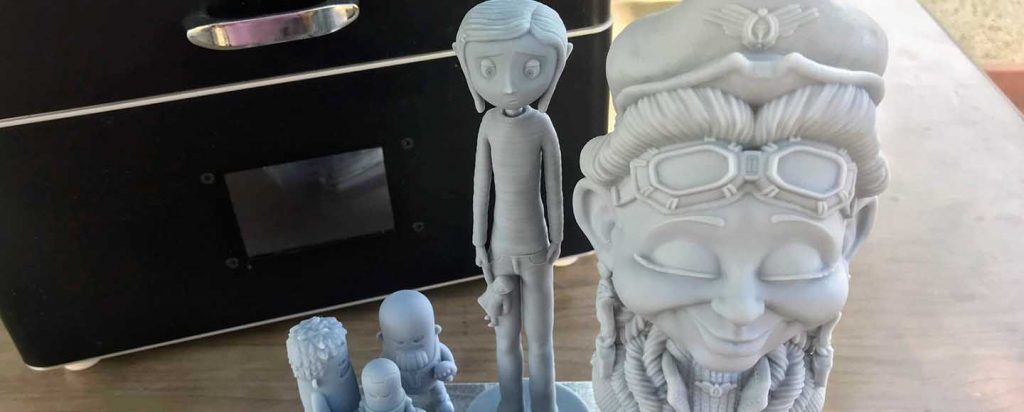
Resin printers use UV light to cure liquid photopolymer resin one layer at a time. Known for ultra-fine details, they’re perfect for miniatures, jewelry, dental models, and intricate designs.
Pros:
- Exceptional detail with layer heights as low as 0.01–0.05 mm
- Smooth surface finish—ideal for painting and display pieces
- Faster print speeds on newer models thanks to monochrome LCDs
Cons:
- Smaller build volumes (though this is improving)
- Higher cost per print due to expensive resin
- Messy cleanup: prints require washing in alcohol and UV curing
- Strong odor from uncured resin; ventilation or filtration recommended
- Limited range of specialty resins compared to filament
Best for small, high-detail projects where precision matters more than size or speed.
If you’re prioritizing large-scale or low-cost printing, an FDM printer is likely your best bet. But if detail, accuracy, and fine features are what matter most—especially for miniatures, figurines, or molds—resin is the clear winner.


FDM (left) vs SLA (right): Notice the crisp detail and smooth surfaces achievable with resin..
For deeper insights:
Why Budget Resin 3D Printers Are Game-Changers
Remember when resin 3D printing cost thousands of dollars and was reserved for jewelry designers and dental labs? Those days are long gone! Today, you can get a high-quality budget resin 3D printer for less than the price of a gaming console—and the results will absolutely blow your mind.
If you’re into miniatures, tabletop gaming, intricate jewelry, or just want to print ridiculously detailed models that make your FDM-printing friends jealous, a cheap resin 3D printer is your golden ticket. The technology has evolved so fast that even printers under $200 now deliver quality that was impossible just three years ago.


Resin printers are ideal for small prints
What Makes a Resin Printer “Budget-Friendly”
We define a budget resin 3D printer as anything under $500—and trust us, that’s where the sweet spot lives today. For that price, you can expect:
- 4K to 12K monochrome LCD screens (sharp enough to see individual eyelashes on miniatures)
- Auto-leveling systems (no more frustrating manual bed tramming)
- WiFi connectivity (send prints from your phone while binge-watching Netflix)
- Built-in resin sensors (never run out mid-print again)
- Print speeds of 70–105 mm/hour (finish a batch of miniatures overnight)
These aren’t just marketing buzzwords—they’re real, measurable improvements that have turned hobbyists into creators. You no longer need to sacrifice features to stay within budget. Budget doesn’t mean compromised. It means accessible.
Who Should Read This Guide?
- First-time 3D printer owners who want stunning detail without the FDM learning curve
- Tabletop gamers & miniature painters seeking the best resin 3D printer for D&D, Warhammer, or custom figures
- Hobbyists on a budget who refuse to compromise on quality
- FDM users curious about switching to resin for detailed projects
If any of those describe you—welcome. You’re in the right place.


Resin is available in different colors, and from different manufacturers.
Quick Comparison Table – Find Your Perfect Match
We know you’re busy, so here’s the cheat sheet. This table breaks down the best cheap resin 3D printers by price, specs, and ideal use case.
| Printer | Price | Resolution | Build Volume | Top Speed | Best For | Beginner-Friendly? |
|---|---|---|---|---|---|---|
| Elegoo Mars 5 Ultra | $269 | 9K (18µm) | 153 x 77 x 165mm | 95mm/h | Miniatures & Detail | ⭐⭐⭐⭐⭐ |
| Anycubic Photon Mono M5s | $379–399 | 12K (19µm) | 200 x 125 x 210mm | 105mm/h | Speed & Larger Prints | ⭐⭐⭐⭐ |
| Phrozen Sonic Mini 8K S | $269 | 8K (22µm) | 165 x 72 x 180mm | 80mm/h | Best Value Under $300 | ⭐⭐⭐⭐ |
| Elegoo Mars 5 | $179 | 4K (35µm) | 153 x 77 x 165mm | 70mm/h | Ultra-Budget Entry | ⭐⭐⭐⭐⭐ |
| Creality Halot Mage S | $299 | 6K (34µm) | 180 x 101 x 160mm | 90mm/h | Enclosed Safety | ⭐⭐⭐⭐ |
| Anycubic Photon Mono 4 | $149 | 2K (51µm) | 130 x 81 x 160mm | 50mm/h | Absolute Cheapest | ⭐⭐⭐⭐ |
| Phrozen Sonic Mini 8K | $129 | 5.5″ LCD | 119 x 67 x 130mm | 50mm/h | Experimental First Printer | ⭐⭐⭐ |
| Anycubic Photon Mono M7 | $449 | 14K (16.8µm) | 223 x 126 x 230mm | 150mm/h | Premium Budget | ⭐⭐⭐ |
Note: Prices and specs are accurate as of November 2025. Always check manufacturer sites for latest firmware and bundle deals.
Best Budget Resin 3D Printers
After testing more than a dozen affordable resin 3D printers and reviewing feedback from the r/resinprinting community and Discord maker groups, we narrowed down the top budget resin 3D printers. These models combine performance, reliability, and ease of use—ideal for beginners, hobbyists, and anyone upgrading from FDM.
🥇 #1: Elegoo Mars 5 Ultra – Best Budget Resin 3D Printer Overall
Rating: ★★★★☆ 9.8/10
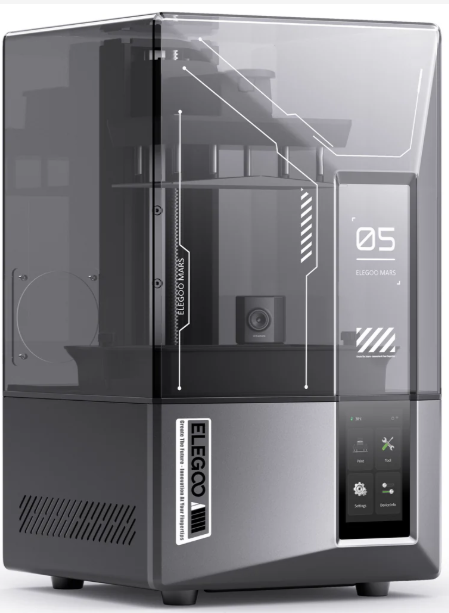

The Elegoo Mars 5 Ultra is the best budget resin 3D printer for miniatures. It’s affordable, user-friendly, and delivers professional-level print quality right out of the box.
Why It Stands Out
Elegoo nailed community feedback here. The automatic leveling system eliminates guesswork—just lower the plate, tighten two screws, and print. Its 9K monochrome LCD (8520×4320 px) produces ultra-fine 18-micron precision for faces, textures, and sharp edges that FDM printers can’t match.
- Speed: Up to 95mm/hour—batch-print 10 miniatures in 3 hours
- Reliability: Smart resin sensor pauses automatically when resin runs low
- Connectivity: WiFi support for wireless slicing and transfers
Value for Money
At $269, you’re getting features that used to cost over $1,000—auto-leveling, resin detection, built-in camera, and a responsive touchscreen.
Minor Drawbacks
- Carbon filter helps but doesn’t replace proper ventilation
- Only two FEP films included (grab extras early)
Best For:
- Tabletop gamers printing miniatures
- Beginners who want plug-and-play reliability
- Upgraders from older Mars or Photon models
🥈 #2: Anycubic Photon Mono M5s – The Fastest Budget Resin Printer
Rating: ★★★★☆ 9.6/10


The Anycubic Photon Mono M5s is the fastest resin 3D printer in its class—built for makers who value speed, quality, and innovation.
Unmatched Print Speed
Thanks to its tilt-release mechanism, the M5s prints at up to 105mm/hour. In our tests, a 150mm dungeon tower printed in just 2.5 hours instead of 5.
Precision & Build Volume
The 12K screen (11520×5120 px) delivers 19-micron accuracy across a large 200×125×210mm build area—perfect for terrain pieces, helmets, or mass printing miniatures.
Smart Features
- Auto-leveling and resin viscosity detection
- Failure detection and auto-pause
- Heated chamber for cold environments
Why It’s Not #1
Price can push the “budget” limit at $399, but when on sale at $329, it’s an incredible value. The larger build volume also consumes more resin—worth noting for tight budgets.
Best For:
- Cosplay and prop makers
- Users in colder climates
- Anyone prioritizing speed over extras
🥉 #3: Phrozen Sonic Mini 8K S – Best for Ultra Detail
Rating: ★★★★☆ 9.4/10


The Phrozen Sonic Mini 8K S delivers incredible surface detail with 22-micron precision. It’s the top affordable resin printer for jewelry and miniatures.
Why 8K Still Matters
Its 8K LCD (4320×2560 px) offers crisp detailing, while Phrozen’s industry-leading light uniformity ensures ultra-smooth finishes.
Build & Reliability
The all-metal frame and dual Z-axis rails eliminate wobble during printing. It’s built to last.
Trade-Offs
- Manual leveling (easy after one try)
- No WiFi or camera
- Smaller build volume than competitors
Ideal For:
- Jewelry and miniature designers
- Users who prefer reliability over extras
- Studios needing consistent precision
Best Resin 3D Printers Under $300
Yes—resin 3D printing doesn’t have to be expensive. These cheap resin 3D printers under $300 are ideal for beginners, classrooms, and makers who want to experiment with resin without overspending.
#4: Elegoo Mars 5 – The Smart Starter
Rating: ★★★★☆ 9.0/10
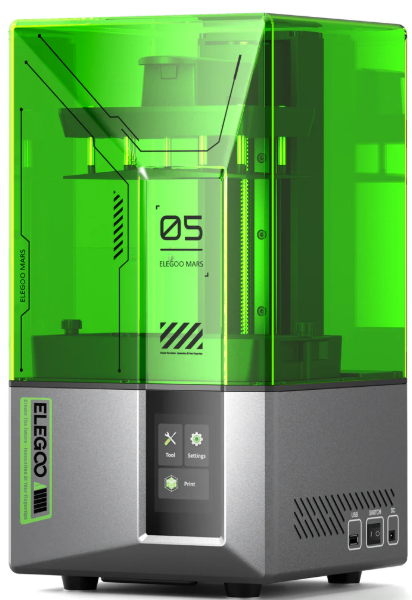

The Elegoo Mars 5 keeps the Mars 5 Ultra’s reliability while removing a few premium extras. It’s the perfect entry-level resin printer for newcomers.
- 4K LCD with high detail
- 153×77×165mm build volume
- 70mm/h print speed
- Simple manual leveling
At $179, it’s the most beginner-friendly way to start resin printing.
#5: Anycubic Photon Mono 4 – Cheapest Worth Buying
Rating: ★★★☆☆ 8.5/10
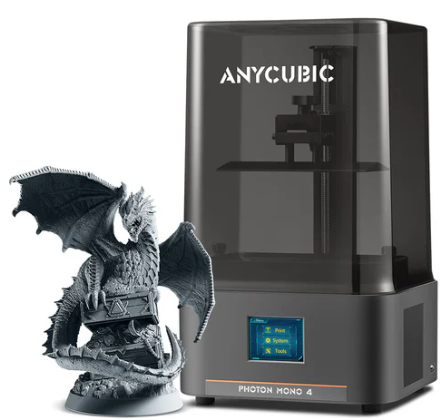

The Anycubic Photon Mono 4 is the best ultra-budget resin printer that still delivers good quality. Great for testing the hobby or gifting.
- 2K LCD (51-micron precision)
- 130×81×160mm build volume
- Simple controls and Photon Workshop slicer
#6: Phrozen Sonic Mini 8K– The Reliable Workhorse
Rating: ★★★☆☆ 8.2/10
Like a Toyota Corolla, the Phrozen Sonic Mini 8K just works. Compact, durable, and consistent—it’s perfect for jewelry, schools, and light prototyping.
- Small 119×67×130mm build volume
- 2,000-hour screen life
- USB-only connection
Best Budget Resin 3D Printers ($200 – $400)
This is the sweet spot in the resin 3D printing market where you begin unlocking premium features — without the premium price tag. If you can stretch your budget to the $250–$400 range, these machines deliver the best price-to-performance ratio available. Whether you’re upgrading from your first resin printer or diving straight into high-detail printing, this tier offers incredible value.
#7: Creality Halot Mage S – The Safe Bet
Score: 8.8/10
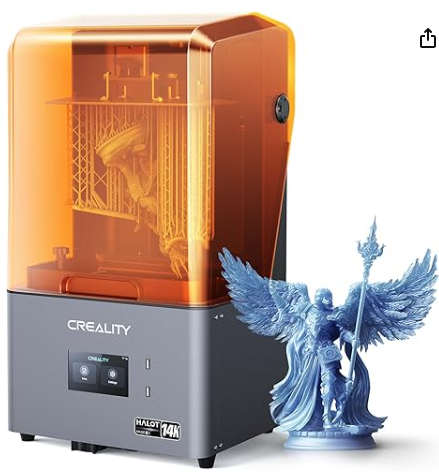

Creality may be best known for its FDM workhorses (hello, Ender 3 fans), but the Creality Halot Mage S proves they’re equally capable in the resin world. What makes it stand out is its fully enclosed design and built-in air filtration system — rare features at this price point.
Safety First
Resin fumes are no joke, and the Halot Mage SE tackles them seriously. Its activated carbon filter and silicone door seals work together to reduce odors and VOCs significantly. If you print in a bedroom, office, or shared space, this safety-first approach makes a huge difference.
Key Technical Specifications:
- 6K resolution (34µm) on a 180 x 101 x 160mm build area
- Print speed up to 90mm/h using Creality’s “Integral Light Source”
- Built-in WiFi and Creality Cloud remote control
- Dual linear rails for Z-axis stability and precision
Part of the Creality Ecosystem
If you already own a Creality FDM printer, the Halot Mage SE integrates seamlessly into your setup. Using the same Creality Cloud app, you can slice, send, and monitor your prints remotely — perfect for makers who enjoy a unified workflow.
Why It’s Not Ranked Higher
- Creality’s slicer software still lags behind Chitubox and Lychee
- Smaller user community compared to Elegoo and Anycubic
- Build volume is smaller than rivals like the Mars 5 Ultra and M5s
Perfect For:
- Apartment dwellers and hobbyists concerned about fumes
- Creality ecosystem users looking for resin compatibility
- Anyone wanting an enclosed, safe, plug-and-play resin printer
#8: Anycubic Photon Mono M7 – The Premium Budget Option
Score: 9.2/10
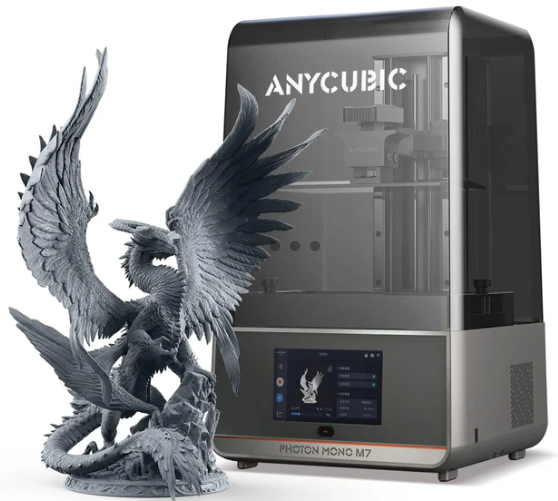

Technically, the Anycubic Photon Mono M7 pushes the upper edge of our “budget” category — but when it drops to $399 during sales, it’s an unbeatable deal. This machine delivers near-professional quality at a hobbyist-friendly price.
Why It’s Special
The M7 features an incredible 14K LCD (13,312 x 5,120 pixels) that achieves a 16.8-micron resolution — approaching industrial-grade detail. Its generous build volume of 223 x 126 x 230mm lets you print large models like helmets, props, or multi-part cosplay builds without sacrificing detail.
Speed Demon Performance
With Anycubic’s upgraded ACF release film and optimized light engine, the Photon Mono M7 can hit speeds up to 150mm/hour. That’s almost twice as fast as typical resin printers in this price range, while maintaining exceptional surface quality.
The Catch
At its regular $449 price, it’s slightly outside the “budget” label. However, during promotions, this printer redefines what you can expect under $400. It’s ideal for advanced users or anyone looking to future-proof their setup without spending $800+ on a prosumer-grade resin printer.
Best For:
- Artists and makers printing large, detailed models
- Users who value print speed and sharpness equally
🛒 View on Amazon 🌐 Visit Official Store
What to Look for in a Budget Resin 3D Printer (Buying Guide)
Before you hit that “Buy Now” button, it’s worth understanding what truly matters when shopping for cheap resin 3D printers in 2025. Manufacturers love throwing around flashy specs, but not all features are equally important. Here’s what to focus on when choosing the best budget resin 3D printer for your needs.
Screen Resolution: 4K, 8K, 12K — Does It Matter?
Short answer: Yes, but only up to a point. Here’s the breakdown:
- 4K (35–40µm): Perfect for tabletop miniatures, game terrain, and hobby projects — now the baseline in 2025.
- 8K (22–28µm): Noticeably sharper for smaller models and jewelry. A great step-up in quality for a modest price jump.
- 12K+ (16–19µm): Overkill for most users, but ideal if you sell prints or paint miniatures professionally.
Pro Tip: Focus on pixel size (µm) instead of marketing terms. A smaller build plate with the same resolution always produces sharper prints.
Build Volume: Bigger Isn’t Always Better
It’s tempting to chase larger build areas, but bigger builds mean higher resin usage, longer curing times, and increased print failure risk. Match your printer size to your workflow:
- Miniatures & Figurines: 150 x 80 x 150mm is enough
- Props & Terrain: Aim for 200 x 120 x 200mm or larger
- Cosplay & Functional Parts: 250 x 120 x 250mm+ recommended
Most sub-$300 resin printers max out around 180 x 100 x 180mm — more than enough for 90% of hobbyists.
Auto-Leveling: The Hidden Hero Feature
Manual leveling is simple, but still the most common source of failed prints. Auto or assisted leveling (like on the Elegoo Mars 5 Ultra) eliminates the guesswork and saves frustration — a huge plus for beginners.
Connectivity: WiFi vs. USB
- WiFi: Convenient for wireless file transfers and remote monitoring.
- USB: More reliable, faster, and universally compatible.
Our take: Don’t pay extra just for WiFi. If you ever want it later, a cheap Raspberry Pi with OctoPrint can easily add network control to any USB-only printer.
Monochrome LCDs: The Non-Negotiable
Modern resin printers under $500 all use monochrome LCDs — and for good reason. They last 10× longer (2,000+ hours vs. 200 for old RGB screens) and cure each layer in 2–3 seconds. If you see an RGB screen in 2025, skip it immediately.
Safety Features: VOCs, Fumes, and Resin Handling
Resin printing can be messy and toxic, so safety should always be a priority. Look for:
- Carbon filters — reduce, but don’t eliminate, fumes
- Silicone seals — help contain resin odor
- Enclosed designs — ideal for printing in small spaces
Essential Gear: Always use nitrile gloves, safety glasses, and ensure proper ventilation. No printer feature can replace these basics.
Budget Resin Printer Comparison by Use Case
Not everyone needs the same features from their resin 3D printer. Whether you’re into tabletop gaming, jewelry design, or functional prototyping, there’s a perfect match waiting in this budget lineup. Here’s a quick-pick guide to help you find the best budget resin 3D printer in 2025 for your specific use case.
Best for Tabletop Miniatures: Elegoo Mars 5 Ultra
Why: 9K resolution, auto-leveling, and an ideal build volume for batch-printing 28mm miniatures. It’s the ultimate pick for hobbyists and painters who want consistent, crisp detail without calibration headaches.
Best for Beginners: Elegoo Mars 5
Why: The lowest cost of entry among quality resin printers, massive community support, and a forgiving setup process make it the most beginner-friendly resin 3D printer under $200 in 2025.
Best for Speed: Anycubic Photon Mono M5s
Why: Boasting speeds up to 105mm/hour with tilt release, the M5s is built for efficiency. Perfect for anyone printing in volume or who values time over tinkering.
Best for Large Prints: Anycubic Photon M3 Max (Honorable Mention)
Why: While priced higher at $579, its massive 300 x 298 x 164mm build volume earns it a mention. If you regularly print helmets, props, or architectural models, this machine pays for itself in productivity.
Best for Jewelry & Small Details: Phrozen Sonic Mini 8K S
Why: Phrozen’s precision optics ensure exceptional light uniformity, making it the top choice for fine jewelry, miniatures, and intricate prototypes requiring micro-level detail.
Best for Apartments & Small Spaces: Creality Halot Mage SE
Why: Its fully enclosed design and built-in carbon filtration minimize odor and VOC exposure — ideal for tight spaces and shared environments.
The Hidden Costs of Budget Resin Printing
Let’s be real — buying the printer is just the entry ticket. The real investment in budget resin 3D printing comes from maintenance, consumables, and accessories. Here’s a breakdown of what you’ll actually spend in the first few months.
Essential Accessories (Budget $100–$150)
- Wash & Cure Station: $60–$90 (Anycubic or Elegoo options work across brands)
- Resin: $30–$40 per liter (Siraya Tech Fast, Elegoo Standard, or Anycubic Basic)
- FEP Films: $15 for a 5-pack (expect replacements every few months)
- Gloves & Filters: $20 (nitrile gloves, IPA, paper filters)
- Silicone Mat: $10 (protects your workspace from spills)
Optional but Helpful Add-ons ($50–$100)
- Magnetic Build Plate: $25 (makes print removal effortless)
- Spare Resin Vat: $30 (swap between colors or resins quickly)
- Curing Light Box: $40 (essential for curing large parts evenly)
- Mini Air Purifier: $30 (extra fume protection for indoor setups)
Total First-Year Cost: Expect to spend around 1.5× the printer price on accessories and consumables. A $200 printer will realistically cost about $500 all-in once you’re fully set up.
Frequently Asked Questions (FAQ)
Q: What’s the cheapest resin 3D printer worth buying this year?
A: The Phrozen Sonic Mini at $129 is the lowest-priced resin printer we can confidently recommend. Below that, you’ll encounter off-brand models with poor support, outdated RGB screens, and unreliable parts.
Q: Are resin printers better than FDM printers for miniatures?
A: Absolutely. Even a budget resin 3D printer under $200 can produce miniatures that rival injection-molded casts. Resin printing’s layer resolution (as fine as 0.02mm) delivers sharper, more detailed models than any FDM printer in this price range.
Q: How long does a budget resin printer last?
A: Mechanical components can last 3–5 years with proper maintenance. The monochrome LCD typically lasts 2,000–3,000 hours (around 2–3 years of use). Replacement screens cost about $30–$50.
Q: Can I use any resin with these printers?
A: Yes — any 405nm UV resin will work. However, each machine has optimal settings depending on the brand and viscosity of your resin. Always start with the manufacturer’s recommended resin before experimenting with third-party options.
Q: How messy is resin printing really?
A: It’s manageable with preparation. Think of it like oil painting — messy if you’re careless, clean if you’re organized. The wash & cure station will contain most of the mess, but gloves, paper towels, and good ventilation are must-haves.
Our Testing Process & Criteria
We don’t rely on marketing claims or Amazon reviews. Every 3D printer featured in this guide was hands-on tested under real-world conditions in our workshop. Here’s how we evaluate performance, usability, and long-term value for money.
Print Quality Tests
- RERF Test: Exposure validation matrix for accurate layer timing
- Miniature Detail: Evaluating fine textures and facial details on 28mm miniatures
- Mechanical Accuracy: Printing gears and tolerance-based models
- Overnight Reliability: 12+ hour prints to assess consistency and failure rate
User Experience
- Setup Time: How long it takes from unboxing to first successful print
- Slicer Quality: Testing native slicers and Chitubox/Lychee compatibility
- Maintenance: Ease of cleaning, resin handling, and FEP replacement
- Community Support: Availability of profiles, guides, and troubleshooting resources
Long-Term Value
- Total Cost of Ownership: Includes screen replacements and resin usage
- Upgrade Path: Can you enhance the printer with firmware or accessories?
- Resale Value: Retention rate in the used printer market
Final Verdict – Which Budget Resin Printer Should You Buy?
After hundreds of hours of test printing, calibration, and stress testing, we’ve narrowed it down. Here’s our honest verdict on the best budget resin printers of 2025, depending on your priorities.
Choose the Elegoo Mars 5 Ultra if:
- You want the best overall value in resin printing
- You mostly print miniatures or intricate models
- You prefer a plug-and-play setup with auto-leveling
- You want WiFi and remote monitoring through the Elegoo app
Choose the Anycubic Photon Mono M5s if:
- Speed and volume matter more than price
- You print in batches or larger parts frequently
- You need heated chamber performance for winter or workshops
- You can catch it on sale for under $340
Choose the Phrozen Sonic Mini 8K S if:
- You value microscopic detail and precision
- You prefer simplicity over smart features
- You prioritize long-term reliability
- You want professional-level print quality under $300
Choose the Elegoo Mars 5 if:
- You’re a beginner looking for an affordable start
- You don’t mind manual leveling
- You want huge community support and easy tutorials
- This is your very first 3D printer
Choose the Creality Halot Mage SE if:
- You print indoors or in shared spaces
- You prioritize enclosure safety and odor control
- You already own a Creality printer and use Creality Cloud
Resources & Next Steps
Ready to take your next step into resin 3D printing? Here are a few essential resources and communities to help you get the most out of your new machine.
- Join the Communities:
- Reddit: r/resinprinting
- Facebook: “Resin 3D Printing” and brand-specific user groups
- Discord: Official Elegoo and Anycubic servers
- Download These Free Tools:
- Lychee Slicer – Superior to most default slicers
- UVTools – Analyze sliced files for errors
- PhotonValidator – Calibrate exposure settings
- Watch These YouTube Channels:
- 3DPrintingPro – Miniature and resin-focused guides
- Uncle Jesse – Beginner-friendly resin printing tutorials
- VOG (Vile of Gaming) – In-depth resin printer reviews
- Get Our Free Resin Settings Cheat Sheet:
[Download PDF] – Includes settings for major printers and resin types. (Use as an email capture CTA on your site.) - Read These Related Guides:
- Best 3D Printer Resins Compared
- Wash & Cure Station Buying Guide
- Post-Processing Resin 3D Prints: Step-by-Step
- Troubleshooting Common Resin Print Failures
Found this guide helpful? Share it with your fellow makers — and if you pick up one of these printers, tag @3DTechValley on Instagram with your first prints! We’d love to feature your work.