


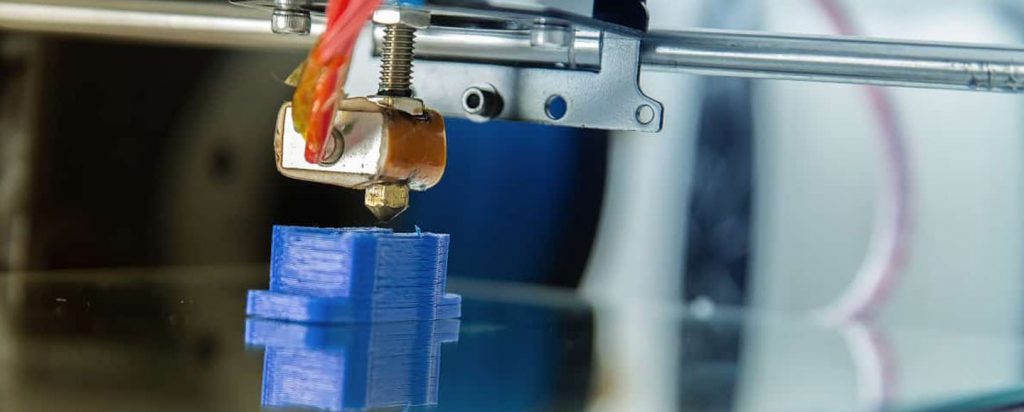
Wondering how to clean 3D printer nozzle? Read on for 3 easy ways that you can stop your 3D printer nozzle from clogging.
The nozzle extrudes the 3D printer material, leading to the formation of the 3D print. Therefore, to ensure you end up with good quality prints, the nozzle has to be kept clean and well-maintained. Read on to learn how to clean a 3D printer nozzle.
Before you start cleaning your nozzle, there are a number of items you will need. These include:
- Blow torch or heat gun (buy)
- Socket wrench (buy)
- Crescent wrench (buy)
- Acupuncture needle (buy)
- Acetone (buy)
- A brass wire brush (steel wire can damage the nozzle) (buy)
- Cleaning filament oy nylon filament in the diameter your printer uses
You can purchase a nozzle 3D printer kit from Amazon. Here is one that we recommend:
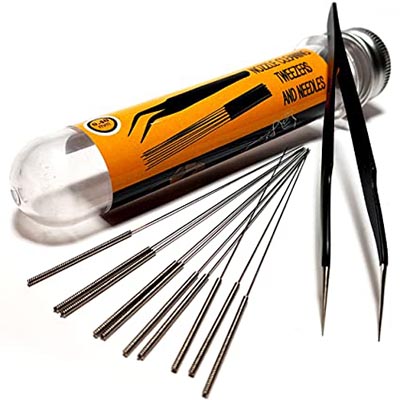

AVAILABLE ON AMAZON
Prevent 3D Printer Nozzle from Clogging


Before your nozzle gets clogged, it is important to take some preventive measures. Here are some simple steps to follow:
- Change the filament when the print head is still hot to prevent clogging due to cooling.
- Use different nozzles and heating block assembled for different materials. Make sure the nozzle you are using has the heat tolerance of the material you want to print, especially if you are working with exotic filaments.
- When loading new material, do not push it by force into the print head. Forcing the material through can lead to buildup inside the print head.
Identifying Problems Causing Clogged Nozzles

There are different ways of cleaning a clogged nozzle. Before you start cleaning, you should determine the problem.
Sometimes, the heating block may be faulty, making the filament not heat properly and, therefore, clog at the nozzle. Other times, the material may break at the entrance of the print head because of the gear pushing it.
The cause of the clogging should help you determine the right way of unclogging.
How to Clean a 3D Printer Nozzle
There are three different ways of cleaning a clogged 3D printer nozzle. These are:
1. Wire Brushing the Print Head

The easiest way to prevent nozzle blockage and malfunction is to ensure the nozzle tip and the area around the heating block is clean. Use a wire brush to brush the nozzle and the area around it to remove any debris.
When brushing, go in a linear motion and from multiple directions. You want to use a wire brush rather than a regular one because the former has more friction. Therefore, it can easily remove any stuck debris or burnt filament from the nozzle and the surrounding area.
When brushing the nozzle, be careful not to overdo the motion. Overbrushing can end up damaging the nozzle.
2. Removing Debris Using a Needle
Sometimes, the cold filament may stay glued to the inner surface of the nozzle, and in turn block additional material from extruding. In such a case, you can remove the filament causing the clogging using a needle.


To start off, heat the extruder to its recommended temperature to soften the clogged filament. After this, use a needle to push out the material.
Alternatively, if you have a hot air gun, you can try manually heating the nozzle with it to soften the clogged material before removing it with a needle.
3. Melting Clogged Material with Acetone
If you have tried removing the clogged material by wire-brushing the nozzle and surrounding area or using a needle after heating the nozzle but the clogging is still there, you can try using acetone to remove the debris.
With this method, you have to remove the nozzle from the print head and then put acetone on the clogged material. Leave the acetone on the material for a few hours. The acetone will melt the material, after which you can remove the debris using a wire brush or a needle.


With any of the three options above, you should be able to return to printing within a short time.