


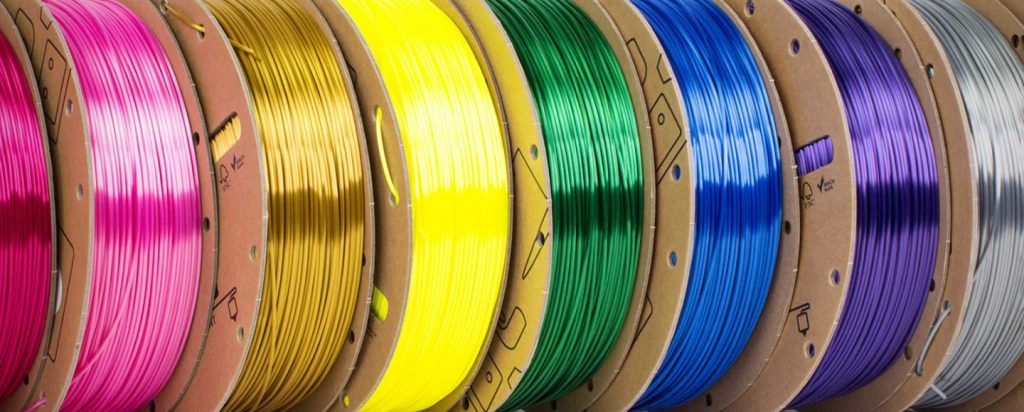
✅ Tested & VerifiedEvery filament on this list was tested on modern high-speed printers (Bambu Lab, Creality K-series, Anycubic Kobra, and Prusa) for dimensional consistency, spool winding, layer adhesion, color quality, high-speed performance, and moisture resistance.
PLA is still the most-used filament on the planet — and in 2026, it has never been better. Or more confusing to buy.
The 3D printing landscape has shifted dramatically. High-speed CoreXY printers, AMS multi-color systems, and volumetric flow rates pushing past 300 mm/s have completely changed what “good PLA” actually means. A spool that printed flawlessly on your old Ender 3 three years ago might cause constant clogs and failures on a modern Bambu Lab or Creality K1. The bar has moved.
Here’s the frustrating part: most of the filament on store shelves — and most of the articles reviewing them — haven’t caught up yet. Inconsistent diameter tolerances, poor moisture sealing, and outdated formulations quietly ruin prints, waste your time, and cost you money in failed jobs.
We tested the top PLA filament brands on modern high-speed printers including Bambu Lab, Creality K-series, Anycubic Kobra, and Prusa machines. Every filament was evaluated on dimensional consistency, spool winding, layer adhesion, color quality, high-speed performance, and moisture resistance.
This guide cuts through the noise and tells you exactly which filament is worth your money — and which ones to avoid.
📥 Free Download: PLA Speed & Temp Cheat Sheet
Stop guessing your settings! Get our tested temperature, speed, and cooling profiles for the top 10 PLA filaments. Perfect to keep next to your printer.
Quick Answer: The Best PLA Filament in 2026
Best Overall
Polymaker PolyLite PLA
It delivers excellent print quality, outstanding color consistency, reliable spool winding, and broad compatibility across virtually every FDM printer on the market — all at a price that doesn’t require a second mortgage.
Jump to Section
Quick Comparison: Best PLA Filament Brands at a Glance
| Filament | Best For | Diameter Accuracy | Speed Rating | Finish Quality | Buy |
|---|---|---|---|---|---|
| Polymaker PolyLite PLA | Best Overall | ±0.03mm | High | Excellent | Amazon |
| Bambu Lab PLA Basic | High-Speed Printing | ±0.03mm | Very High | Excellent | Bambu Lab |
| eSUN PLA+ | Budget/Functional Parts | ±0.05mm | Medium-High | Good | Amazon |
| Hatchbox PLA | Beginners | ±0.05mm | Medium | Good | Amazon |
| Sunlu PLA Meta | Easy Printing | ±0.05mm | Medium | Good | Amazon |
| Overture PLA | Value Multipacks | ±0.05mm | Medium | Good | Amazon |
| Prusament PLA | Premium/Precision | ±0.02mm | High | Outstanding | Prusa |
| Elegoo Rapid PLA+ | Budget High-Speed | ±0.05mm | High | Good | Amazon |
| MatterHackers PRO PLA | Professional Use | ±0.02mm | High | Excellent | MatterHackers |
| Inland PLA+ | Retail Convenience | ±0.05mm | Medium | Good | Micro Center |
Our Top Picks for the Best PLA Filament
1. Polymaker PolyLite PLA — Best Overall PLA Filament
Best ForBeginners, everyday printing, functional parts, hobby users who want consistent results without constant tuning.
Works Great With AMS (Adapter Recommended) High-Speed Compatible
If you only read one section of this article, make it this one.
Polymaker PolyLite PLA has earned its reputation as the go-to filament for serious hobbyists and professionals who want reliable results without overpaying for a premium name. It features Polymaker’s jam-resistant formulation technology, which significantly reduces clogging risks on high-flow hotends. Thermal stability is exceptional — even on long, multi-hour prints at elevated speeds, it maintains consistent extrusion without the temperature creep issues that plague cheaper alternatives.


What genuinely surprises users is how well PolyLite handles modern CoreXY print speeds. Where many “standard” PLA brands start showing stringing, poor layer bonding, or uneven extrusion at 200 mm/s+, PolyLite holds together remarkably well without requiring aggressive tuning sessions.
Important 2026 Note on Cardboard SpoolsPolymaker has fully transitioned to cardboard spools across most of their lineup. This is good for the environment, but Bambu Lab AMS users should be aware that cardboard spools can occasionally slip or shed dust in AMS systems. Printable AMS adapter rings (widely available on Printables and Thingiverse) solve this in minutes and are highly recommended.
Recommended Print Settings:
- Nozzle temperature: 190–220°C
- Bed temperature: 55–65°C
- Print speed: Up to 200 mm/s standard; tested successfully at 250 mm/s with minor tuning
- Cooling: 70–100% part cooling fan
Pros
- Excellent dimensional consistency across spools
- Reliable, tangle-free winding
- Wide temperature compatibility
- Outstanding color range and color accuracy
- Handles high-speed printing better than most standard PLA
- Widely available on Amazon and direct
Cons
- Cardboard spools require AMS adapter rings
- Not the absolute cheapest option in its tier
Verdict: If you want one filament that works on virtually every printer, in virtually every situation, Polymaker PolyLite PLA is the safe, smart choice. It’s the filament that experienced users recommend when someone asks “what should I buy?”
Ready to print with the best overall PLA?
2. Bambu Lab PLA Basic — Best PLA for High-Speed Printing
Best ForBambu Lab printers, Creality K1/K2 Plus, Voron builds, any CoreXY printer running Klipper at high speeds.
AMS Optimized Very High-Speed Compatible
Speed is the name of the game in 2026, and Bambu Lab PLA Basic was engineered from the ground up for the high-speed era.
This isn’t just marketing. Bambu Lab PLA Basic is designed to handle volumetric flow rates of approximately 21 mm³/s — well above what most standard PLA formulations can sustain cleanly. The RFID integration means Bambu printers automatically recognize the material and load optimized slicer profiles, removing an entire category of user error. For Bambu X1, P1, and H2S users, it’s essentially plug-and-print.
But here’s what most reviewers miss: you don’t need a Bambu printer to benefit from this filament. Generic high-flow profiles work exceptionally well on Creality K1 series, Voron builds, and any Klipper-based printer with a high-flow hotend. The consistent extrusion behavior at aggressive acceleration profiles makes Pressure Advance tuning easier and more stable. Pair it with the right hardware from our Best 3D Printers guide for ultimate results.
Recommended Print Settings:
- Nozzle temperature: 220–240°C (higher than standard PLA — this is intentional for high-flow)
- Bed temperature: 55–65°C
- Print speed: Optimized for 300 mm/s+; pairs naturally with Bambu’s preset speed profiles
- Cooling: 80–100%
Pros
- Engineered for high volumetric flow rates
- RFID auto-recognition on Bambu printers
- Excellent high-speed layer bonding
- Outstanding AMS compatibility
- Consistent extrusion at aggressive acceleration settings
Cons
- Higher price than generic PLA options
- Primarily Bambu-ecosystem focused (though usable elsewhere)
- Requires higher temperatures than standard PLA
Verdict: If you own a Bambu printer or any modern high-speed CoreXY machine, this is the filament that will make your printer perform the way it was designed to. The extra cost is paid back in failed prints you’ll never have.
Unlock your printer’s true speed potential
3. eSUN PLA+ — Best Budget PLA Filament
Best ForFunctional prototypes, mechanical parts, budget print farms, beginners upgrading from generic PLA.
Beginner Friendly
Let’s be direct: eSUN PLA+ is one of the best deals in the entire 3D printing market. It’s been around for years, and there’s a reason it refuses to leave the top of best-sellers lists.
The “+” designation isn’t just marketing. eSUN PLA+ includes toughness-enhancing additives that make it meaningfully stronger and less brittle than generic standard PLA. For functional prototypes, mechanical parts, tool holders, enclosures, and structural prints, this difference matters. Where standard PLA snaps under stress, PLA+ bends first — that’s a significant real-world improvement.


For budget print farms and high-volume users, eSUN PLA+ makes enormous economic sense. The per-kilogram cost is low, the quality is consistent enough for production use, and global availability means you can order it almost anywhere. If you’re looking to stock up without breaking the bank, this pairs well with budget-friendly options in our Best 3D Printers list.
Recommended Print Settings:
- Nozzle temperature: 205–225°C
- Bed temperature: 60–70°C
- Print speed: Up to 150 mm/s standard; 200 mm/s with tuning
Pros
- Significantly tougher than standard PLA
- Excellent value per kilogram
- Globally available, easy to source
- Reliable consistency for the price
- Great for functional and structural prints
Cons
- Tolerance ratings not as tight as premium brands
- Color selection narrower than some competitors
- Not optimized for ultra-high-speed printing
Verdict: For the price, eSUN PLA+ is almost impossible to beat. If your budget is the primary concern and you need reliable, functional prints, buy this.
Get the best bang for your buck
4. Hatchbox PLA — Best PLA for Beginners
Best ForBeginners, older FDM printers, Ender 3 users, classroom and educational environments.
Beginner Friendly
There’s a reason Hatchbox PLA has remained a top recommendation for beginners for years: it’s remarkably forgiving, and forgiveness is exactly what new 3D printer owners need.
Hatchbox PLA has an exceptionally wide temperature range — printing cleanly anywhere from approximately 180°C to 210°C. For beginners learning their machine’s quirks, that wide window means fewer failed first layers due to minor temperature miscalibrations. On older Ender-style printers with less precise thermal control, this tolerance is genuinely valuable.
The community support around Hatchbox is extensive. Finding recommended profiles, troubleshooting advice, and settings for specific printers is easy because so many people use it. For classroom environments, educational settings, and anyone printing their first benchy, Hatchbox is the right choice.
Recommended Print Settings:
- Nozzle temperature: 185–210°C
- Bed temperature: 50–60°C
- Print speed: 50–100 mm/s for best results on older hardware
Pros
- Wide temperature tolerance — very forgiving
- Consistent first-layer adhesion
- Strong community support and documentation
- Reliable spool winding
- Good value for beginners
Cons
- Not optimized for high-speed modern printers
- Not the best choice for precision or professional work
- Color consistency can vary slightly between batches
Verdict: If you’re buying filament for your first printer, or recommending filament to a friend who’s just starting out, Hatchbox PLA is the answer. It works. Consistently. Without drama.
Start printing successfully right away
5. Sunlu PLA Meta — Best Easy-to-Print PLA
Best ForOlder printers, enclosed printers, low-power hotends, users who struggle with heat creep on standard PLA.
Beginner Friendly
Sunlu PLA Meta is one of the most underrated filaments in mainstream reviews, and that’s genuinely unfair to it.
The PLA Meta formulation uses a lower melting-point chemistry that delivers excellent liquidity and smoother extrusion than standard PLA. It often prints beautifully at just 180–190°C, which significantly reduces heat creep risks on printers with less aggressive all-metal hotend setups. The practical benefit: cleaner supports, stronger layer adhesion, and more consistent bridging on machines that struggle with higher-temp materials.
For users with older printers, lower-powered hotends, or enclosed machines where heat management is tricky, PLA Meta often solves problems that other filaments create.
Recommended Print Settings:
- Nozzle temperature: 180–200°C
- Bed temperature: 45–55°C
- Cooling: 80–100% (benefits strongly from aggressive cooling)
Pros
- Lower printing temperature reduces heat creep
- Excellent liquidity for smooth layer adhesion
- Cleaner support structures
- Reduced warping tendency
- Great for enclosed printer environments
Cons
- Less widely reviewed than major brands
- Lower temp window means careful calibration on high-speed setups
- Not ideal for high-flow applications
Verdict: If you’re fighting heat creep, poor support release, or difficult extrusion on an older machine, try PLA Meta before buying a new hotend. It might solve your problem for a fraction of the cost.
Say goodbye to heat creep issues
6. Overture PLA — Best Value PLA Multipack
Best ForLarge-volume users, print farms, multi-color projects, buyers who want Amazon bundle value.
Works Great With AMS
Volume buyers, this one is for you.
Overture’s real competitive advantage isn’t any single property of their filament — it’s the availability of 4-pack and 6-pack Amazon bundle pricing. When you’re running a small print farm, running a busy hobby setup, or simply going through filament fast, Overture’s bundle pricing can push your per-kilogram cost below most budget competitors.
Modern Overture spools have improved significantly. The cardboard spool quality is more consistent than earlier generations, vacuum sealing has improved, and spool winding defects have become much rarer. The color selection in standard Amazon-available colors is strong, covering the basics well.
Recommended Print Settings:
- Nozzle temperature: 190–220°C
- Bed temperature: 55–65°C
- Print speed: Up to 150 mm/s standard
Pros
- Excellent multi-pack Amazon bundle value
- Improved vacuum sealing on modern spools
- Good color selection in basic colors
- Reliable spool winding quality (improved from earlier versions)
- Strong Amazon availability and Prime shipping
Cons
- Not a performance-first choice
- Diameter tolerances not as tight as premium brands
- Bundle buying limits color flexibility
Verdict: If you’re buying filament in bulk and cost per kilogram is your primary metric, Overture PLA multipacks offer some of the best value available on Amazon right now.
Stock up and save with multipacks
7. Prusament PLA — Best Premium PLA Filament
Best ForProfessionals, precision parts, display models, cosplay props, color-sensitive production work.
High-Speed Compatible
Some users want the absolute best. For those users, Prusament PLA is the answer.
Prusa Research manufactures Prusament PLA with a guaranteed dimensional tolerance of ±0.02mm — a specification that places it among the tightest in the consumer filament market. Every single spool comes with a QR code that links to the actual quality control data from that spool’s production run. You can verify the exact measurements, deviation graphs, and inspection results before you even load the filament.
For display models, precision mechanical parts, engineering prototypes, or any application where dimensional accuracy and color uniformity are non-negotiable, Prusament is in a league of its own at the consumer level. Color consistency between batches is excellent, making it the right choice for cosplay props, multi-spool color-matched prints, and production environments where batch consistency matters.
Yes, it costs more. But premium filament reduces failed prints, and failed prints cost time and material. For professional users, the math often works in Prusament’s favor.
Recommended Print Settings:
- Nozzle temperature: 210–230°C
- Bed temperature: 60–65°C
- Print speed: Up to 200 mm/s (handles high-speed well for a premium material)
Pros
- Industry-leading ±0.02mm dimensional tolerance
- QR-code spool traceability for every spool
- Outstanding color consistency and batch matching
- Excellent layer adhesion and surface quality
- Ideal for precision and display work
Cons
- Higher price point
- More limited availability outside Europe and the US
- Overkill for casual or decorative printing
Verdict: If you’re producing professional-grade parts, display models, or anything where “good enough” genuinely isn’t good enough, Prusament PLA justifies its premium price. For everyone else, the gap between Prusament and a good mid-tier filament might not be worth the cost.
Get the gold standard in precision
8. Elegoo Rapid PLA+ — Best Budget High-Speed PLA
Best ForBudget high-speed printing, Neptune 4/Centauri printers, large-volume farms on modern printers.
High-Speed Compatible
Elegoo has made a strong push into the high-speed filament market with their Rapid PLA+ line, and the results are impressive for the price.
Designed to complement high-speed printers like the Neptune 4 series and Centauri series, Elegoo Rapid PLA+ is tuned for fast melt-and-solidify behavior. The formulation handles aggressive temperature cycling better than standard budget PLA, which directly translates to cleaner high-speed layer bonding and fewer delamination failures at speed.
At its price point, it’s one of the strongest value propositions in the high-speed PLA category. Users running large-volume print farms on modern fast printers will find that the cost savings over premium high-speed alternatives add up quickly over thousands of hours.
Recommended Print Settings:
- Nozzle temperature: 220–240°C
- Bed temperature: 55–65°C
- Print speed: Up to 300 mm/s with tuning
Pros
- Budget price with genuine high-speed performance
- Good layer bonding at elevated speeds
- Strong value for high-volume farms
- Handles fast acceleration profiles reasonably well
Cons
- Diameter tolerances not as tight as premium options
- Color selection more limited than established brands
- Less community data available than older brands
Verdict: The best cheap PLA filament option for users running modern high-speed printers. If Bambu Lab PLA Basic is out of your budget, Elegoo Rapid PLA+ is the next best thing.
Get high-speed performance on a budget
9. MatterHackers PRO Series PLA — Best Professional PLA
Best ForProduction environments, business workflows, repeatable commercial parts, color-sensitive print batches.
High-Speed Compatible
MatterHackers PRO Series PLA exists for one purpose: repeatable, reliable production-quality output.
Tight ovality controls, repeatable manufacturing tolerances, and exceptional long-term batch consistency make this the filament of choice for professional production environments. For businesses running 3D printing as part of their workflow — whether it’s prototyping, short-run manufacturing, or production jigs and fixtures — the consistency of PRO Series dramatically reduces the calibration overhead between spools.
Color-sensitive batch work is where PRO Series particularly shines. When you need six different spools of the same color to match across a production run, MatterHackers delivers.
Pros
- Professional-grade manufacturing tolerances
- Exceptional batch-to-batch consistency
- Excellent for production and commercial environments
- Strong technical support from MatterHackers
- Available in business quantities
Cons
- Higher price suitable for professional applications
- Primarily US-focused availability
- Overkill for casual hobbyist use
Verdict: For professional environments where consistency is paramount, MatterHackers PRO Series is the benchmark.
Upgrade your production workflow
10. Inland PLA+ — Best Retail Store PLA
Best ForEmergency purchases, Micro Center shoppers, users who prefer local retail buying.
Inland is the house brand of Micro Center, the beloved US retail chain that has become a pillar of the hobbyist 3D printing community.
Here’s the insider knowledge: Inland filament is frequently manufactured by established OEM suppliers — industry sources suggest eSUN and Sunlu have been involved in production — which means the underlying material quality often exceeds what you’d expect from a store brand. What you’re really paying for is the convenience of same-day local pickup.
For emergency filament purchases, late-night print farm restocking, or anyone who simply prefers to see what they’re buying before purchasing, Inland PLA+ delivers surprisingly strong print consistency for a retail product.
Pros
- Convenient same-day pickup at Micro Center
- Frequently manufactured by established OEM suppliers
- Surprisingly strong print consistency
- Good value for retail filament
- Available in standard colors
Cons
- US only (Micro Center locations)
- Not available for online ordering in most cases
- Tolerance specifications not as tight as premium brands
Verdict: The best option for when you run out of filament at 8 PM and need some for a print due tomorrow morning.
Grab filament on your way home
Best PLA Filament Brands in 2026
Not all PLA filament brands are created equal — and not all of them even manufacture their own material. Understanding the landscape helps you buy smarter. For alternatives to PLA, be sure to check out our guides to the Best PETG Filament and the Best TPU Filament.
Most Reliable PLA Brands Overall
These brands consistently deliver quality across their product lines and are safe recommendations for any experience level:
- Polymaker — Outstanding quality control, innovative formulations, excellent across the board. Their PolyLite and PolyTerra lines cover beginner through professional needs.
- Prusament — The gold standard for precision. Prusa’s manufacturing transparency is unmatched at the consumer level.
- Bambu Lab — Their PLA formulations are specifically engineered for the high-speed era. Strong ecosystem integration.
- eSUN — The world’s most-used filament manufacturer by volume. Consistent quality at aggressive price points.
- MatterHackers — Professional-grade consistency. The PRO Series is a benchmark for commercial production use.
Best Budget PLA Brands
For users where cost-per-kilogram is the dominant factor:
- eSUN — Best overall budget brand with genuine quality
- Elegoo — Rising fast with competitive high-speed budget options
- Sunlu — Reliable and affordable, especially their Meta formulation
- Overture — Best for volume buyers and multipack deals
Best Premium PLA Brands
For professional applications where quality justifies the premium:
- Prusament — Industry-leading tolerances and full spool traceability
- MatterHackers PRO — Production-grade consistency and batch reliability
- Polymaker — High-quality formulations at the upper-mid tier
Best High-Speed PLA Brands
Optimized for modern CoreXY printers running 200–600 mm/s (Pair these with the Best Nozzles for PLA for optimal flow):
- Bambu Lab — Designed specifically for high volumetric flow rates
- Elegoo Rapid — Best budget high-speed option
- Polymaker — Handles high speeds better than most mid-tier brands
Best PLA Filament on Amazon in 2026
Amazon remains the dominant purchasing channel for most 3D printing enthusiasts — fast shipping, easy returns, and frequent bundle pricing make it hard to beat.
| Category | Best Pick | Why | Buy |
|---|---|---|---|
| Best Overall on Amazon | Polymaker PolyLite PLA | Consistent quality, Prime availability, reliable | Amazon |
| Best Cheap PLA on Amazon | eSUN PLA+ | Outstanding value, widely available | Amazon |
| Best Multipack Value | Overture PLA 4-pack | Bundle pricing reduces cost per kg significantly | Amazon |
| Best for Beginners | Hatchbox PLA | Easy to print, strong community support | Amazon |
| Best High-Speed Pick | Bambu Lab PLA Basic | Engineered for modern fast printers | Amazon |
Tips for Buying PLA on Amazon Without Getting Burned:
The filament market on Amazon has a counterfeiting and gray-market problem. Here’s how to protect yourself:
- Buy from the brand’s official Amazon storefront — not third-party resellers using brand names. Counterfeit Hatchbox and eSUN filament exists and performs poorly.
- Check the spool manufacturer date — some Amazon sellers list new products but ship old, moisture-absorbed stock. Check return windows.
- Review count alone is not a quality indicator. Some highly-reviewed products have thousands of positive reviews based on older formulations. Look for recent reviews from the past 3–6 months that specifically mention your printer type.
- Be cautious of heavily discounted “name brand” filament from unknown storefronts. The cost of a failed multi-hour print exceeds the savings.
Best PLA Filament for Miniatures
Miniature printing is one of the most demanding applications for any FDM filament — and it rewards choosing the right material. For a deeper dive into printers for this task, see our Best Filament for Miniatures guide.
Unlike large functional prints where tolerances of ±0.05mm are irrelevant, miniature printing at 0.2mm nozzle diameters makes every fraction of a millimeter visible. The wrong filament means blurred sword edges, mushy facial details, and wasted resin-quality design time on subpar results.
The characteristics that matter most for miniature PLA filament are: smooth layer finish, low stringing, precise dimensional consistency, excellent color quality, and predictable cooling behavior.
Best Overall for Miniatures: Prusament PLA
Prusament’s ±0.02mm tolerance makes it the top choice for detail-critical miniature work. The tight dimensional consistency translates directly into sharper edges and crisper detail reproduction at ultra-low layer heights. Excellent for intricate swords, armor texture, and miniature terrain features on 0.2mm nozzle setups.
Best Matte Finish for Miniatures: PolyTerra PLA
PolyTerra PLA’s matte surface finish is a genuine differentiator for tabletop miniatures. Matte filament naturally obscures layer lines more effectively than glossy alternatives, making FDM miniatures look closer to injection-molded quality straight off the print bed. The matte surface also provides exceptional paint adhesion for acrylic miniature painting — the texture grips primer and paint far better than glossy PLA.
Best Budget Option for Miniatures: eSUN PLA+
For tabletop gaming pieces where you’re printing dozens of units and cost matters, eSUN PLA+ delivers surprising detail retention at low layer heights. Tough enough to survive tabletop gaming use without the brittleness that plagues cheaper standard PLA.
Best for Small Nozzles: Bambu Lab PLA Basic
The consistent extrusion behavior of Bambu Lab PLA Basic makes it excellent for 0.2mm and even 0.1mm nozzle setups. Predictable cooling behavior maintains geometric accuracy on the complex overhanging features common in miniature design.
Key Settings for Miniature PLA Printing
- Layer height: 0.05–0.1mm for maximum detail
- Nozzle size: 0.2mm preferred; 0.4mm capable with appropriate settings
- Cooling: Maximum fan speed
- Print speed: 30–50 mm/s for detailed sections
- Matte vs. Glossy: Matte filament hides layer lines and improves paint adhesion
- Retraction: Fine-tune carefully — stringing destroys miniature details
PLA vs PLA+ vs High-Speed PLA: Which Should You Buy?
This question comes up constantly, and the honest answer is: it depends on your printer and your use case. For a deeper dive into how PLA compares to other materials, see our PLA vs PETG guide.
Standard PLA
Standard PLA is the easiest filament to print. It’s rigid, affordable, and works at low temperatures on virtually any printer. It’s the right choice for decorative prints, display models, and anyone on their first printer learning the basics.
The downside is brittleness. Standard PLA snaps rather than bends under stress, which makes it unsuitable for functional parts that will experience impact loading.
PLA+
PLA+ adds toughness-enhancing additives to the base PLA formulation. The result is a material that’s meaningfully stronger, less brittle, and slightly more heat resistant than standard PLA — while remaining nearly as easy to print.
For most users upgrading from standard PLA, PLA+ is the natural next step. It covers functional prints, mechanical parts, and everyday use cases that standard PLA handles poorly.
High-Speed PLA
High-speed PLA is engineered specifically for modern CoreXY printers running at 200–600+ mm/s. The formulation optimizes flow dynamics for rapid extrusion, improves thermal behavior at aggressive volumetric flow rates, and maintains layer bonding at speeds where standard PLA starts delaminating.
2026 RecommendationIf you own a modern printer — Bambu Lab, Creality K-series, Neptune 4, or any CoreXY machine — buy either PLA+ or a high-speed PLA formulation. Standard PLA will limit your printer’s potential. Only reach for standard PLA if you’re printing decorative pieces or working on an older, slower machine.
What to Look for When Buying PLA Filament
Diameter Consistency
Dimensional consistency is the single most important specification to understand. A ±0.02mm tolerance (Prusament, MatterHackers PRO) means your filament diameter varies by at most 0.04mm — negligible for most applications. A ±0.05mm tolerance means up to 0.1mm variation, which is noticeable in flow rate at high speeds.
At 300 mm/s+ printing speeds, inconsistent diameter creates real problems. A thick spot causes pressure spikes; a thin spot causes under-extrusion. If you’re printing fast, tighter tolerances genuinely matter.
Spool Winding Quality
A tangled spool will destroy a long print — often 10 hours in. Poor winding is more common than manufacturers admit, and it’s especially problematic on runs over 4–6 hours.
Reliable brands (Polymaker, Prusament, Bambu Lab) invest in automated winding systems with quality control. Cheap bulk brands sometimes don’t. Check recent reviews specifically for tangling complaints before buying unknown brands in bulk.
Moisture Resistance
PLA is hygroscopic — it absorbs moisture from the air over time. Wet filament produces bubbles, stringing, poor layer adhesion, and rough surface finishes. Even high-quality filament will degrade if stored improperly. Learn How to Dry Filament properly to save your spools.
Signs of wet filament: Audible popping or hissing during printing, rough or bubbly surface texture, excessive stringing, poor bridging performance.
Solution: A filament dryer resolves moisture issues in 4–6 hours. Always store opened spools in sealed bags with desiccant. See our recommendations for the Best Filament Dryers.
Color Consistency
For casual printing, batch-to-batch color variation is a minor inconvenience. For production environments, cosplay props, or any project using multiple spools of the same color, it becomes a serious problem.
Prusament and MatterHackers PRO explicitly control for color batch consistency. Budget brands often don’t, meaning the “red” on spool one and the “red” on spool two can look noticeably different side by side.
High-Speed Compatibility
Modern printers exceed 300–600 mm/s. Older PLA formulations — even from reputable brands — weren’t designed for these velocities. If you’re running a high-speed printer, check explicitly that your filament is rated or reviewed for high-speed performance.
Cardboard vs. Plastic Spools
The industry is shifting toward cardboard spools for environmental reasons, and most major brands (Polymaker, Overture, Bambu Lab) have already transitioned.
For standalone printer users, this is largely irrelevant. For AMS multi-color system users, cardboard spools can occasionally slip or shed fiber dust in the feeder path. Printable adapter rings solve the slipping issue; a quick wipe of the PTFE tube before loading resolves dust concerns. The environmental benefit of cardboard is real and worthwhile — the workaround takes five minutes.
Best PLA Filament by Use Case
| Use Case | Top Pick | Why | Buy |
|---|---|---|---|
| Best PLA for Beginners | Hatchbox PLA | Forgiving temperature range, consistent first layers, strong community. | Amazon |
| Best PLA for Fast Printing | Bambu Lab PLA Basic | Engineered for high volumetric flow rates and CoreXY speed printing. | Bambu Lab |
| Best PLA for Functional Parts | eSUN PLA+ | Toughness additives make it meaningfully more durable than standard PLA at a low price. | Amazon |
| Best PLA for Cosplay | Prusament PLA | Color consistency across multiple spools is critical; the batch traceability is invaluable. | Prusa |
| Best PLA for Miniatures | Prusament / PolyTerra | Tight tolerances and matte finish respectively. | Amazon |
| Best Cheap PLA | eSUN PLA+ | The best value in the entire filament market. | Amazon |
| Best PLA for Bambu Lab | Bambu Lab PLA Basic | RFID auto-recognition, AMS optimized, engineered for Bambu’s flow rates. | Amazon |
| Best PLA for Ender 3 | Hatchbox / eSUN PLA+ | Both forgiving of the Ender 3’s less precise thermal control and older bowden system. | Amazon |
| Best PLA for Print Farms | eSUN / Elegoo Rapid PLA+ | Reliable, affordable, globally available in bulk. | Amazon |
| Best Matte PLA | PolyTerra PLA | The matte finish is exceptional, especially for models that will be painted. | Amazon |
Common PLA Printing Problems (And How to Fix Them Fast)
| Problem | Likely Cause | Fix |
|---|---|---|
| Stringing | Wet filament or temperature too high | Dry filament; reduce nozzle temp by 5°C |
| Brittle layers | Moisture absorption | Use filament dryer or fresh sealed spool |
| AMS Feeding Issues | Cardboard spool slipping | Install printable AMS edge rings/adapters |
| Nozzle Clogs | Dust or poor-quality additives | Cold pull; switch to quality filament brand |
| Weak Layer Adhesion | Insufficient temperature or cooling imbalance | Increase temp 5°C; adjust fan speed |
| Rough Surface Finish | Moisture or over-extrusion | Dry filament; recalibrate flow rate |
| Spool Tangles | Poor winding quality | Avoid unknown bulk brands; inspect before loading |
| Poor Bridging | Insufficient cooling | Increase fan to 100%; reduce bridging speed |
How We Tested the Best PLA Filament
Every filament in this article was tested on a controlled set of modern printers under consistent conditions. Our testing methodology:
Printers Used
- Bambu Lab X1 Carbon (CoreXY, high-speed)
- Creality K1 Max (CoreXY, high-speed)
- Prusa MK4 (Cartesian, precision-focused)
- Anycubic Kobra 2 Max (CoreXY, large format)
Testing Metrics
- Dimensional accuracy (caliper measurements across 10 test prints per spool)
- Tensile behavior (bend and stress testing of standardized test pieces)
- Bridging and overhang performance (standardized torture test models)
- Spool winding inspection (visual and tactile inspection of full spool)
- Color consistency (visual comparison across batches)
- High-speed layer bonding (speed ramp tests from 100–300 mm/s)
- Moisture absorption testing (pre- and post-72-hour ambient exposure)
Where possible, we used the same baseline slicer profile (calibrated to each printer) to isolate filament performance variables from slicer differences.
Is Expensive PLA Worth It?
Honest answer: sometimes yes, sometimes no. It depends entirely on your use case.
For casual hobby printing — tabletop models, fun prints, organizational tools — a quality mid-tier filament like Polymaker PolyLite PLA or eSUN PLA+ is the sweet spot. The difference between these and a premium like Prusament will be invisible to most users on most prints.
For professional production, precision engineering, or color-sensitive multi-spool projects, premium filament often pays for itself by reducing failed prints and calibration overhead. A failed 8-hour print with cheap filament costs more (in time, materials, and frustration) than the price premium of buying better filament up front.
Critical 2026 InsightIn the high-speed printing era, low-quality filament becomes the bottleneck much faster than it did on older slow printers. At 50 mm/s on an Ender 3, a ±0.05mm tolerance spike in diameter is barely noticeable. At 300 mm/s on a CoreXY with a 0.6mm high-flow nozzle, the same spike creates a visible pressure artifact. As your printer gets faster and more capable, your filament quality requirements rise with it.
Frequently Asked Questions
What is the best PLA filament overall?
Polymaker PolyLite PLA is the best overall PLA filament in 2026. It balances quality, reliability, broad printer compatibility, and price in a way no other filament consistently matches.
What PLA filament do professionals use?
Professional users typically choose Prusament PLA for precision and display work, or MatterHackers PRO Series PLA for production environments where batch consistency is critical. Bambu Lab PLA Basic is the professional choice for high-speed production printing.
Is PLA+ better than PLA?
For most users, yes. PLA+ adds toughness and impact resistance without meaningfully increasing printing difficulty. The only case where standard PLA has an advantage is on very old hardware with limited hotend power — standard PLA’s lower melt temperature can be easier to work with on underpowered machines.
What is the best PLA filament for miniatures?
Prusament PLA for maximum precision and detail quality. PolyTerra PLA for the best matte finish and paint adhesion. eSUN PLA+ for budget miniature printing without sacrificing too much detail.
Which PLA works best for Bambu Lab printers?
Bambu Lab PLA Basic is the native choice with RFID auto-recognition and AMS optimization. Polymaker PolyLite PLA is the top third-party alternative with excellent AMS performance using cardboard adapter rings.
Does PLA need a filament dryer?
Not immediately, but yes over time. PLA absorbs moisture from the air, and opened spools stored without desiccant will degrade noticeably in 2–4 weeks in humid environments. A filament dryer is one of the highest-ROI accessories a serious 3D printing user can own. Check out our list of the Best Filament Dryers.
What is the strongest PLA filament?
For standard PLA formulations, Prusament and MatterHackers PRO Series produce the strongest layer bonding due to tight tolerance consistency. For overall part strength, eSUN PLA+ or a PLA+ formulation from any quality brand outperforms standard PLA significantly.
Which PLA filament has the best colors?
Polymaker’s color range is arguably the best available, spanning 50+ colors with excellent color accuracy. Prusament wins for color consistency across batches. PolyTerra’s matte color range is exceptional for display and artistic printing.
Is expensive PLA worth buying?
For casual printing: probably not. For professional use, production environments, or precision work: the reduced failure rate and improved consistency typically justify the cost.
What temperature should PLA print at?
Standard PLA: 190–215°C. PLA+: 205–225°C. High-speed PLA formulations: 220–240°C. Always start at the manufacturer’s recommended temperature and adjust based on your specific printer’s actual measured temperature.
Final Verdict: Which PLA Filament Should You Buy?
You’ve read the full breakdown. Here’s the direct answer based on who you are:
- Best Overall PLA Filament: Polymaker PolyLite PLA — the right choice for the widest range of users and printers.
- Best Budget PLA Filament: eSUN PLA+ — unbeatable value, genuinely tougher than standard PLA, globally available.
- Best Premium PLA Filament: Prusament PLA — when quality is non-negotiable and the budget is there.
- Best High-Speed PLA Filament: Bambu Lab PLA Basic — engineered for the modern printing era.
- Best Beginner PLA Filament: Hatchbox PLA — forgiving, well-documented, and hard to screw up.
- Best Value Multipack PLA: Overture PLA — bulk buyers get genuine cost savings with acceptable quality.
The PLA market in 2026 is better than it has ever been. At virtually every price point, there is an option that will produce excellent results if you match the filament to your printer and use case. The goal of this guide isn’t to push you toward the most expensive option — it’s to help you find the right option. Buy the filament that fits your printer, your project, and your budget, and stop second-guessing.
The best filament is the one that’s loaded in your printer making parts right now. Pick one from this list, calibrate your profile, and start printing.
Ready to buy? Support our testing by purchasing through these links:
Buy Polymaker PolyLite (Best Overall)
Buy eSUN PLA+ (Best Budget)
Looking for more filament guides? See also: Best PETG Filament, Best TPU Filament, Best Filament Dryers, PLA vs PETG, and Best Nozzles for PLA.