


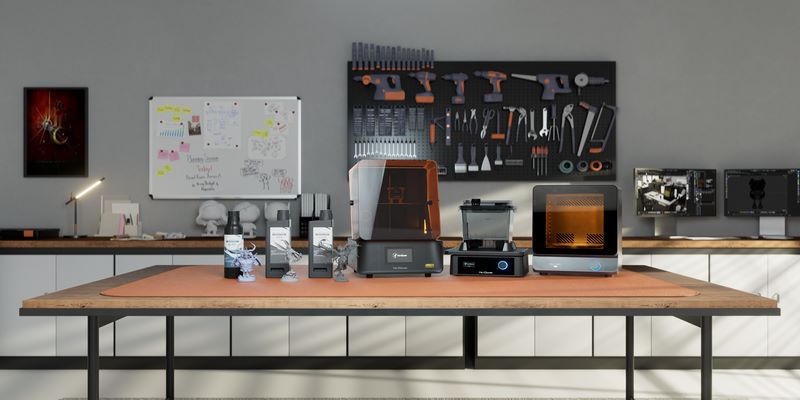
If you walked into a 3D printer store five years ago with $2000, you would have been considered a serious enthusiast. Today, that same budget lands you squarely in entry-level professional territory — a shift in the market that is honestly hard to overstate.
The $1000–$2000 price bracket has become the sweet spot for people who have outgrown budget printers and want machines that can actually keep up with their ambitions. We are talking about CoreXY motion systems as standard, print speeds pushing 500–600 mm/s, multi-color systems with 4–8 filament slots, AI-assisted print monitoring, active chamber heating, and compatibility with engineering materials like carbon fiber, Nylon, and ASA. Features that used to cost $5000 or more are now available for under $2000 — and the competition among brands has made the options genuinely excellent.
So who are these printers actually for? Serious hobbyists who are tired of babysitting budget machines. Engineers and product designers who need functional prototypes from tough materials. Small business owners running Etsy shops who need multi-color prints reliably and fast. Makers exploring rapid prototyping for startups or personal projects. If you fit any of those descriptions, you are in the right place.
We have put together this guide to help you cut through the marketing noise. Every printer on this list has been researched in depth, with a focus on real-world performance, build quality, and value. Whether you are looking for the Best 3D Printer Under $2000 for general use, a dedicated engineering workhorse, or the Best Resin 3D Printer Under $2000 for ultra-fine detail work, we have got you covered.
Jump to Section
- Quick Comparison Table
- 1. Bambu Lab H2D (Best Overall)
- 2. Prusa CORE One (Professional Workhorse)
- 3. Snapmaker U1 (Best Multi-Material)
- 4. QIDI Tech Plus 4 (Engineering Materials)
- 5. Bambu Lab P1S Combo (Best for Business)
- 6. Elegoo Centauri Carbon (Best Value)
- 7. Anycubic Photon Mono M7 Max (Best Resin)
- Key Features & Buying Guide
- FAQ
Ready to Upgrade Your Workshop?
Don’t waste time on outdated machines. Check out our top pick for 2026.
Quick Comparison Table: Top 3D Printers Under $2000 (2026)
Here is a fast overview of the top picks in this guide. Use this to spot which machine fits your needs at a glance.
| Printer | Best For | Build Volume | Max Speed | Multi-Material |
|---|---|---|---|---|
| Bambu Lab H2D | Best Overall | 350×320×325 mm | 600 mm/s | AMS Pro (up to 16 colors) |
| Prusa CORE One | Professional Workhorse | 250×220×270 mm | 500 mm/s | MMU3+ (5 materials) |
| Snapmaker U1 | Multi-Material Printing | 220×220×220 mm | 350 mm/s | Dual independent heads |
| QIDI Tech Plus 4 | Engineering Materials | 305×305×280 mm | 600 mm/s | Single / upgrade path |
| Bambu Lab P1S Combo | Multi-Color Businesses | 256×256×256 mm | 500 mm/s | AMS (4 colors, stackable) |
| Elegoo Centauri Carbon | Best Value High-Speed | 300×300×330 mm | 600 mm/s | Combo version available |
| Anycubic Photon Mono M7 Max | Best Resin Printer | 298×164×300 mm | N/A (resin) | N/A (resin MSLA) |
Best 3D Printers Under $2000 — Full Reviews
1. Bambu Lab H2D — Best Overall 3D Printer Under $2000
If you are trying to find out what the best 3D printer under $2000 is in 2026, the Bambu Lab H2D is the answer for most people. This machine represents a genuine step forward from the already-excellent X1 Carbon, and it shows.
Build Volume: 350×320×325 mm | Max Speed: 600 mm/s | Max Acceleration: 25,000 mm/s²
The headline feature is the dual-nozzle system. The Bambu Lab H2D ships with two independent print heads that allow it to handle multi-material jobs with far less waste than traditional single-nozzle AMS setups. Pair that with the AMS Pro ecosystem — which supports up to 16 simultaneous color or material slots when you stack two units — and you have a machine that can tackle everything from colorful Benchy prints to functional engineering assemblies with soluble supports.
The build volume is enormous for this price bracket. At 350×320×325 mm, it comfortably beats most competitors and gives you the room to print large functional parts, cosplay props, or batches of smaller components in a single run.
Bambu’s AI print monitoring is one of the best in the business. The onboard camera detects spaghetti failures, layer shifts, and other common print problems automatically, pausing the job before you waste hours of time and filament. The LiDAR-based first-layer scanning is fast and accurate, and the automated calibration routines mean you spend almost no time tuning and almost all your time printing.
For engineers printing tough materials, the H2D handles PLA, PETG, TPU, ABS, ASA, PA (Nylon), PA-CF, PET-CF, and more. The hardened nozzles handle abrasive filaments without wearing out prematurely.
Who Should Buy the Bambu Lab H2D?
This is the top pick for anyone who wants the most capable prosumer printer available under $2000. It is ideal for product designers, engineering students, advanced hobbyists, and anyone who wants a machine that requires minimal fiddling and maximum output. If budget is not the primary concern and you want the best overall 3D printer under 2k, start here.
Bambu Lab H2D Pros & Cons
Pros
- Dual-nozzle system minimizes waste in multi-material printing
- Enormous build volume for the price
- Outstanding AMS Pro multi-color ecosystem
- Excellent AI monitoring and failure detection
- Broad material compatibility including engineering filaments
Cons
- Higher end of the $2000 budget
- Software is Bambu-centric (less open than Prusa)
- AMS Pro expansion adds additional cost
2. Prusa CORE One — Best Professional Workhorse Under $2000
Prusa Research has built its reputation on making printers that just work — reliably, consistently, and for years on end. The Prusa CORE One is their answer to the enclosed CoreXY market, and it is a serious machine aimed squarely at professional environments.
Build Volume: 250×220×270 mm | Max Speed: 500 mm/s | Enclosure: Fully enclosed with active temperature control
This is Prusa’s first fully enclosed CoreXY printer, and they have not rushed it. The CORE One has been designed from the ground up for consistent, professional output across long print runs. If you have ever owned a Prusa MK4 or MK3S+, you know what to expect: excellent documentation, a responsive support community, open-source firmware and hardware, and a machine that is genuinely serviceable when something eventually goes wrong.
The MMU3+ multi-material upgrade lets the CORE One print up to five different filaments in a single job. For engineering applications, this means you can pair a structural material like PLA-CF with a soluble support like BVOH, making post-processing dramatically easier for complex geometries. This is not just a multi-color gimmick — it is a real functional capability.
The fully enclosed build chamber means the CORE One handles ABS, ASA, and Nylon properly, preventing the warping and delamination that plagues open-frame printers with these materials. Active temperature management keeps the chamber stable throughout long prints.
Prusa’s open ecosystem is a major advantage for professional users who do not want to be locked into a proprietary software stack. PrusaSlicer is one of the most capable and well-documented slicers available, and the community support around Prusa machines is second to none.
Who Should Buy the Prusa CORE One?
This is the best 3D printer under $2000 for professionals and engineers who prioritize long-term reliability, open-source flexibility, and strong community support over raw speed or flashy features. It is also an excellent choice for research institutions, makerspaces, and anyone who needs a machine they can trust day in and day out.
Prusa CORE One Pros & Cons
Pros
- Unmatched reliability and build quality
- Open-source firmware and hardware
- MMU3+ enables true multi-material (not just multi-color) printing
- Excellent documentation and community support
- Strong engineering material compatibility
Cons
- Smaller build volume compared to some competitors
- MMU3+ is an add-on that increases total cost
- Not quite as fast as Bambu alternatives
3. Snapmaker U1 — Best Multi-Material 3D Printer Under $2000
Here is where things get genuinely interesting. The Snapmaker U1 takes a fundamentally different approach to multi-material printing, and if your work involves combining different material types — not just different colors — this could be the most important printer on this list for you.
Build Volume: 220×220×220 mm | Max Speed: 350 mm/s | Multi-Material System: Dual independent print heads
Most multi-color systems — including Bambu’s AMS and Prusa’s MMU — work by loading different filaments into a single nozzle sequentially. That means purging material between each color change, which wastes filament and adds print time. The Snapmaker U1 uses two fully independent print heads that operate simultaneously. Each head has its own nozzle, heater block, and motion control. No purging. No tower. Just two materials printing at the same time.
Why does this matter in practice? Because it opens up capabilities that AMS-style systems cannot match. You can print TPU flex zones directly bonded to PLA rigid structures in a single job. You can use water-soluble PVA or BVOH as support material for a primary structural filament, then dissolve the supports in water — no picking, no scraping, perfect surfaces. For engineers and product designers working with complex assemblies, this is a game changer.
It is worth being clear about the difference between multi-color and multi-material printing: multi-color gives you aesthetic variety in a print, which is great for figures, signage, and decorative work. Multi-material gives you functional variety — different mechanical properties, different surface characteristics, or removable support interfaces in a single print. The U1 is designed for the latter, and it does it better than almost anything else in this price range.
Who Should Buy the Snapmaker U1?
Engineers, product designers, and advanced makers who regularly need to combine materials — TPU plus PLA, soluble supports, multi-durometer assemblies — will find the U1’s independent dual-head system genuinely transformative. If your work is primarily decorative or color-focused, a Bambu P1S Combo will serve you better.
Snapmaker U1 Pros & Cons
Pros
- True simultaneous dual-material printing with no purge waste
- Excellent for soluble supports on complex geometries
- Strong Snapmaker ecosystem and slicer software
- Unique capability not available in AMS-style systems
Cons
- Smaller build volume than some competitors
- Lower print speed compared to Bambu or QIDI
- Two-head system adds mechanical complexity
4. QIDI Tech Plus 4 — Best 3D Printer for Engineering Materials
Ask any engineer who has tried to print Nylon or ABS on a standard FDM printer about their experience, and you will hear a familiar story: warping, delamination, failed prints, and frustration. The QIDI Tech Plus 4 was built to solve exactly that problem.
Build Volume: 305×305×280 mm | Max Speed: 600 mm/s | Chamber Temp: Active heating up to 65°C
The defining feature of the Plus 4 is its active chamber heating system, which can maintain chamber temperatures between 50°C and 65°C throughout a print. This is not a passive enclosure that simply traps heat from the bed and hotend — it is a dedicated heating system that actively regulates temperature. For high-temperature engineering materials, this is the difference between successful prints and scrap.
Here is why active chamber heating matters so much: materials like Nylon, ABS, ASA, and carbon-fiber-reinforced filaments have high thermal coefficients of expansion. When they cool too quickly or unevenly — which happens in unregulated enclosures — they warp, crack, or delaminate. A stable 60°C+ chamber temperature dramatically reduces these effects, resulting in stronger, more dimensionally accurate parts with better layer adhesion.
The Plus 4 hits 600 mm/s print speeds and supports high-temperature hotend configurations (up to 350°C), which means it can handle everything from standard PLA to PEEK-adjacent engineering materials. The large 305×305×280 mm build volume means you can print serious functional parts without size limitations.
For small business owners making functional products, engineers prototyping load-bearing parts, or makers who regularly work with Nylon-CF or ABS for mechanical components, the QIDI Tech Plus 4 is the most capable machine in this price range for that specific use case.
Who Should Buy the QIDI Tech Plus 4?
This is the go-to pick among the Top 3D Printers Under $2000 for anyone whose primary use involves engineering-grade materials. If you print mostly PLA and PETG, the chamber heating is overkill. But if Nylon, ABS, ASA, PA-CF, or ABS-CF are in your material rotation, the Plus 4 is the machine to get.
QIDI Tech Plus 4 Pros & Cons
Pros
- Best active chamber heating system in this price category
- Excellent engineering material compatibility
- Large build volume
- High 600 mm/s print speed
- High-temperature hotend included
Cons
- Multi-material requires additional upgrades
- Slightly heavier and larger than competitors
- Less prominent community compared to Bambu or Prusa
5. Bambu Lab P1S Combo — Best Multi-Color Printer for Small Businesses
Ask anyone running a successful Etsy shop selling 3D printed goods in 2026 what printer they use, and there is a very good chance the answer is a Bambu Lab P1S Combo. For high-volume, high-quality multi-color printing at accessible speed, nothing in this price bracket touches it.
Build Volume: 256×256×256 mm | Max Speed: 500 mm/s | AMS: 4-slot (stackable to 16 colors)
The P1S Combo comes with Bambu’s AMS (Automatic Material System) included in the box. The AMS holds four spools and handles automatic filament loading, switching, and humidity management. For multi-color printing, this means you can produce four-color models with minimal manual intervention. Stack two AMS units and you get up to eight simultaneous color slots — enough for incredibly detailed multi-color figurines, product mockups, or decorative pieces.
At 500 mm/s, the P1S Combo is fast enough to run a profitable small business. Print times are a fraction of what older machines achieve, which translates directly into higher throughput and better margins. The fully enclosed build chamber and active chamber temperature management also give it solid engineering material capability, though it is not quite on the level of the QIDI Plus 4 for serious high-temp work.
Bambu’s slicer software (Bambu Studio) is genuinely excellent for multi-color workflows. The paint-on color feature lets you assign colors to specific faces of a model with a few clicks, and the automatic support generation is smart enough to reduce post-processing significantly. For cosplay makers, prop builders, and anyone selling aesthetically complex prints, this workflow is hard to beat.
Who Should Buy the Bambu Lab P1S Combo?
This is the best 3D printer under $2000 for small business owners, Etsy sellers, cosplay makers, and anyone who needs reliable, high-volume multi-color printing. It is also an excellent choice for product designers who need photorealistic multi-color prototypes quickly and consistently.
Bambu Lab P1S Combo Pros & Cons
Pros
- Excellent AMS multi-color system included
- High 500 mm/s print speeds for fast throughput
- Outstanding Bambu Studio software for multi-color workflows
- Reliable and well-supported ecosystem
Cons
- AMS uses purge tower which wastes some filament
- Proprietary ecosystem limits third-party software options
- Not ideal for single-material engineering-heavy workflows
6. Elegoo Centauri Carbon — Best Value High-Speed 3D Printer
The Elegoo Centauri Carbon is the disruptor of this category. When Elegoo released it, the 3D printing community took notice, because this machine delivers performance that would have cost twice as much just two years ago.
Build Volume: 300×300×330 mm | Max Speed: 600 mm/s | Max Acceleration: 20,000 mm/s²
The name tells you a lot: the Centauri Carbon uses a carbon-fiber reinforced structural frame that gives it exceptional rigidity at high print speeds. Most budget and mid-range printers that try to run at 600 mm/s suffer from resonance artifacts that show up as ringing or ghosting on finished prints. The Centauri Carbon’s frame stiffness, combined with its input shaping calibration, tames those artifacts effectively.
The Combo version adds multi-color capability via a four-slot AMS-style system, pushing the Centauri Carbon directly into Bambu P1S territory — at a notably lower price point. For makers and small business owners who want high-speed multi-color printing without paying full Bambu prices, the Centauri Carbon Combo is genuinely compelling.
Elegoo has been steadily improving its software ecosystem, and the Centauri Carbon benefits from strong slicing support and an active user community. It is not as polished as Bambu’s end-to-end ecosystem, but it is getting close — and the savings are real.
Who Should Buy the Elegoo Centauri Carbon?
This is the best 3D printer under $2000 for value-conscious buyers who want high-speed CoreXY performance without paying a premium for brand prestige. If you are comfortable with a slightly less refined software experience in exchange for significant savings, the Centauri Carbon delivers excellent results.
Elegoo Centauri Carbon Pros & Cons
Pros
- Excellent price-to-performance ratio
- Carbon-fiber reinforced frame for rigidity at high speeds
- Large build volume
- Combo version adds multi-color capability
Cons
- Software ecosystem less mature than Bambu
- Community and support resources still growing
- Enclosed chamber not quite as engineered as premium options
7. Anycubic Photon Mono M7 Max — Best Resin 3D Printer Under $2000
Everything covered so far has been FDM (Fused Deposition Modeling) — filament-based printing. But for applications where resolution is paramount, resin printing is in a different league entirely, and the Anycubic Photon Mono M7 Max is the Best Resin 3D Printer Under $2000 available today.
Build Volume: 298×164×300 mm | Resolution: 8K+ LCD (12K on longer axis) | Technology: MSLA (Masked Stereolithography)
The Photon Mono M7 Max uses an 8K+ LCD screen to cure resin layer by layer with extraordinary precision. The pixel size is around 19 microns — for context, a human hair is roughly 70 microns wide. This level of detail makes it ideal for applications where surface quality and dimensional accuracy are non-negotiable.
Miniature painters and tabletop gaming enthusiasts will immediately recognize the value: the M7 Max can reproduce facial features on 28mm figures that are essentially invisible to the naked eye without magnification. Jewelry designers can prototype intricate pieces with detail that FDM simply cannot achieve. Dental labs and orthodontic model printing is another major use case — the accuracy is suitable for professional dental applications with appropriate resins.
The large build platform for a resin printer means you can batch-print large numbers of miniatures, dental arches, or jewelry pieces in a single run. Resin printers historically had small build areas; the M7 Max changes that calculus considerably.
Important Note on Resin Printing
One honest note about resin printing: the post-processing requirements are more involved than FDM. Prints need to be washed in IPA or a specialized cleaning solution and then cured under UV light before use. Resins also require careful handling — gloves, ventilation, and proper disposal. The cost per milliliter of resin is higher than filament. These are worth knowing before you commit.
Who Should Buy the Anycubic Photon Mono M7 Max?
Miniature painters, tabletop gamers, jewelry designers, dental professionals, and anyone who needs extreme surface quality and detail in their prints. If your priority is aesthetic or functional resolution rather than build volume or material variety, the M7 Max is in a completely different performance category from FDM printers.
Anycubic Photon Mono M7 Max Pros & Cons
Pros
- Extraordinary 8K+ detail and surface finish
- Large build platform for a resin printer
- Ideal for miniatures, jewelry, and dental models
- Fast layer exposure times
Cons
- Post-processing requires wash and cure station (extra cost)
- Resin requires careful handling (gloves, ventilation)
- Higher cost per gram than FDM filament
- Not suitable for functional engineering parts
Best 3D Printer Under $2000 for Beginners
Here is something counterintuitive: if you are a beginner with a $2000 budget, you are actually in a great position. Machines in this price range have more automation and self-calibration than budget printers, which means less manual tuning, fewer failed prints, and a much smoother learning curve.
The best 3D printer under $2000 for beginners is one that automates the tedious stuff so you can focus on learning design and workflow rather than endlessly tweaking bed leveling and first-layer adhesion.
- Bambu Lab P1S: The AMS system, AI monitoring, and automatic calibration make it genuinely plug-and-play. Bambu Studio is beginner-friendly without sacrificing depth for advanced users.
- Prusa CORE One: Prusa’s documentation is legendary. If you want to learn how 3D printers actually work while running a reliable machine, Prusa gives you that — plus their support team is genuinely helpful.
- Elegoo Centauri Carbon: If budget matters and you are comfortable with a slightly steeper learning curve, the Centauri Carbon gives you excellent hardware at a lower price point.
Features to look for as a beginner at this price point include automatic bed leveling (ABL or CRTouch/BLTouch equivalents), AI print monitoring and failure detection, easy-to-use slicer software with good default profiles, fast automatic calibration routines, and enclosed build chambers for material versatility.
The good news is that all the printers in this guide include most or all of those features. At $1000–$2000, the days of babysitting a printer are largely over.
Best Resin 3D Printer Under $2000
Resin printing is not better than FDM — it is different, with a specific set of advantages that make it the right choice for certain applications and a poor choice for others. Understanding when to choose resin is worth a few minutes of your time.
Resin printers excel when resolution is the priority. The layer heights and XY pixel sizes achievable with modern MSLA (resin) printers are simply not possible with FDM. If you need detail at the 20–50 micron level, FDM cannot compete. Resin surfaces are also smoother straight off the build plate, with visible layer lines only under magnification.
- Large build volume
- 8K+ resolution
- Fast exposure times
- Competitive pricing
- Large build plate
- High resolution
- Popular in dental/jewelry
- Maximum build size
- Sacrifices some resolution
- Great for big batches
Post-processing is the honest downside of resin printing. Every print requires a wash (typically in IPA or a water-washable solution) followed by UV curing. A wash-and-cure station adds $50–$150 to your setup cost and several minutes to every print’s finishing time. Resins also require proper ventilation and PPE (gloves, ideally a respirator for extended sessions). Factor this into your workflow planning.
For miniature painters, tabletop gamers, dental professionals, jewelry designers, and anyone creating high-detail display pieces, the resolution advantage of resin makes all of that worthwhile.
Key Features to Look for in a $2000 3D Printer
CoreXY Motion Systems
CoreXY is the dominant motion architecture in premium 3D printers for good reason. In a CoreXY system, the print head moves in both X and Y directions using two stationary motors and a pair of crossed belts. The print bed only moves in Z (vertically). Compare this to older Cartesian designs where the bed moves front-to-back — CoreXY keeps the print bed stationary during the actual printing, which means less vibration, better accuracy at high speeds, and the ability to build larger and heavier parts without print quality suffering.
The practical result is that CoreXY machines can achieve 500–600 mm/s print speeds without the resonance artifacts that plague bed-slinger designs at the same velocities. For the $1000–$2000 budget in 2026, CoreXY is no longer a premium feature — it is the standard.
Active Chamber Heating
Active chamber heating is arguably the most important differentiating feature to look for if you plan to print engineering materials. Here is the distinction that matters: a passive enclosure traps heat generated by the bed and hotend but does not actively regulate it. An active chamber heating system has dedicated heaters and sensors that maintain a target temperature throughout the build chamber regardless of external conditions.
Why Active Heating Matters
High-performance materials like Nylon, ABS, ASA, and carbon-fiber-filled variants shrink as they cool. In an unregulated or passively enclosed environment, the lower layers of a large print cool faster than the upper layers, creating internal stresses that manifest as warping, cracking, or layer delamination. An actively heated chamber at 50–65°C dramatically reduces these thermal gradients, resulting in parts with better dimensional accuracy, stronger layer bonds, and significantly fewer warp failures.
Printers like the QIDI Tech Plus 4 and Prusa CORE One have the best active chamber heating in this price range. If engineering materials are part of your workflow, prioritize this feature.
Multi-Color vs Multi-Material Printing
This distinction is genuinely important and frequently glossed over in marketing materials, so let us be precise.
Multi-color printing means printing with different colored filaments of the same base material type (typically PLA). AMS-style systems like Bambu’s do this extremely well. The aesthetic results are stunning — photorealistic figures, colorful logos, detailed maps. But the filaments are all functionally similar; you are just changing the visual appearance.
Multi-material printing means combining filaments with different mechanical properties in a single print. This includes: printing TPU (flexible) bonded to PLA (rigid) for grips and gaskets, using soluble support materials (PVA, BVOH) that dissolve away cleanly after printing, or combining materials with different surface hardness for functional assemblies. The Snapmaker U1’s independent dual-head system and Prusa’s MMU3+ are the best examples of genuine multi-material capability in this price range.
If your projects are primarily decorative or visual, multi-color is what you want. If your projects involve functional assemblies or complex geometries requiring support removal, multi-material is worth the additional cost and complexity.
AI Monitoring and Failure Detection
AI print monitoring has gone from a novelty to a genuinely valuable feature, especially if you regularly run overnight or unattended prints. The best implementations — led by Bambu’s system — use onboard cameras and trained models to detect spaghetti failures (where a detached layer creates a mess of loose filament), layer shifts, clogged nozzles, and adhesion failures in real time. When a problem is detected, the printer pauses automatically and optionally sends a notification to your phone.
For small business operators running printers overnight, this feature can save significant filament, time, and printer wear. Even for hobbyists, knowing your printer will stop itself if something goes wrong removes a lot of anxiety from running long prints.
Print Speed and Acceleration — Understanding the Modern Benchmarks
Print speed specifications are frequently misleading, so it is worth understanding what the numbers actually mean. A 600 mm/s rated speed is the theoretical maximum travel speed — not the speed at which the printer lays down every millimeter of filament. Real-world average speeds during detailed prints with travel moves, retractions, and outer perimeters are significantly lower.
What matters more than peak speed is sustained print quality at high speeds. A printer that runs at 300 mm/s with excellent quality is more useful than one that claims 600 mm/s but requires slowing down to 150 mm/s for acceptable results. The best machines in 2026 — Bambu H2D, QIDI Plus 4, and Elegoo Centauri Carbon — achieve genuinely good quality at 400–500 mm/s for most materials with appropriate input shaping calibration.
Modern benchmark expectations: 500–600 mm/s peak speed, 20,000–25,000 mm/s² acceleration, with input shaping (resonance compensation) to maintain quality. All printers in this guide meet or approach these benchmarks.
What Can a $2000 3D Printer Do That Cheap Printers Cannot?
This is a fair question, especially when you can buy a decent FDM printer for $200–$400 today. The honest answer is: a lot. Here is what you actually get by spending $1000–$2000.
- Engineering material compatibility: Budget printers top out at PLA and PETG. At $2000, you get Nylon, ABS, ASA, PA-CF, PET-CF, and in some cases PEEK-adjacent materials. The enclosures, heated chambers, and high-temperature hotends make this possible.
- Multi-color and multi-material printing: Budget printers are almost universally single-material. The AMS systems, MMU3+ upgrades, and dual-head configurations in this price range open up entirely new creative and functional possibilities.
- Dramatically larger build volumes: Compare the Bambu H2D’s 350×320×325 mm to a typical budget printer’s 220×220×250 mm. That is roughly 4.5x the volume — the difference between fitting a project in one print or having to split it into multiple pieces.
- Print speed that changes your workflow: At 100–150 mm/s on a budget printer, a large model takes 12–15 hours. At 400–500 mm/s on a prosumer machine, the same model takes 3–4 hours. Over the course of a week of printing, that multiplies into a fundamentally different output capacity.
- Reliability that earns its keep: Budget printers typically need ongoing maintenance, recalibration, and attention. Prosumer machines in this range are designed for consistent, largely unattended operation. For a business operator, that reliability has real dollar value.
Hidden Costs of Owning a $2000 3D Printer
Let us talk about something most review sites underplay: the real total cost of ownership. Your $2000 printer is not the only expense. Here is what to budget for.
- Filament dryer ($50–$150): Engineering materials like Nylon, TPU, and PA-CF are highly hygroscopic — they absorb moisture from the air and print poorly when wet. A dedicated filament dryer is essentially mandatory if you use these materials regularly. Brands like Sunlu and eSun make well-regarded options in the $50–$100 range.
- Hardened nozzles ($15–$40 each): Abrasive filaments (CF-reinforced, glow-in-the-dark, metal-filled) will destroy brass nozzles within a few hundred grams. Hardened steel or ruby-tipped nozzles are the solution. Budget for a small stock of spares.
- Premium filaments ($30–$80/kg): Budget PLA runs $15–$20/kg. Engineering-grade PA-CF, PETG-CF, or ASA from quality brands runs $40–$80/kg. If you are printing functional parts, material quality matters — do not cheap out on filament for parts that need to perform.
- Wash and cure station for resin ($80–$150): If you go the resin route, this is not optional. A combined wash-and-cure station like the Anycubic Wash & Cure Max or Elegoo Mercury Plus handles both steps efficiently.
- Build plate adhesives and surface upgrades ($20–$60): Magnetic PEI sheets, textured build plates, and adhesion products all extend machine capability and reliability.
Total Budget Recommendation
Budget an additional $200–$500 for consumables and accessories in the first year of ownership. Think of it as part of the printer’s real cost, not an unfortunate surprise.
$2000 vs $1000 3D Printers — Is the Upgrade Worth It?
The honest answer depends entirely on your use case. Here is a direct comparison:
| Feature | $1000 Printers | $2000 Printers |
|---|---|---|
| Build Volume | Medium (220×220×250 mm typical) | Large (300×300×300 mm+) |
| Materials | PLA, PETG, basic TPU | Nylon, ABS, ASA, CF-filaments, full TPU range |
| Print Speed | Fast (300–400 mm/s) | Ultra-fast (500–600 mm/s) |
| Multi-Material | Limited (basic AMS on some) | Advanced AMS, MMU3+, dual heads |
| Chamber Heating | Passive enclosure or open | Active chamber heating (50–65°C) |
| AI Monitoring | Basic or none | Full AI failure detection |
| Reliability | Good with maintenance | Excellent, designed for production |
| Ecosystem | Growing | Mature (Bambu, Prusa, QIDI) |
If you print mostly PLA and PETG for decorative or non-critical functional parts, a $1000 machine will serve you perfectly well. The upgrade to $2000 is justified when you need engineering materials, high-volume multi-color output, significantly larger build volumes, or production-level reliability that reduces downtime. For small business operators, the ROI calculation often makes the $2000 investment easy to justify.
Who Should Buy a 3D Printer Under $2000?
The $1000–$2000 category is not for everyone — and that is fine. Here is an honest breakdown of who gets the most value from this price range.
- Small business owners and Etsy sellers: If you are selling 3D printed products, the faster throughput, multi-color capabilities, and reliability of these machines translate directly into higher revenue and lower stress. The P1S Combo pays for itself quickly in a production environment.
- Product designers and engineers: Functional prototyping in real engineering materials (Nylon, ABS, PA-CF) requires the chamber heating and material compatibility that this price bracket provides. The CORE One and QIDI Plus 4 are particularly well-suited for professional design workflows.
- Advanced hobbyists and makers: If you have outgrown your first printer and want to explore multi-color printing, larger builds, or engineering materials without compromise, this is the right tier. The H2D or P1S Combo will transform what you can create.
- Rapid prototyping labs and makerspaces: The reliability and material range of prosumer machines make them excellent for shared environments where the printer needs to run consistently without a dedicated operator.
- Cosplay and prop makers: Large build volumes, multi-color AMS, and fast print speeds make machines like the Bambu H2D ideal for creating complex, colorful props and wearable pieces.
Confused about which materials to choose?
Download our free “2026 Engineering Filament Cheat Sheet” to understand exactly which Nylon, ABS, or CF blend you need for your next project.
Decision Matrix — Which Printer Is Right for You?
Still undecided? Here is a direct guide based on your use case:
| Your Priority | Recommended Printer | Why |
|---|---|---|
| Most advanced prosumer printer overall | Bambu Lab H2D | Dual nozzle, AMS Pro, huge build volume, best AI monitoring |
| Professional reliability + open source | Prusa CORE One | Best long-term reliability, MMU3+, open ecosystem |
| True multi-material (soluble supports) | Snapmaker U1 | Independent dual heads, no purge waste, zero-waste material mixing |
| Engineering materials (Nylon, ABS, CF) | QIDI Tech Plus 4 | Active 65°C chamber heating, high-temp hotend, large volume |
| Multi-color for business / Etsy shop | Bambu Lab P1S Combo | AMS included, fast 500 mm/s, excellent software workflow |
| Best value high-speed performance | Elegoo Centauri Carbon | CF reinforced frame, 600 mm/s, competitive price |
| Ultra-detailed miniatures / jewelry | Anycubic Photon Mono M7 Max | 8K+ resolution, large resin platform, 19-micron pixels |
Frequently Asked Questions
What is the Best 3D Printer Under $2000 in 2026?
Show Answer
For most users, the Bambu Lab H2D is the best overall 3D printer under $2000 in 2026. It combines a massive build volume, dual-nozzle system, AMS Pro multi-color ecosystem, and industry-leading AI monitoring in one machine. For professional/engineering focus, the Prusa CORE One is a close second due to its unmatched reliability and open-source ecosystem.
Are $2000 3D Printers Worth It?
Show Answer
Yes — for the right use cases. If you are a small business operator, engineer, product designer, or advanced hobbyist who needs engineering material compatibility, multi-color output, large build volumes, or production reliability, the $2000 tier pays for itself. If you primarily print decorative PLA pieces occasionally, a $400–$600 machine may serve you just as well.
What Materials Can a $2000 3D Printer Handle?
Show Answer
Printers in the $1000–$2000 range typically support PLA, PETG, TPU, ABS, ASA, PA (Nylon), PA-CF, PET-CF, PC, HIPS, PVA, BVOH, and in some cases PEEK-adjacent high-temperature filaments. The specific range depends on the printer — the QIDI Tech Plus 4 has the broadest engineering material compatibility, while the Bambu P1S Combo prioritizes speed and multi-color over extreme high-temperature materials.
Is Resin Printing Better Than FDM Filament Printing?
Show Answer
They serve different purposes. Resin (MSLA) printing produces dramatically higher resolution and smoother surfaces — ideal for miniatures, jewelry, dental models, and any application where fine detail matters. FDM (filament) printing is better for functional parts, larger builds, engineering materials, and faster iteration. Most serious makers eventually end up with both types in their workshop.
What Is the Best 3D Printer Under $2000 for Beginners?
Show Answer
The Bambu Lab P1S Combo is the best 3D printer under $2000 for beginners due to its high level of automation, excellent default profiles, AI failure detection, and beginner-friendly Bambu Studio software. The Prusa CORE One is also excellent for beginners who want to learn the fundamentals through Prusa’s comprehensive documentation.
Do I Need to Spend $2000 to Get Multi-Color Printing?
Show Answer
No, but the quality and reliability of multi-color printing improves significantly at this price point. Budget AMS systems exist in the $500–$700 range, but the filament management, software integration, and print quality of the Bambu P1S Combo’s AMS system is a meaningful step up. For business use, the reliability difference is worth the premium.
Conclusion — Choosing the Right 3D Printer Under $2000
The $1000–$2000 3D printer category in 2026 is genuinely remarkable. The gap between budget and professional machines has closed dramatically, and the machines in this guide would have been considered flagship professional equipment just a few years ago.
Here is the quick summary: for most people looking for the best overall printer, the Bambu Lab H2D is the standout choice — it leads in build volume, dual-nozzle capability, multi-color potential, and AI monitoring. For professional and engineering environments where long-term reliability and open-source flexibility matter more than raw features, the Prusa CORE One is the machine to trust. For genuine multi-material capability that goes beyond color-swapping, the Snapmaker U1’s independent dual heads are unique and powerful. For engineering materials specifically, the QIDI Tech Plus 4’s active chamber heating is in a class of its own. For multi-color business printing at high volume, the Bambu Lab P1S Combo is the workhorse of choice. For value-driven buyers who want high-speed performance without premium pricing, the Elegoo Centauri Carbon is hard to argue with. And for ultra-detail work in resin, the Anycubic Photon Mono M7 Max is the clear leader.
The best approach is to start with your use case: what are you actually going to print? Who is it for? Does it need to be structural, or aesthetic? Single-material or multi-material? If you answer those questions honestly, the right machine from this list will be obvious — and whatever you choose, you will be getting a genuinely professional-grade machine that would have been a dream purchase a few years ago.
Ready to Start Printing?
Don’t miss out on the best deals for these top-tier machines.
Happy printing.