


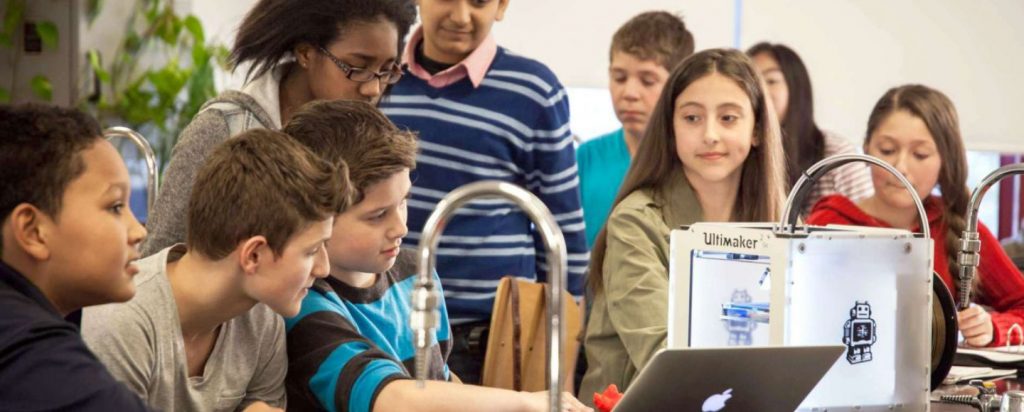
Walk into almost any forward-thinking school today and you’re likely to find a 3D printer humming away in the corner of a classroom or makerspace. What was once a novelty is now a genuine teaching tool — and for good reason. 3D printing bridges the gap between theory and reality, giving students a hands-on way to engage with concepts in STEM, engineering, art, and even special education. Schools that have integrated 3D printing into their programs consistently report higher student engagement, stronger spatial reasoning skills, and a deeper enthusiasm for problem-solving.
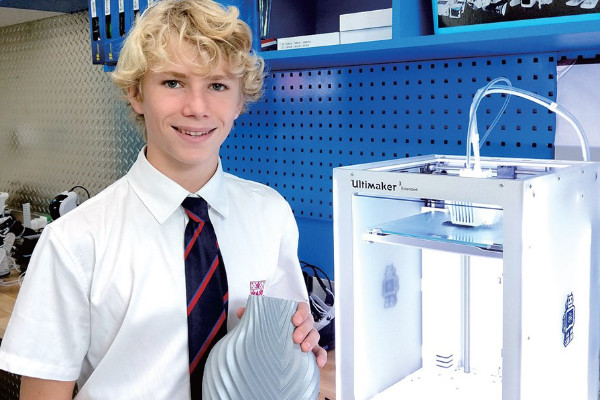

But here’s the thing: buying a 3D printer for a school is nothing like buying one for your home workshop. The stakes are different. You’re not just thinking about print quality — you’re thinking about safety around kids, ease of use for teachers who aren’t tech wizards, reliability when a lesson plan depends on it, and total cost of ownership over years of daily use.
This guide is built specifically for teachers, IT administrators, curriculum directors, and school decision-makers. Whether you’re setting up a single printer for an elementary classroom or building out a full high school STEM lab, we’ve done the research so you don’t have to. Every recommendation here is weighed against real classroom realities — not just benchmark scores.
Ready to transform your classroom with 3D printing? Check the latest pricing on our top-rated school printers.
Check Bambu Lab A1 Mini Price → View Flashforge 5M Pro on Amazon
Table of Contents
- Quick Picks – Best 3D Printers for Schools
- Head-to-Head Comparison
- What Makes a 3D Printer Suitable for Schools?
- Best 3D Printer for High School
- Best 3D Printer for Middle School
- Best 3D Printers for Elementary Schools
- Best 3D Printers for Shared Classrooms
- Best All-Around Education Picks
- The Software Ecosystem
- Ventilation and Air Quality
- How Schools Are Using 3D Printing
- How to Start a 3D Printing Program
- Common Mistakes to Avoid
- Frequently Asked Questions
- Final Verdict
Quick Picks – Best 3D Printers for Schools in 2026
Not everyone has time to read a full guide. Here’s the at-a-glance summary of our top picks before we dive deep:
🏆 Best Overall for Middle Schools
Bambu Lab A1 Mini Combo
- 180×180×180mm Build Volume
- AMS Lite Multi-Color Printing
- Fully Automated Bed Leveling
- Wi-Fi + Remote Monitoring
Best Alternative with Education Ecosystem
Prusa Mini+
- 180×180×180mm Build Volume
- Open-Source Platform
- Exceptional Documentation
- Kit Option for Assembly Learning
Best for High School
Bambu Lab X1-Carbon / Prusa CORE One
- 256×256×256mm Build Volume
- Enclosed Design
- Engineering-Grade Materials
- AI Print Monitoring
Best for Elementary Schools
Flashforge Adventurer 5M Pro
- 220×220×220mm Build Volume
- Fully Enclosed + Locking Door
- HEPA + Carbon Filtration
- Ultra-Quiet Operation
Best for Young Students (K–3)
Toybox 1-Touch
- 130×100×85mm Build Volume
- One-Touch Printing
- Child-Safe Design
- No Slicing Required
Best Budget Option
Creality Ender 3 V3 SE
- 220×220×250mm Build Volume
- Auto Bed Leveling
- Direct Drive Extruder
- Excellent Value
Best for Professional School Labs
Ultimaker S7
- 330×240×300mm Build Volume
- Integrated Air Manager
- Digital Factory Fleet Management
- Enterprise-Grade Reliability
Head-to-Head Comparison
Here’s how all our top picks compare at a glance:
| Printer | Price Range | Build Volume | Enclosed | Ease of Use | Safety Features | Best For |
|---|---|---|---|---|---|---|
| Bambu Lab A1 Mini Combo | $$$ | 180×180×180mm | No (Open) | Beginner–Mid | Thermal runaway, auto shutoff | Middle School, STEM |
| Prusa Mini+ | $$ | 180×180×180mm | No (Kit available) | Intermediate | Thermal runaway protection | Middle/High School |
| Bambu Lab X1-Carbon | $$$$ | 256×256×256mm | Yes | Mid–Advanced | Enclosed, AI monitoring | High School Labs |
| Prusa CORE One | $$$$ | 220×220×270mm | Yes | Mid–Advanced | Fully enclosed, reliable | High School STEM |
| Flashforge Adventurer 5M Pro | $$$ | 220×220×220mm | Yes | Beginner | HEPA+carbon filter, quiet | Elementary Schools |
| Toybox 1-Touch | $$ | 130×100×85mm | Partial | Absolute Beginner | Child-safe, no slicing needed | K–3 Classrooms |
| Creality Ender 3 V3 SE | $ | 220×220×250mm | No | Beginner–Mid | Thermal runaway protection | Budget/Secondary |
| Ultimaker S7 | $$$$$ | 330×240×300mm | Yes | Mid–Advanced | Air Manager, enclosed | School STEM Labs |
What Makes a 3D Printer Suitable for Schools?
Before we get into specific models, let’s talk about what actually matters in a school environment. You could have the most technically impressive printer on the market, and it would still be a poor choice for a classroom if it fails on any of the criteria below.
Safety Features (Non-Negotiable for Classrooms)
Safety is the number one concern for school administrators — and it should be. 3D printers heat filament to temperatures between 180°C and 260°C, and some can even go higher. In a room full of curious students, that’s a real liability if the printer isn’t designed with protection in mind.
⚠️ Critical Safety Requirements
Never compromise on these safety features when selecting a classroom 3D printer. Student safety is non-negotiable.
What to look for:
- Fully enclosed designs: Enclosures prevent accidental contact with hot components and moving parts. For elementary schools especially, this is close to mandatory.
- HEPA and carbon filtration: The heating process releases ultrafine particles (UFPs) and volatile organic compounds (VOCs), particularly with materials like ABS. HEPA and activated carbon filters capture these before they reach students’ lungs.
- Thermal runaway protection: This firmware feature detects abnormal temperature changes that could indicate a malfunction and automatically shuts down the heater. Every modern printer should have this — but always verify.
- Auto shut-off: Prevents unattended printers from running indefinitely after a print completes, reducing fire risk.
- Quiet operation: Not strictly a safety feature, but essential for focused classrooms. Models like the Flashforge Adventurer 5M Pro are specifically designed to minimize operational noise.
✅ Is This Printer Safe for Your Classroom?
Use this checklist to evaluate any 3D printer for school safety compliance:
- ☐ Is the hot end protected from accidental contact?
- ☐ Does it have thermal runaway protection enabled?
- ☐ Is there automatic shut-off after print completion?
- ☐ For elementary schools: Is it fully enclosed with a locking door?
- ☐ Does it have HEPA/carbon filtration for emissions?
- ☐ Is the noise level acceptable for classroom use (under 50dB)?
- ☐ Are moving parts like belts and gears shielded?
- ☐ Is the power supply rated and certified for safety?
Ease of Use for Teachers and Students
Here’s a scenario that plays out in schools all the time: a teacher tries to integrate 3D printing into a lesson, something goes wrong with the printer, class time is lost, and the printer ends up sitting unused in a corner. This happens not because the teacher isn’t capable, but because many printers are designed for enthusiasts who enjoy tinkering — not educators who need things to work reliably and immediately.
💡 The Teacher Reality Check
A printer that requires constant troubleshooting will gather dust within months. Match the printer’s complexity to the actual skill level of the staff who will use it daily.
The features that actually make a difference in a classroom:
- Automatic bed leveling: Manual bed leveling is one of the most common sources of failed prints and frustration. Any printer you consider for a school should have automatic or assisted leveling as a standard feature in 2026.
- Plug-and-play setup: Time spent setting up is time not spent teaching. Look for printers that arrive largely pre-assembled or take less than 30 minutes to set up.
- Touchscreen interface: Intuitive touchscreen controls reduce the learning curve significantly for both teachers and students.
- Cloud printing and remote monitoring: Being able to send files and monitor prints remotely is a huge advantage in classroom settings where the teacher is moving around the room.
Reliability and Low Maintenance
A failed print in the middle of a lesson is more than just frustrating — it derails the entire learning experience. Schools need printers with high first-layer success rates, consistent extrusion, and minimal maintenance requirements.
When evaluating reliability, consider how often nozzles need replacing, how easy it is to clear a jam, whether replacement parts are readily available, and whether the manufacturer provides solid customer support and documentation. Prusa, for instance, has built an exceptional reputation here — their documentation is among the best in the industry.
If you’re running multiple printers in a lab environment, fleet management tools become critical. Bambu Lab’s Handy app and Bambu Studio software allow centralized monitoring across multiple printers, which is invaluable for a school makerspace with 5–10 machines running simultaneously.
Print Speed vs. Learning Experience
Faster isn’t always better in a classroom context. A printer that can complete a small model in under an hour keeps lesson momentum going and allows students to iterate quickly — which is exactly how real engineering and design thinking works. Bambu Lab printers, particularly the A1 Mini and X1-Carbon, have dramatically changed expectations here, printing at speeds that would have seemed impossible just a few years ago.
That said, slower prints aren’t without pedagogical value. Watching a print build layer by layer can be a teaching moment in itself — demonstrating additive manufacturing, material properties, and the importance of design precision. The key is having a choice, not being forced to wait 8+ hours for a simple model.
Material Compatibility — PLA Dominates Schools
For 99% of school applications, PLA (Polylactic Acid) is the material of choice. It’s derived from renewable resources like cornstarch, prints at lower temperatures, produces minimal odors compared to ABS, and is strong enough for most educational models. It’s also biodegradable, which is an easy talking point for environmentally-conscious schools.
When does it make sense to consider other materials? High school engineering and robotics programs may need PETG for its superior impact resistance and slight flexibility, or TPU for truly flexible parts. For these applications, ensure the printer you choose supports multi-material printing or at least handles these materials reliably. Not all budget printers do.
Popular 3D Printing Materials for Schools
Need help choosing the right printer for your specific classroom needs? Our detailed reviews break down every feature.
Best 3D Printer for High School (Advanced STEM and Robotics Programs)
High school is where 3D printing really starts to flex its muscles. Students in engineering, robotics (including FIRST Robotics competitions), architecture, and product design courses need printers that can handle demanding projects — functional parts, tight tolerances, and occasionally engineering-grade materials like carbon fiber-reinforced filaments and flexible TPU.
This is the school segment where performance genuinely matters, and where investing in a higher-quality machine pays dividends in student outcomes and program credibility.
Bambu Lab X1-Carbon — The Speed and Performance Champion
The Bambu Lab X1-Carbon has become something of a legend in the 3D printing world since its release, and for good reason. It’s a fully enclosed CoreXY printer that prints at extraordinary speeds — up to 500mm/s — without sacrificing quality. For a high school lab, this means more student projects completed per day, more iterations, and more learning.
🏆 Bottom Line
The Bambu Lab X1-Carbon is the performance champion for high school STEM labs. Students learn on professional-grade technology that prepares them for real-world engineering.
What makes it particularly well-suited for high school programs:
- Supports carbon fiber-reinforced filaments, Nylon, PETG, TPU, and more — materials that FIRST Robotics and engineering students actually need
- Full enclosure with a HEPA filter option (the Bambu Lab Air Purifier add-on) — important when printing functional materials
- AI-powered print monitoring (“AI LiDAR”) detects errors like spaghetti prints and pauses automatically, saving filament and lab time
- Multi-material printing with the AMS (Automatic Material System) — up to 16 colors or material combinations
- Bambu Studio software has excellent slicer presets and integrates well with classroom workflows
The X1-Carbon isn’t cheap, but for a well-funded high school STEM program, it’s one of the best investments you can make in terms of capability-per-dollar. Students who learn on this machine are working with professional-grade technology.
| Specification | Bambu Lab X1-Carbon |
|---|---|
| Build Volume | 256 × 256 × 256 mm |
| Print Speed | Up to 500 mm/s |
| Enclosure | Fully Enclosed |
| Layer Resolution | 0.02 – 0.28 mm |
| Materials | PLA, PETG, TPU, ABS, ASA, Nylon, Carbon Fiber |
| Connectivity | Wi-Fi, Ethernet, SD Card |
| Special Features | AI LiDAR Monitoring, AMS Compatible |
Ready to bring professional-grade 3D printing to your high school lab?
Check X1-Carbon Price at Bambu Lab → Compare with Prusa CORE One
Prusa CORE One — The Reliable Workhorse with Ecosystem Depth
If the Bambu Lab X1-Carbon is the high-performance sports car of classroom printers, the Prusa CORE One is the reliable SUV — maybe not quite as flashy, but built to last and backed by an incredible support system.
Prusa Research has been at the forefront of open-source 3D printing for over a decade, and their new CORE One brings CoreXY speed improvements to their famously reliable platform. What sets Prusa apart for schools is their ecosystem:
- Unmatched documentation and community support — when something goes wrong (and eventually something will), answers are easy to find
- Fully enclosed design suitable for engineering-grade materials
- Prusa Connect software for network-based print management
- The open-source nature makes it an excellent teaching tool in itself — students can learn about the hardware and software, not just use it as a black box
For schools where teacher expertise is limited and reliable performance is paramount, the Prusa CORE One is the safer long-term bet. The total cost of ownership is excellent, and replacement parts are inexpensive and widely available.
💡 Pro Tip: Why Open Source Matters in Education
The Prusa CORE One’s open-source design means students can explore, modify, and truly understand the technology — transforming the printer from a black box into a learning platform itself. This depth of engagement is invaluable for serious STEM programs.
“We chose the Prusa for our high school engineering program specifically because of the documentation and community. When students have questions, they can find answers. That’s worth more than any feature list.”
★★★★★
Prusa CORE One vs Bambu X1-Carbon: Which Should You Choose?
| Factor | Prusa CORE One | Bambu X1-Carbon |
|---|---|---|
| Best For | Reliability & Documentation | Speed & Performance |
| Setup | Kit or Assembled | Mostly Assembled |
| Community Support | Exceptional (Open Source) | Good (Proprietary) |
| Print Speed | Fast | Very Fast (500mm/s) |
| Educational Value | Deep (Hardware + Software) | Practical (Pro Workflow) |
| Long-term Cost | Lower (Parts Available) | Higher (Proprietary Parts) |
Which high school printer is right for your program?
Check Prusa CORE One on Amazon → View at Prusa Official Store
Which should you choose? If budget allows and your program is ambitious, get the X1-Carbon. If you want reliability, community support, and educational ecosystem depth, go Prusa CORE One. Both are outstanding choices for advanced high school programs.
Best 3D Printer for Middle School
Middle school is the sweet spot for introducing 3D printing as a structured learning tool. Students are old enough to operate printers with moderate supervision, curious enough to engage seriously with design challenges, and at a formative enough stage that exposure to maker culture can genuinely shape their academic and career trajectories.
The ideal middle school printer is one that’s simple enough not to require IT support every time something goes wrong, but capable enough to produce impressive results that students will genuinely be proud of.
Bambu Lab A1 Mini Combo — Our Top Overall Pick for Schools
If we had to recommend just one printer for the broadest range of school environments, this would be it. The Bambu Lab A1 Mini Combo (which includes the AMS Lite multi-color system) hits an almost perfect balance of ease of use, print quality, speed, and price for middle school settings.
🏆 Editor’s Choice: Best Overall School Printer
The Bambu Lab A1 Mini Combo delivers the best balance of price, performance, ease of use, and classroom-relevant features. If in doubt, start here.
The “Combo” designation means it comes with the AMS Lite, which allows multi-color printing — and this matters more than you might think in a classroom context. The ability to print in multiple colors without post-processing isn’t just aesthetically pleasing; it dramatically increases student engagement and opens up new design possibilities (think: color-coded anatomy models, maps with elevation markers, branded robotics parts).
Key advantages for middle school classrooms:
- Fully automated bed leveling and first-layer calibration — teachers rarely need to intervene in setup
- High print speed keeps students engaged and allows more iterations per class period
- Bambu Studio software has an excellent “easy mode” that hides complexity for beginners while still offering depth for advanced users
- Wi-Fi connectivity and the Bambu Handy app allow teachers to monitor and manage prints remotely
- Multi-color prints via AMS Lite create impressive results that motivate students to keep designing
⚠️ Important Consideration
The A1 Mini is open-frame, which means there’s no enclosure. For middle school and above, this is generally acceptable with proper supervision protocols, but it’s a consideration to keep in mind for younger students or strict safety requirements.
| Specification | Bambu Lab A1 Mini Combo |
|---|---|
| Build Volume | 180 × 180 × 180 mm |
| Print Speed | Up to 500 mm/s |
| Enclosure | Open Frame |
| AMS Lite | 4-Color Multi-Material |
| Bed Leveling | Fully Automatic |
| Connectivity | Wi-Fi, MicroSD |
| Best For | Middle School, STEM Programs |
The #1 recommended printer for middle school classrooms. See why thousands of educators choose the A1 Mini.
Prusa Mini+ — The Best Printer for Learning the Fundamentals
The Prusa Mini+ occupies an interesting position in the school market. It’s not the fastest, not the most automated, and not the most feature-rich. But it might be the best printer for actually teaching students how 3D printing works — and there’s real educational value in that.
Prusa’s open-source philosophy means students can explore the slicer, understand the settings, modify the printer itself, and even contribute to the community. For schools with a dedicated STEM or maker curriculum, this depth of engagement is invaluable. The print quality at this price point is also exceptional.
The Prusa Mini+ is also available as a kit, which can be an excellent classroom assembly project. Building the printer from a kit teaches students about mechanical engineering, electronics, and the hardware itself before a single piece of filament is loaded.
✅ Is the Prusa Mini+ Right for Your School?
- ☐ You want students to understand 3D printing technology deeply
- ☐ You have a dedicated STEM/maker curriculum
- ☐ You value open-source software and community support
- ☐ A kit-building project would fit your program goals
- ☐ You need exceptional documentation for troubleshooting
- ☐ Lower long-term maintenance costs are a priority
If you checked 4+ boxes, the Prusa Mini+ is an excellent choice for your program.
Want students to truly understand how 3D printing works? The Prusa Mini+ is your teaching tool.
Best 3D Printers for Elementary Schools and Primary School
Elementary school is where safety considerations take absolute priority, and where simplicity is not just a convenience — it’s a necessity. We’re talking about classrooms where the teacher might have 25 students, limited technical background, and no room for troubleshooting in the middle of a lesson.
The best 3D printers for elementary schools are those that put safety first, require minimal setup, and produce reliable results without any tweaking. Performance is secondary. Reliability and safety are everything.
Flashforge Adventurer 5M Pro — The Safety-First Classroom Champion
The Flashforge Adventurer 5M Pro is, in our assessment, the best all-around 3D printer for elementary school environments. It checks every box that school administrators and teachers care about most.
🏆 Best Choice for Elementary Schools
The Flashforge Adventurer 5M Pro combines maximum safety features with teacher-friendly operation. It’s the printer that gets used daily rather than gathering dust.
Let’s start with safety. The Adventurer 5M Pro is fully enclosed with a locking door — students can’t accidentally reach into the print chamber during operation. It features both HEPA and activated carbon filtration built directly into the printer body, which means the air filtering happens at the source rather than relying on room ventilation. It operates at noise levels low enough to not disrupt classroom instruction, which is more important than many people realize.
Safety Features Breakdown:
- Fully enclosed with locking door: Students cannot access hot components during operation
- Built-in HEPA + Carbon filtration: Captures particles and VOCs at the source
- Ultra-quiet operation: Won’t disrupt classroom instruction
- Auto bed leveling: No manual calibration required
- Flexible print plate: Easy print removal without tools
On the usability side, Flashforge has clearly designed this printer with non-technical users in mind. The touchscreen interface is clean and intuitive. The automatic bed leveling system is reliable. The print removal process is easy — the flexible print plate allows completed prints to pop off without tools or frustration.
Print speeds have improved dramatically with the 5M Pro compared to previous Flashforge models, putting it competitive with much of the current market. You won’t be waiting all day for small classroom models.
💡 Why We Recommend This for Elementary Schools
For an elementary school purchasing their first 3D printer, the Flashforge Adventurer 5M Pro is the recommendation we’d feel most confident giving to a school administrator. It’s the kind of printer that gets used daily rather than gathering dust in a corner.
| Specification | Flashforge Adventurer 5M Pro |
|---|---|
| Build Volume | 220 × 220 × 220 mm |
| Enclosure | Fully Enclosed (Locking Door) |
| Filtration | HEPA + Activated Carbon |
| Noise Level | Ultra-Quiet (<50dB) |
| Interface | 4.3″ Touchscreen |
| Bed Leveling | Automatic |
| Best For | Elementary Schools, K-6 |
The safest, most teacher-friendly 3D printer for elementary classrooms.
Check Flashforge 5M Pro on Amazon → View at Flashforge Official Store
Read Our Full Review
Toybox 1-Touch — Perfect for K–3 Classrooms
The Toybox 1-Touch occupies a unique and genuinely useful niche: it’s designed to be operated by young children, even those in Kindergarten through Grade 3, with minimal adult supervision.
The core concept is brilliantly simple — the Toybox app provides a library of thousands of pre-made designs that students can select and print with a single button tap. There’s no slicing, no settings to configure, no CAD software to learn. A 6-year-old can use it successfully on day one.
💡 The K-3 Advantage
For K-3 classrooms where the goal is introducing the concept of 3D printing, sparking curiosity, and connecting physical objects to digital ideas, the Toybox 1-Touch is unmatched in simplicity and child-friendliness.
This simplicity does come with trade-offs. The build volume is small, print resolution is modest, and it’s not suitable for complex designs. But for K–3 classrooms where the goal is introducing the concept of 3D printing, sparking curiosity, and connecting physical objects to digital ideas, the Toybox 1-Touch is unmatched.
Teachers can curate the available design library, making the Toybox as focused or as open-ended as the lesson requires. Toybox also offers curriculum resources that make it even easier to build the printer into a broader lesson plan.
✅ Is the Toybox 1-Touch Right for Your Classroom?
- ☐ You teach Kindergarten through 3rd Grade
- ☐ You want students as young as 5-6 to operate the printer independently
- ☐ You prefer pre-made designs over custom CAD work
- ☐ Simplicity is more important than build volume or resolution
- ☐ You need a printer that requires zero technical knowledge
If you checked 4+ boxes, the Toybox 1-Touch is perfect for your classroom.
Let your youngest students experience the magic of 3D printing. Zero complexity. 100% wonder.
Best 3D Printers for Classrooms (Shared Multi-User Environments)
Running 3D printers in a shared classroom environment introduces challenges that solo users never encounter: competing print queues, varying levels of student skill, high daily usage cycles, and the constant need for teacher oversight across multiple machines.
When selecting printers for a shared classroom setting, prioritize:
- Network connectivity for queue management and remote monitoring
- Durability — these printers will be used hard, daily, by many different hands
- Easy filament loading and unloading — changeovers between student projects should be quick
- Robust error detection and automatic pause features to minimize wasted filament
The Bambu Lab A1 Mini Combo works exceptionally well in small fleet deployments of 2–5 printers. Bambu’s cloud platform and Bambu Studio software allow a teacher to manage all printers from a single interface, queue jobs remotely, and monitor progress in real time.
For larger school labs with 6 or more printers, the Ultimaker S7 deserves serious consideration. Ultimaker’s Digital Factory platform provides enterprise-grade fleet management, print queue management, and reporting — the kind of infrastructure that a dedicated school makerspace or vocational program needs to operate efficiently.
Ultimaker S7 — Professional Lab-Grade Solution
For schools building dedicated makerspaces or STEM labs with multiple printers, the Ultimaker S7 represents the professional tier. Its Digital Factory platform enables true enterprise fleet management — essential when you’re coordinating 6+ printers across multiple classrooms or teachers.
| Feature | Bambu A1 Mini Fleet | Ultimaker S7 Lab |
|---|---|---|
| Best Fleet Size | 2-5 Printers | 6+ Printers |
| Fleet Management | Bambu Handy/Studio | Digital Factory |
| Queue Management | Basic | Advanced |
| Reporting/Analytics | Limited | Comprehensive |
| Material Compatibility | Wide (PLA to Nylon) | Industrial-Grade |
| Price Tier | $$$ | $$$$$ |
Building a professional school makerspace? The Ultimaker S7 delivers enterprise-grade fleet management.
Best 3D Printer for Education — All-Around Picks
If you’re not sure which category your school falls into, or if you’re building a recommendation list for a district purchasing decision, here are the three printers we’d confidently recommend as safe, broad-use choices for educational settings:
🏆 Top Overall Pick
Bambu Lab A1 Mini Combo
The best overall balance of price, performance, ease of use, and classroom-relevant features. If in doubt, start here.
- Best for: Middle School, General Use
- Easy mode for beginners
- Multi-color printing included
Best for Deep Learning
Prusa Mini+
The best choice for schools that want students to engage deeply with 3D printing as a technology, not just as a tool.
- Best for: Understanding Technology
- Open-source ecosystem
- Exceptional documentation
Best for Safety
Flashforge Adventurer 5M Pro
The best safety-first recommendation for any school where student age or safety compliance is the primary concern.
- Best for: Elementary Schools
- Fully enclosed + locking
- HEPA/carbon filtration
These three printers together cover the full spectrum of educational needs, from curious five-year-olds to ambitious high school engineering teams.
📚 Free Download: School 3D Printer Selection Checklist
Make the right choice for your classroom with our comprehensive evaluation checklist covering safety, budget, curriculum integration, and long-term maintenance considerations.
- Safety compliance checklist for administrators
- Budget planning worksheet (including hidden costs)
- Teacher training requirements assessment
- Curriculum integration planning template
The Software Ecosystem — The Part Schools Often Overlook
A 3D printer is only as useful as the designs that feed it. And this is where many school programs stumble — they invest in great hardware but neglect the software side of the equation. Let’s fix that.
Tinkercad — The Starting Point for Almost Every Student
Tinkercad is a browser-based, free CAD tool from Autodesk that is tailor-made for educational use. It requires no software installation, works on Chromebooks and tablets, and has a drag-and-drop interface that students as young as 8 or 9 can learn in a single class period.
Tinkercad has become the de facto standard for elementary and middle school 3D design for good reason: it’s intuitive enough for beginners but has enough depth to keep students engaged as they improve. The platform also supports basic electronics simulation and coding, making it a natural hub for integrated STEM lessons.
Most importantly, Tinkercad exports directly to formats that all major slicers (Bambu Studio, PrusaSlicer, Cura, etc.) can import without conversion. The workflow from design to print is seamless.
Fusion 360 — For High School Programs Ready to Go Deeper
Once students outgrow Tinkercad — and many advanced middle schoolers will — Fusion 360 is the natural next step. This is professional-grade parametric CAD software from Autodesk that is used extensively in real-world engineering, product design, and manufacturing.
Autodesk provides free educational licenses for high schools, making this world-class software accessible to programs with any budget. Students who learn Fusion 360 in high school arrive at college engineering programs with a genuine competitive advantage.
💡 Pro Tip
Pairing Fusion 360 with the Bambu Lab X1-Carbon or Prusa CORE One creates a high school design and fabrication pipeline that genuinely rivals professional makerspace setups.
The learning curve is steeper than Tinkercad, but this is part of the value — the problem-solving, constraint management, and design iteration skills developed while learning Fusion 360 are exactly the skills that STEM programs aim to cultivate.
| Software | Grade Level | Cost | Learning Curve | Best For |
|---|---|---|---|---|
| Tinkercad | 3-8 | Free | Easy | Beginners, Quick Projects |
| Fusion 360 | 9-12 | Free (Education) | Moderate | Engineering, Product Design |
| PrusaSlicer | All | Free/Open Source | Easy-Moderate | Print Preparation |
| Bambu Studio | All | Free | Easy-Moderate | Bambu Printers |
| Cura | All | Free | Moderate | Universal Slicer |
Ventilation and Air Quality in Classrooms — A 2026 Update
This is a topic that has received increasing attention from school administrators and health researchers, and it’s one that every school should take seriously before deploying 3D printers in enclosed spaces.
When FDM (Fused Deposition Modeling) printers heat and extrude plastic filament, they release ultrafine particles (UFPs) — particles so small they can penetrate deep into lung tissue. They also release volatile organic compounds (VOCs), the specific composition of which depends on the filament material. PLA has a relatively favorable profile compared to ABS, PETG, or Nylon, but it is not entirely emission-free.
⚠️ Important Health Notice
This isn’t meant to alarm anyone — millions of 3D prints are completed in schools every day without incident. But making informed decisions about ventilation and filtration is a mark of a responsible school program, and it’s increasingly expected by parents and regulatory bodies.
What schools should do:
- Prioritize enclosed printers with integrated HEPA and carbon filtration — this addresses emissions at the source. The Flashforge Adventurer 5M Pro and Ultimaker S7 are exemplary in this regard.
- Ensure adequate room ventilation — even with filtered printers, the HVAC system should provide good air exchange in rooms where multiple printers operate simultaneously.
- Consider the Bambu Lab Air Purifier as an add-on for A1 Mini and X1-Carbon users — it provides additional active filtration for open-frame or partially enclosed setups.
- Stick with PLA for the majority of applications — its emission profile is the most favorable of any common 3D printing material.
How Schools Are Using 3D Printing — Real Applications
It’s one thing to know which printer to buy. It’s another to understand what students can actually do with it. Here’s a look at how 3D printing is being integrated across the curriculum in real schools.
STEM and Engineering
This is where 3D printing originated in school settings, and it remains the most popular application. Students design and print prototype mechanical components, test structural designs under load, and build functional mechanisms. In robotics programs — particularly FIRST Robotics — custom-printed brackets, clamps, and structural components have become commonplace. The ability to design a part on Monday, print it Tuesday, test it Wednesday, and iterate by Thursday is a genuine competitive advantage in robotics competitions.
Math and Science
3D printing makes abstract concepts tangible in subjects that sometimes struggle to connect with visual and kinesthetic learners. Geometry teachers print 3D models of polyhedra, nets, and solids that students can handle and examine from every angle. Biology teachers print cell models, molecular structures, and anatomical cross-sections. Earth science classes print topographic models. The physical interaction with these models has been shown to improve comprehension and retention significantly compared to flat illustrations.
Creative Arts and Product Design
Art departments are discovering 3D printing as a creative medium rather than just an engineering tool. Students design sculptures, jewelry, product prototypes, and mixed-media art pieces that combine printed elements with traditional materials. Product design courses use 3D printing for rapid prototyping, teaching students the iterative design process in a way that flat sketching simply can’t replicate.
Special Education — A Genuinely Transformative Application
💡 One of the Most Meaningful Applications
Schools that have explored 3D printing in special education consistently describe it as one of the most impactful uses of their printing capabilities. The ability to create custom learning aids transforms educational accessibility.
One of the most meaningful applications of classroom 3D printing is in special education. Tactile learning aids — textured maps, 3D representations of graphs and data, physical manipulatives for math — can be custom-designed and printed for individual student needs at a fraction of the cost of commercial alternatives. For students with visual impairments, 3D printed models of everything from human anatomy to historical artifacts can provide learning experiences that would otherwise be inaccessible.
Ready to bring 3D printing to your classroom? Start with our top-rated school printer.
How to Start a 3D Printing Program in Your School
You’ve decided a 3D printer is right for your school. Now what? Here’s a practical roadmap for getting started without the frustrations that derail so many school programs.
-
1. Budget Realistically
The printer is just the beginning. Budget for filament (plan on $20–$50 per kilogram, and expect to use several kilograms per month in active use), replacement nozzles and wear parts, and potentially a filament dryer for materials sensitive to moisture.
-
2. Train Your Teachers First
This is the single most impactful investment you can make. A teacher who is confident and competent with the printer will use it constantly. One who feels overwhelmed will avoid it. Dedicate professional development time specifically to 3D printing workflow, not just the hardware.
-
3. Set Up a Structured Workflow
Decide in advance how students submit designs for printing, who approves designs, how print queues are managed, and what happens when a print fails. Without a clear system, the printer quickly becomes a source of chaos rather than learning.
-
4. Start with One Printer and Scale
It’s tempting to outfit an entire lab immediately, but starting with one printer allows you to develop workflows, identify what works, and make informed decisions about scaling up. Most successful school programs start small and expand within a year or two.
-
5. Connect with the Community
The 3D printing education community is active and generous. Platforms like Printables and Thingiverse have enormous libraries of curriculum-relevant models that your students can start printing immediately, before they’re designing their own.
Common Mistakes Schools Make When Buying a 3D Printer
We’ve seen enough school 3D printing programs launch and stumble that a mistakes section feels genuinely valuable here. Avoid these pitfalls:
❌ Mistake #1: Choosing Impressive Specs Over Practical Usability
A printer with a massive build volume, multi-material capability, and high-resolution printing sounds impressive in a budget proposal. But if it requires constant calibration and technical knowledge to operate, it will sit unused within six months. Match the printer’s complexity to the actual skill level of the staff who will use it.
❌ Mistake #2: Ignoring Safety and Air Quality Requirements
This comes back to bite schools, particularly as parents become more aware of emission concerns. Build safety compliance into your purchasing criteria from day one.
❌ Mistake #3: Underestimating Maintenance Requirements
Every 3D printer requires maintenance. Nozzles wear out, beds need cleaning, PTFE tubes degrade. Budget time and money for this, and establish a clear maintenance schedule before the printer arrives.
❌ Mistake #4: Buying a Single High-End Printer Instead of a Small Fleet
A $3,000 printer sounds like a serious investment, but if only one student can print at a time, the impact on a class of 25 is minimal. Three $700 printers will serve a classroom far better than one $2,100 printer. Throughput matters.
❌ Mistake #5: Skipping the Software Conversation
A printer without a design curriculum isn’t a learning tool — it’s a fancy filament dispenser. Make sure you have a plan for how students will create designs before the printer arrives.
Avoid these costly mistakes. Read our detailed reviews to make an informed decision.
A1 Mini Review Flashforge 5M Pro Review Prusa CORE One Review
FAQ — 3D Printers for Schools
What is the best 3D printer for students?
For most schools, the Bambu Lab A1 Mini Combo offers the best overall experience for students at the middle school level and above. For younger students in elementary school, the Flashforge Adventurer 5M Pro or Toybox 1-Touch are better suited to the age group. For high school programs with advanced needs, consider the Bambu Lab X1-Carbon or Prusa CORE One.
Are 3D printers safe for classrooms?
Yes, with appropriate precautions. The key safety considerations are enclosed designs to prevent contact with hot components, HEPA and carbon filtration to manage particle emissions, and thermal runaway protection to prevent overheating. PLA filament has a favorable safety profile compared to other materials. Schools should also ensure adequate room ventilation when running multiple printers simultaneously.
What materials are best for schools?
PLA (Polylactic Acid) is the clear recommendation for the majority of school applications. It’s derived from renewable sources, prints at relatively low temperatures, produces less odor than ABS, and is strong enough for educational models and projects. High school engineering programs may additionally use PETG for functional parts that need impact resistance, and TPU for flexible applications.
How much does a school 3D printer cost?
The price range is wide. Entry-level printers like the Creality Ender 3 V3 SE start around $180–$220. Mid-range options like the Flashforge Adventurer 5M Pro run $400–$600. The Bambu Lab A1 Mini Combo sits around $500–$650. High-performance machines like the Bambu Lab X1-Carbon run $1,100–$1,300, while professional lab-grade printers like the Ultimaker S7 can exceed $5,000. Most schools find the sweet spot in the $400–$700 range for primary classroom use.
Do schools need enclosures?
For elementary schools and K–3 classrooms, enclosures are strongly recommended and may be required by safety compliance policies. For middle school and above, open-frame printers can be used with appropriate supervision protocols — but enclosed printers are always the safer choice when in doubt. Enclosures also help with print quality for temperature-sensitive materials and reduce noise levels.
How do I train teachers to use 3D printers?
Teacher training is the single most important factor in program success. Dedicate professional development time specifically to 3D printing workflow — not just the hardware, but the entire process from design to finished print. Start with simple projects, provide hands-on practice time, and connect with the broader 3D printing education community for ongoing support.
What’s the best 3D printer for a school on a tight budget?
The Creality Ender 3 V3 SE offers excellent value at around $180–$220. It requires more hands-on setup and calibration than premium options, but for schools with limited budgets and staff willing to learn the basics, it can be a genuine gateway to 3D printing. The Prusa Mini+ is another budget-friendly option with better long-term reliability.
Final Verdict — Choosing the Best 3D Printer for Your School
Let’s bring this home. After everything we’ve covered, here’s the clearest possible guidance based on your school’s context:
| School Level | Top Recommendation | Alternative | Key Reason |
|---|---|---|---|
| Elementary / K-3 | Flashforge Adventurer 5M Pro | Toybox 1-Touch | Safety-first, teacher-friendly |
| Middle School | Bambu Lab A1 Mini Combo | Prusa Mini+ | Best balance of features |
| High School STEM | Bambu Lab X1-Carbon | Prusa CORE One | Professional-grade capability |
| School Labs | Ultimaker S7 | Fleet of A1 Minis | Enterprise fleet management |
| Budget-Constrained | Creality Ender 3 V3 SE | Prusa Mini+ | Best value for price |
Elementary School or K–3:
Start with the Flashforge Adventurer 5M Pro for safety-first, teacher-friendly performance, or the Toybox 1-Touch if your students are very young and simplicity is the absolute priority. These machines will get used, and they’ll make 3D printing an accessible, positive experience for both students and teachers.
Middle School:
The Bambu Lab A1 Mini Combo is our top recommendation for the best balance of capability, ease of use, and student engagement. The multi-color feature alone makes it significantly more motivating for students. The Prusa Mini+ is the better choice if your program prioritizes understanding the technology deeply over getting impressive results quickly.
High School STEM and Robotics:
Invest in the Bambu Lab X1-Carbon if your program is ambitious and well-funded — it’s a professional-grade machine that students will respect and grow into. The Prusa CORE One is the better long-term investment if reliability, documentation, and open-source educational value are higher priorities than raw speed.
School Labs and Makerspaces:
The Ultimaker S7 with Digital Factory is the professional choice for dedicated school makerspace environments with multiple printers and advanced fleet management needs.
Budget-Constrained Schools:
The Creality Ender 3 V3 SE is a capable printer at a remarkable price point. It requires more hands-on setup and calibration than others on this list, but for schools with limited budgets and staff with some technical interest, it can be a genuine gateway to a 3D printing program.
💡 One Final Thought
Whatever printer you choose, the technology is only as impactful as the program built around it. The schools getting the most out of 3D printing aren’t necessarily the ones with the most expensive machines — they’re the ones with clear curriculum integration, trained teachers, and a culture that encourages students to design, fail, iterate, and try again. That’s the real lesson 3D printing teaches, and it costs nothing extra.
Ready to get started? Check current pricing on our top-rated school printers and bring the magic of 3D printing to your classroom.
Check Bambu Lab A1 Mini Price → View Flashforge 5M Pro on Amazon View Bambu X1-Carbon
📚 Ready to Transform Your Classroom?
Download our complete School 3D Printing Implementation Guide including:
- Complete printer selection checklist for administrators
- Sample curriculum integration ideas by grade level
- Budget planning worksheet with hidden cost considerations
- Teacher training roadmap and timeline
- Safety compliance documentation templates
Disclosure: As an Amazon Associate and affiliate partner, we earn from qualifying purchases. This helps support our research and content creation at no extra cost to you.