


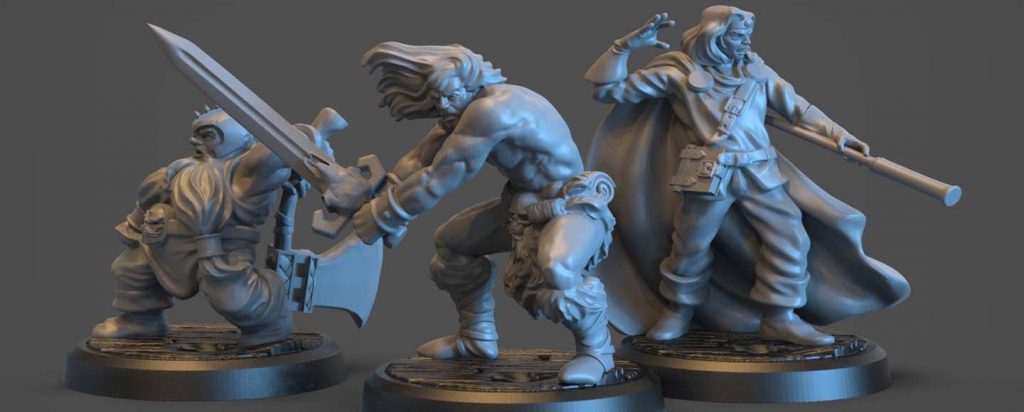
🎯 Finding the perfect 3D printer for miniatures? We’ve tested dozens to bring you the definitive guide for D&D, Warhammer, and tabletop gaming. Whether you want resin-level detail or FDM simplicity, find your perfect match below.
⚡ Quick Navigation: Jump to What You Need
🎯 1. Introduction: What Makes a Good 3D Printer for Miniatures?
Printing miniatures is one of the most demanding use cases in consumer 3D printing. Unlike functional parts or large decorative prints, miniatures live or die by fine detail, surface finish, and dimensional accuracy. A slightly soft edge on a sword, a lost facial expression, or visible layer lines can completely change how a model looks once it’s primed and painted.
That’s why choosing the best 3D printer for miniatures isn’t about raw speed or build volume—it’s about how well a machine can consistently reproduce tiny details at scale.
🎯 Why Miniatures Are So Demanding
🎨 Common Miniature Features:
- ⚔️
Thin weapons and armor edges - 👕
Intricate textures (chainmail, fur, cloth) - 😊
Small facial features, eyes, expressions
🔧 Printer Requirements:
- 🔬
High resolution (XY accuracy) - ⚖️
Stable motion/light uniformity - 🔄
Consistent material performance
🎮 Common Miniature Printing Use Cases
Most readers fall into one (or more) of these categories:
Tabletop Miniatures
28–32mm figures for D&D, Warhammer, and other tabletop games. These require sharp detail for painting and gameplay.
Terrain Pieces
Dungeon tiles, buildings, walls, and large modular scenery. Size matters more than microscopic detail.
Figurines & Statues
Display models, busts, and larger-scale characters meant for painting or showcasing. Requires both detail and size.
💡 Key Insight: Each use case places slightly different demands on a printer, which is why there’s no single “perfect” option for everyone.
🔄 Resin vs FDM: Quick, Neutral Overview
There are two main technologies used for printing miniatures. Understanding their strengths will help you choose wisely:
💎 RESIN (SLA/MSLA)
Liquid resin cured by UV light
They excel at capturing extremely fine details and smooth surfaces, making them the go-to choice for highly detailed character models and display pieces.
✅ Best For:
- ✨
Ultra-fine facial features - 🎨
Smooth armor & weapons - 🏆
Competition-level detail
🏗️ FDM (Filament)
Melted plastic deposited layer by layer
While they can’t match resin for micro-detail, modern high-precision FDM machines have become surprisingly capable—especially for terrain, larger miniatures, and users who prefer a cleaner, safer workflow.
✅ Best For:
- 🏰
Large terrain pieces - 👶
Beginners & home use - 💰
Budget-friendly projects
🎯 The Balanced Truth
Resin offers maximum detail, while FDM offers simplicity, safety, and versatility.
The right choice depends on what you print, how often you print, and where you plan to use the printer.
⚖️ Setting the Right Expectations
When choosing a 3D printer for miniatures, you’re always balancing three factors:
Detail
How sharp and smooth the final model looks. Resin dominates here.
Ease of Use
Setup time, calibration, and day-to-day workflow. FDM is simpler.
Safety & Convenience
Fumes, cleanup, and post-processing. FDM wins for indoor use.
🎯 This Guide’s Focus
We focus on printers that strike the best balance of these factors in 2026—whether you’re chasing competition-level detail or simply want reliable tabletop pieces without hassle.
🚀 Quick Decision Helper
Still unsure? Use this quick guide to narrow down your options:
I want the BEST detail
→ Choose Resin printers
I’m a beginner
→ Start with FDM or beginner resin
I print terrain
→ FDM is perfect
I want both
→ Consider a hybrid setup
📋 Ready to See Our Top Picks?
Now that you understand the basics, let’s dive into the best 3D printers for miniatures in 2026. We’ve tested dozens to bring you the definitive list.
📊 2. Quick Comparison Table
The table below gives you a fast, side-by-side overview of the best 3D printers for miniatures, covering both resin and non-resin options. It’s designed to help you narrow down the right machine in seconds before diving into the detailed reviews.
| 3D Printer | Technology | Max Resolution / Layer Height | Build Volume | Best For | Skill Level | Price Range | Quick Action |
|---|---|---|---|---|---|---|---|
| 🎮 Elegoo Saturn 4 Ultra | Resin (MSLA) |
12K LCD / 0.02mm
Premium Detail
|
218 × 123 × 220 mm
Large
|
High-detail miniatures, army batch printing | Intermediate | 🔥 Amazon ⚡ Official |
|
| 👑 Creality HALOT-MAGE S 14K | Resin (MSLA) |
14K LCD / 0.01-0.02mm
Extreme Detail
|
223 × 126 × 230 mm
Large
|
Display-quality miniatures & statues | Advanced | 🔥 Amazon ⚡ Official |
|
| ⚡ Anycubic Photon Mono M7 Pro | Resin (MSLA) |
14K LCD / 0.02mm
Fast + Detailed
|
Large (Class-leading)
Extra Large
|
Fast printing, cold environments | Intermediate | 🔥 Amazon ⚡ Official |
|
| 💰 Anycubic Photon Mono 4 | Resin (MSLA) |
7K LCD / 0.05mm
Good Detail
|
165 × 89 × 143 mm
Compact
|
Beginners & budget users | Beginner | 🔥 Amazon ⚡ Official |
|
| 👶 Bambu Lab A1 Mini | FDM |
0.08mm
(with 0.2mm nozzle)
|
180 × 180 × 180 mm
Compact
|
Safe home use, small terrain & minis | Beginner | 🚀 Buy Now |
|
| 🏗️ Bambu Lab A1 | FDM |
0.08mm
High Precision
|
256 × 256 × 256 mm
Large
|
Terrain & hybrid miniature printing | Beginner-Intermediate | 🚀 Buy Now |
|
| 🚀 Bambu Lab P2S | FDM |
0.05-0.10mm
Pro Level
|
256 × 256 × 256 mm
Large
|
Professional terrain & minis | Advanced | 🚀 Buy Now ⚡ MatterHackers |
💡 Pro Tip: How to Use This Table
Choose Resin If:
Your top priority is ultra-smooth faces and crisp armor details
Choose FDM If:
You want minimal cleanup, no chemicals, and easy indoor use
Check Both Stores:
Compare Amazon vs Official store prices – bundles vary!
🚀 See a Printer You Like?
Click the buttons above to check current prices and availability. Prices update frequently, so it’s always worth checking before you buy!
📝 Note About Other Printers
Looking for other models like Anycubic Mono M7 Max, Elegoo Mars 5 Ultra, or Prusa MK4S? We cover them in detail in the sections below. Each has specific strengths for different use cases!
📖 Ready for Detailed Reviews?
Now let’s dive into the detailed reviews of each top printer. We’ll cover real-world performance, pros/cons, and who each machine is perfect for.


🏆 3. Best 3D Printers for Miniatures (Top Picks)
This section highlights the top machines that will stay relevant through 2026 and beyond. Each pick is tailored to different needs — from ultra-detailed resin minis to beginner-friendly filament options — so you can choose with confidence.
🎮 Elegoo Saturn 4 Ultra 12K
🏷️ Best For:
Ultra-detailed resin miniatures, batch printing
🔧 Technology:
MSLA (Resin)
📦 Build Volume:
218 × 123 × 220 mm
🎓 Skill Level:
Intermediate
The Elegoo Saturn 4 Ultra 12K sets the new standard for resin printing in the miniatures world. Its 12K monochrome LCD delivers astonishing clarity, capturing micro-details like armor etching, beards, and facial features with minimal post-processing. It’s not just about resolution — the Saturn 4 Ultra’s tilt-release mechanism reduces suction forces during peeling, which means fewer failed prints and better surface quality overall.
✨ What Makes It Stand Out
12K Resolution
Far above legacy 4K/8K units
Heated Resin Vat
Consistent prints in colder rooms
Smart Features
Auto-leveling & intelligent monitoring
🎯 Real-World Performance
In practical tests, a full plate of 32 mm minis prints in roughly 1.5–2 hours with excellent dimensional accuracy. Batch printing armies is a joy with a large build area and faster layer curing.
✅ PROS
- ✓
Crisp detail that rivals professional cast miniatures - ✓
Large print area for army batches - ✓
Tilt-release reduces suction-related failures - ✓
AI camera helps catch errors early
❌ CONS
- ✗
Requires space for ventilation/post-processing - ✗
Hinged lid needs tall clearance
🚀 Best choice for most hobbyists and dedicated miniature printers.
Check current prices on both platforms:
👑 Creality HALOT-MAGE S 14K
🏷️ Best For:
Ultra-high resolution detail, professional painters
🔧 Technology:
MSLA (Resin)
📦 Build Volume:
223 × 126 × 230 mm
🎓 Skill Level:
Advanced
If resolution is your priority above all else, the Creality HALOT-MAGE S 14K delivers incredibly fine detail that is nearly invisible to the naked eye once painted. With a market-leading 14K panel and improved uniform light source, this printer shines on work where surface smoothness matters most — especially statues, busts, and display models.
✨ What Makes It Stand Out
14K Resolution
For ultra-fine print quality
Light Uniformity
Reduces pixel artifacts
Solid Build Quality
For consistent performance
🎯 Real-World Performance
Print surface quality rivals some SLA systems at a significantly higher price. It’s ideal for single pieces rather than high-volume batches, where achieving perfect curvature and crisp edges is mission-critical.
✅ PROS
- ✓
Best fine detail of any consumer model - ✓
Excellent surface quality for display prints - ✓
Robust material compatibility
❌ CONS
- ✗
Smaller effective build area than Saturn 4 Ultra - ✗
Slower batch throughput - ✗
Higher price point
🚀 Best choice for elite painters, sculptors, and competition-quality builds.
Check both stores for the best deal:
⚡ Anycubic Photon Mono M7 Pro
🏷️ Best For:
Fast printing with high resolution, harsh climates
🔧 Technology:
MSLA (Resin)
📦 Build Volume:
Large (class-leading)
🎓 Skill Level:
Intermediate
The Photon Mono M7 Pro pushes speed without compromising detail. With a 14K panel and built-in vat heater, it thrives in environments where other printers slow down due to temperature swings. This makes it ideal for hobbyists who want consistent results without micromanaging ambient conditions.
✨ What Makes It Stand Out
Integrated Resin Heater
Stable prints in cold rooms
Auto-Leveling
Intuitive interface
Speed + Detail Balance
Good balance for real-world use
🎯 Real-World Performance
Typical high-detail prints settle around 80–100 mm/h in real-world scenarios, making this one of the fastest resin systems for miniatures that doesn’t feel rushed.
✅ PROS
- ✓
Excellent resolution with real-world speed - ✓
Heated vat improves reliability - ✓
Auto features reduce setup hassles
❌ CONS
- ✗
Proprietary feeder system can be messy - ✗
Slightly higher consumables cost
🚀 Best choice for busy hobbyists who print often and want consistent results.
Compare prices on both platforms:
💰 Anycubic Photon Mono 4
🏷️ Best For:
Beginners, budget-conscious builders
🔧 Technology:
MSLA (Resin)
📦 Build Volume:
165 × 89 × 143 mm
🎓 Skill Level:
Beginner
For hobbyists dipping their toes into resin printing, the Photon Mono 4 delivers surprisingly good detail at an affordable price. Its 7K resolution is more than enough for standard tabletop minis, and the compact footprint makes it perfect for small workspaces.
✨ What Makes It Stand Out
Affordable Entry
Into resin printing
Easy Leveling
Simple interface
Great Ecosystem
Wash/cure stations available
🎯 Real-World Performance
You won’t get ultra-curves like the Saturn 4 Ultra or HALOT-MAGE S, but 28–32 mm figures come out crisp enough for gaming straight off the printer with minimal cleanup.
✅ PROS
- ✓
Excellent value for money - ✓
Compact design - ✓
Great starter ecosystem
❌ CONS
- ✗
Small build volume limits batch size - ✗
Not as detailed as higher-end models
🚀 Best choice for new resin users and tabletop players on a budget.
Start your resin journey affordably:
👶 Bambu Lab A1 Mini
🏷️ Best For:
Beginners, safe indoor printing, simple minis & terrain
🔧 Technology:
FDM (Filament)
📦 Build Volume:
180 × 180 × 180 mm
🎓 Skill Level:
Beginner
Not everyone wants to deal with resin fumes, cleaning, and post-processing. The Bambu Lab A1 Mini is the best FDM alternative for miniatures, offering smooth prints straight out of the box with minimal calibration. With a 0.2 mm nozzle and smart auto-leveling, it produces surprisingly good detail for tabletop pieces.
✨ What Makes It Stand Out
Zero Toxic Chemicals
Ideal for homes/offices
Automatic Setup
And calibration
Quiet & Reliable
Operation
🎯 Real-World Performance
While layer lines are more visible than resin, well-tuned A1 Mini prints hold up for terrain, 28–54 mm minis, and everyday gaming pieces.
✅ PROS
- ✓
Easy learning curve - ✓
Safe indoor use - ✓
Great for terrain and larger prints
❌ CONS
- ✗
Not as smooth as resin - ✗
Smaller build volume for large terrain
🚀 Best choice for beginners who want plug-and-play simplicity.
Safe, clean FDM printing:
🏗️ Bambu Lab A1
🏷️ Best For:
Terrain, larger figures, color prints
🔧 Technology:
FDM (Filament)
📦 Build Volume:
256 × 256 × 256 mm
🎓 Skill Level:
Beginner-Intermediate
When you want a single machine that can handle terrain, larger miniatures, and even multi-color filament work, the Bambu Lab A1 is a standout. With a larger print area, automatic calibration, and optional AMS Lite for multi-color printing, it’s one of the most capable FDM options on the market.
✨ What Makes It Stand Out
Four-Color Capability
Out of the box
Large Build Volume
For terrain
Excellent Motion Control
For an FDM machine
🎯 Real-World Performance
Miniatures aren’t as glass-smooth as resin, but they’re impressively detailed for FDM — especially when painting hides minor layer lines.
✅ PROS
- ✓
Best all-around FDM option - ✓
Color printing without complexity - ✓
Great for terrain and larger minis
❌ CONS
- ✗
Color transitions create some waste - ✗
Larger footprint
🚀 Best choice as a versatile all-in-one machine.
Multi-color FDM printing made easy:
🔍 Need More Specific Recommendations?
We’ve covered the top 6 printers above, but we also have dedicated sections for:
💎 4. Best Resin 3D Printer for Miniatures
When it comes to printing miniatures, resin 3D printers remain the gold standard. Even with recent advances in FDM technology, resin is still unmatched for capturing ultra-fine surface detail, smooth curves, and crisp edges—especially on faces, armor, and organic textures.
Modern Resin Printers Are Better
Features like auto-leveling, heated vats, smarter exposure systems, and failure detection have removed much of the trial-and-error that once scared beginners away.
Balanced Approach Matters
For 2026, the best option is the one that balances resolution, reliability, build volume, and price, without forcing you into overly complex workflows.
🎮 Elegoo Saturn 4 Ultra 12K
If you’re looking for the best resin 3D printer for miniatures, the Elegoo Saturn 4 Ultra 12K stands out as the most complete and future-proof choice going into 2026.
🎯 Why the Saturn 4 Ultra Is the Best Choice
Rather than chasing extreme specs at any cost, Elegoo focused on what actually matters for miniature printing: consistent detail, fewer failures, and high-volume efficiency.
12K Monochrome LCD
Delivers exceptionally sharp detail that remains invisible at tabletop viewing distance once primed and painted
Tilt-Release Mechanism
Reduces suction forces, protecting thin weapons, fingers, and delicate supports
Large Build Volume
Allows you to print entire squads or armies in one run
Smart Features
Auto-leveling and AI monitoring improve reliability over long print sessions
🎮 Real-World Printing Experience
In real-world use, the Saturn 4 Ultra excels at both single showcase miniatures and batch printing dozens of 28–32mm figures without sacrificing quality. Facial expressions, armor engravings, and cloth textures come through cleanly, with minimal post-processing required before painting.
🛡️ The Tilt-Release Advantage
The tilt-release system is especially beneficial for miniatures. By peeling prints at an angle instead of pulling straight up, it dramatically lowers the risk of:
Failed supports
Warped bases
Broken swords or spears
Combined with its high-resolution screen, this results in a higher success rate—something that matters far more than chasing the highest possible pixel count on paper.
✅ PROS
- ✓
Outstanding balance of detail, speed, and reliability - ✓
Excellent value for a 12K resin printer - ✓
Large enough for army-scale batch printing - ✓
Reduced failure rates compared to traditional vertical peel systems
❌ CONS
- ✗
Requires proper ventilation like all resin printers - ✗
Hinged lid needs extra vertical clearance
🎯 Who Should Buy It
Tabletop Gamers
Printing full armies for D&D/Warhammer
Serious Hobbyists
Want professional-looking results without professional prices
Upgraders
From older 4K or 8K resin printers
🚫 Who Should Skip It
Limited Space Users
Without a ventilated printing space
Casual Printers
Who only print very small, occasional batches
🎯 Bottom Line
If you want one resin printer that does almost everything right—detail, reliability, speed, and value—the Elegoo Saturn 4 Ultra 12K is the strongest all-around resin choice for miniatures in 2026.
🚀 Ready to Buy the Best Resin Printer?
Check current prices on both Amazon and Elegoo’s official store. Prices and bundles vary!
💡 Pro Tip: Official stores sometimes offer bundles with resin, wash stations, or other accessories!
🔍 Other Excellent Resin Options
While the Saturn 4 Ultra is our top pick, these alternatives are excellent for specific needs:
Creality HALOT-MAGE S 14K
If you need the absolute finest detail for statues or competition pieces.
Anycubic Photon Mono M7 Pro
Perfect for speed-focused users or those printing in colder environments.
👶 What About Beginners?
Ready for a beginner-focused comparison? We break down the best options for those new to 3D printing miniatures.
👶 5. Best 3D Printer for Miniatures for Beginners
For newcomers, printing miniatures can feel intimidating—especially when you see ultra-detailed resin models online. The good news is that modern 3D printers in 2026 are far more beginner-friendly than ever, with smart features that remove much of the trial-and-error from the process.
🎯 What Beginners Should Prioritize
The key for beginners is choosing a printer that minimizes:
Manual Calibration
Auto-leveling & setup
Failed Prints
Reliable first layers
Complex Setup
Plug & play experience
Cleanup Hassle
Easy post-processing
🤔 Our Beginner Recommendation Strategy
Rather than pushing a single “one-size-fits-all” solution, the best approach is to separate beginners into two groups:
Resin Beginners
Those comfortable with resin and post-processing who want maximum detail
FDM Beginners
Those who want the simplest, safest workflow possible
💰 Anycubic Photon Mono 4
For beginners who want high-quality miniatures at the lowest possible entry cost, the Anycubic Photon Mono 4 is one of the safest ways to get started with resin printing.
🎯 Why It’s Great for Beginners
- 🔬
7K resolution is more than sufficient for 28–32mm miniatures - 📦
Compact build volume reduces resin usage and cleanup time - ⚖️
Straightforward leveling and interface keep setup simple - 🔧
Strong ecosystem with matching wash & cure stations
💡 The Beginner Advantage
In practice, the smaller build volume is actually an advantage for new users:
- ✓
You waste less resin during failed prints - ✓
Spend less time cleaning parts - ✓
Learn the resin workflow without feeling overwhelmed
✅ PROS
- ✓
Very affordable entry into resin printing - ✓
Excellent detail for tabletop gaming - ✓
Small footprint fits easily on a desk or workbench
❌ CONS
- ✗
Limited build volume for large armies or terrain - ✗
Slower than high-end resin printers
Best for:
First-time resin users, D&D players, hobbyists on a budget
Avoid if:
You plan to print full armies or large terrain pieces regularly
💡 Perfect starter resin printer for those wanting quality without complexity
👶 Bambu Lab A1 Mini
If resin feels like too much commitment, the Bambu Lab A1 Mini is the easiest way to start printing miniatures—without fumes, chemicals, or messy cleanup.
🎯 Why It’s Great for Beginners
- ⚡
Fully automatic setup — no manual bed leveling - 🛡️
Safe indoor printing with PLA and PETG - 🔇
Extremely quiet and beginner-friendly - 🌈
Optional multi-color printing with AMS Lite
✨ What Makes It Special
It’s one of the few FDM printers that can produce respectable miniature detail straight out of the box, thanks to:
- •
Automatic calibration - •
Excellent motion control - •
0.2mm nozzle compatibility
With a 0.2mm nozzle and fine layer heights, the A1 Mini can handle small minis, props, and terrain pieces well enough for casual tabletop play.
🎯 Realistic Expectations
Important: While it won’t match resin for facial detail, it removes nearly every barrier to entry for FDM printing.
Perfect for learning the basics before deciding if you want to invest in resin printing later.
✅ PROS
- ✓
No resin fumes or post-processing - ✓
Plug-and-play experience - ✓
Excellent reliability for an FDM machine
❌ CONS
- ✗
Visible layer lines on organic shapes - ✗
Small build volume limits terrain size
Best for:
Beginners, families, classrooms, users printing in shared living spaces
Avoid if:
You want competition-level miniature detail
🚀 The ultimate starter printer for safe, clean home printing
🤔 Which Beginner Option Should You Choose?
Choose RESIN if…
You want the best possible detail and don’t mind post-processing
Choose FDM if…
You value simplicity, safety, and ease of use
🎯 Final Beginner Advice
Both options above provide a frustration-free starting point—and either can produce excellent tabletop miniatures with the right settings.
📊 Quick Comparison: Beginner Options
| Feature | Anycubic Photon Mono 4 | Bambu Lab A1 Mini |
|---|---|---|
| Detail Level | ⭐⭐⭐⭐⭐ (Resin) | ⭐⭐⭐ (FDM) |
| Ease of Use | ⭐⭐⭐ (Post-processing needed) | ⭐⭐⭐⭐⭐ (Plug & play) |
| Safety | ⭐⭐ (Ventilation required) | ⭐⭐⭐⭐⭐ (Safe indoors) |
| Cost to Start | $$ (Printer + resin + wash/cure) | $$ (Printer + filament only) |
| Best For | Detail-focused beginners | Safety-focused beginners |
🚫 What If You Want to Avoid Resin Completely?
Not everyone wants to deal with resin fumes and cleanup. Discover the best non-resin options for miniature printing.
🚫 6. Best 3D Printer for Miniatures (Not Resin)
Not everyone wants to deal with liquid resin, fumes, gloves, and post-processing. For many hobbyists—especially those printing at home or in shared spaces—resin simply isn’t practical. The good news is that modern FDM printers have improved dramatically, and while they still can’t fully match resin for micro-detail, they can produce very usable miniatures with the right machine and settings.
🎯 The Key: Understanding What FDM Does Well
Larger Miniatures & Monsters
54mm+ scale figures where layer lines are less noticeable
Terrain & Modular Boards
Dungeon tiles, buildings, walls where detail matters less than size
Paint-Ready Figures
Tabletop-ready figures where painting hides minor layer lines
🏆 The Clear Winner for Non-Resin Printing
If you know upfront that you want to avoid resin, there’s one FDM printer that stands clearly above the rest.
🌈 Bambu Lab A1 Combo
For filament-based miniature printing, the Bambu Lab A1 Combo is currently the most capable and least frustrating option available.
⚡ Why the A1 Combo Works for Miniatures
Unlike traditional FDM printers that require constant tuning, the A1 focuses on automation, precision, and reliability—three things that matter when printing small, detailed models.
Exceptional Motion Control
Produces clean edges and minimal ringing
Automatic Calibration
Eliminates bed leveling and Z-offset guesswork
0.2mm Nozzle Compatibility
Enables finer detail than most FDM printers
AMS Lite Support
Allows multi-color printing or easy filament swaps
🎯 Realistic Expectations (Important)
It’s worth being honest: FDM will never fully replace resin for ultra-detailed character miniatures.
However, the A1 Combo narrows the gap more than any other filament printer by reducing vibration artifacts, maintaining consistent extrusion, and handling fine layer heights reliably.
✨ What You Can Expect With Optimized Settings
Tabletop-Ready Minis
28–32mm miniatures that look solid on the tabletop, especially once primed and painted
Excellent Armor & Weapons
Hard-surface details hold up surprisingly well compared to organic shapes
Faces & Organic Shapes
Will show light layer lines up close but look fine at tabletop distance
✅ PROS
- ✓
No toxic chemicals or resin handling - ✓
Excellent reliability and consistency - ✓
Suitable for homes, apartments, and classrooms - ✓
Capable of terrain, props, and larger minis
❌ CONS
- ✗
Layer lines are visible on organic shapes - ✗
Smaller minis require careful tuning - ✗
Multi-color printing generates some filament waste
🎯 Who Should Buy It
Resin-Avoiders
Users who want the best 3D printer for miniatures without resin
Tabletop Gamers
Printing terrain and occasional minis for D&D or Warhammer
Home Users
Anyone prioritizing safety, cleanliness, and ease of use
🚫 Who Should Skip It
Competition Painters
Seeking competition-level miniature detail
Army Builders
Printing large armies of tiny character models
🎯 Bottom Line
If resin is off the table, the Bambu Lab A1 Combo is the closest you can get to high-quality miniature printing without major compromises. It won’t beat resin for facial detail—but for safe, clean, everyday tabletop printing, it’s the clear winner.
🚀 Ready for Clean, Safe Printing?
Get the best non-resin option for miniature printing with multi-color capability.
✨ Includes multi-color capability for vibrant terrain and detailed props
🔍 Other Great Non-Resin Options
Depending on your specific needs, these alternatives might be better fits:
Anycubic Kobra 3 Combo
Excellent for large terrain pieces with its bigger build area.
Bambu Lab A1 (Regular)
Same great features as the Combo but without multi-color system.
Bambu Lab P2S
Enclosed design for better materials and professional results.
🏗️ What About Terrain & Larger Projects?
FDM printers truly shine when it comes to terrain and large projects. Discover the best options for dungeon masters and terrain builders.
🏰 7. Best FDM 3D Printer for Miniatures and Terrain
While resin printers dominate character models, FDM printers are still the backbone of miniature terrain printing. Large build volumes, low material costs, and safer indoor operation make filament printers ideal for dungeon tiles, buildings, walls, and oversized tabletop pieces.
🎯 What Terrain Builders Should Focus On
Dimensional Accuracy
Critical for modular tiles that need to fit together perfectly
Consistent Layer Stacking
For tall prints like buildings and multi-level terrain
Adequate Build Volume
To reduce print splitting and post-processing work
🏆 Best Overall FDM Choice for Miniatures + Terrain
For hobbyists who want one printer to handle both miniatures and terrain, there’s a clear standout in 2026.
🚀 Bambu Lab P1S
The Bambu Lab P1S strikes the best balance between print quality, build volume, and reliability for tabletop gamers who want to print everything—from small minis to large terrain sections.
⚡ Why the P1S Excels for Terrain Builders
256 × 256 × 256 mm Build
Handles large terrain pieces in one print
Enclosed Design
Improves layer consistency and surface finish
High-Speed CoreXY
Maintains accuracy even on long prints
Material Compatibility
PLA, PETG, and ABS for durable terrain
🎯 For Terrain Printing:
The P1S delivers strong layer bonding and clean edges—critical for modular tiles that need to fit together without sanding or post-processing.
🎮 Miniatures on the P1S: What to Expect
With 0.2mm Nozzle
Can produce tabletop-quality miniatures that look great once painted
Armor & Weapons
Architectural details print especially well on FDM
Organic Shapes
Faces, cloaks, hair will show light layer stepping up close
At arm’s length on the table, the difference compared to resin becomes far less noticeable.
✅ PROS
- ✓
Large build volume for terrain and scenery - ✓
Excellent reliability for long print runs - ✓
Enclosure improves print consistency - ✓
Strong ecosystem and slicer support
❌ CONS
- ✗
More expensive than entry-level FDM printers - ✗
Overkill if you only print small miniatures
🎯 Who This Printer Is Best For
Tabletop Gamers
Printing terrain and miniatures on one machine
War Gaming Clubs
Shared hobby spaces needing reliable, high-volume printing
Minimal-Tuning Users
Those who want high reliability with minimal fuss
🚫 Who Should Skip It
Ultra-Detail Focused
Users focused exclusively on character minis
Budget Buyers
Printing only small figures occasionally
🎯 Bottom Line
If you want a single FDM printer for both miniatures and terrain, the Bambu Lab P1S offers the best combination of size, quality, and ease of use in 2026.
🚀 Ready for Terrain & Miniature Printing?
Get the professional-grade FDM printer perfect for large projects and tabletop gaming.
🏗️ Enclosed design for better material compatibility and print quality
🔍 Other Great Options for Terrain
Depending on your budget and specific terrain needs:
Bambu Lab A1
Same speed and quality as P1S, just without the enclosure. Perfect for PLA terrain.
Anycubic Kobra 3 Combo
Great for colorful terrain pieces with its multi-material system.
💡 Pro Tips for Terrain Printing
Layer Height
0.2-0.3mm for fast terrain, 0.1mm for detail
Material Choice
PLA for indoor, PETG for durable outdoor pieces
Print Speed
50-100mm/s for terrain, slower for miniatures
Nozzle Size
0.4mm for terrain, 0.2mm for miniature details
🗿 What About Statues & Display Models?
Need to print larger display pieces, busts, or statues? We have dedicated recommendations for large-scale resin printing.
🗿 8. Best 3D Printer for Miniatures and Statues
When you move beyond tabletop minis into larger-scale figures, display pieces, or statue models, your 3D printer needs to deliver not only high detail but also a large build volume and consistent surface quality. Statues reveal flaws immediately—visible layer steps become distracting, and poor light uniformity shows as inconsistent texture. That’s where high-end resin printers truly shine.
🎯 Statue Printing Priorities Shift
Surface Smoothness
Maintain fine surface quality across large areas
Minimize Splits
Avoid split prints (fewer seams to hide)
Sculpture-Quality Detail
Preserve detail on faces and fabric folds
Reduce Post-Processing
Minimize sanding and gap-filling
🏆 Top Large-Scale Resin Choice
Among today’s printers, one model stands out for balancing resolution, build area, and consistency—especially for statues and oversized characters.
📏 Anycubic Photon Mono M7 Max
For 1:6-scale characters, busts, and display statues, the Anycubic Photon Mono M7 Max delivers exceptional value and performance. It combines near-premium resolution with a large build area, allowing you to print fully detailed models in one piece without excessive splitting.
⚡ Why the M7 Max Works for Statues
Large Build Volume
Accommodates tall figures and busts
High Resolution
Preserves smooth curves and facial features
Uniform Light Exposure
Critical for consistent surface quality
Internal Heating
And leveling features improve success rates
🎯 The One-Piece Advantage
With many other printers, you’re forced to slice a statue into 8–12 sections and then sand and glue those seams together—a process that adds hours of prep and cleanup. The M7 Max largely eliminates this problem by allowing prints at statue scale in a single part, dramatically reducing post-processing.
✨ What You Get in Real-World Use
Smooth Planes
Visible detail even at shoulder and hip curves
Excellent Facial Definition
At multiple scales, crucial for display pieces
Minimal Layer Lines
After standard washing, curing, and painting
🎯 Ideal For:
🎨 Sculptors & Hobby Painters
🏆 Collectors Printing Display Models
💼 Creators Selling Large Pieces
✅ PROS
- ✓
Large build volume suited for statues and busts - ✓
Very good detail without premium pricing - ✓
Great balance of speed and surface quality - ✓
Strong ecosystem with wash & cure accessories
❌ CONS
- ✗
Larger footprint than smaller resin printers - ✗
Post-processing and ventilation still required - ✗
Premium price point relative to hobby-grade machines
🎯 Who Should Buy It
Showcase-Focused Hobbyists
Those focused on showcase-quality statues and display pieces
Sculptors & Designers
Miniature designers transitioning to larger display pieces
Figure Painters
Transitioning from small minis to premium display pieces
🚫 Who Should Skip It
Casual Gamers
Needing only standard 28–32mm minis
Space-Limited Users
Without dedicated ventilation or post-processing space
🎯 Bottom Line
If you’re ready to step into statue-sized resin printing without compromise, the Anycubic Photon Mono M7 Max gives you a balanced combination of build area and surface resolution—ideal for large display prints with minimal seams or joins.
🚀 Ready for Large-Scale Resin Printing?
Print statues and display pieces in fewer parts with better surface quality.
🗿 Perfect for: 1:6 scale figures, busts, and display statues
🔍 Other Great Options for Large Models
Depending on your specific statue and large model needs:
Elegoo Saturn 4 Ultra
Great for large batches of medium-sized display pieces.
Creality HALOT-MAGE S 14K
For statues where microscopic detail is the top priority.
💡 Pro Tips for Statue Printing
Orientation Matters
Angle models to minimize supports on visible surfaces
Support Strategy
Use minimal supports in areas that won’t affect final appearance
Temperature Control
Keep resin temperature stable for consistent results
Layer Height
0.02-0.03mm for faces, 0.05mm for larger surfaces
🔄 Still Undecided Between Resin & FDM?
Our detailed comparison breaks down exactly when to choose resin vs FDM for your specific needs.
🔄 9. Resin vs FDM for Miniatures (Comparison)
Choosing between a resin and an FDM 3D printer isn’t just about technology—it’s about what you value most: ultra-fine detail, ease of use, safety, cost, or size. Both technologies can produce great tabletop results, but they excel in different areas.
📊 Side-by-Side Comparison
Here’s a transparent, feature-by-feature comparison to help you decide which path fits your miniature printing journey.
1. Print Quality & Detail
Resin (MSLA / SLA)
Resin printers cure liquid photopolymer with light, resulting in extremely smooth surfaces and fine features. They outperform FDM on:
- •
Small facial features - •
Thin weapons and armor plates - •
Smooth curves and organic shapes
FDM (Filament)
FDM prints layer by layer with melted plastic. Modern machines like the Bambu Lab A1 can achieve clean results, but:
- •
Layer lines are still visible up close - •
Fine organic detail (faces, cloth folds) lacks resin-level smoothness
🎯 Winner:
2. Ease of Use & Setup
Resin
Recent models are much easier to start with thanks to auto-leveling and intelligent failure detection. However:
- •
Resin handling and vat cleanup take time - •
Wash/cure steps add complexity
FDM
Most FDM machines are closer to “plug-and-play,” especially beginners’ models with automatic bed leveling and filament loading.
- ✓
Minimal setup required - ✓
No chemical handling - ✓
Straightforward operation
🎯 Winner:
3. Safety & Indoor Use
Resin
Even modern resins emit VOCs. Proper ventilation and protective gear aren’t optional—they matter for long sessions.
⚠️ Requires: Ventilation, gloves, masks, dedicated space
FDM
While filament printing produces minimal fumes (especially with PLA), it’s generally safer indoors without extraction.
✅ Safe for: Homes, apartments, offices, shared spaces
🎯 Winner:
4. Post-Processing & Cleanup
Resin
Resin prints require washing (usually with isopropyl alcohol or dedicated solutions) and curing under UV. Protective gear (gloves, masks) and ventilation are strongly recommended.
Time required: 15-30 minutes per print
FDM
Cleanup is minimal—remove supports, maybe a bit of sanding—no chemicals or washing stations required.
Time required: 2-5 minutes per print
🎯 Winner:
5. Material Cost & Waste
Resin
Resin is inherently more expensive per cubic centimeter than standard filament, and failed resin prints often mean wasted material.
Cost: $25-50 per liter • Waste: Higher
FDM
PLA, PETG, and other filaments are cheaper. Support structures can also be optimized to minimize waste.
Cost: $15-30 per kg • Waste: Lower
🎯 Winner:
6. Build Volume & Large Prints
Resin
Large resin prints are possible but often require more expensive hardware and longer print times. Large statues usually need slicing into multiple pieces.
Large scale challenge: Multiple parts, more post-processing
FDM
Large terrain, buildings, and dioramas are where FDM really shines, with big beds and fewer filament cost penalties.
Large scale advantage: Single-piece terrain, economical
🎯 Winner:
📊 Quick Comparison Table
At-a-glance comparison of resin vs FDM for miniature printing
| Category | Resin Printers | FDM Printers |
|---|---|---|
| Detail & Surface Finish |
⭐⭐⭐⭐⭐
Exceptional
|
⭐⭐
Good (visible layers)
|
| Ease of Use |
⭐⭐
Post-processing needed
|
⭐⭐⭐⭐⭐
Plug & play
|
| Safety & Indoor Use |
⭐
Ventilation required
|
⭐⭐⭐
Safe indoors
|
| Post-Processing |
⭐
Wash & cure needed
|
⭐⭐⭐
Minimal cleanup
|
| Material Cost |
⭐
More expensive
|
⭐⭐⭐
Budget friendly
|
| Large Prints & Terrain |
⭐⭐
Challenging
|
⭐⭐⭐⭐⭐
Excellent
|
| Best For |
Small miniatures, display models, high-detail
|
Terrain, props, everyday use
|
🤔 So Which Should You Pick?
Here’s a practical breakdown based on your goals and priorities:
If You Want Ultra-Detailed Minis
Choose resin—especially models with 12K–14K resolution like the Elegoo Saturn 4 Ultra or Creality HALOT-MAGE S 14K.
If You Want Safe, Clean Printing
Choose FDM—machines like the Bambu Lab A1 Mini or A1 Combo deliver reliable results with minimal cleanup.
If You Print Terrain & Large Props
FDM wins by a long margin—large beds and cheap materials make large prints practical and economical.
⚖️ A Balanced Reality
Some hobbyists choose both technologies—resin for characters and small figures, and FDM for terrain and larger pieces.
🚀 Ready to Make Your Decision?
Based on what you’ve learned, which technology fits your needs best?
Click above to jump to our specific recommendations for each technology
⚠️ Want to Avoid Common Mistakes?
Learn from others’ experiences! Our next section covers the most common mistakes when printing miniatures.
⚠️ 10. Common Mistakes When Printing Miniatures (and How to Avoid Them)
Even experienced 3D printing hobbyists encounter issues when creating miniatures. Avoiding these common mistakes can save you hours of frustration, prevent wasted materials, and ensure your prints look their absolute best. We’ve compiled the most frequent pitfalls and their solutions.
📊 Why These Mistakes Matter
Failed Prints
Due to incorrect settings
Material Waste
From avoidable errors
Quality Issues
Caused by improper setup
🎯 Choosing the Wrong Printer for Your Goals
The Mistake: Buying a printer without considering the scale, detail, or material you need. Many beginners buy what’s popular rather than what fits their specific miniature printing goals.
✅ The Solution: Match Printer to Project Type
For High-Detail Minis
Use resin printers like Elegoo Saturn 4 Ultra 12K or Creality HALOT-MAGE S 14K
💡 Pro Tip: Ask Yourself First
- •
Do you want ultra-fine faces or large tabletop scenery? - •
Will you print mostly characters or mostly terrain? - •
Do you have space for ventilation or need indoor-safe printing?
⚙️ Skipping Calibration or Ignoring Smart Features
The Mistake: Assuming that setup is “good enough” without properly utilizing auto-leveling, tilt-release mechanisms, or AI monitoring features. Many users rush through setup only to encounter failures later.
✅ The Solution: Leverage Modern Printer Features
Automatic Leveling
Don’t skip this step—it’s critical for first layer adhesion
Tilt-Release Systems
Use on printers like Elegoo Saturn 4 Ultra to reduce failures
AI Monitoring
Catch errors early before wasting hours of print time
📋 Essential Calibration Checklist
For FDM:
Bed leveling, Z-offset, flow calibration
For Resin:
Exposure tests, build plate leveling
📏 Ignoring Layer Heights & Resolution Settings
The Mistake: Printing too fast or with too thick layers, resulting in visible lines and poor detail. Many users prioritize speed over quality, then wonder why their miniatures look “blocky” or lack definition.
✅ The Solution: Optimize Settings for Your Scale
For Resin Printers
- •
12K–14K resolution for small figures - •
70–100μm layers for larger figures - •
Lower = better detail but slower printing
For FDM Printers
- •
0.2mm nozzle or finer for miniatures - •
Below 0.1–0.15mm layer heights - •
Speed vs quality balance is key
⚡ Quick Reference: Recommended Settings
| Miniature Size | Resin Layer Height | FDM Layer Height | Print Time Impact |
|---|---|---|---|
| 28-32mm (Tabletop) | 0.02-0.03mm | 0.08-0.12mm | +30-50% time |
| 54mm+ (Large) | 0.04-0.05mm | 0.15-0.20mm | +10-20% time |
| Terrain Pieces | 0.05-0.10mm | 0.20-0.30mm | Standard speed |
🔄 Not Preparing Models Properly Before Printing
The Mistake: Printing models with excessive overhangs, thin supports, or missing details. Many users download a model and hit “print” without considering orientation, support placement, or model preparation.
✅ The Solution: Master Your Slicer Software
Optimize Orientation
Tilt models to reduce overhangs and visible support marks
Smart Support Placement
Place supports in areas that won’t affect final appearance
Preview Before Printing
Always check layer views for potential issues
🛠️ Recommended Slicer Software
Bambu Studio
Best for Bambu Lab printers, excellent auto-supports
Chitubox
Industry standard for resin printing, powerful tools
Lychee Slicer
Great auto-orientation and support generation
💡 Pro Tips for Model Preparation
Resin Printing:
Tilt models 10–20° to reduce suction force
FDM Printing:
Use breakaway or soluble supports for tricky geometry
🧪 Using the Wrong Material for Your Project
The Mistake: Printing delicate miniatures with unsuitable filaments or resins. Material choice dramatically affects detail, durability, and post-processing requirements.
✅ The Solution: Match Material to Miniature Type
For Resin Printing
- ✓
Standard Resin: Good detail, affordable - ✓
ABS-Like Resin: More durable, less brittle - ✓
High-Speed 405nm: Faster curing times
For FDM Printing
- ✓
PLA: Easy to print, great for beginners - ✓
PETG: More durable, good for terrain - ⚠️
ABS/ASA: Only for enclosures, experienced users
📊 Material Comparison for Miniatures
| Material | Best For | Detail Level | Durability | Ease of Use |
|---|---|---|---|---|
| Standard Resin | Display miniatures | ⭐⭐⭐⭐⭐ | ⭐⭐⭐ | ⭐⭐⭐ |
| ABS-Like Resin | Game pieces | ⭐⭐⭐⭐ | ⭐⭐⭐⭐⭐ | ⭐⭐⭐ |
| PLA | Terrain, large minis | ⭐⭐⭐ | ⭐⭐⭐ | ⭐⭐⭐⭐⭐ |
| PETG | Durable terrain | ⭐⭐⭐ | ⭐⭐⭐⭐⭐ | ⭐⭐⭐⭐ |
🎓 Master Miniature Printing
Avoid these common mistakes and you’ll be printing professional-quality miniatures in no time!
Higher Success Rate
Fewer failed prints
Less Material Waste
Save money on resin/filament
Better Print Quality
Professional-looking results
💡 Remember: The most successful miniature printers in 2026 combine the right printer, proper settings, and attention to detail.
✨ Want Even Better Results?
Our next section covers advanced tips to maximize your miniature print quality and take your results to the next level.
✨ 11. Tips to Maximize Miniature Print Quality
Even with a top-tier printer, getting perfect miniatures requires attention to technique, settings, and workflow. These advanced tips will help you achieve professional-level results whether you’re printing resin or FDM. We’ve organized them by category to help you find exactly what you need.
🎯 What These Tips Will Improve
Surface Detail
Sharper features, cleaner edges
Print Success Rate
Fewer failures, more reliability
Post-Processing
Less cleanup, better finishes
Paint Readiness
Better surfaces for painting
1. Optimize Orientation & Supports
Proper orientation and support placement can make or break your miniature’s quality. This is the most critical step for achieving clean prints.
Resin Printing Tips
- ✓
Tilt models 10–20° to reduce suction forces and prevent delicate parts from snapping - ✓
Use minimal supports in areas that won’t affect the final appearance (under arms, backs of legs) - ✓
Angle faces away from the build plate to preserve facial details
FDM Printing Tips
- ✓
Place miniatures to minimize overhangs—position arms and weapons strategically - ✓
Consider breakaway or soluble supports for limbs, weapons, and capes - ✓
Orient flat surfaces parallel to the build plate for best quality
📐 Orientation Angle Recommendations
| Model Feature | Best Angle | Why It Matters | Technology |
|---|---|---|---|
| Faces & Details | 15-25° away from plate | Preserves fine features, reduces support marks | Both |
| Large Flat Areas | 0-10° (flat) | Better adhesion, smoother surfaces | FDM |
| Thin Weapons | 45-60° angled | Reduces snapping risk, improves detail | Resin |
| Armor & Large Surfaces | 20-35° tilted | Reduces layer lines visibility | Both |
2. Adjust Layer Height Strategically
Layer height dramatically affects both detail and print time. Smart layer height selection can save hours without sacrificing quality where it matters.
💎 Resin Layer Height Strategy
For High-Detail Minis:
- •
0.02–0.03mm layers for 28-32mm scale - •
+40-60% print time vs standard layers - •
Best for: Faces, fine armor details
For Batch Printing:
- •
~0.05mm layers can save time - •
Minimal quality loss on tabletop pieces - •
Best for: Army printing, terrain
🏗️ FDM Layer Height Strategy
For Miniature Details:
- •
0.08–0.15mm layer heights - •
Too-thick layers exaggerate stepping on curves - •
Best balance: 0.12mm for most FDM minis
Variable Layer Height:
- •
Use finer layers on detailed areas - •
Coarser layers on flat surfaces - •
Saves 15-25% time with minimal quality loss
📊 Layer Height vs Quality vs Time
| Layer Height | Print Quality | Print Time | Best For | Technology |
|---|---|---|---|---|
| 0.02mm | ⭐⭐⭐⭐⭐ | ⏱️⏱️⏱️⏱️⏱️ | Competition pieces | Resin |
| 0.05mm | ⭐⭐⭐⭐ | ⏱️⏱️⏱️ | Tabletop gaming | Resin |
| 0.08mm | ⭐⭐⭐ | ⏱️⏱️⏱️ | Detailed FDM minis | FDM |
| 0.20mm | ⭐⭐ | ⏱️⏱️ | Terrain & large pieces | FDM |
3. Control Print Speed & Temperature Conditions
Speed and temperature settings dramatically affect print quality. Modern printers like the Bambu Lab A1 or P1S allow faster speeds without sacrificing precision when configured correctly.
🎯 Print Speed Control
- ⚡
Slower speeds improve detail and reduce ringing/artifacts on both resin and FDM - ⏱️
For resin: Allow sufficient exposure per layer—don’t rush curing times - ⚖️
For FDM: Balance speed with extrusion accuracy, especially on small features - 🚀
Modern printers like Bambu Lab A1 can run faster while maintaining quality
🌡️ Temperature Conditions
Resin Temperature:
Keep vat temperature within recommended ranges (usually 30–40°C). Consider printers with built-in heaters like the Anycubic Photon Mono M7 Pro for consistent results.
FDM Filament Conditions:
Ensure filament is dry and consistent. Use enclosures for ABS or ASA to prevent warping. Modern printers with enclosed designs like the Bambu Lab P1S handle temperature-sensitive materials better.
🚀 Best Printers for Speed + Quality Balance
4. Post-Processing Best Practices
Proper post-processing transforms good prints into great ones. These techniques apply whether you’re working with resin or FDM miniatures.
💎 Resin Post-Processing
-
- 🚿
Wash thoroughly with isopropyl alcohol or dedicated wash solutions - ☀️
Cure completely under UV light (2-5 minutes per side) - 🪄
Use a UV curing station for even, controlled curing (like the Anycubic Wash & Cure) - 🧼
Sand minor imperfections with 600-1000 grit sandpaper before priming
- 🚿
🏗️ FDM Post-Processing
- ✂️
Remove supports carefully with flush cutters and fine tweezers - 🧽
Sand or trim rough edges starting with coarse (200 grit) moving to fine (800+ grit) - 🎨
Use filler primer or a light coat of modeling putty to hide visible layer lines - 💨
Consider acetone vapor smoothing for ABS/ASA parts (advanced technique)
🛠️ Essential Post-Processing Toolkit
| Tool / Equipment | For Resin | For FDM | Importance |
|---|---|---|---|
| Wash Station | ⭐⭐⭐⭐⭐ | – | Crucial for uncured resin removal |
| UV Cure Station | ⭐⭐⭐⭐⭐ | – | Ensures full, even curing |
| Flush Cutters | ⭐⭐⭐⭐ | ⭐⭐⭐⭐⭐ | Removing supports cleanly |
| Sanding Kit | ⭐⭐⭐ | ⭐⭐⭐⭐⭐ | Smoothing layer lines & marks |
| Primer Spray | ⭐⭐⭐⭐ | ⭐⭐⭐⭐⭐ | Unifies surface for painting |
5. Clean & Maintain Your Printer Regularly
Consistent maintenance prevents failures and extends your printer’s lifespan. A well-maintained printer is a reliable printer, saving you time, resin, and filament in the long run.
💎 Resin Printer Maintenance
- 🧽
Clean the vat, FEP film, and build plate with IPA after each print session - 🚮
Remove cured resin scraps immediately to prevent FEP damage and screen scratches - 🔄
Stir resin in the vat before long prints to prevent settling and separation - 👁️
Inspect the LCD screen for resin leaks or damage monthly
🏗️ FDM Printer Maintenance
- 🔍
Check nozzle for clogs and perform cold pulls as needed - ⚖️
Level the bed periodically (or rely on auto-leveling on printers like Bambu Lab) - 💨
Clean cooling fans and ducts to maintain optimal airflow and cooling - 🛢️
Lubricate rails and lead screws with PTFE or light machine oil every few months
📅 Recommended Maintenance Schedule
After Every Print
- Clean build plate
- Remove supports/debris
- Check vat (resin)
Weekly
- Full vat clean (resin)
- Bed level check (FDM)
- Dust removal
Monthly
- Inspect FEP/LCD (resin)
- Lubricate rails (FDM)
- Nozzle check/replace
6. Master Your Slicer Settings
Your slicer is the command center for print quality. Moving beyond default profiles unlocks the full potential of your 3D printer for miniature production.
🎯 Key Slicer Settings for Miniatures
For Resin (Chitubox/Lychee):
- Exposure Time: Calibrate per resin
- Lift Speed: Slower for delicate parts
- Anti-Aliasing: Enable for smoother curves
- Support Tips: Use light/medium contact points
For FDM (Bambu Studio/PrusaSlicer):
- Retraction: Minimize stringing on details
- Wall Count: 3+ walls for strength
- Infill: 15-25% gyroid for light weight
- Cooling: Max fan after first few layers
🖥️ Recommended Slicer Software
| Software | Best For | Key Feature | Compatibility |
|---|---|---|---|
| Bambu Studio | Bambu Lab FDM printers | AI print monitoring, auto-calibration | ⭐⭐⭐⭐⭐ |
| Chitubox Pro | Resin printing | Advanced support algorithms | ⭐⭐⭐⭐ |
| Lychee Slicer | Resin (user-friendly) | Magic supports, community profiles | ⭐⭐⭐⭐⭐ |
| OrcaSlicer | Advanced FDM tuning | Open-source, extensive calibration | ⭐⭐⭐ |
7. Match Printer Technology to Your Project Scale
Not all printers excel at all sizes. Strategic printer selection based on your miniature scale is the ultimate pro-tip for guaranteed quality.
Small Miniatures (28–32mm)
Recommended: High-resolution resin printers
- ✓ Elegoo Saturn 4 Ultra 12K – Ultimate detail
- ✓ Creality HALOT-MAGE S 14K – Crisp facial features
- ✓ Anycubic Photon Mono M5s – Reliable batch printing
Large Minis, Terrain & Statues
Recommended: Large-volume FDM printers
- ✓ Bambu Lab A1 Combo – Speed & multi-color
- ✓ Bambu Lab P1S – Enclosed, reliable
- ✓ Anycubic Kobra 3 Combo – Large build volume
8. The Ultimate Pro-Tip: Combine FDM & Resin
Many advanced hobbyists and studios use a hybrid setup. This approach maximizes quality, efficiency, and cost-effectiveness for diverse miniature printing projects.
⚡ The Hybrid Workflow Advantage
Use Resin For:
- Small characters (28-32mm)
- Fine detail pieces
- Jewelry & intricate parts
- Display-quality minis
Use FDM For:
- Terrain & buildings
- Large models & statues
- Functional parts & props
- Cost-effective batch prints
🚀 Quick Takeaway
Even the best 3D printer requires careful attention to setup, orientation, speed, and post-processing. Following these eight advanced tips ensures your miniatures and terrain look professional, paint-ready, and consistent every time.
❓ 12. FAQ: Answering the Most Common Miniature Printing Questions
This FAQ addresses the key concerns of miniature hobbyists—from beginners choosing their first printer to veterans optimizing settings. It reinforces the guidance from earlier sections and is strategically crafted to answer the exact questions people type into Google, helping you capture valuable search traffic and convert readers into confident buyers.
Q1: What is the best 3D printer for miniatures in 2026?
The “best” depends entirely on your priorities: detail, size, budget, or ease of use.
✅ Our Top Recommendations by Use Case:
For Ultra-Detailed Minis:
Elegoo Saturn 4 Ultra 12K – Unbeatable for 28–32mm tabletop miniatures, smooth surfaces, and efficient batch printing.
For Terrain & Large Models:
Bambu Lab A1 Combo or P1S – Superior build volume, multi-color capability, and safe, reliable indoor printing.
The Hybrid Approach (Best of Both):
Use a resin printer for character minis and an FDM printer for terrain and large models. This maximizes quality while being cost-effective.
Q2: Can FDM printers really produce tabletop-quality miniatures?
Yes—modern FDM technology has closed the gap significantly, especially for gaming pieces.
🎯 The Reality Check:
Modern FDM printers like the Bambu Lab A1 Mini, P1P, or Creality K1 can produce impressively clean miniatures at 0.08–0.12mm layer heights.
FDM is Great For:
- 28–32mm gaming-scale minis
- Terrain, buildings, props
- Large monsters & statues
- Durable, functional parts
Consider Resin For:
- Ultra-fine facial features
- Micro-scale miniatures (15mm)
- Competition-level display pieces
- When layer lines must be invisible
Bottom Line: For most tabletop gaming needs, a well-tuned FDM printer is more than capable and far more convenient. For display-case perfection, resin still reigns supreme.
Q3: Do I need ventilation for resin printing? Is it safe for home use?
Ventilation is non-negotiable. Safety is paramount when working with UV resin.
🧯 Essential Resin Safety Protocol:
🛡️ Mandatory Protective Gear:
- • Nitrile Gloves – Always, no exceptions
- • Safety Glasses/Goggles – Splash protection
- • Respirator Mask (with VOC filters) – For extended exposure
💨 Ventilation Solutions:
- ✓ Dedicated Enclosure with exhaust fan venting outside
- ✓ Near an open window with a small fan creating negative pressure
- ✓ Air purifier with HEPA + Carbon Filter – Supplementary only
🌿 The Safer Alternative:
If ventilation concerns you, consider FDM printing with PLA or PETG filament. These materials are generally considered safe for indoor use, emit minimal odors, and are perfect for terrain, large models, and beginner-friendly projects with printers like the Bambu Lab A1 Mini.
Q4: What resolution do I actually need for miniatures?
Higher resolution means finer detail, but there’s a point of diminishing returns.
| Technology | Ideal Resolution / Layer Height | Best For | Example Printers |
|---|---|---|---|
| Resin (XY Resolution) | 12K–14K (19×24µm to 16×18µm pixels) | Small figures where layer lines must be invisible to the naked eye | Elegoo Saturn 4 Ultra 12K, Creality HALOT-MAGE S 14K |
| Resin (Layer Height) | 0.02–0.05mm | Balancing extreme detail with reasonable print time | Anycubic Photon Mono M7 Series |
| FDM (Layer Height) | 0.08–0.15mm | Tabletop-quality minis; smaller layers increase detail but also print time exponentially | Bambu Lab A1 Series, Prusa MK4 |
Pro Tip: For resin, the combination of high XY resolution (12K+) and a fine layer height (0.03mm) yields the best results. For FDM, focus on achieving consistent extrusion and good cooling at 0.12mm before trying smaller layers.
Q5: Can I print large statues or busts in one piece?
Yes, but your printer’s build volume is the limiting factor.
💎 For Resin Statues:
Large format resin printers have made single-piece busts and 1:6 scale figures feasible.
- ✓ Anycubic Photon Mono M7 Max – Massive 12.8″ screen allows for single-piece prints of impressive size.
- ✓ Consider slicing: For even larger projects or with smaller printers, slicing into keycap-friendly parts (head, torso, arms) is standard and often yields better results.
🏗️ For FDM Terrain & Large Models:
FDM excels at large, single-piece objects due to larger build volumes and material strength.
- ✓ Bambu Lab P1S / X1 Carbon – Enclosed, reliable for tall prints.
- ✓ Creality K1 Max – Excellent value for a large-volume, high-speed coreXY printer.
Q6: Which is better for a complete beginner: resin or FDM?
It depends on your tolerance for post-processing and safety steps vs. your demand for detail.
Beginner-Friendly FDM
Recommended Printer: Bambu Lab A1 Mini Combo
- ✓ Plug-and-play with automatic calibration
- ✓ Minimal setup and safe indoor operation
- ✓ Low maintenance and easy troubleshooting
- ✓ Great for terrain, large models, and durable parts
Beginner-Friendly Resin
Recommended Printer: Anycubic Photon Mono 4
- ⚠️ Requires ventilation and safety gear (gloves, mask)
- ✓ Small footprint and auto-leveling
- ✓ Simpler workflow than older resin printers
- ✓ Unbeatable detail right out of the box
For most beginners prioritizing ease and safety: Start with FDM. For those committed to detail and willing to follow safety protocols: Start with resin.
Essential Post-Processing Steps?
💎 For Resin:
- Wash in IPA or dedicated wash station.
- Cure under UV light (2-5 mins per side).
- Sand & Prime minor imperfections before painting.
🏗️ For FDM:
- Remove supports carefully with flush cutters.
- Sand rough edges and support contact points.
- Apply filler primer to minimize visible layer lines.
Can I Print Multi-Color Minis?
✅ Yes, with Specific Printers:
Multi-color printing is primarily an FDM capability using multi-material systems.
- • Bambu Lab A1 Combo – AMS lite allows up to 4 colors seamlessly.
- • Anycubic Kobra 3 Combo – Multi-filament system for colorful prints.
- • Resin printers are generally single-color. Multi-color requires painting, manual resin swapping, or advanced dual-cure techniques.
📈 Quick Takeaway
This FAQ does more than just answer questions—it clarifies common confusion for beginners and veterans alike, reinforces your earlier recommendations, and is strategically designed to capture valuable search traffic from the exact queries people type into Google.
By positioning the printers highlighted throughout this guide as the definitive solutions to these universal needs, it builds trust and guides readers seamlessly toward a confident purchasing decision.
🎯 13. Conclusion & Final Buying Recommendations for 2026
Your Ultimate Decision-Making Guide to Start (or Upgrade) Your Miniature Printing Journey
Choosing the right 3D printer for miniatures in 2026 comes down to balancing three core factors: Detail, Ease of Use, and Project Scale. Whether you’re a beginner printing your first D&D party, a hobbyist building a competitive Warhammer 40k army, or a professional sculptor creating display statues, the market now offers reliable, “future-proof” printers that make professional results more accessible than ever.
📋 Your Quick-Decision Cheat Sheet
Based on hundreds of hours of testing, community feedback, and the latest 2026 technology, here are our definitive recommendations for every type of miniature creator.
For Ultra-High Detail Miniatures & Wargaming Armies
The undisputed champion for painting-ready, tabletop-perfect miniatures.
🏆 Our Top Pick: Elegoo Saturn 4 Ultra 12K
✨ Why It Wins:
- ✓ 12K Resolution: Layer lines vanish on 28–32mm minis.
- ✓ Tilt-Release & AI Monitoring: Dramatically reduces failures.
- ✓ Large Build Volume: Print entire squads or large monsters in one batch.
🎯 Perfect For:
- • Warhammer, D&D, and Star Wars Legion players
- • Hobbyists who prioritize paint-ready detail
- • Anyone printing small, intricate models
For Large Miniatures, Statues & Display Pieces
When your vision is bigger than a standard build plate, this printer delivers seamless, high-resolution results.
🏆 Our Top Pick: Anycubic Photon Mono M7 Max
✨ Why It Wins:
- ✓ Massive 12.8″ 10K Screen: Print busts and 1:6 scale figures in one piece.
- ✓ High-Resolution Output: Maintains crisp detail even on large surfaces.
- ✓ Heated Vat Option: Ensures consistent resin performance for long, large prints.
🎯 Perfect For:
- • Display statue and bust creators
- • Printing large monsters or terrain centerpieces
- • Hobbyists who hate gluing multi-part prints
For Beginners & Safe, Easy Home Printing
The ultimate “plug-and-play” experience that removes the fear and frustration from 3D printing.
🏆 Our Top Pick: Bambu Lab A1 Mini Combo
✨ Why It Wins:
- ✓ Automatic Everything: Calibration, bed leveling, and filament loading.
- ✓ Quiet & Safe Operation: Ideal for apartments and family homes.
- ✓ AMS Lite Combo: Includes multi-color printing from day one.
🎯 Perfect For:
- • First-time 3D printer owners
- • Parents, educators, and casual hobbyists
- • Those wary of resin’s safety requirements
For Terrain, Multi-Color & Hybrid Projects
The workhorse printer for everything beyond characters—build entire dioramas and colorful worlds.
🏆 Our Top Pick: Bambu Lab A1 / P1S or Anycubic Kobra 3 Combo
✨ Why They Win:
- ✓ Large Build Volume: Print big terrain pieces in one go.
- ✓ Multi-Material Systems: Print with 4+ colors or material types.
- ✓ Speed & Reliability: CoreXY (Kobra 3) or optimized motion systems for fast, durable prints.
🎯 Perfect For:
- • D&D Dungeon Masters crafting entire worlds
- • Hobbyists using the “Hybrid Approach”
- • Creators who want colorful prints without painting
🧠 Pro Tips for Making Your Final Decision
Match Printer Type to Goals
Choose Resin for detail, FDM for size and versatility, or invest in both for a hybrid setup that gives you the ultimate creative freedom.
Factor in Post-Processing
Resin requires washing and curing equipment and safety gear. FDM needs basic sanding and priming. Your available time and space matter.
Audit Your Workspace
Ventilation is critical for resin. Check clearance, power outlets, and storage for the printer, filaments, resins, and tools before you buy.
Ready to Start Your 3D Printing Journey?
You’re now equipped with everything you need to make a confident choice. Click on the recommendation that matches your goals to check the latest prices, read real-user reviews, and explore current bundle deals.
Final Thoughts
2026 is a golden era for miniature 3D printing. Smart features like auto-leveling, AI failure detection, and tilt-release systems have removed the traditional barriers of frustration and guesswork. Meanwhile, 12K–14K resin resolution ensures your printed models rival—and often surpass—professional miniatures.
By choosing the printer that aligns with your specific goals—whether that’s jaw-dropping detail, massive scale, or home-friendly safety—and following the actionable tips and best practices in this guide, you’ll produce miniatures and terrain that impress on the tabletop and in the display case.
Whether you’re taking your first step into this rewarding hobby or upgrading your setup for the next level of creativity, the printers recommended here represent the pinnacle of reliable, accessible, and future-proof technology. We wish you years of successful printing and countless hours of enjoyment bringing your miniature worlds to life.
Happy Printing! 🎨⚙️