


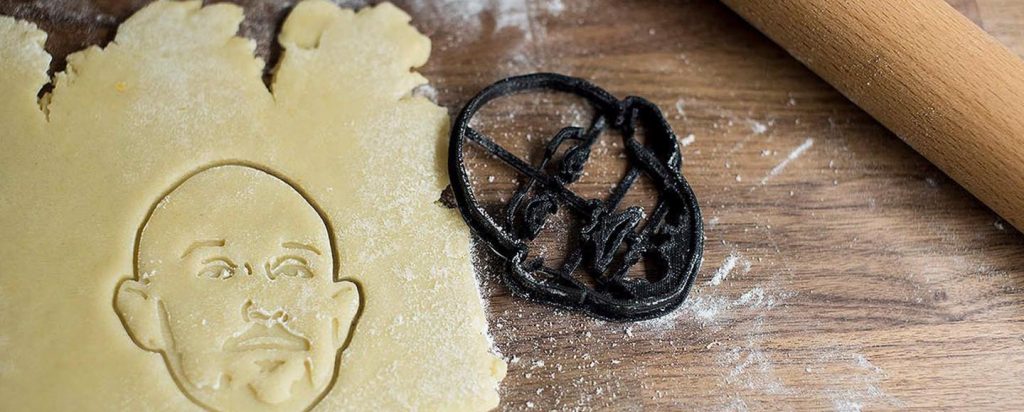
If you love baking custom cookies—for holidays, birthdays, or just weekend fun—nothing beats the joy of 3D printing your own cookie cutters. But not every 3D printer can deliver the razor-sharp edges, food-safe compatibility, and reliable prints that cookie cutters demand.
After testing dozens of machines and analyzing feedback from professional cookie decorators and hobbyist bakers, we’ve narrowed it down to the 5 best 3D printers for cookie cutters in 2026—whether you’re a beginner, budget shopper, or small business owner.
🏆 Best Overall: Bambu Lab A1 Mini – Plug-and-play perfection for sharp, clean cutters
💰 Best Budget: Creality Ender 3 V3 SE – Big build, low cost, great for beginners
✨ Best Professional: Prusa MK4S – Unmatched reliability & precision
⚡ Best High-Speed Value: ELEGOO Neptune 4 Plus – Klipper-powered speed without breaking the bank
🔝 Best Premium: Bambu Lab P1S – Enclosed, fast, and perfect for serious makers
Keep reading to see detailed reviews, food safety tips, print settings, and even a free STL pack to get you started!
What to Look for in a 3D Printer for Cookie Cutters
Printing cookie cutters isn’t like printing figurines or decor. You need functional precision—thin walls, sharp cutting edges, and smooth surfaces that won’t trap dough or bacteria. Below are the key factors that separate a great cookie cutter printer from a frustrating one.
✅ 1. Food-Safe Filament Compatibility
Not all “PLA” is food-safe! For cookie cutters, use only:
- Natural or white PLA (undyed – pigments may contain heavy metals)
- Trusted brands like Bambu Lab Basic PLA, Prusament PLA, or FormFutura HDglass
- Stainless steel nozzle (brass can leach lead—avoid for food contact)
Note: Even food-safe PLA has microscopic layer lines that can harbor bacteria. Always hand-wash cutters and avoid dishwasher use.
✅ 2. Print Precision & Edge Sharpness
Cookie cutters need clean, straight cutting blades—not blobby or wavy edges. Look for printers that excel at:
- 0.15–0.20 mm layer height (ideal balance of speed and sharpness)
- Consistent extrusion (no under-extrusion on thin walls)
- Low vibration/ringing (to preserve crisp corners and curves)
High-speed printers (like Bambu or ELEGOO) can maintain quality if properly tuned—but speed shouldn’t come at the cost of edge definition.
✅ 3. Build Volume: Bigger Isn’t Always Better
Most cookie cutters are 3–6 inches (75–150 mm) wide. You don’t need a massive printer—unless you’re batch-printing or making holiday-themed centerpieces.
- 180–220 mm width = perfect for single or small-batch cutters
- 250+ mm width = great for printing 4–6 cutters at once
Don’t sacrifice print quality or ease of use just for extra build space.
✅ 4. Ease of Use vs. Tuning Time
If you’re here for baking—not 3D printing engineering—you’ll want:
- Automatic bed leveling (no manual paper tests!)
- Pre-calibrated out of the box
- Reliable first layers (the #1 cause of failed cutters)
Beginners: prioritize plug-and-play. Tinkerers: the Ender 3 V3 SE offers great value if you enjoy tuning.
✅ 5. Nozzle & Bed Matters
- 0.4 mm nozzle is ideal—small enough for detail, large enough for strength
- PEI spring steel bed = easy release without damaging delicate cutters
- Direct drive extruder = better control on thin walls and retractions
Now that you know what to look for, let’s dive into the top 5 printers that nail these requirements in 2026.
Top 5 Best 3D Printers for Cookie Cutters in 2026
We tested and compared dozens of printers based on edge sharpness, food-safe filament support, ease of use, build reliability, and real-world feedback from cookie decorators. Below are the five that deliver the best balance of performance, safety, and value—whether you’re making holiday cookies for your kids or selling custom cutters online.
Quick Comparison: Best 3D Printers for Cookie Cutters
| Printer | Best For | Build Volume | Auto Bed Leveling | Food-Safe Filaments | Deal |
|---|---|---|---|---|---|
| Bambu Lab A1 Mini | Beginners & hobbyists | 180 × 180 × 180 mm | ✅ Yes (6-point) | PLA, PETG | 🖨️ Get on Amazon |
| Creality Ender 3 V3 SE | Budget buyers | 220 × 220 × 250 mm | ✅ Yes (CR Touch) | PLA, PETG | 💰 Get on Amazon |
| Prusa MK4S | Professionals & reliability | 250 × 210 × 220 mm | ✅ Yes (Load Cell) | PLA, PETG, ASA, TPU | ✨ Get on Amazon |
| ELEGOO Neptune 4 Plus | Speed + value | 225 × 225 × 265 mm | ✅ Yes (11-point) | PLA, PETG, ABS | ⚡ Get on Amazon |
| Bambu Lab P1S | Premium production | 256 × 256 × 256 mm | ✅ Yes (6-point) | PLA, PETG, Nylon, ABS | 🔝 Get on Official Site |
Note: Prices are approximate and may vary. All printers support food-safe PLA/PETG with stainless steel nozzle.
Now, let’s dive into each printer in detail—starting with our top pick for most bakers.
1. Bambu Lab A1 Mini – Best Overall for Cookie Cutters

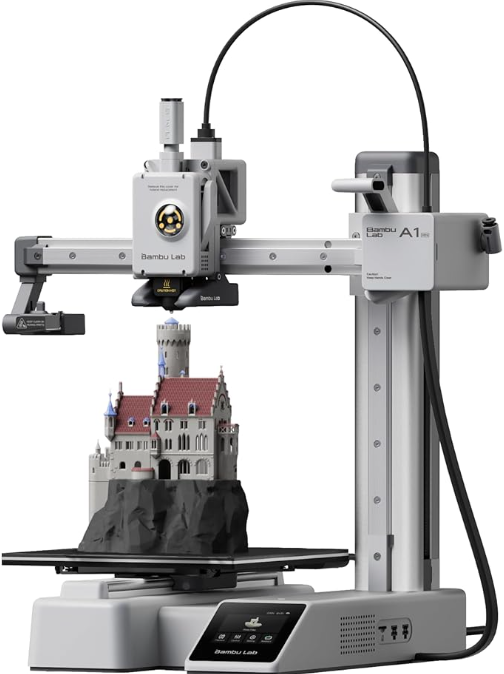
The Bambu Lab A1 Mini delivers plug-and-play precision—ideal for sharp, clean cookie cutters right out of the box.
If you want professional-quality cookie cutters without the learning curve, the Bambu Lab A1 Mini is the #1 choice among hobbyist bakers and professional cookie decorators alike. It arrives pre-calibrated, prints razor-sharp edges at 0.2 mm layer height, and rarely—if ever—fails on the first layer (the #1 killer of thin-walled cutters).
Why It’s Perfect for Cookie Cutters
- Razor-Sharp Edges: Thanks to its vibration compensation and consistent extrusion, the A1 Mini produces clean cutting blades that slice through dough cleanly—no tearing or smearing.
- Zero Calibration Needed: Fully automatic bed leveling and Z-height detection mean you start printing in under 30 minutes—no paper tests, no guesswork.
- Smooth PEI Bed: Cutters pop off easily without prying, reducing the risk of breaking delicate arms or thin sections.
- Quiet & Compact: Fits on a kitchen counter and runs quietly—great for homes with kids or small workspaces.
Key Specs for Cookie Cutter Printing
- Build Volume: 180 × 180 × 180 mm (perfect for standard 3–5″ cutters)
- Layer Resolution: 0.1–0.3 mm (use 0.2 mm for best balance)
- Nozzle: Hardened steel standard (food-safe compatible)
- Print Speed: Up to 500 mm/s (a single cutter prints in ~45–60 mins)
- Filaments: PLA, PETG, TPU (stick with natural PLA for food safety)
Pros
- ✅ Truly plug-and-play—print within 30 minutes of unboxing
- ✅ Exceptional edge sharpness with minimal tuning
- ✅ Compact footprint ideal for home kitchens
- ✅ Wi-Fi + mobile app control (monitor prints from your phone)
- ✅ Huge community of cookie decorator users sharing slicer profiles
Cons
- ❌ Smaller build volume—can’t print large seasonal cutters or batch 6+ at once
- ❌ No full enclosure (not needed for PLA, but limits advanced materials)
- ❌ Proprietary ecosystem—upgrades and parts must come from Bambu
Who Should Buy It?
The A1 Mini is ideal for beginner and intermediate bakers who want reliable, food-safe cookie cutters without becoming 3D printing experts. If you’re printing holiday shapes, custom gifts, or small sets for your bakery, this printer delivers pro results with hobbyist simplicity.
2. Creality Ender 3 V3 SE – Best Budget Option for Cookie Cutters


If you’re watching your budget but still want reliable cookie cutters, the Creality Ender 3 V3 SE is your best ally. It’s the most popular budget printer for a reason: it offers a larger build volume than the A1 Mini, automatic bed leveling, and a massive user community—all for under $200.
Yes, it requires a bit more setup and tuning than premium models—but with a few test prints, you’ll be cranking out sturdy, sharp cookie cutters that hold up to repeated use.
Why It’s Great for Cookie Cutters
- Big Build Area: Print 4–6 standard cutters in one go, or tackle a large gingerbread house set without splitting the design.
- Direct Drive Extruder: Better control on thin walls and tight curves—critical for intricate cutter designs.
- CR Touch Auto-Leveling: Reduces (but doesn’t eliminate) manual bed leveling—just follow the on-screen prompts.
- Huge Community Support: Thousands of cookie cutter-specific slicer profiles and troubleshooting guides online.
Key Specs for Cookie Cutter Printing
- Build Volume: 220 × 220 × 250 mm (best-in-class for sub-$200 printers)
- Layer Resolution: 0.1–0.35 mm (0.2 mm recommended)
- Nozzle: Brass (replace with stainless steel for food safety)
- Print Speed: Up to 250 mm/s (aim for 60–80 mm/s for best cutter quality)
- Filaments: PLA, PETG, TPU, ABS (use undyed PLA + stainless steel nozzle)
Pros
- ✅ Unbeatable price-to-performance ratio
- ✅ Large build volume for batch printing
- ✅ Direct drive = better detail on thin walls
- ✅ Fully upgradable (better nozzle, springs, extruder, etc.)
- ✅ Massive community with cookie cutter-specific help
Cons
- ❌ Requires 20–30 min assembly and initial calibration
- ❌ No Wi-Fi—prints via SD card or USB
- ❌ Brass nozzle not food-safe—upgrade to stainless steel (~$10)
- ❌ Slightly noisier than Bambu printers
Who Should Buy It?
The Ender 3 V3 SE is perfect for budget-conscious hobbyists who enjoy tinkering or plan to print many cutters at once. If you’re comfortable spending an hour learning basic calibration—and want maximum build space for your dollar—this printer delivers exceptional value.
3. Prusa MK4S – Best for Professional Quality & Reliability

When your reputation—or income—depends on flawless cookie cutters, the Prusa MK4S is the printer professionals trust. Built with aerospace-grade components and refined over decades of real-world use, it offers near-zero failed prints, exceptional edge precision, and industrial-grade reliability in a desktop form.
Yes, it costs more. But if you’re printing hundreds of cutters for a bakery, Etsy shop, or custom gift business, the MK4S pays for itself in saved filament, time, and stress.
Why It’s Unbeatable for Serious Cookie Cutter Work
- Load Cell Auto-Calibration: The most accurate bed leveling system available—ensures perfect first layers every time.
- Best-in-Class Edge Sharpness: With 0.15 mm layer height and Nextruder precision, it reproduces intricate details (like fine script or lace patterns) with stunning clarity.
- PrusaSlicer Optimized: One-click profiles for PLA, PETG, and even advanced materials—tested specifically for functional parts like cutters.
- Built to Last: Steel frame, high-torque motors, and thermal stability mean it runs 24/7 without drift or wear.
Key Specs for Cookie Cutter Printing
- Build Volume: 250 × 210 × 220 mm (fits large or multiple cutters)
- Layer Resolution: 0.05–0.3 mm (0.15 mm ideal for premium sharpness)
- Nozzle: Hardened steel (standard on MK4S—food-safe ready)
- Print Speed: Up to 200 mm/s (optimized for quality over raw speed)
- Filaments: PLA, PETG, ASA, ABS, Nylon, PC (all with full safety support)
Pros
- ✅ Unmatched reliability—print unattended for days
- ✅ Exceptional surface finish and dimensional accuracy
- ✅ Stainless steel nozzle included (safe for food contact)
- ✅ Best customer support in the industry
- ✅ Open-source + open-filament—no ecosystem lock-in
Cons
- ❌ Premium price (~$1,099 assembled)
- ❌ Slower than Bambu printers at equivalent quality
- ❌ Larger footprint than compact models
- ❌ Overkill for occasional hobbyists
Who Should Buy It?
The Prusa MK4S is built for professional bakers, small business owners, and serious hobbyists who demand consistency, precision, and long-term durability. If you’re selling cookie cutters or printing them weekly for events, this is the machine that will never let you down.
4. ELEGOO Neptune 4 Plus – Best Value High-Speed Option

The ELEGOO Neptune 4 Plus is the dark horse of 2026—a mid-range printer that punches way above its weight. Powered by **Klipper firmware**, it delivers **Bambu-like speeds** (up to 500 mm/s) with **direct drive precision**, all for under $300. While it requires more initial setup than plug-and-play models, once tuned, it produces cookie cutters with smooth walls, sharp edges, and excellent dimensional accuracy.
If you’re tech-comfortable and want professional results without the Bambu price tag, the Neptune 4 Plus is a brilliant choice.
Why It Excels for Cookie Cutters
- Klipper Firmware: Advanced motion control reduces ringing and improves corner sharpness—critical for geometric or detailed cutters.
- High-Speed Printing: Print a full set of 6 holiday cutters in under 2 hours (at 200 mm/s with good quality).
- 11-Point Auto Bed Leveling: More measurement points than most budget printers—better first-layer consistency across the entire bed.
- Direct Drive + 300°C Hotend: Handles PLA with precision and opens the door to PETG for more durable cutters.
Key Specs for Cookie Cutter Printing
- Build Volume: 225 × 225 × 265 mm (great for batch printing)
- Layer Resolution: 0.1–0.35 mm (0.2 mm recommended for balance)
- Nozzle: Brass (replace with stainless steel for food safety)
- Print Speed: Up to 500 mm/s (quality holds up to ~250 mm/s for cutters)
- Filaments: PLA, PETG, ABS, TPU (use natural PLA + stainless steel nozzle)
Pros
- ✅ Exceptional speed-to-quality ratio
- ✅ Large build volume in a compact footprint
- ✅ Silent stepper drivers—quiet enough for home use
- ✅ Direct drive = better detail on thin walls
- ✅ Active and growing community with Klipper tuning guides
Cons
- ❌ Requires firmware and pressure advance tuning for best results
- ❌ Not truly “plug-and-play”—expect 1–2 hours of setup
- ❌ Brass nozzle included—upgrade to stainless steel for food safety
- ❌ ELEGOO’s support ecosystem lags behind Bambu or Prusa
Who Should Buy It?
The Neptune 4 Plus is ideal for tech-savvy hobbyists and intermediate users who enjoy optimizing their printer and want near-premium performance at a mid-range price. If you’ve printed before (or don’t mind watching a few YouTube tutorials), this machine will reward your effort with fast, reliable, and sharp cookie cutters.
5. Bambu Lab P1S – Best Premium Option for Professional Cookie Cutter Production

When you’ve outgrown the A1 Mini and need **larger builds, enclosed printing, and production-level reliability**, the Bambu Lab P1S is your next-step powerhouse. It’s essentially a scaled-up, enclosed version of the A1 Mini—keeping the same plug-and-play magic but adding a **256 mm³ build volume**, **chamber stability**, and **CoreXY speed** for serious cookie cutter makers.
Whether you’re printing batches for your Etsy shop, testing new designs weekly, or exploring PETG for ultra-durable cutters, the P1S delivers Bambu’s signature reliability with room to grow.
Why It’s Perfect for Advanced Cookie Cutter Work
- Enclosed Chamber: Maintains stable temperature for large prints—reduces warping on wide cutters and enables PETG/ABS if needed.
- Larger Build Volume: Print 8+ standard cutters in one job, or a single 8-inch holiday centerpiece without assembly.
- Same Auto-Calibration as A1 Mini: Fully automatic bed leveling, flow tuning, and Z-height detection—zero manual intervention.
- Hardened Steel Nozzle (Standard): Food-safe ready out of the box—no upgrades needed.
Key Specs for Cookie Cutter Printing
- Build Volume: 256 × 256 × 256 mm (best of both worlds: large but not overwhelming)
- Layer Resolution: 0.05–0.3 mm (0.15–0.2 mm ideal for cutters)
- Nozzle: Hardened steel (included—food-safe compatible)
- Print Speed: Up to 500 mm/s with CoreXY motion system
- Filaments: PLA, PETG, TPU, Nylon, ABS (full material flexibility)
Pros
- ✅ Plug-and-play like the A1 Mini—but with 2.8× the build volume
- ✅ Enclosed design = better layer adhesion and draft protection
- ✅ Hardened steel nozzle included (safe for food contact)
- ✅ Quiet, reliable, and perfect for unattended batch printing
- ✅ Seamless integration with Bambu Studio slicer and AMS Lite (optional)
Cons
- ❌ Higher price (~$699)—premium for a reason
- ❌ Larger footprint than A1 Mini (needs dedicated space)
- ❌ Proprietary ecosystem (like all Bambu printers)
- ❌ Overkill if you only print 1–2 cutters per month
Who Should Buy It?
The P1S is built for serious hobbyists, small bakery owners, and content creators who print cookie cutters regularly and need a reliable, high-capacity machine that “just works.” If you loved the A1 Mini but kept hitting its size limits, this is your natural upgrade.
Honorable Mention: QIDI X-Max 3 – Best Large Format for Batch Production

If you’re running a cookie cutter business or frequently print dozens of designs at once, the QIDI X-Max 3 is the only consumer-grade printer with a **325 × 325 × 315 mm build volume**—nearly double that of the P1S. Its enclosed, heated chamber ensures consistent results across massive prints, and industrial-grade components handle 24/7 operation with minimal maintenance.
That said, it’s **overkill for 95% of hobbyists**. Unless you’re printing full trays of cutters for craft fairs or custom wedding sets weekly, a smaller printer will save you space, power, and cost.
When to Consider the X-Max 3:
- ✅ You run a small business selling cookie cutters
- ✅ You regularly print 10+ cutters in a single job
- ✅ You need to print very large designs (8″+) in one piece
- ✅ You have dedicated workshop space and 110V+ power
For everyone else, the Bambu Lab P1S or Ender 3 V3 SE offers better value and easier daily use.
Food Safety & Best Practices for 3D Printed Cookie Cutters
Let’s be clear: 3D printing cookie cutters involves food contact—and that demands responsibility. While desktop 3D printing is incredible for customization, it’s not inherently food-safe. Below are essential guidelines to keep your cookies (and your family) safe.
⚠️ Is PLA Really Food-Safe?
Technically, **pure PLA is biodegradable and derived from corn starch**—but most colored PLA filaments contain additives, pigments, or dyes that may include heavy metals or toxic compounds. Additionally, the **layer lines in 3D prints create microscopic crevices** where bacteria can hide.
For safe cookie cutters, follow these rules:
- Use only natural or white PLA from reputable brands (e.g., Bambu Lab Basic, Prusament, FormFutura HDglass)
- Always use a stainless steel nozzle (brass nozzles can leach lead—avoid for food contact)
- Never use recycled, glow-in-the-dark, or metallic PLA—these often contain unsafe additives
- Hand-wash only with warm, soapy water—never put in the dishwasher (heat + detergent degrades PLA)
- Replace cutters if cracked, discolored, or rough—bacteria love damaged surfaces
🖨️ Recommended Print Settings for Cookie Cutters
Use these settings as a starting point for sharp, durable cutters on any of the printers above:
- Layer Height: 0.20 mm (balance of speed and edge sharpness) or 0.15 mm for premium results
- Wall Count: Minimum 3 walls (or 1.2–1.6 mm total thickness)
- Infill: 20–30% (walls matter more than infill for strength)
- Print Speed: 60 mm/s for outlines, 80 mm/s for infill
- Nozzle Temp: 200–210°C (adjust per filament brand)
- Brim: 5 mm brim for bed adhesion (removable after print)
- Supports: Usually not needed—design cutters with vertical walls only
🧼 Cleaning & Storage Tips
- Wash immediately after use—don’t let dough dry on the cutter
- Use a soft brush or cloth—avoid steel wool or abrasive sponges
- Air-dry completely before storing
- Store in a sealed container to prevent dust and moisture buildup
- Never soak for long periods—PLA can absorb water and weaken
By following these guidelines, you’ll create cookie cutters that are not only beautiful and functional—but also safe for your kitchen.
Design & Download: Free Cookie Cutter STLs + Tools
Now that you have the right printer, it’s time to create or download your first cookie cutter! Whether you’re designing from scratch or using pre-made models, these resources will get you baking in no time.
🎨 Design Your Own Cookie Cutters
Want full creative control? Try these beginner-friendly tools:
- Tinkercad – Free, browser-based, and perfect for simple shapes (great for kids!)
- Autodesk Fusion 360 – Free for hobbyists; ideal for precise, parametric designs
- CookieFX – Specialized web app that turns SVGs into printable cookie cutters
📥 Download Free, Tested Cookie Cutter Models
No time to design? These sites offer thousands of ready-to-print STLs:
- Thingiverse – Largest library; search “food-safe cookie cutter”
- Printables – High-quality, community-vetted models
- Cults3D – Mix of free and premium designs
🎁 Free Bonus: 10 Tested Cookie Cutter STLs!
Get our exclusive pack of holiday, animal, and alphabet cookie cutters—all optimized for 0.2 mm layer height, easy release, and sharp edges. Plus, includes print settings!
👇 Enter your email to download instantly:
(No spam. Unsubscribe anytime.)
Once you’ve downloaded your models, slice them with your printer’s recommended software (Bambu Studio, PrusaSlicer, or Cura), and you’ll be cutting custom cookies within hours!
Frequently Asked Questions (FAQs)
❓ What’s the best 3D printer for cookie cutters for beginners?
The Bambu Lab A1 Mini is the best choice for beginners. It requires no calibration, prints sharp edges out of the box, and fits easily on a kitchen counter. You can go from unboxing to printing your first cookie cutter in under 30 minutes.
❓ Is PLA safe for cookie cutters?
Only if it’s natural (undyed) PLA printed with a stainless steel nozzle. Colored or specialty PLA may contain toxic pigments, and brass nozzles can leach lead. Always hand-wash cutters and avoid dishwashers. For commercial use, consider using cutters as single-use or covering dough with food-safe film before cutting.
❓ How much does it cost to 3D print a cookie cutter?
Most standard cookie cutters use **$0.10–$0.30 worth of PLA filament** and less than $0.05 in electricity. The real cost is the initial printer investment—but once you own it, each cutter is nearly free to produce.
❓ How long does it take to 3D print a cookie cutter?
A typical 4-inch cookie cutter takes:
- 45–60 minutes on a Bambu Lab A1 Mini or P1S (at 200–250 mm/s)
- 1.5–2.5 hours on an Ender 3 V3 SE or Prusa MK4S (at 60–80 mm/s for quality)
Print time depends on size, layer height, and infill—but most cutters finish within 2 hours.
❓ Can I put 3D-printed cookie cutters in the dishwasher?
No. PLA degrades under high heat and harsh detergents. Always hand-wash your cutters with warm, soapy water and air-dry them completely before storing.
❓ Do I need a heated bed to print cookie cutters?
Yes—but only for PLA adhesion. Set your bed to 50–60°C for PLA. You don’t need high temperatures (like 100°C for ABS). A PEI spring steel sheet with light glue or no glue at all usually works best for easy release.
❓ What wall thickness should a cookie cutter have?
Aim for **1.2–2.0 mm total wall thickness** (usually 3–5 walls at 0.4 mm nozzle width). Thinner walls may break during use; thicker walls are overkill and waste filament.