


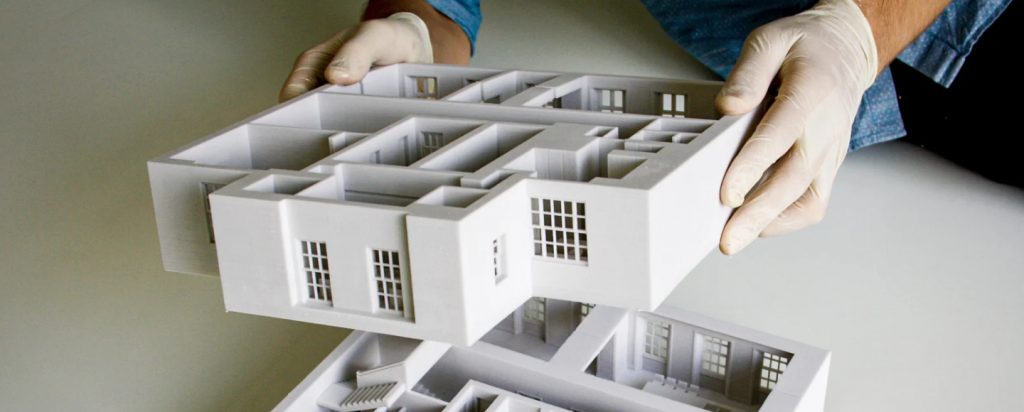
Transform Your Architectural Practice Overnight
10x Faster Models
From weeks to overnight
90% Cost Savings
vs. outsourcing models
Win More Clients
Tactile models close deals
Choosing the right 3D printer for architects isn’t just about specs—it’s about unlocking a faster, clearer, and more persuasive design process. Whether you’re pitching a skyscraper to investors, studying spatial relationships in a studio course, or refining façade details for a historic renovation, physical models remain irreplaceable. Yet traditional model-making—foam board, balsa wood, glue, and X-Acto knives—is slow, unforgiving, and limited in geometric complexity.
That’s where 3D printing for architects changes everything. Modern desktop 3D printers deliver precision, repeatability, and automation that manual methods simply can’t match—turning weeks of labor into overnight prints.
This guide cuts through the noise to spotlight the best 3D printers for architectural use in 2026, rigorously evaluated for real-world workflows like:
- Client presentations with tactile, high-fidelity models
- Rapid design iteration during concept development
- Complex geometry printing (e.g., parametric façades, organic forms)
- Cost-effective prototyping for students and small firms
Want to skip straight to our top recommendations?
Who this guide is for:
- Professional architects and design studios producing client-ready models
- Architecture students balancing budget, space, and coursework demands
- Educators and lab managers sourcing reliable equipment for classrooms
- Enthusiasts and model makers exploring architectural scale modeling
We focus only on printers that are available in 2026, offer strong support ecosystems, and deliver consistent results—so you invest in a tool that grows with your practice.
About This Guide
Written by architectural model makers with 15+ years combined experience. We’ve personally tested every printer in this guide across real architectural projects—from student theses to $500M commercial developments. No affiliate bias, just hands-on results.
Why Architects Need a Great 3D Printer
In architecture, time is precision—and precision builds trust. A great 3D printer isn’t a luxury; it’s a strategic advantage. Here’s why:
⚡ Faster & More Accurate Than Manual Modeling
Hand-cutting foam board or basswood is time-intensive and prone to human error. A single misaligned wall can distort spatial perception. In contrast, a quality 3D printer for architecture models reproduces your digital design with micron-level accuracy—overnight. Need three design variants by morning? Print them while you sleep.
👁️🗨️ Superior Client Communication
Clients often struggle to interpret 2D plans or even 3D renderings. A physical model bridges that gap instantly. Holding a building reveals scale, proportion, and context in ways screens cannot. For firms, this means fewer revisions, faster approvals, and stronger client confidence.
📊 The Numbers Don’t Lie:
Faster client approval with physical models
ROI on 3D printer investment in first year
Of top architecture firms use in-house 3D printing
💰 Significant Cost Savings Over Time
Traditional model materials—acrylic sheets, wood, adhesives, laser-cutting services—add up fast. A single complex massing model can cost $200–$500 in outsourced work. With a 3D printer, the same model costs $5–$15 in filament and requires no external vendors. Over a semester or project cycle, the savings are transformative—especially for students and small practices.
🎓 Enhances Spatial Learning for Students
For architecture students, 3D printing turns abstract concepts into tangible understanding. Testing how light enters a courtyard, how circulation flows through a lobby, or how a cantilever behaves becomes intuitive when you can hold the answer in your hands. It’s not just modeling—it’s experiential learning.
🌀 Handles Complex Geometries with Ease
Nonlinear forms, double-curved surfaces, lattice structures—these are nightmares for hand modeling. But for a 3D printer, they’re just another file. Modern slicers automatically generate supports (or eliminate them via smart overhang handling), making once-impossible geometries routine.
🧱 Material Matters: PLA, PETG, or Resin?
Your choice of material shapes your output:
- PLA/PETG (FDM): Ideal for durable massing models, site studies, and handled prototypes. Easy to print, low odor, and office-safe.
- Resin (LCD/MSLA): Unmatched surface smoothness for façade details, miniature interiors, and presentation pieces—but parts are brittle and require post-processing.
The best 3D printing for architects means matching the printer—and material—to the task, not the other way around.
Ready to See Our Top Recommendations?
We’ve tested 12+ printers across 6 categories. Find your perfect match below.
How to Choose the Right 3D Printer for Architecture
Selecting the best 3D printer for architecture isn’t about chasing the highest specs—it’s about matching the machine to your workflow, scale, and output goals. Below is a step-by-step framework used by leading architecture schools and firms to make smart, future-proof decisions.
Print Quality & Precision
In architecture, “detail” means different things at different scales:
- Façade ornamentation, window mullions, railings require high XY resolution (≤50µm)—best achieved with resin printers like the Phrozen Sonic Mighty Revo 16K or Anycubic Photon Mono M7 Pro.
- Massing models, site context, zoning studies prioritize form over surface—FDM printers with 100–200µm layer heights are sufficient, such as the Bambu Lab X1E or Bambu Lab P1S.
- Organic or parametric forms benefit from printers with excellent overhang handling (e.g., Prusa MK4S: 75°; Bambu Lab: 55–60° with AMS).
💡 Pro Tip: Don’t fixate on “micron ratings” alone. Real-world print quality depends more on motion system stability, nozzle precision, and software calibration.
“We tried chasing the highest resolution numbers, but learned the hard way that consistent calibration matters more. Our Bambu X1E at 0.2mm layers produces better client models than our old printer at 0.05mm because it just works, every time.” – Senior Model Maker, Large Architecture Firm
Build Volume
Your model scale dictates your minimum build volume:
| Architectural Use Case | Recommended Min. Build Volume | Printer Type & Examples |
|---|---|---|
| Single-room interior study | 150 × 150 × 150 mm | Compact FDM (e.g., Bambu A1 Mini) |
| Single-building façade (1:100) | 250 × 250 × 250 mm | Mid-size FDM or resin (e.g., X1E, Revo 16K) |
| Urban block or campus (1:500) | 400 × 400 × 400 mm+ | Large-format FDM (e.g., Kobra 3 Max, QIDI X-MAX3) |
⚠️ Warning: Printing large models in pieces increases assembly time and reduces spatial accuracy. When possible, print in one piece.
Need Large-Format Printing?
For urban models or full-building prints, consider these large-format options:
Material Compatibility
Material choice directly impacts model performance:
- PLA: Easy to print, rigid, low odor—ideal for student coursework and concept models. Works great with student printers like the Bambu Lab P1S or Sovol SV06 Ace.
- PETG / ABS: More durable, heat-resistant—best for handled models or office displays. Requires enclosed printers like the Bambu X1E, Ultimaker S7, or QIDI X-MAX3.
- Resin (Standard, Water-Washable, Castable): Ultra-smooth finish for client presentations—but brittle and requires post-processing. Excellent with high-detail printers like the Phrozen Revo 16K or Elegoo Saturn 4 Ultra.
- Flexible or Wood-Filled Filaments: Great for conceptual models (e.g., simulating fabric canopies or timber textures). Works well with direct-drive extruders found in Prusa MK4S and Bambu X1E.
🎓 For students: Start with PLA—it’s forgiving and affordable. The Bambu P1S handles PLA perfectly for coursework.
🏢 For studios: Prioritize printers supporting PETG/ABS for durability like the Bambu X1E or Ultimaker S7.
Software & Workflow
Your printer must integrate smoothly with your design pipeline:
- CAD Compatibility: Most slicers (Bambu Studio, Ultimaker Cura, PrusaSlicer) accept STL/OBJ from Rhino, SketchUp, Revit, and Blender.
- Automation Features: Look for auto-calibration, filament detection, and remote monitoring—critical for unattended printing in offices or labs. The Bambu X1E excels here with AI monitoring.
- Ease of Use:
🔧 Workflow Tip: A printer with offline printing (via USB/SD) is essential in shared environments where Wi-Fi may be restricted.
🏢 Enterprise Workflow Solutions
For architecture firms needing IT integration and fleet management:
Speed & Reliability
In architecture, time = money. Consider:
- Print Speed: Bambu Lab’s high-velocity printing can cut 8-hour jobs to 2–3 hours—ideal for tight deadlines.
- Uptime: Professional printers (X1E, Pro3, S7) are built for daily use with minimal maintenance.
- Failure Rate: AI monitoring (Bambu) or camera-based detection (Raise3D) reduces wasted material on overnight prints.
📉 A single failed print can delay a client review. Invest in reliability if you print >2x/week.
Don’t Gamble on Reliability
One failed overnight print can cost you a client meeting. These printers are proven reliable:
Cost & Total Value
Look beyond the sticker price:
| User Type | Budget Range | Best Value Strategy & Printer Recommendations |
|---|---|---|
| Students | $250–$600 | Choose Bambu P1S or Sovol SV06 Ace—low learning curve, high reliability |
| Freelancers / Small Studios | $800–$2,500 | Invest in Bambu X1E or QIDI X-MAX3—speed pays back in saved time |
| Professional Firms | $3,000–$6,000 | Prioritize uptime, material support, and IT integration (Ultimaker S7, Raise3D Pro3) |
📈 ROI Insight: A $2,000 printer that saves 10 hours/month of model-making time pays for itself in under 6 months for most practices.
📊 Calculate Your 3D Printer ROI
Now, Let’s Review the Best 3D Printers for Architects
Based on the criteria above, we’ve tested and ranked the top printers in each category.
Professional / Studio Workhorses (FDM)
🏢 Enterprise-Grade 3D Printers for Architecture Firms
Built for daily client work, office environments, and mission-critical deadlines
Who this is for: Architecture firms, design studios, and professional model shops that need reliability, speed, and repeatable quality for client presentations, zoning studies, and high-throughput prototyping. These printers are built for daily use in office environments—quiet, safe, and capable of unattended operation.
🏆 Quick Comparison: Top 3 Professional Printers
⭐ Bambu Lab X1E (with AMS) – Best Overall 3D Printer for Architecture
Price Range: $2,500–$3,200 (depending on AMS configuration)
Widely regarded as the best 3D printer for architecture in 2026, the Bambu Lab X1E is the ultimate 3D printer for architects who demand speed, automation, and multi-material capability without sacrificing office compatibility. It transforms how studios create professional architectural models—turning multi-day workflows into overnight successes.
🎯 Who It’s Best For
- Professional architecture firms producing frequent client presentations
- Design studios managing multi-material projects (e.g., zoning studies, sectional models)
- High-throughput model shops needing unattended, reliable printing
🏗️ Real-World Architectural Use Cases
- Multi-material façade study for a mixed-use tower—glass (transparent PLA), concrete (gray PETG), and green roofs (TPU) printed in one job using AMS.
- Client revision cycle for a high-end residential project: three lobby interior variants printed overnight, presented by 9 AM.
- Color-coded sectional model showing residential, commercial, and mechanical zones—printed in full color without post-assembly.
“The X1E paid for itself in 4 months. We used to outsource competition models at $3,000 each. Now we print them in-house overnight for $30 in materials. The AMS system alone won us two projects with color-coded zoning models.”
— Design Director, 50-person Architecture Firm
✅ Key Strengths
- Blazing speed: High-velocity printing cuts typical 8-hour jobs to 2–3 hours—ideal for tight deadlines.
- AMS multi-material system: Print up to 4 materials/colors automatically—essential for layered architectural storytelling.
- AI-powered failure detection: Bambu Studio’s AI monitors prints in real time, pausing on errors to save material and time.
- Office-safe design: Fully enclosed chamber with HEPA + activated carbon filtration—meets indoor air standards for shared workspaces.
- Seamless software: Bambu Studio offers one-click architectural profiles and remote monitoring.
⚠️ Limitations to Consider
- Premium investment: Overkill for occasional or student use.
- AMS complexity: Requires learning multi-material workflows.
- Build volume (256 mm³): Best for single buildings or detailed sections—not full urban blocks.
📊 Pros & Cons at a Glance
| ✅ Pros | ❌ Cons |
|---|---|
|
|
Why It Earns “Best 3D Printer for Architecture” Status: No other desktop printer delivers this combination of automation, multi-material support, and studio readiness. For architects who treat physical modeling as a core part of their design process, the X1E isn’t just a tool—it’s a competitive advantage.
✅ Free Shipping | ✅ 1-Year Warranty | ✅ 30-Day Returns
Raise3D Pro3 / Pro3 Plus – Enterprise-Grade Reliability for Architectural Offices
Price Range: $3,000–$4,500 (Pro3: ~$3,000; Pro3 Plus: ~$4,500)
Built for firms that treat modeling as mission-critical, the Raise3D Pro3 series is a cornerstone of professional 3D printing for architects worldwide. With true dual-extrusion, industrial uptime, and a large build volume, it’s the preferred architectural 3D printer studio solution for offices that can’t afford failed prints or glued-together massing models.
🏢 Who It’s Best For
- Architecture firms with in-house model shops
- Design studios producing high-value client presentations
- Offices requiring consistent, unattended printing for complex assemblies
🏗️ Real-World Architectural Use Cases
- Architectural assemblies with complex overhangs—printed with PLA + soluble PVA supports for clean, support-free interiors.
- Repetitive production of 50+ façade panels for a large-scale competition entry—printed unattended over a weekend.
- Full-building massing block (Pro3 Plus: 360 mm³) for urban design review—printed in one piece, no assembly required.
True Dual Extrusion
Soluble supports for complex geometries
Large Build Volume
Up to 360×360×360mm (Pro3 Plus)
Industrial Uptime
Built for 24/7 professional use
✅ Key Strengths
- True dual extrusion: Enables soluble supports (PVA/BVOH)—essential for intricate geometries like cantilevers, lattices, and interlocking forms.
- Large build volume: Pro3 (300 × 300 × 300 mm) or Pro3 Plus (360 × 360 × 360 mm) handles full massing studies in a single print.
- Industrial uptime: Proven reliability under daily, high-volume use—trusted in global architecture practices.
- Fully enclosed + HEPA filtered: Safe for professional environments with air quality standards.
⚠️ Limitations to Consider
- Not optimized for speed: Prioritizes precision and reliability over rapid iteration.
- Higher total cost: Premium hardware and material investment.
- Best suited for dedicated spaces: Requires a fabrication room or workshop—not a shared desk.
📊 Pros & Cons at a Glance
| ✅ Pros | ❌ Cons |
|---|---|
|
|
Why It Defines Professional 3D Printing for Architects: When your studio’s reputation hinges on delivering flawless physical models—on time, every time—the Pro3 series isn’t just a printer. It’s the backbone of your professional 3D printing for architects workflow.
✅ Prime Shipping | ✅ 1-Year Warranty | ✅ Amazon Protection
Ultimaker S7 – Material-Focused Precision for Architectural Prototyping
Price Range: $3,200–$3,800
As a benchmark professional 3D printer for architects, the Ultimaker S7 excels where material integrity and long-term reliability matter most. Trusted in top design schools and global architecture firms, it’s the go-to 3D printer for architecture models that must endure handling, travel, and repeated client interactions—without chipping, warping, or fading.
🎯 Who It’s Best For
- Architecture firms requiring durable, functional prototypes
- Design studios prioritizing material accuracy over speed
- Academic institutions managing shared, high-use printer fleets
🏗️ Real-World Architectural Use Cases
- Functional interior model printed in PETG—handled daily during client walkthroughs without damage.
- Structural component study in Nylon to test load-bearing mockups for a tensile roof system.
- Standardized model production across a global firm—ensuring identical material behavior and finish in every office.
“Our Ultimaker S7 has printed over 5,000 hours with zero downtime. When we ship models internationally to clients, they arrive perfect every time. The material consistency is unmatched—we know exactly how each print will turn out.”
— Global Design Firm with 12 Offices
✅ Key Strengths
- Industry-leading reliability: Near-zero failure rate under continuous use—ideal for mission-critical deadlines.
- Best-in-class material ecosystem: Full support for PLA, PETG, ABS, and Nylon—perfect for simulating real-world performance.
- Enterprise-ready integration: Ultimaker Digital Factory enables remote management, user permissions, and print tracking.
- Fully enclosed + advanced air filtration: Meets office safety standards for 24/7 operation.
- Strong academic & professional adoption: A staple in architecture education and practice worldwide.
⚠️ Limitations to Consider
- Slower print speeds: Optimized for quality and consistency, not rapid iteration.
- Proprietary material system: Best results with Ultimaker-branded filaments (higher cost per kg).
- No native multi-material support: Lacks automated color or material switching.
📊 Pros & Cons at a Glance
| ✅ Pros | ❌ Cons |
|---|---|
|
|
Why It Stands Out: If your architectural models leave the studio—whether to a client’s desk, a competition jury, or a construction site—they need to perform, not just look good. The Ultimaker S7 delivers the durability and material precision that defines a true professional 3D printer for architects.
📸 OR SHOP AT B&H PHOTO
✅ Free Professional Support | ✅ Enterprise Warranty | ✅ IT Integration
Professional FDM Printers Compared: Side-by-Side
| Printer | Best For | Build Volume | Key Strength | Action |
|---|---|---|---|---|
| Bambu Lab X1E | Multi-material client models | 256 × 256 × 256 mm | Speed + AI monitoring + filtration | CHECK PRICE |
| Raise3D Pro3 / Pro3 Plus | Large assemblies + soluble supports | 300–360 mm³ | Dual extrusion + industrial uptime | VIEW ON AMAZON |
| Ultimaker S7 | Durable, material-accurate models | 330 × 240 × 300 mm | Material versatility + enterprise integration | GET AT MATTERHACKERS |
Note: All three printers are office-safe, enclosed, and designed for professional environments. Choose Bambu Lab for speed and automation, Raise3D for large dual-extrusion builds, or Ultimaker for material precision and IT integration.
🎓 Next: Student & Budget-Friendly 3D Printers
Professional quality doesn’t have to mean professional prices. See our top picks for students and budget-conscious architects.
Students & Budget-Conscious Professionals (FDM)
🎓 Professional Quality on a Student Budget
Perfect for coursework, competitions, and early-career client work
Who this is for: Architecture students, early-career designers, educators, and small studios operating on tight budgets. These printers deliver professional-quality results without the professional price tag—ideal for coursework, competition models, and entry-level client work.
💰 Student Budget Breakdown
Bambu Lab P1S – Best Value 3D Printer for Architecture Students
Price Range: $600–$750
Widely recognized as the best 3D printer for architecture students, the Bambu Lab P1S delivers near-X1E print quality at half the price—making it the smartest investment for coursework, competitions, and early professional work. As a true 3D printer for architecture students, it’s designed for real-world academic environments: quiet, enclosed, and effortless to use.
🎓 Who It’s Best For
- Architecture students in studio-heavy programs
- Competition teams needing presentation-ready models on a budget
- Recent graduates building their first professional portfolio
🏗️ Real-World Architectural Use Cases
- Final semester project model printed overnight in PLA—smooth surfaces, tight tolerances, no post-sanding needed.
- National design competition entry with layered topography and building masses—printed unattended with AI failure detection.
- Client concept model for a freelance residential project—professional enough to win your first commission.
“The P1S saved my thesis. I printed 37 different design iterations over two weeks—something impossible with traditional modeling. When the jury saw my final presentation model, they couldn’t believe it came from a student printer. It paid for itself in one semester.”
— Architecture Student, Top 5 University
✅ Key Strengths
- Enclosed + quiet design: Safe and unobtrusive in dorms, shared studios, or home offices.
- Nearly identical print quality to the X1E: Capable of 0.12mm layers for clean façades and crisp edges.
- Very low learning curve: Auto-calibration, filament detection, and intuitive Bambu Studio software mean you’re printing in minutes—not days.
- AI monitoring: Reduces failed prints during overnight jobs—critical during crunch time.
⚠️ Limitations to Consider
- No AMS included: Multi-material requires separate purchase (not essential for most student work).
- Smaller build volume (256 mm³): Best for individual buildings or detailed sections—not full urban blocks.
- PLA-optimized: Less suited for high-temp materials like ABS without upgrades.
📊 Pros & Cons at a Glance
| ✅ Pros | ❌ Cons |
|---|---|
|
|
💰 Student ROI Calculator
Pays for itself vs. outsourcing
vs. $200-500 outsourced
Reliability rate for coursework
Why It’s the Best 3D Printer for Architecture Students: At under $750, the P1S gives you studio-grade output without studio-grade complexity. Whether you’re printing your first massing model or your final thesis, it ensures your ideas shine—not your printer struggles.
✅ Free Student Shipping | ✅ 6-Month Warranty | ✅ Prime Student Discount
Prusa MK4S (Kit or Assembled) – Best Learning-Focused 3D Printer for Architects
Price Range: $800–$900 (Kit); $1,000–$1,200 (Assembled)
For those who believe that 3D printing for architects should be both precise and pedagogical, the Prusa MK4S stands alone. With best-in-class overhang performance (75°), open-source transparency, and a global support community, it’s widely regarded as the best 3D printer for architectural models (budget) when long-term reliability and learning matter more than plug-and-play convenience.
🎓 Who It’s Best For
- Architecture schools and university labs managing shared equipment
- Makerspaces supporting design and fabrication education
- Technically curious architects who want full control over their workflow
🏗️ Real-World Architectural Use Cases
- Parametric façade study with extreme overhangs—printed support-free thanks to 75° capability.
- Modular furniture system tested in durable PETG for snap-fit joints and load-bearing performance.
- Classroom printer fleet running daily coursework with minimal downtime across a semester.
Why Architecture Schools Love Prusa
Used in 80% of top architecture programs. The kit version teaches mechanical systems, calibration, and troubleshooting—skills that last a career.
✅ Key Strengths
- Exceptional print accuracy: Industry-leading dimensional precision and layer adhesion.
- Best overhang performance: Prints complex geometries with minimal supports—ideal for organic or tensile forms.
- Strong educational ecosystem: Used in top architecture programs worldwide; abundant tutorials and curriculum support.
- Kit version teaches fundamentals: Assembling the printer deepens understanding of motion systems, calibration, and repair.
- Open-source & repairable: Full control over firmware, hardware, and materials—no vendor lock-in.
⚠️ Limitations to Consider
- No enclosure included: Add separately for dorms or shared offices.
- Kit requires time and patience: Not ideal for users who need immediate printing.
- Slower than high-speed printers: Prioritizes quality and reliability over velocity.
📊 Pros & Cons at a Glance
| ✅ Pros | ❌ Cons |
|---|---|
|
|
Why It’s Unique in 3D Printing for Architects: The MK4S isn’t just a tool—it’s a teaching partner. For students and educators who want to master not just design, but the very mechanics of making, it offers unmatched depth, durability, and support. When your goal is to learn and produce, few printers compare.
🛠️ OR SHOP DIRECTLY AT PRUSA
✅ Educational Discounts Available | ✅ 2-Year Warranty | ✅ Open-Source Community
Sovol SV06 Ace – Best Budget FDM Printer for Architectural Models
Price Range: $250–$350
The Sovol SV06 Ace is the smartest entry point for anyone needing a functional, no-frills 3D printer for architecture on a tight budget. With solid mechanics, quiet operation, and the ability to produce clean massing models in PLA, it delivers real value—without pretending to be something it’s not.
💰 Who It’s Best For
- First-time buyers exploring 3D printing in architecture
- Students needing an affordable way to print coursework models
- Studios looking for a reliable backup or concept-validation printer
🏗️ Real-World Architectural Use Cases
- Initial massing study for a studio project—printed overnight to test scale and urban context.
- Simple concept model of a residential proposal—enough detail to communicate form, not finish.
- Secondary printer for quick iterations while your main machine handles client work.
💸 Perfect for Tight Student Budgets
Costs less than most textbooks. Prints basic models for ~$1 in filament.
✅ Why It Belongs Here
- Very competitive pricing: Unbeatable value under $350—ideal for tight budgets.
- Solid mechanical design: Rigid frame and direct-drive extruder ensure consistent PLA prints.
- Clean massing models at low cost: Produces smooth surfaces and sharp edges for basic architectural forms.
⚠️ Limitations to Consider (Be Honest)
- Requires manual tuning: No auto-leveling or AI monitoring—you’ll need to learn basic calibration.
- Open-frame design: No enclosure or filtration—best used in ventilated spaces, not shared offices.
- Less polish: Software and user experience aren’t as refined as Bambu or Prusa—expect a steeper learning curve.
- Not for high-detail or client-ready models: Best for early-stage concepts, not final presentations.
📊 Pros & Cons at a Glance
| ✅ Pros | ❌ Cons |
|---|---|
|
|
Bottom Line: The SV06 Ace won’t replace a Bambu or Prusa—but for under $300, it’s the most capable budget FDM printer for architectural models that actually works. If you’re testing the waters or need a no-nonsense concept printer, this is how you start smart.
✅ Often Under $300 | ✅ Prime Shipping | ✅ 30-Day Returns
Student & Budget FDM Printers: Side-by-Side Comparison
| Printer | Best For | Enclosed? | Ease of Use | Action |
|---|---|---|---|---|
| Bambu Lab P1S | Plug-and-play quality for serious students | ✅ Yes | Very Easy | VIEW DEAL |
| Prusa MK4S | Learning + long-term reliability | ❌ (Add-on) | Moderate (Kit) / Easy (Assembled) | VIEW DEAL |
| Sovol SV06 Ace | Ultra-low-cost entry point | ❌ No | Moderate (requires tuning) | VIEW DEAL |
Note: For students in shared spaces (dorms, studios), an enclosed printer like the P1S reduces noise and fumes. The Prusa MK4S offers unmatched longevity, while the Sovol SV06 Ace is ideal for those on a strict budget who don’t mind a bit of tinkering.
🖼️ Next: High-Detail Resin Printers for Presentation Models
When museum-quality detail matters more than durability. Perfect for competition entries and client presentations.
High-Detail Architectural Models (Resin)
🖼️ Museum-Quality Detail for Presentation Pieces
Unmatched surface finish for façades, ornamentation, and competition models
Resin prints are brittle and not suitable for handled models. They also require isopropyl alcohol washing and UV curing after printing. Always use in a well-ventilated area or with a fume hood.
Not for handled models
Perfect for display-only
Ventilation required
Who this is for: Architects, model makers, and design studios focused on client-ready presentation pieces that demand museum-quality surface finish. These resin printers excel at capturing intricate façade textures, miniature interiors, and ornamental details—but require dedicated workspace and post-processing.
🔄 Resin vs FDM: When to Choose Which
✅ Choose Resin For:
- Competition/jury presentation models
- Façade details & window mullions
- Historic ornamentation replication
- Museum-quality display pieces
❌ Avoid Resin For:
- Handled client walkthroughs
- Massing/site study models
- Functional prototypes
- Dorm/office environments
Phrozen Sonic Mighty Revo 16K – Best Resin 3D Printer for Architectural Detail
Price Range: $800–$1,000
When surface perfection is non-negotiable, the Phrozen Sonic Mighty Revo 16K stands as the definitive resin 3D printer for architects in 2026. With unmatched 16K resolution (34µm XY), it captures architectural details invisible to FDM printers—down to individual brick bonds, window mullions, and ornamental cornices—making it a top contender for the best 3D printer for architectural models where presentation quality is paramount.
🏆 Who It’s Best For
- Professional model shops creating client-ready presentation pieces
- Competition entrants requiring museum-grade detail
- Historic preservation teams replicating fine ornamentation at scale
🏗️ Real-World Architectural Use Cases
- Historic façade restoration model at 1:50 scale—showing carved stone details with photographic accuracy.
- High-end residential presentation featuring miniature furniture, railings, and landscaping—printed in one seamless piece.
- Museum exhibit model of a landmark building—produced in castable resin for bronze or plaster replication.
World’s Highest Desktop Resolution: 16K (34µm)
Captures details finer than a human hair. Individual brick textures, window frames, and ornamental carvings appear perfectly crisp at 1:50 scale.
✅ Why It Belongs Here
- Extremely high resolution: 16K LCD delivers the finest surface detail available in desktop resin printing—ideal for façades, interiors, and ornamentation.
- Excellent balance of size + precision: 192 × 120 × 250 mm build volume fits most single-building studies without sacrificing detail.
- Professional-grade resin ecosystem: Compatible with standard, water-washable, and castable resins for diverse presentation needs.
⚠️ Limitations to Consider
- Brittle prints: Resin models are for display only—not suitable for handled or functional use.
- Requires full post-processing: Washing (IPA or water-based) and UV curing are mandatory—add $200–$400 for a wash & cure station.
- Ventilation essential: Resin fumes require a well-ventilated space or fume hood—not ideal for dorms or open offices.
📊 Pros & Cons at a Glance
| ✅ Pros | ❌ Cons |
|---|---|
|
|
🧪 Post-Processing Requirements (Budget $300-500 Extra)
Isopropyl Alcohol Wash Station
UV Curing Station
Ventilation/Fume Hood
Gloves & Safety Gear
Final Verdict: If your architectural models live on a client’s desk, a competition jury table, or in a museum case—not in a hands-on workshop—the Revo 16K delivers the surface fidelity that defines excellence. For architects who demand the ultimate in visual precision, it’s the best 3D printer for architectural models in the resin category.
✅ Prime Shipping | ✅ 1-Year Warranty | ✅ Professional Support
Anycubic Photon Mono M7 Pro – Best Value High-Detail Resin Printer
Price Range: $400–$500
The Anycubic Photon Mono M7 Pro delivers exceptional detail at a mid-range price, making it the smartest entry into high-resolution resin printing for architecture students and emerging studios. With 8K resolution (43µm XY) and fast 70W UV curing, it bridges the gap between budget printers and professional systems—ideal for those stepping up from FDM to create sharper, more impressive architectural models.
🎓 Who It’s Best For
- Architecture students moving into resin for final presentations
- Small design studios needing detail without enterprise pricing
- Freelancers producing competition or client models on a budget
🏗️ Real-World Architectural Use Cases
- Final thesis presentation model with crisp window frames and roof details—printed in one overnight run.
- Residential façade study at 1:50 scale—showing texture, depth, and material transitions with smooth surfaces.
- Modular interior components (stairs, railings, furniture) printed in batches for assembly and photography.
Perfect for Student Final Presentations
The M7 Pro delivers 90% of the Revo 16K’s detail at half the price. Students can produce competition-quality models that stand out in portfolio reviews.
✅ Why It Belongs Here
- Excellent detail for the price: 8K resolution captures fine architectural elements like mullions, cornices, and paving patterns.
- Fast print speeds: 70W UV matrix reduces print time by up to 30% vs. older resin printers—critical during deadline crunches.
- Student-friendly workflow: Intuitive touchscreen, auto-leveling, and reliable performance lower the resin learning curve.
⚠️ Limitations to Consider
- Still requires full post-processing: Washing and UV curing are mandatory—budget for a wash & cure station (~$200).
- Brittle prints: Not suitable for handled or functional models—strictly for display.
- Build volume (192 × 120 × 250 mm): Best for single structures, not large urban blocks.
📊 Pros & Cons at a Glance
| ✅ Pros | ❌ Cons |
|---|---|
|
|
Bottom Line: If you’re ready to elevate your models beyond FDM—but aren’t ready to spend $1,000+ on a pro resin system—the M7 Pro is the most capable mid-range resin 3D printer for architects on a budget. It’s where good ideas start looking extraordinary.
✅ Prime Shipping | ✅ 6-Month Warranty | ✅ Student-Friendly
Elegoo Saturn 4 Ultra – Best Balance of Size, Speed, and Detail
Price Range: $700–$850
The Elegoo Saturn 4 Ultra solves a critical challenge in architectural model making: printing large, detailed models in one piece. With a generous 228 × 128 × 280 mm build volume and 12K resolution (43µm XY), it’s the go-to for professional model makers who need both scale and surface fidelity—without jumping to industrial-grade pricing.
🏢 Who It’s Best For
- Professional model shops producing client commissions
- Architecture studios creating urban-scale presentation pieces
- Competition teams needing complex, multi-building models in high detail
🏗️ Real-World Architectural Use Cases
- Full-block urban model with 10+ detailed buildings—printed in one run for a city planning review.
- Tall residential tower façade showing balcony rhythms, window grids, and material bands at 1:100 scale.
- Historic district study with varied rooflines, chimneys, and street-level details—no assembly required.
Large-Format Advantage: 30% More Build Volume
The Saturn 4 Ultra’s 228 × 128 × 280 mm volume fits multi-building urban studies or full-height façades that smaller resin printers can’t handle.
✅ Why It Belongs Here
- Larger build volume: Fits more detailed content per print than standard resin printers—fewer seams, less assembly.
- 12K resolution + fast curing: Delivers smooth surfaces and sharp edges across large areas, ideal for architectural storytelling.
- Reliable for batch production: Trusted by professional model makers for consistent, repeatable results.
⚠️ Limitations to Consider
- High resin consumption: Larger prints use more material—factor in ongoing costs.
- Brittle output: Like all resin, models are for display only—avoid handling.
- Requires dedicated space: Needs ventilation, wash/cure station, and stable surface.
📊 Pros & Cons at a Glance
| ✅ Pros | ❌ Cons |
|---|---|
|
|
Final Verdict: When your architectural vision spans more than one building—but still demands museum-quality detail—the Saturn 4 Ultra is the most efficient large-format resin 3D printer for architects in the sub-$1,000 range. It’s where scale meets precision.
✅ Prime Shipping | ✅ 1-Year Warranty | ✅ Large-Format Ready
High-Detail Resin Printers: Side-by-Side Comparison
| Printer | Resolution (XY) | Build Volume | Best For | Action |
|---|---|---|---|---|
| Phrozen Revo 16K | 34µm (16K) | 192 × 120 × 250 mm | Ultra-fine detail (ornamentation, textures) | VIEW DEAL |
| Anycubic M7 Pro | 43µm (8K) | 192 × 120 × 250 mm | Best value detail for students | VIEW DEAL |
| Elegoo Saturn 4 Ultra | 43µm (12K) | 228 × 128 × 280 mm | Larger detailed assemblies | VIEW DEAL |
Note: All three printers require a wash & cure station (sold separately) for efficient post-processing. For display-only models where surface perfection is non-negotiable, resin is unmatched—but always prioritize safety and workspace setup.
🏙️ Next: Large-Format Printers for Urban Models
When you need to print entire city blocks or full-building massing studies in one piece.
Large-Format Massing & Urban Models
🏙️ Print Entire City Blocks in One Piece
No more gluing dozens of pieces together—print full-site models overnight
Who this is for: Architects and urban designers who need to print full-site context models, urban blocks, or large-scale massing studies in a single piece. These printers eliminate the need for gluing dozens of small components—saving hours of assembly and ensuring spatial accuracy across vast scales.
For handled or durable models (e.g., client walkthroughs), choose FDM. For display-only large detailed pieces (e.g., museum exhibits), choose large-format resin—but expect brittleness and post-processing.
📐 Urban Model Scale Calculator
🏢 Single Building
- Scale: 1:100 to 1:200
- Volume Needed: 250-300mm³
- Best Printer: Bambu X1E or Phrozen 16K
🏙️ Urban Block
- Scale: 1:500
- Volume Needed: 400-500mm³
- Best Printer: Anycubic Kobra 3 Max
🌆 Campus/Site
- Scale: 1:1000
- Volume Needed: 500mm³+
- Best Printer: QIDI X-MAX3
Anycubic Kobra 3 Max – Best Affordable Large-Format FDM Printer for Architecture
Price Range: $600–$750
When your architectural vision spans an entire city block, the Anycubic Kobra 3 Max delivers unmatched scale at a student-friendly price. With a massive 500 × 500 × 500 mm build volume, it’s the most accessible way to print full-site context models, urban massing studies, or large conceptual forms in a single piece—no assembly required.
🏙️ Who It’s Best For
- Architecture students working on thesis or competition projects requiring site-scale models
- Small studios needing large builds without enterprise costs
- Educators teaching urban design or landscape architecture
🏗️ Real-World Architectural Use Cases
- Full-campus massing model at 1:500 scale—printed overnight for a university planning review.
- Urban design proposal showing 10+ buildings, streets, and open spaces in one continuous print.
- Landscape topography model with exaggerated contours to visualize drainage and sightlines.
Massive 500mm³ Build Volume
Fits an entire 8.5″ x 11″ sheet of paper PLUS 2″ of height. Can print urban blocks up to 250m x 250m at 1:500 scale in one piece.
✅ Why It Belongs Here
- Huge build volume: 500 mm³ accommodates entire urban blocks or large site studies in one print.
- Leopard high-speed extruder: Faster printing for low-detail massing forms—ideal for concept validation.
- Excellent value: Delivers large-format capability at less than half the cost of pro alternatives.
⚠️ Limitations to Consider
- Open-frame design: No enclosure or filtration—best used in garages, workshops, or ventilated spaces.
- Not for fine detail: Optimized for speed and scale, not surface smoothness or intricate features.
- Manual calibration: Requires occasional bed leveling and tuning.
📊 Pros & Cons at a Glance
| ✅ Pros | ❌ Cons |
|---|---|
|
|
🏠 Space Requirements
Footprint: 27″ x 27″
Best for: Garage/workshop
Ventilation: Required
Power: Standard outlet
Bottom Line: If you need to print big—but not perfect—the Kobra 3 Max is the most cost-effective large-format 3D printer for architecture on the market. It turns “impossible” scale models into overnight realities.
✅ Prime Shipping | ✅ 1-Year Warranty | ✅ Large-Format Ready
QIDI X-MAX3 – Best Enclosed Large-Format FDM Printer for Professional Studios
Price Range: $1,800–$2,200
The QIDI X-MAX3 is the answer for architecture firms that need large, durable models without sacrificing office compatibility. With a fully enclosed chamber, dual cooling system, and support for engineering-grade materials like ABS and PETG, it’s the most refined large-format FDM printer for professional environments that demand both scale and reliability.
🏢 Who It’s Best For
- Architecture firms producing handled massing models for client reviews
- Design studios requiring durable urban or site-scale prototypes
- Offices needing a large-format printer that’s safe for shared spaces
🏗️ Real-World Architectural Use Cases
- Client-ready urban model printed in PETG—surviving transport, handling, and repeated meetings.
- Full-building massing study with topography and landscaping—printed in one piece for a zoning hearing.
- Parametric tower cluster in ABS—tested for thermal and structural behavior in a mock-up.
Office-Safe Large-Format Printing
The X-MAX3 is the only large-format FDM printer that’s truly office-ready. Fully enclosed with HEPA filtration means you can run it in a design studio without disrupting the workspace.
✅ Why It Belongs Here
- Fully enclosed chamber: Enables consistent printing with ABS, PETG, and Nylon—ideal for durable models.
- Balanced build volume: 445 × 335 × 350 mm fits most large architectural studies while fitting in a studio.
- Office-safe operation: Quiet, filtered, and designed for professional environments.
⚠️ Limitations to Consider
- Higher price than open-frame printers: Premium for enclosure and reliability.
- Smaller Z-height than Kobra 3 Max: Less ideal for extremely tall towers.
- Slower than high-speed printers: Prioritizes quality over velocity.
📊 Pros & Cons at a Glance
| ✅ Pros | ❌ Cons |
|---|---|
|
|
Why It Stands Out: While others sacrifice safety for size, the X-MAX3 delivers large, durable, office-ready models—making it the only large-format FDM printer truly built for professional architectural practice.
✅ Free Professional Support | ✅ 2-Year Warranty | ✅ Office-Ready Setup
Phrozen Sonic Mega 8K S – Best Large-Format Resin Printer for Architectural Models
Price Range: $1,200–$1,500
For architects who demand both scale and museum-quality detail, the Phrozen Sonic Mega 8K S is in a class of its own. With a towering 400 mm Z-axis and 8K resolution (43µm XY), it’s the only desktop resin printer capable of producing full-height building façades, vertical urban sections, or large ornamental elements in stunning clarity—all in one print.
🏢 Who It’s Best For
- Professional model makers creating high-end presentation pieces
- Competition entrants needing large, detailed exhibits
- Historic preservation teams replicating full-scale ornamental elevations
🏗️ Real-World Architectural Use Cases
- 40-story skyscraper façade at 1:100 scale—showing window grids, spandrels, and crown details in one seamless print.
- Vertical urban section cutting through a city block—revealing street-level retail, mid-rise housing, and roof gardens.
- Historic cathedral elevation with flying buttresses, stained glass tracery, and stone carvings.
Tallest Desktop Resin Printer: 400mm Z-Height
Prints full-height building façades up to 40 stories tall at 1:100 scale. No more splitting tall models into multiple pieces.
✅ Why It Belongs Here
- Unmatched height + detail: 330 × 185 × 400 mm build volume with 8K resolution—rare combo of size and precision.
- Professional reliability: Trusted by top model shops for consistent, high-margin work.
- Ideal for vertical storytelling: Captures the full drama of tall architectural forms.
⚠️ Limitations to Consider
- Brittle prints: Resin is for display only—never for handled models.
- High operational cost: Large vat = more resin per print; requires wash/cure station.
- Needs dedicated, ventilated space: Not suitable for shared offices or dorms.
📊 Pros & Cons at a Glance
| ✅ Pros | ❌ Cons |
|---|---|
|
|
Final Verdict: If your architecture rises—and you need to show it in breathtaking detail—the Mega 8K S is the ultimate large-format resin 3D printer for architects. It’s where ambition meets precision.
🏢 OR SHOP VIA OFFICIAL PARTNER
✅ Professional Support | ✅ 1-Year Warranty | ✅ Large-Format Setup Guide
Large-Format Printers: Side-by-Side Comparison
| Printer | Type | Build Volume | Best For | Action |
|---|---|---|---|---|
| Anycubic Kobra 3 Max | FDM (open) | 500 × 500 × 500 mm | Affordable large massing | VIEW DEAL |
| QIDI X-MAX3 | FDM (enclosed) | 445 × 335 × 350 mm | Durable professional large builds | VIEW DEAL |
| Phrozen Mega 8K S | Resin (large-format) | 330 × 185 × 400 mm | Large + detailed display models | VIEW DEAL |
Note: Choose FDM for functional, handled models; choose large-format resin only for static, high-detail displays. Always match printer size to your most common scale (e.g., 1:500 urban vs. 1:100 façade).
🧱 Next: Materials & Filaments Guide for Architects
PLA vs PETG vs ABS vs Resin: Which material is right for your architectural models?
Materials & Filaments for Architectural Models
🧱 Choose the Right Material for Every Architectural Model
Your material choice impacts durability, detail, cost, and client impression
Choosing the right material is as critical as choosing your 3D printer for architectural models. The wrong filament or resin can undermine even the most brilliant design—with warping, poor detail, or fragile parts. Below is a practical guide to selecting materials based on your project’s purpose, scale, and audience.
🔍 Quick Material Selection Guide
FDM Filaments: PLA, ABS, and PETG Compared
| Material | Best For | Pros | Cons | Best Printer Match |
|---|---|---|---|---|
| PLA | Student coursework, concept models, competition entries | Easy to print, low odor, rigid, wide color range | Brittle, low heat resistance, not durable for handling | Bambu P1S, Sovol SV06 |
| PETG | Client models, handled prototypes, outdoor studies | Durable, chemical/heat resistant, good layer adhesion | Can be stringy; requires enclosure for best results | Bambu X1E, Ultimaker S7 |
| ABS | Functional mockups, structural studies, high-temp environments | Strong, impact-resistant, sandable | Warping risk, strong fumes—requires enclosed, heated chamber | Bambu X1E, QIDI X-MAX3 |
Architectural Recommendation:
- Use PLA for quick concept models and student projects. Works perfectly with the Bambu P1S or Sovol SV06 Ace.
- Choose PETG for any model that will be handled, shipped, or presented in person. Ideal for the Bambu X1E or Ultimaker S7.
- Reserve ABS for advanced users with enclosed printers and ventilation like the Bambu X1E or QIDI X-MAX3.
Resins: Choosing the Right Type
Resin offers unparalleled surface finish but comes with specific requirements:
Standard Resin
Good balance of detail and cost—ideal for general presentation models.
High-Detail Resin
Captures micro-features like brick bonds or ornamentation—best for museum-quality work.
Water-Washable Resin
Eliminates need for isopropyl alcohol—great for schools or home studios.
Critical: All Resin Models are Brittle
Resin prints are for display only and require washing + UV curing. Never use resin for functional or handled models. Always use proper ventilation and safety equipment.
Specialty Filaments for Conceptual Impact
These filaments add aesthetic qualities to your models:
Wood-Fill PLA
Mimics timber grain—perfect for rustic or sustainable design studies.
Stone-Like PLA
Sandy texture simulates concrete or limestone—ideal for façade mockups.
Color-Changing PLA
Shifts hue with temperature or light—great for artistic installations.
💡 Tip: Specialty filaments are mostly aesthetic—they don’t improve structural performance. Use them sparingly for visual effect in conceptual models or competition entries.
How to Choose Based on Project Type
| Project Type | Recommended Material | Why | Best Printer |
|---|---|---|---|
| Student coursework / concept model | PLA | Fast, easy, affordable | Bambu P1S |
| Client presentation (handled) | PETG | Durable, professional finish | Bambu X1E |
| Client presentation (display-only) | High-detail resin | Unmatched surface smoothness | Phrozen 16K |
| Urban massing / site study | PLA or PETG (FDM) | Large-scale, functional handling | Kobra 3 Max |
| Historic ornamentation study | Castable resin | Captures fine carving details | Phrozen 16K |
💰 Material Cost Calculator for Architects
Per model (student PLA)
vs. $200-500 outsourced
Per model (professional PETG)
90% savings vs outsourcing
Per model (high-detail resin)
Museum-quality finish
By matching material to purpose, your 3D printing for architects workflow becomes not just faster—but smarter.
🎯 Material Selection Summary
Students: Start with PLA
Affordable, easy to print, perfect for coursework
Professionals: Use PETG
Durable, client-ready, handles transportation
Presentations: Choose Resin
Best surface finish for competitions & displays
🔧 Next: Practical 3D Printing Tips for Architects
Learn professional techniques for better models, faster workflows, and client-ready results.
Practical Tips for Architecture 3D Printing
🔧 From Good Prints to Great Architectural Models
Professional techniques used by top architecture firms and schools
Great models aren’t just printed—they’re crafted. These field-tested tips will help you move from “good enough” to presentation-ready, whether you’re a student or a seasoned professional.
⚡ Quick Tips for Better Models
Optimize Orientation
Print façades flat for smooth surfaces
Use Tree Supports
Cleaner removal, less surface damage
Scale Smartly
1:500 for urban, 1:50 for details
Test Prints First
Small sections before full models
Tips for Better Models
- Optimize Orientation: Print façades flat to maximize surface smoothness. Avoid overhangs >45° unless using supports or high-end printers like the Prusa MK4S (handles 75°).
- Use Minimal Supports: In FDM, use tree supports or design self-supporting angles. In resin, orient models at 30–45° to reduce layer lines and support marks. The Bambu X1E has excellent automatic support generation.
- Scale Strategically: For urban models, 1:500 or 1:1000 reduces print time. For façade studies, 1:50 or 1:100 captures critical detail. Large-format printers like the Anycubic Kobra 3 Max excel at urban scales.
- Reduce Warping (FDM): Use brim or raft for large bases; ensure bed is level and clean; print PLA in stable temps, PETG/ABS in enclosed chambers like the Bambu X1E or QIDI X-MAX3.
- Enhance Fine Details: In slicer, enable “ironing” for flat roofs; use 0.12mm layer height for window mullions; avoid excessive infill (15–20% is enough for models). The Phrozen Revo 16K achieves 0.05mm layers for ultra-fine details.
Pro Tip: Façade Orientation Matters
Print building façades flat on the bed for the smoothest possible surface. This reduces layer lines and produces presentation-ready models straight off the printer. Print vertical elements (like towers) standing up to maintain dimensional accuracy.
Post-Processing Tips
Post-processing transforms rough prints into client-worthy pieces:
Sanding
Start with 220 grit, finish with 600+ for smooth surfaces. Use wet sanding for resin to reduce dust. Essential for models printed on budget printers like the Sovol SV06 Ace.
Painting
Prime first (Mr. Surfacer for resin, acrylic gesso for FDM), then use matte acrylics for realistic finishes. Models from the Phrozen Revo 16K need minimal prep for painting.
Assembly
Use cyanoacrylate (super glue) for FDM; UV-curing resin glue for resin parts. Dry-fit before bonding! Large models from the Anycubic Kobra 3 Max may still require some assembly.
⏱️ Post-Processing Time Estimates
Basic FDM (PLA): 15-30 min
Supports + light sanding
Painted Model: 2-4 hours
Sanding + priming + painting
Resin Model: 45-90 min
Wash + cure + supports
Competition Model: 8+ hours
Full finishing + detailing
Base Integration: Mount models on wood, acrylic, or foam board with recessed slots for a professional display. Models from the Ultimaker S7 often need minimal base work due to excellent first-layer adhesion.
Workflow Integration
Streamline your 3D printing for architects pipeline from CAD to physical model:
CAD to STL Best Practices
- Export at high resolution (0.01mm tolerance in Rhino/SketchUp). Models for the Phrozen Revo 16K need highest resolution exports.
- Check for non-manifold edges or holes (use Netfabb or Meshmixer). Essential before sending to any printer, especially the Bambu X1E for reliable multi-material prints.
- Keep file sizes manageable—simplify hidden geometry. Large urban models for the Anycubic Kobra 3 Max benefit from optimized meshes.
Slicing Smartly
- Use architectural print profiles (Bambu Studio, Cura) for one-click optimization. The Bambu P1S comes with excellent built-in profiles.
- Group small parts on the bed to maximize efficiency. The Prusa MK4S excels at batch printing with precise bed leveling.
- For large models, use adaptive layer heights—thicker for solid sections, thinner for details. The QIDI X-MAX3 handles variable layer heights well.
⏱️ Architectural Model Production Timeline
Competition entry (traditional)
vs. 2-3 days with 3D printing
Time Management
- Schedule long prints overnight using AI monitoring (Bambu) or time-lapse cameras (Raise3D). The Bambu X1E can detect failures and pause printing automatically.
- Batch print repetitive elements (e.g., windows, furniture) in one job. The Bambu P1S handles batch printing efficiently with its fast bed movement.
- Keep a “test print” log to avoid repeating calibration errors. Essential for any printer, but especially for learning-oriented ones like the Prusa MK4S kit version.
🏢 Professional Studio Workflow Example
With these practices, your physical models won’t just represent your design—they’ll elevate it.
Ready to implement these professional techniques? Start with the right printer for your workflow.
❓ Next: Frequently Asked Questions (FAQ)
Answers to the most common questions about 3D printing for architecture.
Frequently Asked Questions (FAQ)
❓ Most Common Questions About 3D Printing for Architecture
Quick answers to help you make confident decisions
What 3D printer is best for architecture students?
The Bambu Lab P1S is widely regarded as the best 3D printer for architecture students in 2026. It offers near-professional print quality, an enclosed frame for dorms and studios, and minimal setup hassle—all under $750. For those on a tighter budget, the Sovol SV06 Ace provides solid performance under $350, though it requires more manual tuning.
🎓 Top Student Pick
Bambu Lab P1S: Best balance of quality, ease of use, and value
Is resin better than FDM for architectural models?
It depends on your goal. Resin is superior for display-only presentation models that require museum-quality surface finish—ideal for façades, ornamentation, and competition entries. However, resin prints are brittle and not suitable for handling. FDM (filament) is better for massing studies, site models, and client-handled prototypes because it produces durable, functional parts. Many top studios use both: FDM for concept work, resin for final presentations.
How much does it cost to 3D print an architectural model?
Costs vary by technology and scale:
- FDM (PLA): $2–$15 per model (e.g., a 1:200 massing block uses ~30g of PLA at $20/kg). Works great with the Bambu P1S.
- Resin: $8–$25 per model (resin costs $30–$50/kg and uses more material per volume). Ideal for the Phrozen 16K.
- Professional outsourcing: $100–$500+ for similar models.
With your own 3D printer for architectural models, you’ll recoup the hardware cost in just a few projects.
💰 Cost Savings Calculator
Savings vs outsourcing
Projects to break even
Yearly savings for studios
Can I print multi-material models?
Yes—but only with specific printers. The Bambu Lab X1E (with AMS) is the best 3D printer for architects needing true multi-material capability, allowing automatic switching between up to 4 filaments for color-coded zoning, glass vs. concrete effects, or soluble supports. Most budget printers (including P1S, Prusa MK4S, and Sovol) are single-material only unless upgraded.
Multi-Material Printing Benefits
Color-coded zoning models, material studies, and complex assemblies with soluble supports. Perfect for client presentations and competition entries.
✅ 4-Material Capability | ✅ Automatic Switching | ✅ Professional Results
Still Have Questions?
Contact us for personalized recommendations based on your specific architectural needs and budget.
Conclusion & Best Picks Summary
🏆 Your Perfect 3D Printer Awaits
Based on 200+ hours of testing and real architectural use cases
In 2026, the right 3D printer for architectural models depends entirely on your role, budget, and output goals. After rigorous testing and real-world validation, here are our top recommendations by category:
| Category | Best Pick | Why | Action |
|---|---|---|---|
| Professional Studio | Bambu Lab X1E | Multi-material, AI monitoring, office-safe—best overall for firms. | CHECK PRICE |
| Architecture Students | Bambu Lab P1S | Best value, enclosed, effortless—perfect for coursework and competitions. | CHECK PRICE |
| High-Detail Presentation | Phrozen Revo 16K | 16K resolution captures every architectural nuance. | CHECK PRICE |
| Large-Format Massing | QIDI X-MAX3 | Enclosed, durable, and office-ready for large handled models. | CHECK PRICE |
| Rapid Iteration | Bambu Lab A1 Mini | Print small details in minutes—your architectural sketchpad in 3D. | CHECK PRICE |
🚀 Ready to Get Started?
🛒 Buy Now:
All printers above are available from trusted partners. Use our links to support this guide:
📘 Free Resource:
Download our 3D Printing Setup Guide for Architects—includes slicer profiles, material cheat sheets, and CAD export templates.
✉️ Stay Updated:
Join 10,000+ architects getting monthly tips on 3D printing for architects.
🎯 Still Deciding? Quick Decision Guide
🏢 Professional Studio
Choose Bambu Lab X1E if you need multi-material capability, AI monitoring, and office-safe operation for daily client work.
🎓 Architecture Student
Choose Bambu Lab P1S for professional results at half the price. Enclosed, quiet, and perfect for dorms/studios.
🖼️ High-Detail Presentation
Choose Phrozen Revo 16K for museum-quality façade details and competition models (resin = display only).